Skip to content

Welcome!

Welcome to our community forums, full of great people and ideas for ŠKODA owners. Founded for all motoring enthusiasts, it's free to join and use. We have members from all over the world. Please register if you'd like to take part.

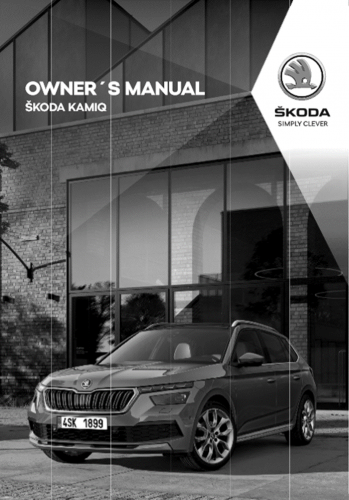
SKODA Kamiq

Files related to the SKODA Kamiq

13 files

    • 321 Downloads
    Updated
  1. Kamiq 2019 ->
     
    General Infomation
    Technical Data
    • 230 Downloads
    Submitted
  2. Kamiq 2019 ->
     
    Technical data
    Heating
    Air conditioning system
    • 198 Downloads
    Submitted
  3. Kamiq 2019 ->
     
    General Information
    • 450 Downloads
    Submitted
  4. Kamiq 2019 ->
     
    Technical data
    Clutch
    Controls, housing
    Gears, shafts
    Final drive - differential
    • 126 Downloads
    Submitted
  5. Kamiq 2019 ->
     
    Technical data
    Clutch
    Controls, housing
    Gears, shafts
    Final drive - differential
    • 146 Downloads
    Updated
    • 57 Downloads
    Submitted
  6. Kamiq 2019 ->
     
    Engine ID:  DADA, DKRF & DKLA
    • 188 Downloads
    Submitted
  7. Kamiq 2019 ->
     
    Starter, current supply, CCS
    Windscreen wash/wipe system
    Lights, bulbs, switches - exterior
    Lights, bulbs, switches - interior
    Wiring
    • 489 Downloads
    Updated
  8. Kamiq 2019 ->
     
    Air conditioning system with refrigerant R1234yf
    • 113 Downloads
    Submitted
  9. Kamiq 2019 ->
     
    Air conditioning system with refrigerant R134a
    • 153 Downloads
    Submitted
  10. Kamiq 2019 ->
     
    Engine ID: DKRF & DKLA
    • 367 Downloads
    Updated
  11. Kamiq 2019 ->
     
    Engine ID DGTA & DGTD
    • 118 Downloads
    Submitted

Important Information

Welcome to BRISKODA. Please note the following important links Terms of Use. We have a comprehensive Privacy Policy. We have placed cookies on your device to help make this website better. You can adjust your cookie settings, otherwise we'll assume you're okay to continue.

Account

Navigation

Configure browser push notifications

Chrome (Android)
  1. Tap the lock icon next to the address bar.
  2. Tap Permissions → Notifications.
  3. Adjust your preference.
Chrome (Desktop)
  1. Click the padlock icon in the address bar.
  2. Select Site settings.
  3. Find Notifications and adjust your preference.