Everything posted by Cubbington
-
Are all standard VAG stereos this bad?
Chipping in as I upgraded the system in mine last summer, as the standard setup is, in my opinion, rubbish. I Dynamatted most of the car, fitted custom-fit Focals front and rear, along with sub in the boot and couldn’t understand why the rears sounded so much worse than the fronts. I also fitted an Audiotec-Fischer Amplifier which is completely configured via PC. The amp has a setting whereby you can measure the input signal for time, phase and frequency response, so you can set it all to a flat response. Surprise surprise, the rear outputs of the standard amplifier are all over the place, and it needed a bit of tweaking to get rid of it. That being said, I agree with previous comments regarding using just the front speakers, and with the measurements I’ve done using a calibrated mic, the system sounds amazing, and much better just using the fronts and the sub (wasted money on the rears if I’m honest). Have a look through the Octavia 3 projects and you’ll see my thread there. Pity it looks like a company car’s on the way and I’ll be selling the Octy after all that work! Cheers, Nick
-
USB port issues
Are you using an iPhone or Android device?
-
Any Google Nest/Hive Thermostat Users?
Thanks Both, I contacted the installation company yesterday, and have asked for them to do a site visit, as they do a few of the systems. Cheers, Nick
-
Any Google Nest/Hive Thermostat Users?
Thanks for the additional thoughts and experiences you’ve had. I’ve found a local company that specialise in fitting smart/eco energy systems, so will contact them to discuss the options. I’m leaning towards Nest again for the protect integration with their smoke alarms & Hue, and the learning facility to keep the house at a more constant temperature. Will let you know how we get on! Thanks again, Nick
-
Any Google Nest/Hive Thermostat Users?
Have you got scenes working with the Hamony remote? We use a Harmony too (hopefully changing to Control4 at the weekend for the TV/HiFi), and I could only see individual bulb control when Hue was loaded on to both. Seems to be a 50/50 split on Hive vs. Nest, so far...has anyone seen actual savings since having either fitted? As an aside, I did a factory reset on the Hue system a few days ago, and was able to get all lights, sensors & switches on one hub, which has made it a lot nicer to use from the app, so brings it closer to integrating properly with Nest. Cheers, Nick
-
Custom Fit/Stealth Audio Upgrade
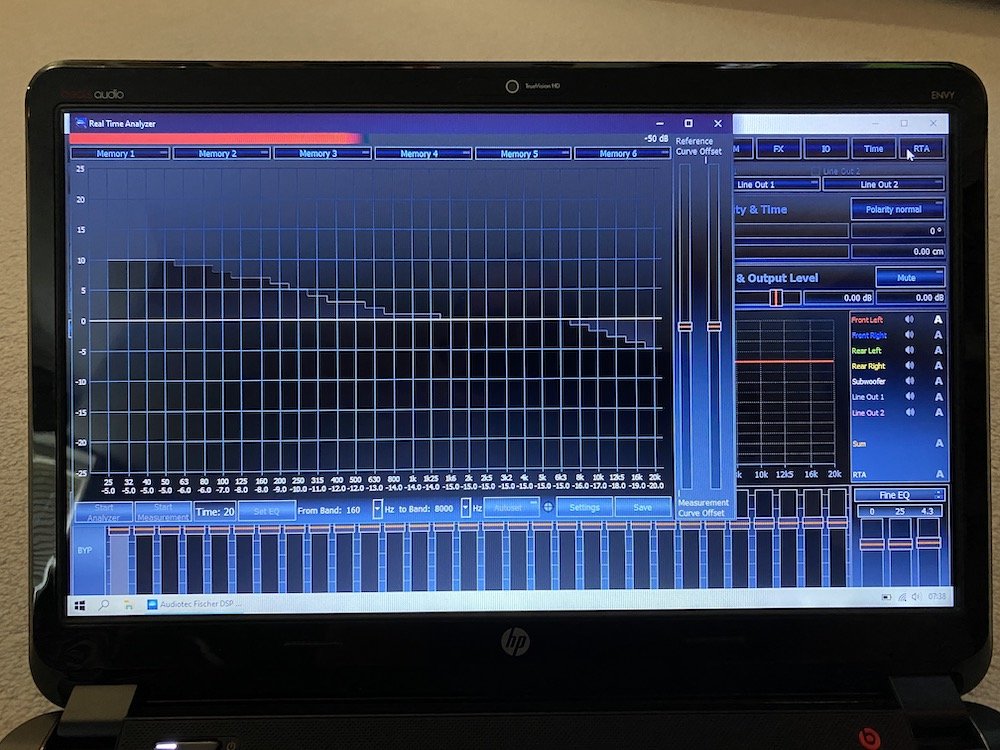
@rossinio, have you played any more with the EQ settings? I spent some time reading the sound tuning magazines from Audiotec, and it makes more sense now. I bought a Umik-1 mic & small microphone boom stand, and had a quick play yesterday. Using a long cable so I could sit in the back of the car, I got a very nice measurement: The key to it is to try not to go into +0 (increased) on the equaliser, as it introduces distortion if you go to far. Dropping down into -0 (decreased) settings is fine according to Audiotec’s setup recommendations. I also used the ATF reference curve (increased low frequency and decreased high frequency) as this is a much nicer presentation than a flat response curve. If you're interested, do some research on the "Harman Curve", which I'm sure is what the ATF curve is based on. I didn’t have time to EQ the rears and sub, but this is a very good start - with no EQ, the Focals are very bright, as you can see from the dips from 12.5k! Cheers, Nick
-
Any Google Nest/Hive Thermostat Users?
@SuperbTWM, thanks, I don’t have to worry about a mess if I go for Nest, as I can put the controller where the current thermostat is: The switch is the Senic Hue with Gira E3 surround in UK backbox; we have normal Gira switches for the bathroom and downstairs loo as they didn’t need Hue lighting, and the switches look the same. @Lady Elanore, Nest can integrate with Philips Hue; I’m not sure if you can use the Nest app to control the lights, but they do work together if you start building the Nest with fire alarms, etc. Cheers, Nick
-
Any Google Nest/Hive Thermostat Users?
We live in a fruit-based computer and phone household, so won’t work! Thanks anyway!
-
Any Google Nest/Hive Thermostat Users?
Having one app to control it all is really nice, would be great to have that functionality if possible.
-
Any Google Nest/Hive Thermostat Users?
@cheezemonkhai Yep, latest V2 bridges, and still hit the limits; I'd noticed operation was becoming a bit flakey, then tried to add a final switch, only to get a message along the lines that the bridge was full and I needed to delete something else before I could add it... I've just counted everything, and we've got 30 bulbs, 3 motion sensors, 1 smart plug & 13 switches - I think it's the combination of sensors, smart plug & switches (11 of which are Senic Gira and can be configured as either one or two switches for hallway/stairways, etc.), as they use a lot of resources. As an aside the Senic Gira switches are great as they are 55mm Euro backbit fittings, and Gira make Euro to UK back box adapters, so you can replace your original UK switches and have a nice clean installation. What I should do is do a hard-reset and clear everything, then try to configure it all again with one hub...it's just a pain though, as we've got some nice scenes, routines & timed motion sensors rules configured, and I really don't want to have to go through setting them all up again!!! Cheers, Nick
-
Any Google Nest/Hive Thermostat Users?
I think a Zigbee network is it's own wireless mesh network independent to your wifi network. Good comment regarding Tado, and even though I love the look of the control panel, I'm not too sure about just having customer support on email and phone; it's a heating system, so one of a home's essential services, so if it goes wrong and it's something I can't fix, I'd like to know an engineer can be called to fix it if need be. It's not a dealbreaker, but Tado also requires a £3/month subscription for all the functionality...these systems are supposed to save money over the long-term, so then spending an additional £36/year doesn't quite work for me - they could increase the cost of the subscription at any time too...
-
Any Google Nest/Hive Thermostat Users?
Good to check though I was looking at a third party Hue website whilst you were checking out your Hive limits and it seems that they're very similar - you can apparently connect up to 64 bulbs to a Hue hub but it's not recommended as it starts becoming unresponsive. There was reply to the article from one guy saying that he had 50 bulbs just in his kitchen and living room alone...say what now?!
-
Any Google Nest/Hive Thermostat Users?
Worth checking! With Hue it's something like 50 bulbs & 12 devices; it's based on physical hardware so clustering/grouping bulbs and devices doesn't reduce those limits. When you take the system for granted and just start replacing every bulb in the house over time, you don't realise how many you have...and we hardly live in a mansion!!! Hopefully Philips release an updated hub with more memory; the other problem with having two hubs is that you can only use one for geolocation settings, so it does limit the functionality a bit. That being said, I love the simplicity of the Philips system, it's bullet-proof, easily installed and only as expensive as you want to make it by adding more rooms...I travel a lot for work (under normal circumstances), and Mrs Cubbington loves the Hue system as she's set scenes and timers to emulate the normal times I'm up and about, and feels safer for it - she knows how to use it more than me! Sorry, digressing from the original post there! Nick
-
Any Google Nest/Hive Thermostat Users?
Thanks @Liger1956, nice to also read from you that it's easy to install Hive. @Lady Elanore I just checked Hive's website, and it appears that you can link Hive to Hue, however you can link it to one Hue Hub...I have two Hue Hubs as they actually have a very limited amount of memory, and I hit the limit of how many devices you can attach to one hub, which was frustrating (very first-world level of frustration ) as we don't exactly live in a mansion. You have to switch between hubs in the Hue app to control the different rooms/lights that are assigned to each hub...clunky. I needed to buy a separate app (iconnecthue, brilliant) to control it all seamlessly. I think the best thing to do would keep the heating and lighting separate...it's hardly a hardship to have separate apps, and as mentioned before, these are very first-world problems to be trying to resolve... Have a good evening all, Nick
-
Any Google Nest/Hive Thermostat Users?
Hi There Lady Elanore, Thanks so much for the detailed reply, and nice to hear you've had a good experience with the Hive system. Good to know it's simple to use, and I do like the integration features, however have Philips Hue lighting throughout, and know that Hive doesn't integrate with this system, whereas Nest does - not essential, but nice to have. Thanks again, really useful info Nick
-
Any Google Nest/Hive Thermostat Users?
Hi All, About to hit the button on getting a Google Nest thermostat installed after doing some research between Nest & Hive. I was initially drawn to Hive as the controller drops into where the original thermostat is fitted (hall), and they also do smart TRVs for the radiators, whilst Nest doesn’t. I prefer the look of the Nest controller, but will need a bit of tidying the wall to mount it cleanly in place of the original thermostat as I like the clean look of it without the surround, or as the Google manual suggests put it in a regularly used room...ironically have just decorated the hall! We’ve also got Philips Hue lighting throughout, and Nest integrates with Hue, whilst Hive has it’s own lighting and smart home integration. I really like the idea of the Smart TRVs as we’ve never been able to get an even temperature throughout the house, but it’s not a deal-breaker, and there seems to be a lot of bad feedback regarding the Hive TRVs on their own forum... Honeywell do a system called Evohome which is supposed to be excellent, but is way out of our budget and has an awful looking controller! Initial outlay for both Nest & Hive is pretty similar. So throwing out there to anyone who has either system, and read your thoughts & experiences. Thanks, Nick
-
Custom Fit/Stealth Audio Upgrade
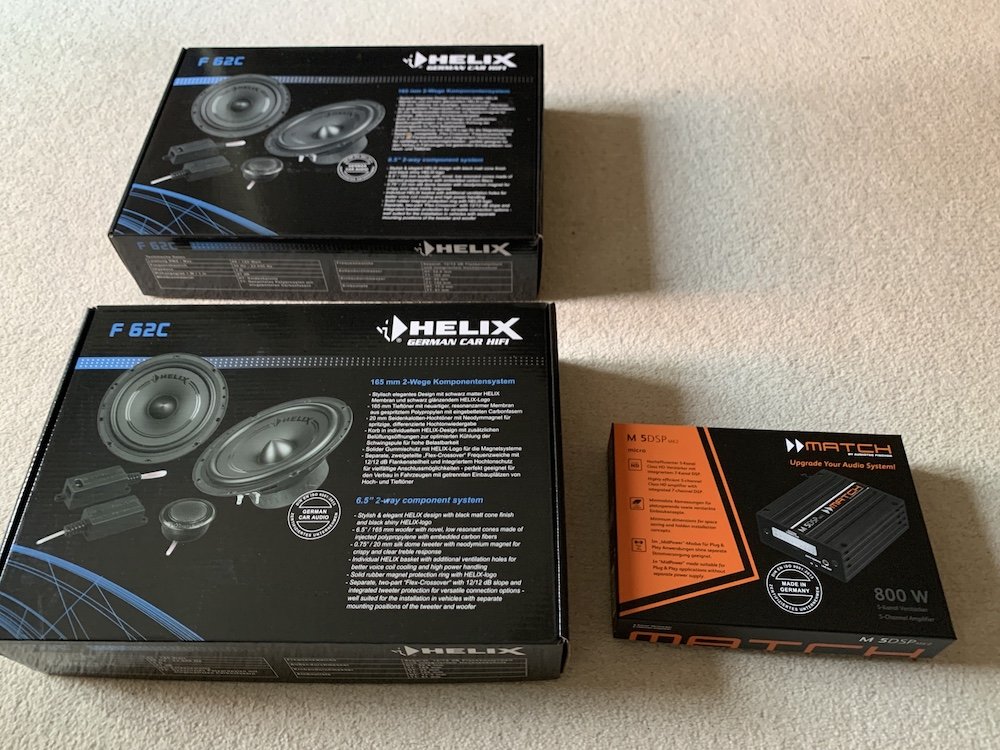
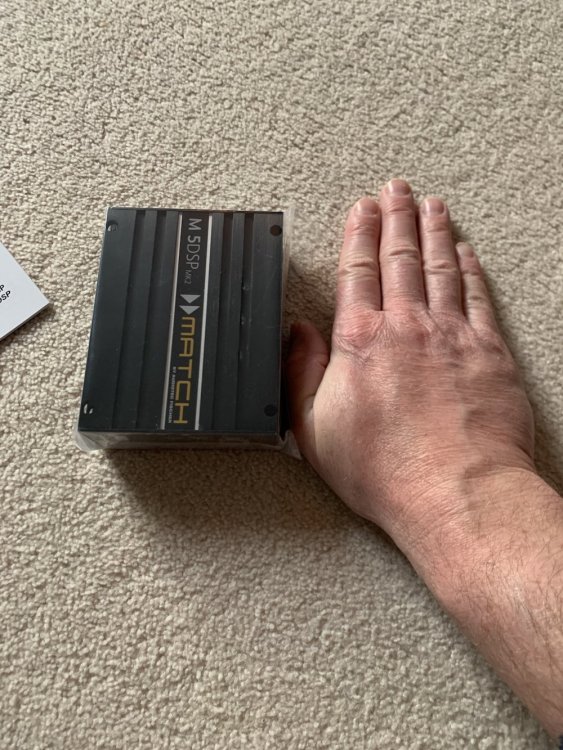
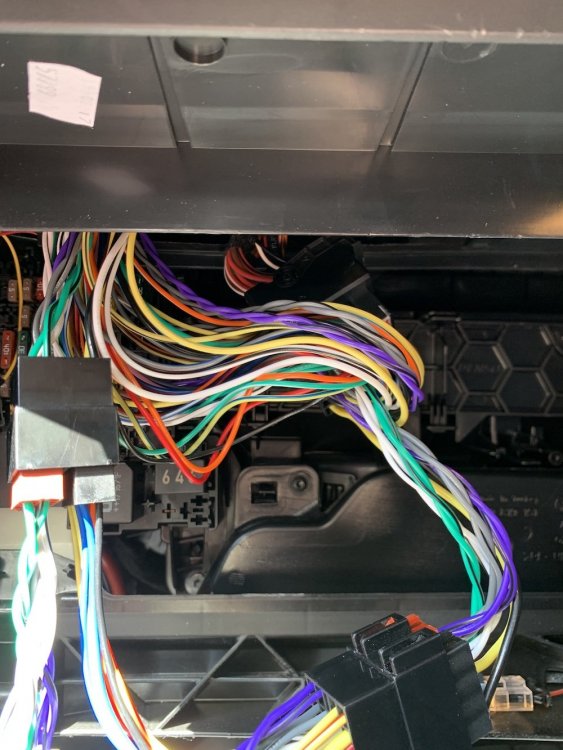
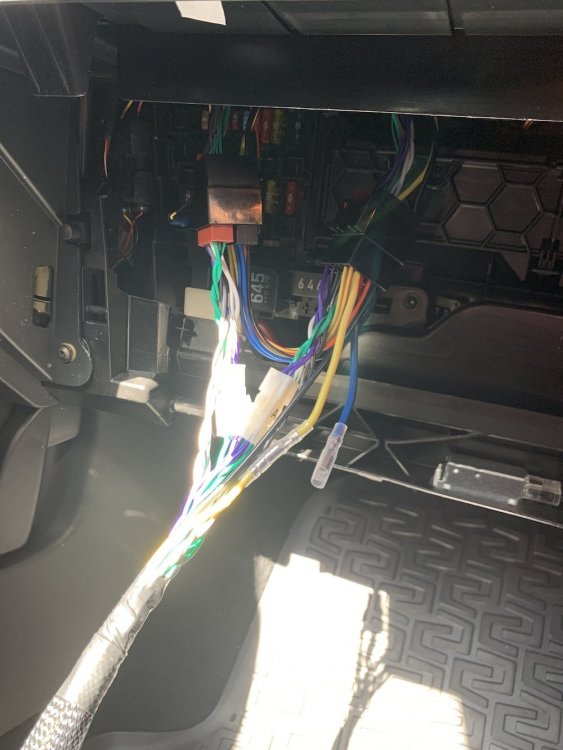
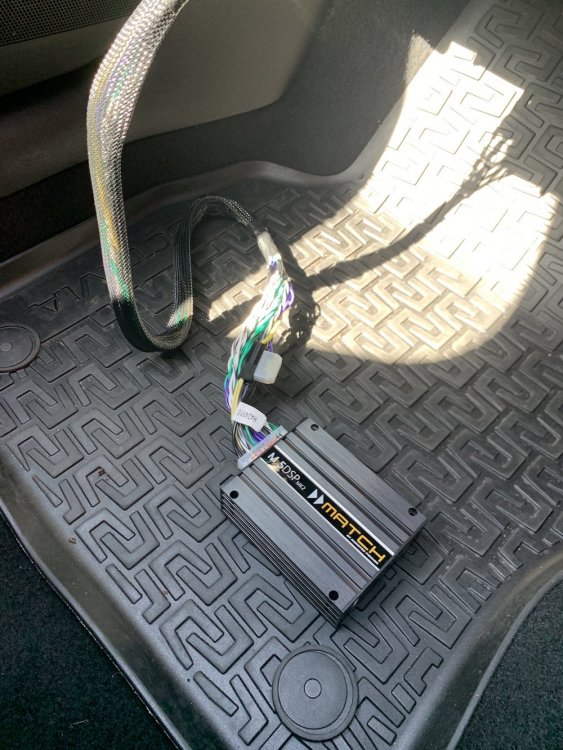
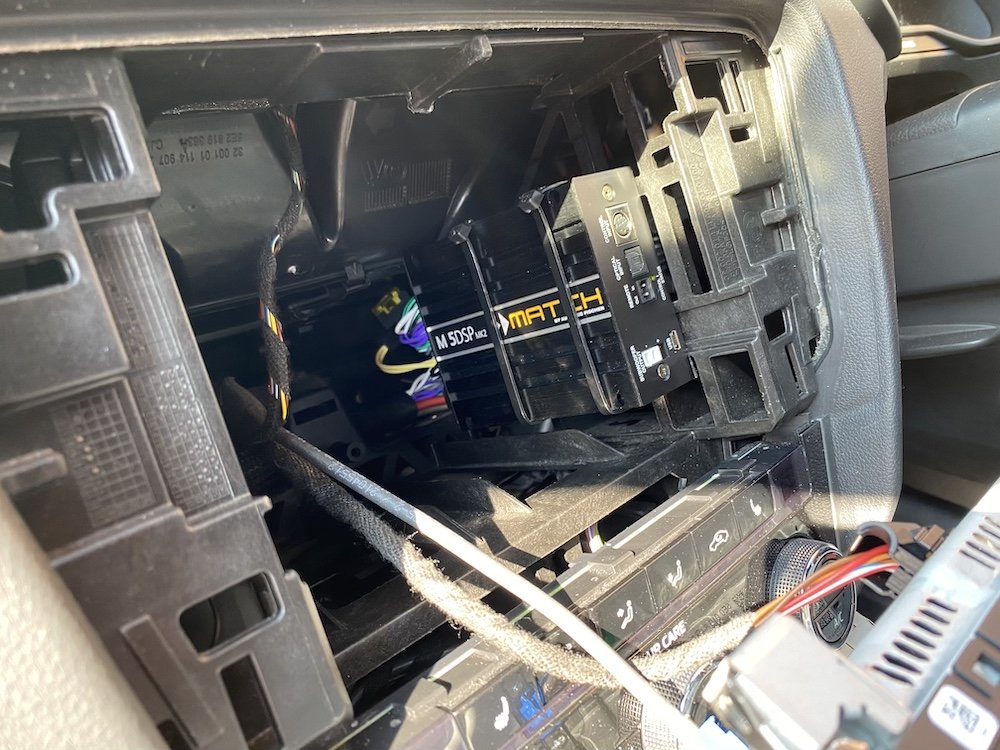
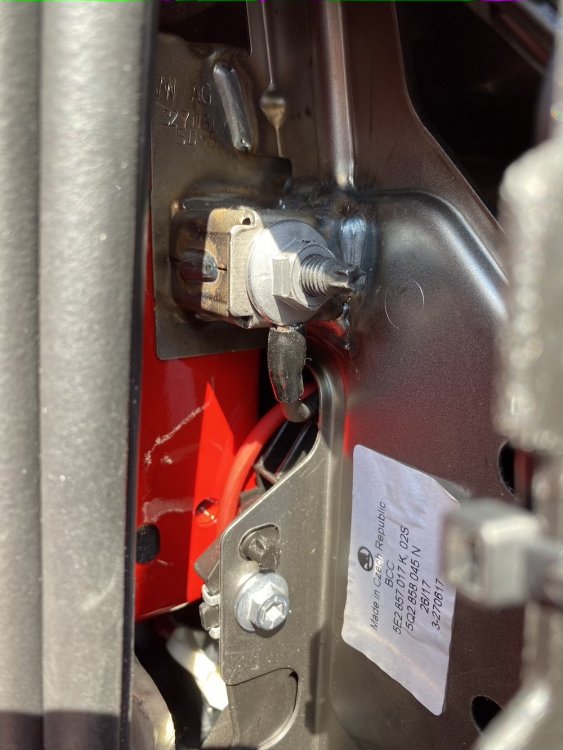
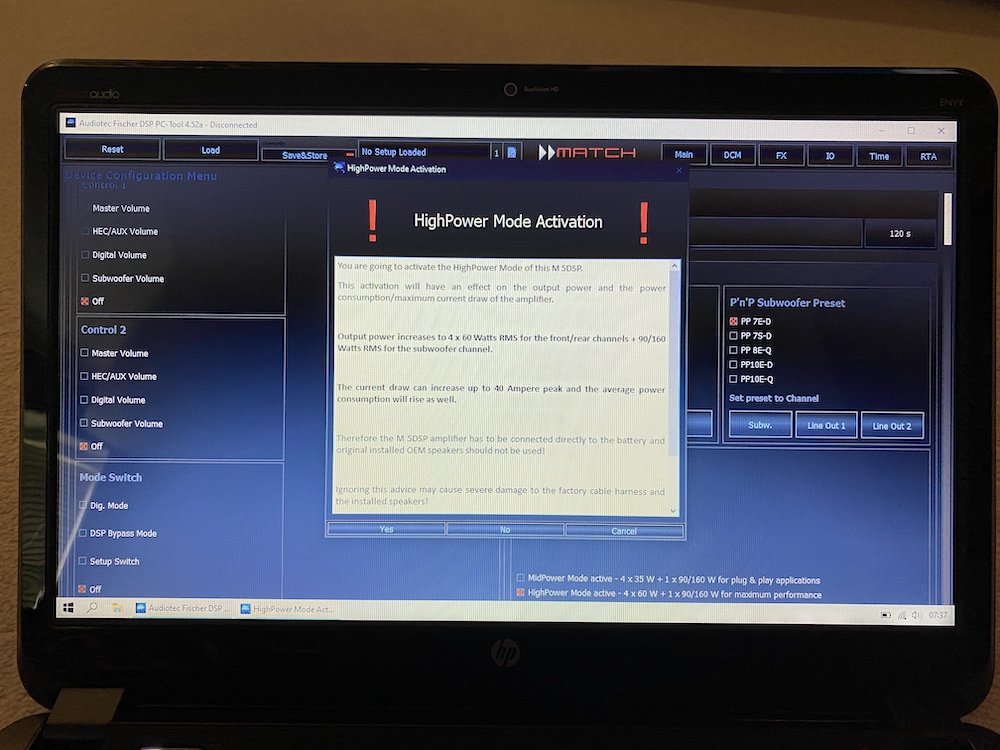
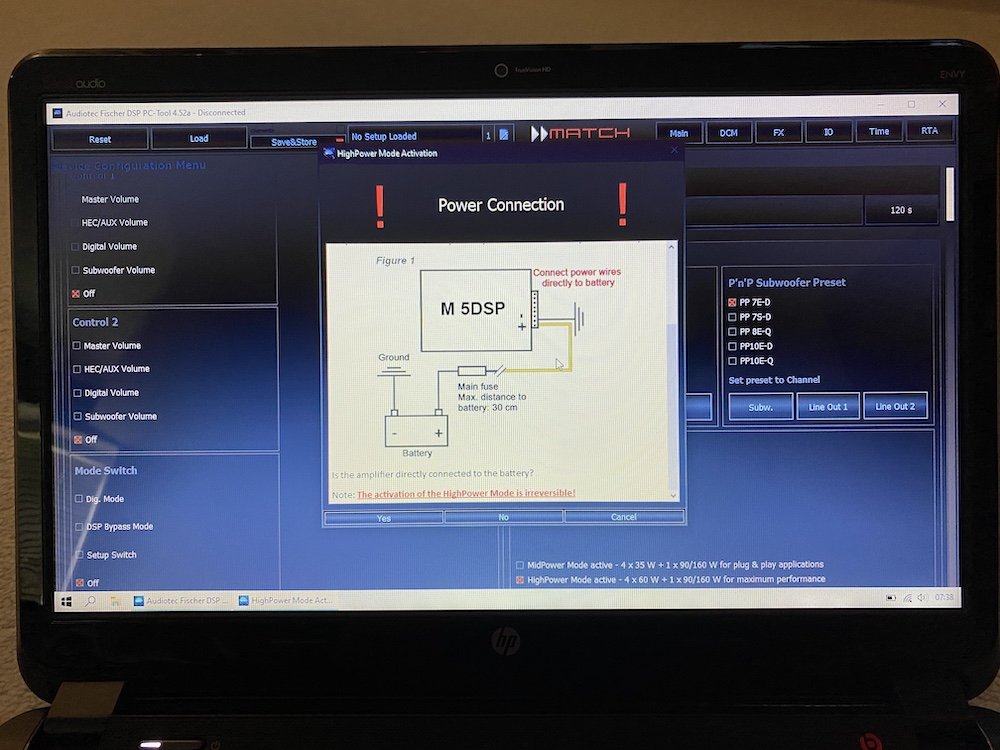
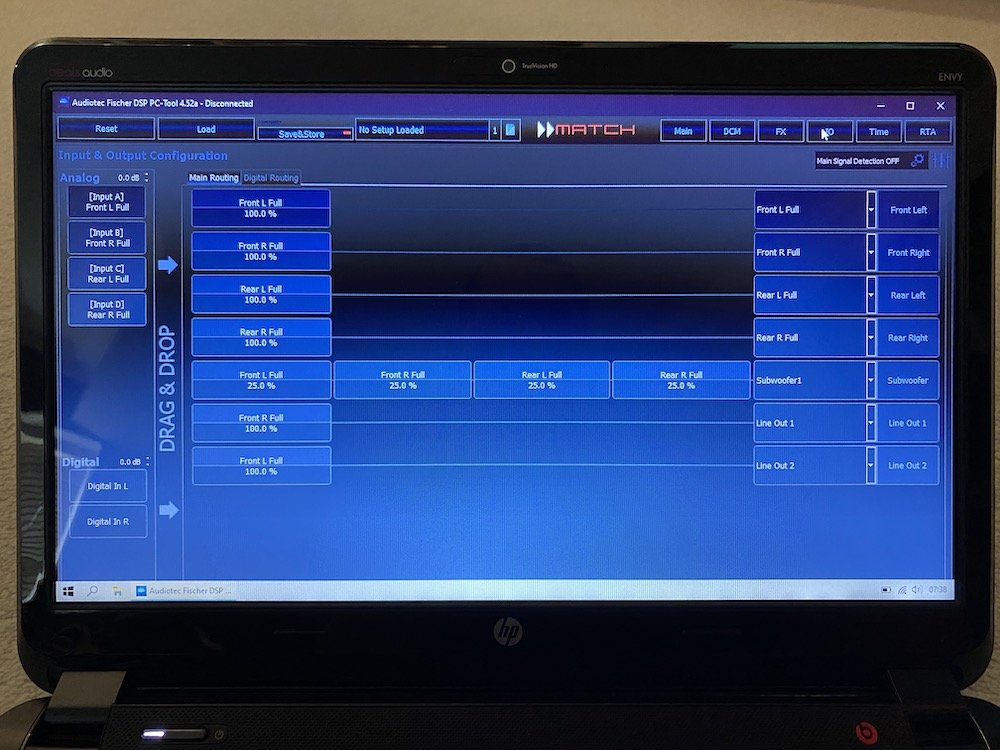
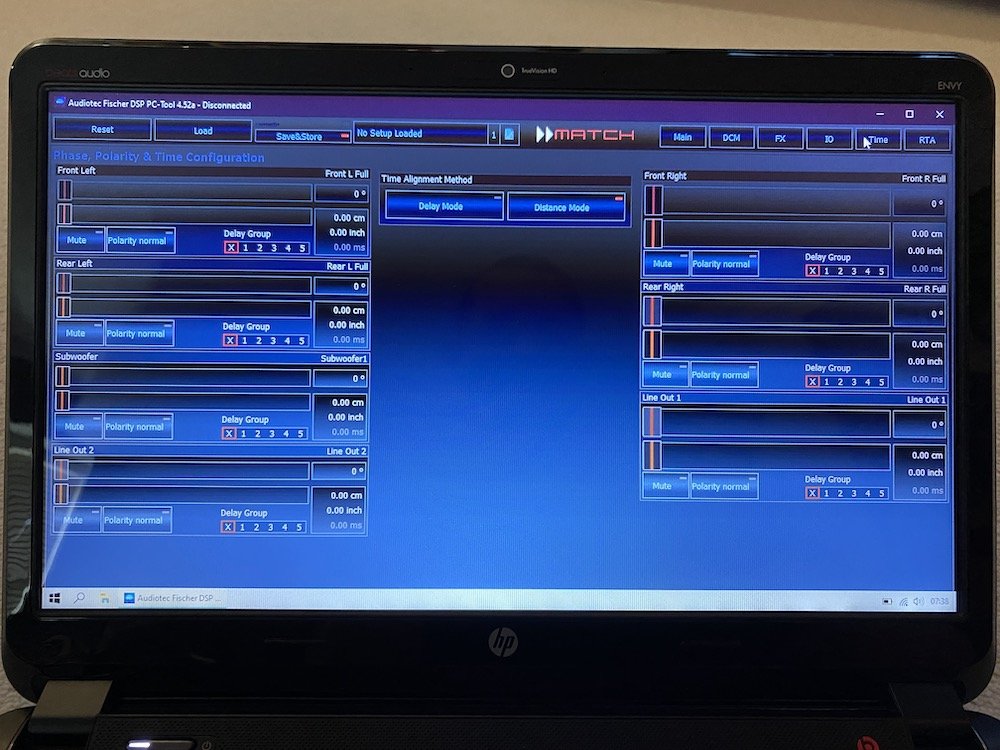
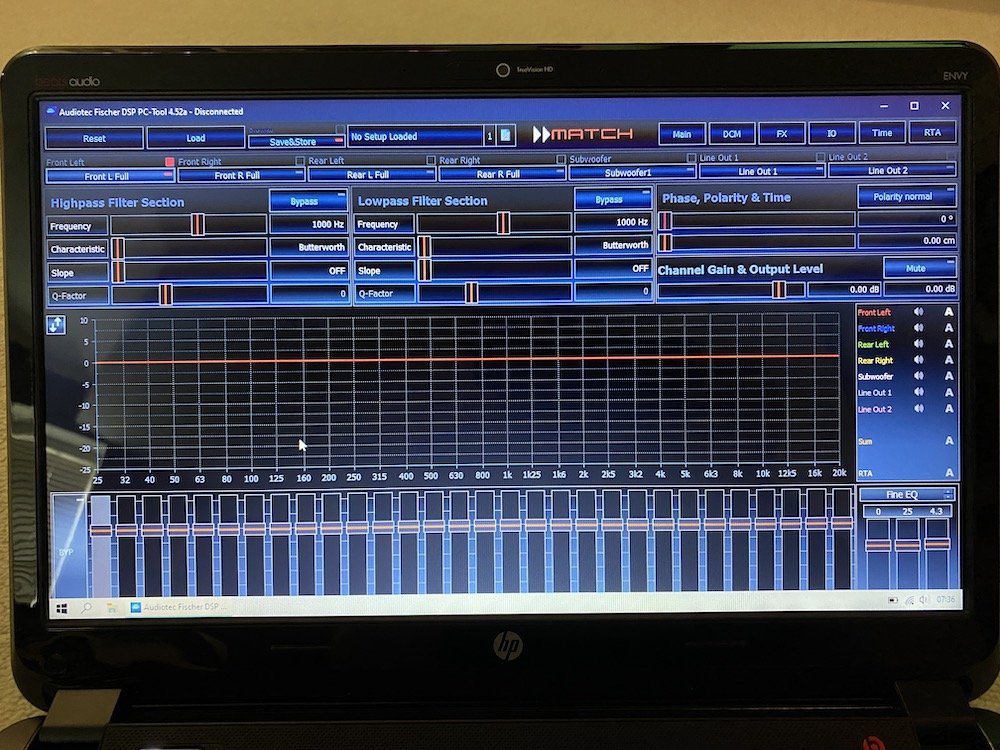
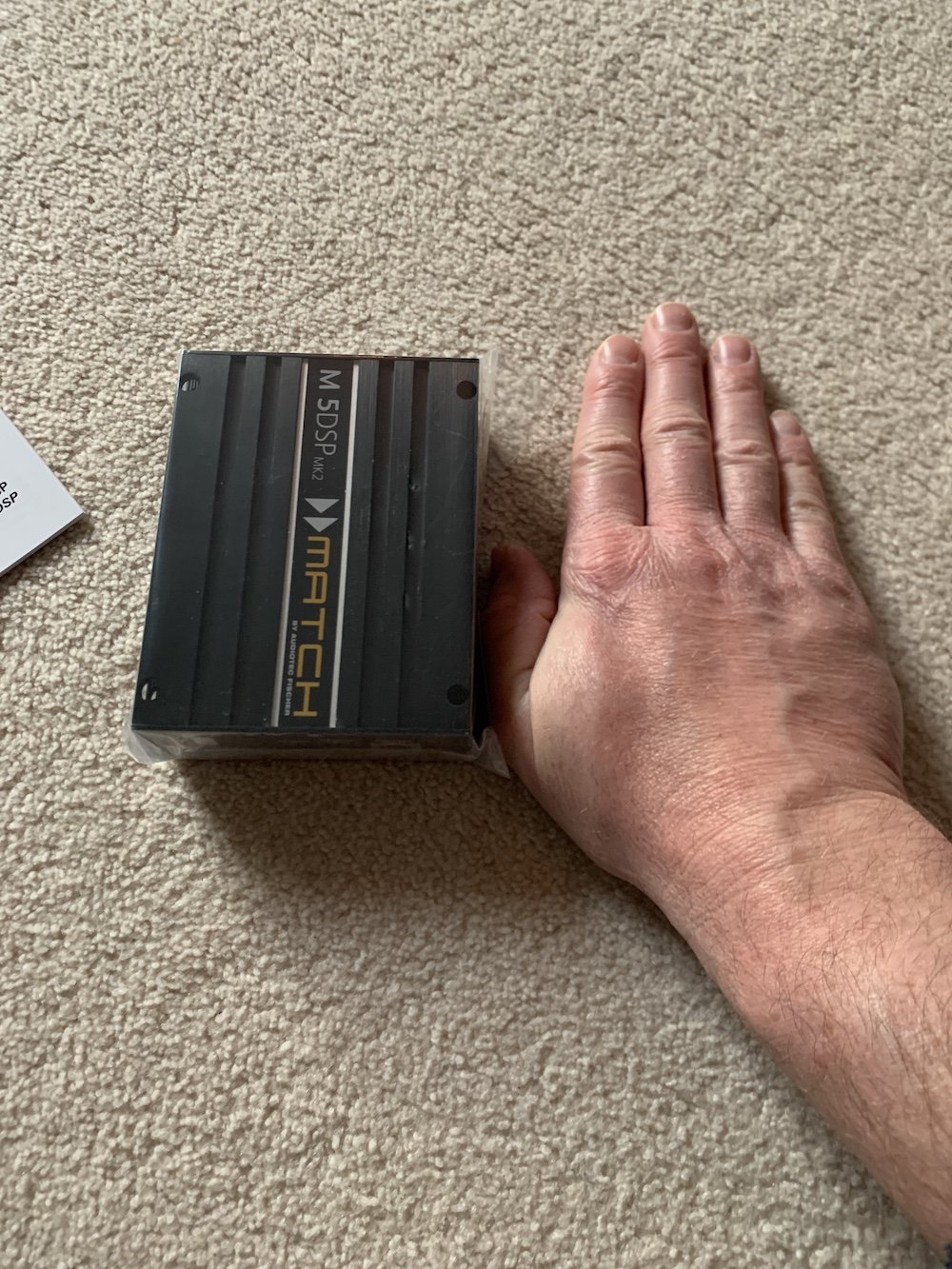
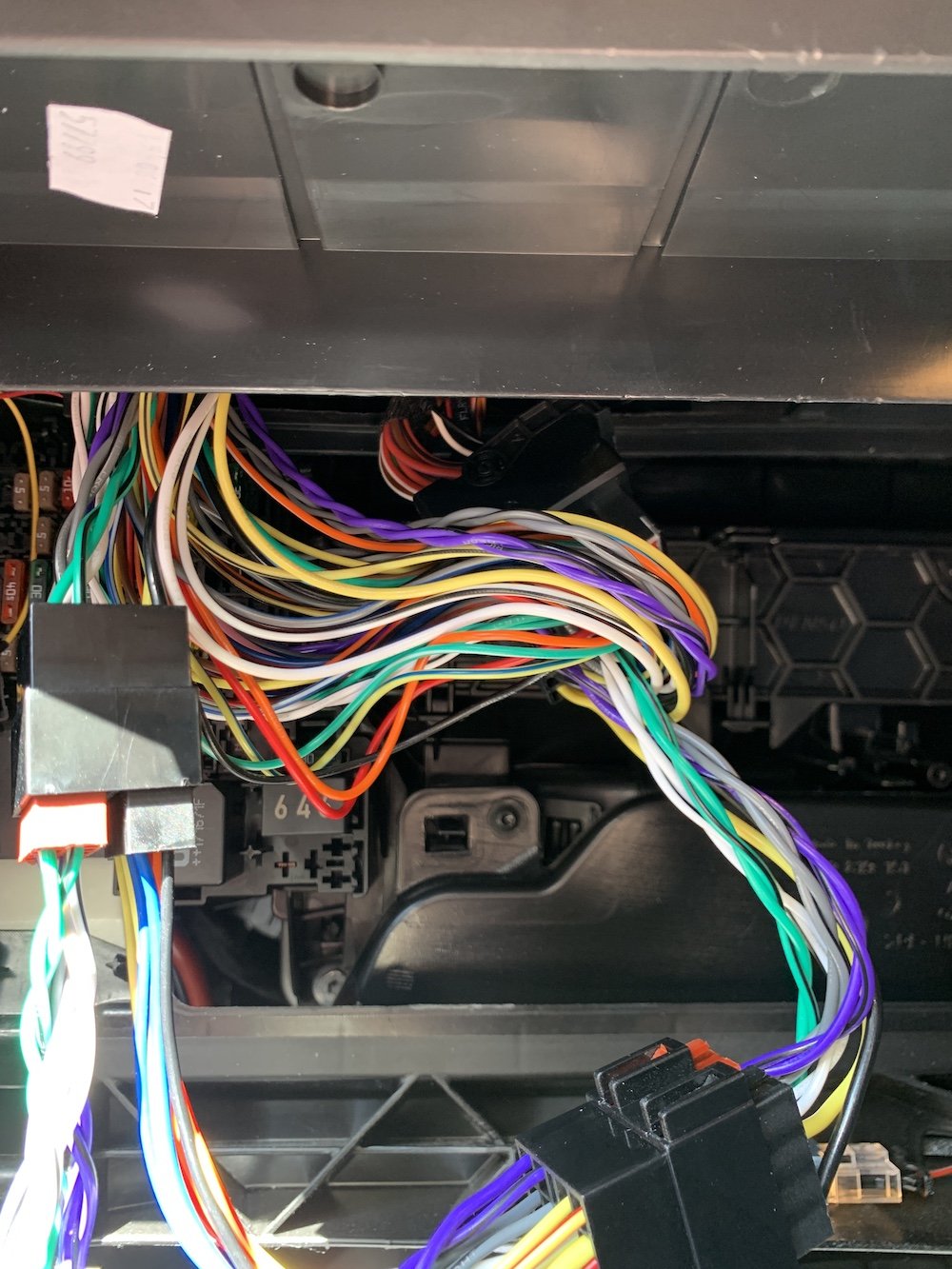
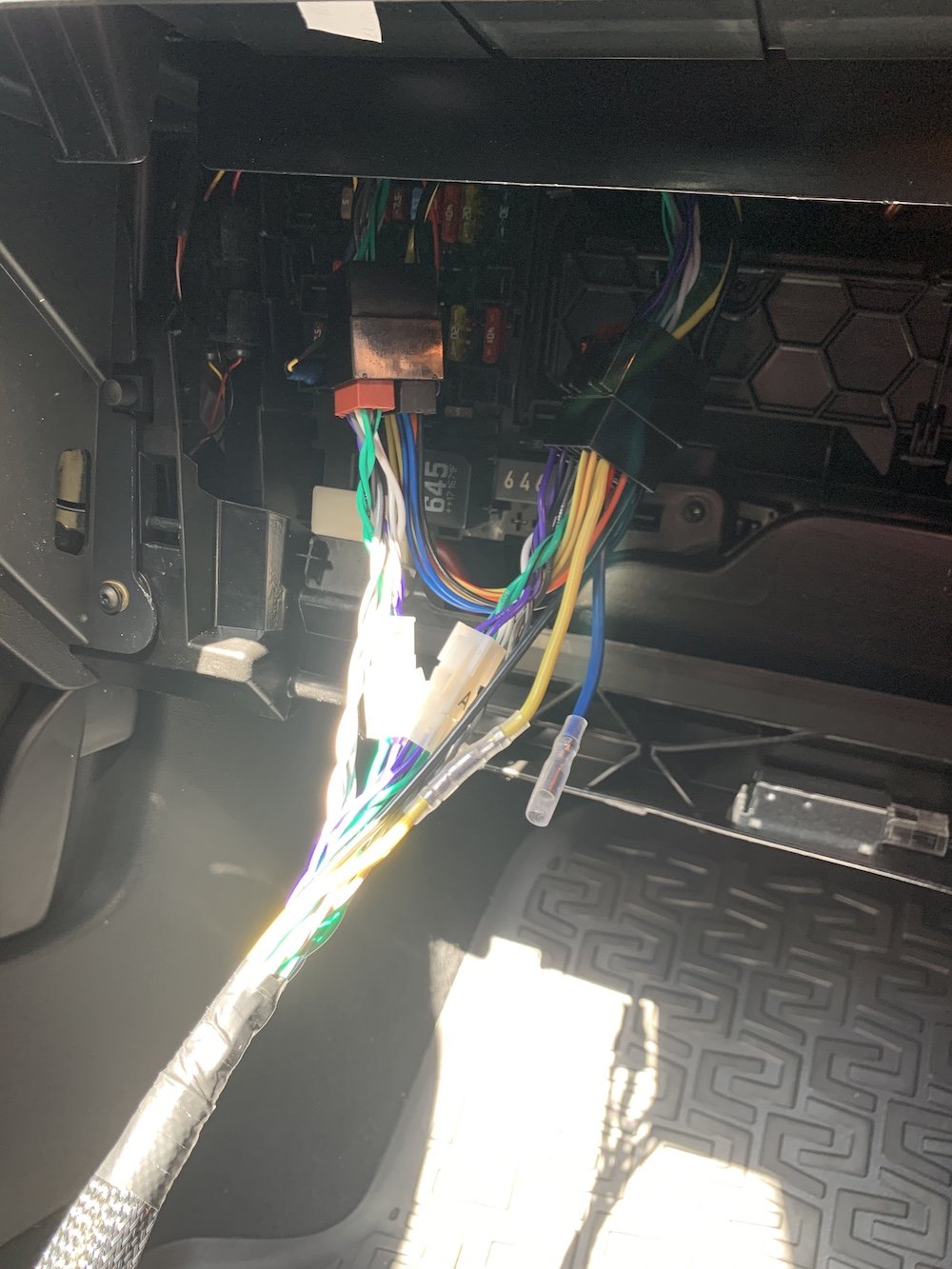
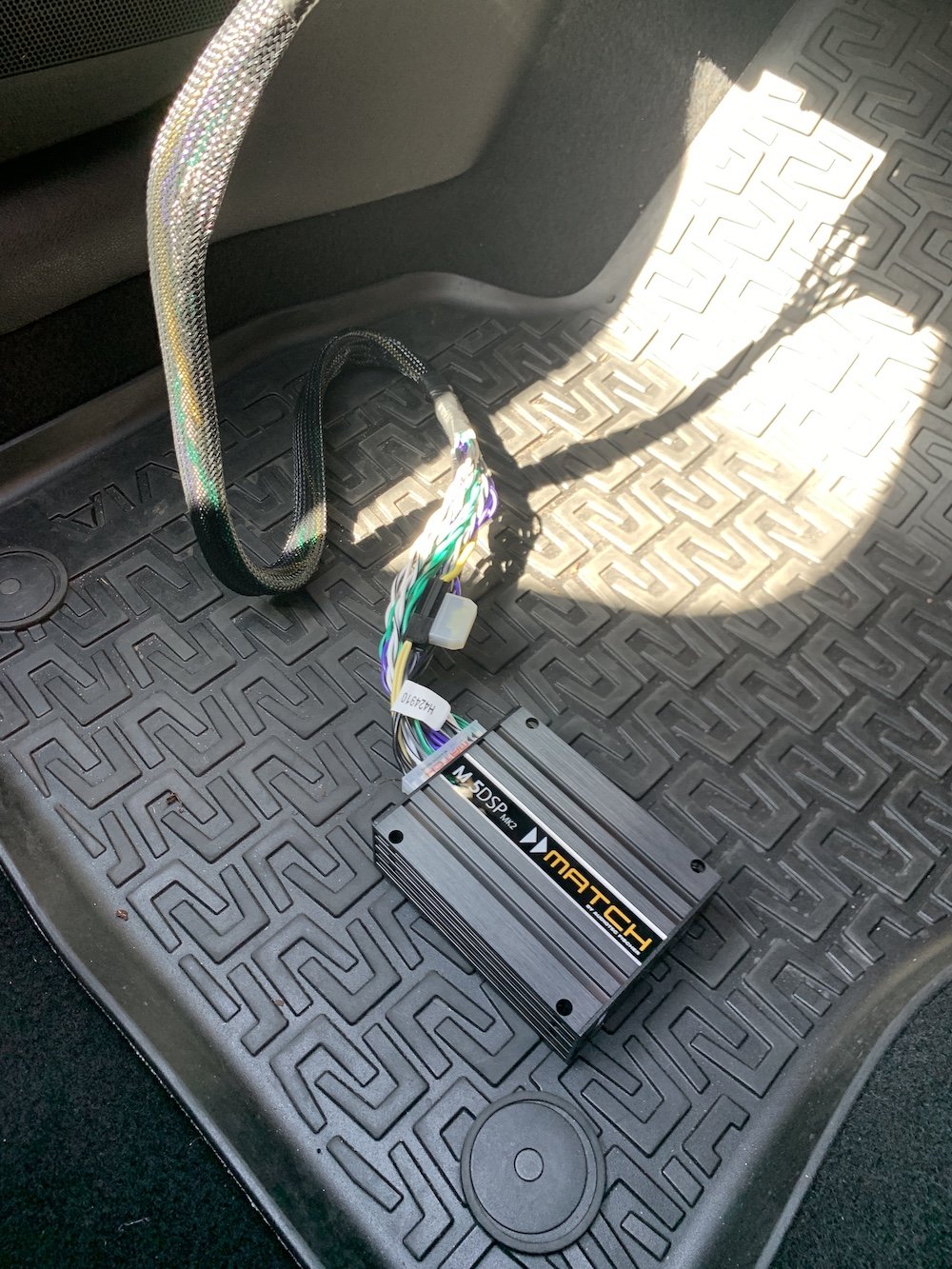
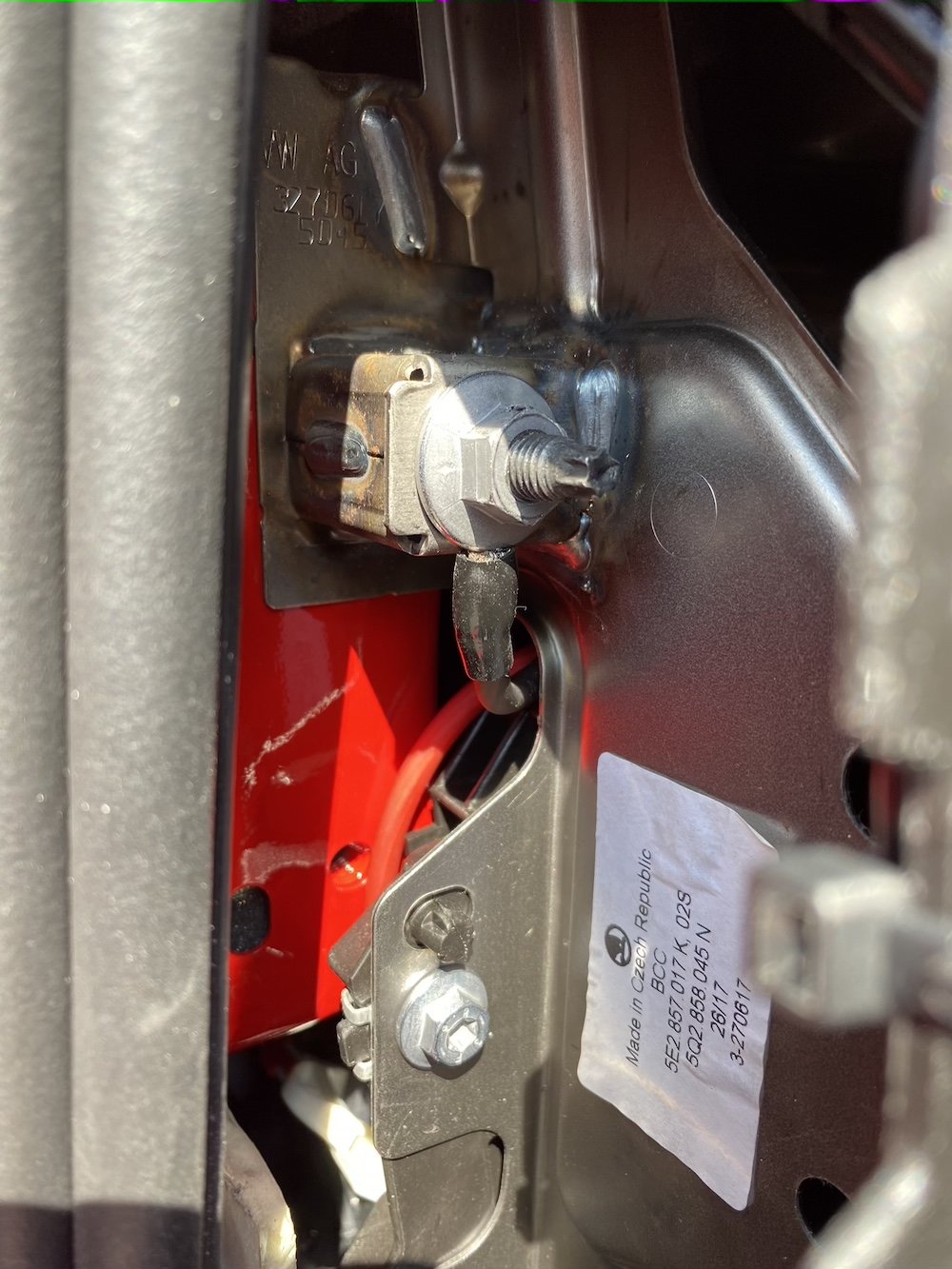
Hi All, Hope you're all staying safe and healthy. This is taking some time, and I still have the speakers to do, but just wanted to post some pics and info on the system upgrade I'm currently working on. The standard system isn't too bad, but I wanted to improve things without changing the original display, nor have visual evidence of different speakers. I've already spent some time Dynamatting the boot floor, spare wheel well, tailgate, under rear seat bench, bonnet and front doors, and just have the rear doors and rear quarter panels to do. As such, my research lead me to a German brand, Audiotec-Fischer; they do plug and play systems for the main German car brands, and their Match range has various amplifiers, speakers, subs, wiring harnesses & looms designed to just drop in - the main systems are for BMW. Unfortunately, they've discontinued the VW specific 6.5" component speakers, which have the exact same mounting for the tweeter in the front doors, so I went for their Helix F 62C 6.5" components. I also had a look at Focal, as they make a specific VW component set, but the connectors/wiring in VW is different to Skoda, so they aren't plug and play for us either. I really liked the look of these, as the tweeter fittings are the same, and the speakers include the deep baskets for the mid-bass drivers. I went for the M5 DSK Mk2 amp, which can be mounted virtually anywhere, as it runs cool and has a tiny footprint. It's also configurable via a laptop to enable so many settings it's a bit mind-boggling! The amp install's been pretty straightforward with the harness and loom in place; I plugged it all, switched the headunit on...and it worked! I was able to remove 28 wires from the plug and play harness, as it's a generic VAG compatible unit, so everything's wired - by my reckoning, it was about 8.5m of little wires acting as aerials I got rid of! The increase in performance was really good; a lot more grip, control, detail, and obviously louder at the same volume level. Not satisfied with that, I bought a Rockford Fosgate amp wiring kit, and ran a direct power feed from the battery to enable 'high output' mode. This is one of the programmable settings, and there's a warning in the manual not tenable it with the standard loom, as the current draw can peak at 40 amps and damage the existing wiring loom! Thanks to @JohnnyType2's excellent write up on his install, I was able to find the loom through the bulkhead, and whilst I'd planned to use that, directly below I discovered another part of the rubber grommet directly below protruding for a wiring loom that my car doesn't have! I made a tiny hole, fed a draw wire (a straightened coat hanger!) through from inside the car, taped the cable to it, and pulled it back through into the car. Oddly, the negative cable was only 18" long, so whilst I couldn't get this onto the battery, I put it onto the mounting point for the dashboard. With loom fitted, and amp connected, I switched the system on...and nothing! Total schoolboy error, I'd connected positive & negative around incorrectly (too much time out in the heat I think), once connected correctly, I tried again and nothing. Thankfully, it was just the fuse in the amp's wiring harness that got taken out, and not the amp... Fuse replaced, all was working as it should, phew! Next was to connect the laptop, and enable the high output mode. It was very easy to do, and nice that you get warnings before enabling the high output mode. All settings changes are live, so you can hear what you're doing - I thought I was saving the file name with the date, pressed '2' and that disabled output channel '2'/front right, pressing 2 again enabled it! The difference between the two output modes was night and day, significantly better than plug and play/low output mode. There's even more control and detail - hard to believe I'm still running the standard speakers actually! I just took the photos below, with the software in demo mode - it was too bright yesterday to take any pics of the screen. The images below are of all the other setup pages; crossover and equaliser, input/output configuration, time alignment & real time audio analyser - I think you plug a microphone into the computer and it'll do 'room' correction as you find in home cinema and some high end audio amplifiers! The amp is five channel, and has a separate sub output, this can also be configured for a centre channel if you don't have a sub...as our cars have the centre speaker mount for the Canton system, I might just buy a cheap speaker to try this out; the bass response with just the standard speakers is fine for me, but it's good to have options. Configured for now, I put some anti rattle tape and velcro strips on the amp, stuck it in place behind the screen (it's a 30 second job to pop the screen out if I want to make changes to the amp settings), and then cable-tied it to keep it in tight: Thanks for reading this, and I'll update when I get the speakers in! Cheers, Nick