



Skip to content

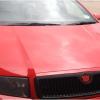
Skoda fabia head light covers
Featured Replies

Hi people, this was when I was toying with ideas

Anyways dont need to could make use to someone else

Smoked OEM headlight covers with brackets and manual

A46E13E8-1250-40C4-AB45-6F9132189ED5-7354-000006C333911859.jpg

£SOLD

Spare left hand side headlight cover OEM with bracket

04F8C358-732B-431C-87C8-A735B75A34DA-7354-000006C32E7AFF91.jpg

£13 posted

Brand new OEM skoda Octavia badge with sticky pad

45BFF771-AD2E-4D46-A01B-22F52AA1D0A9-7354-000006CAA9E76571.jpg

£9posted

Used TDI OEM badge in good condition

45E32390-CD72-4529-ABA5-DD31E8B30616-7354-000006CAAFCD6720.jpg

£8 posted

Hi, the smoked covers would look good on my black vRS but how do they effect the effectiveness of the headlights?!

Edited by vrsrs

  • Author

Hi, the smoked covers would look good on my black vRS but how do they effect the effectiveness of the headlights?!

Hi bud they would look good yeah but!!!! show only im affraid as harldy no light passes throught. I was going to use paint stripper and take the paint off if no one wants them

cool, thanks for the swift, honest response, will leave them but glwts!

And free bump!

  • Author

want this lot gone, any one prices??

£15 posted for both smoked headlight covers?

  • Author

£15 posted for both smoked headlight covers?

£17 and their yours lol, i brought these brand new for £40 IIRC then payed to have them painted

head light covers received today many thanks

  • Author

head light covers received today many thanks

No worries buddy :) when you get a chance take a picture of them fitted. Would love to see them on a black car

headlight covers

Edited by Holmesie

Create an account or sign in to comment

Recently Browsing 0

  • No registered users viewing this page.

Important Information

Welcome to BRISKODA. Please note the following important links Terms of Use. We have a comprehensive Privacy Policy. We have placed cookies on your device to help make this website better. You can adjust your cookie settings, otherwise we'll assume you're okay to continue.

Account

Navigation

Configure browser push notifications

Chrome (Android)
  1. Tap the lock icon next to the address bar.
  2. Tap Permissions → Notifications.
  3. Adjust your preference.
Chrome (Desktop)
  1. Click the padlock icon in the address bar.
  2. Select Site settings.
  3. Find Notifications and adjust your preference.
