Skip to content

When's your peak power

Featured Replies

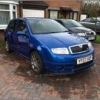
Only had my fabia a few weeks now and noticed a list of mods it's had done to it, I know it's been remapped but not sure what turbo it has fitted.

On my ibiza the power seems to come in about 1,800rpm'ish, but the fabia only starts to pull really strong at 2,500'ish.

It's fast enough as it is, if its been raining forget accelerating hard in 1st, 2nd or 3rd, the wheels will spin almost soon as the go pedal is pressed...

So the question, why is the power delayed?

Could it be a bigger turbo or the remap?

When's your ummphh!!?

It's either how the remap is or the timing is out.


The only way to know is to log some requested boost figures. If that's when boost is being requested then it's down to the map.


You can also check the timing through VCDS too.


Phil

  • Author

I'll be setting the timing up manually in the next week or so with a new belt etc so might find out then.

It drives ok and doesn't feel like the timing is out or anything just the full power is a little bit later than my other car.

My Cordoba PD130 used to get the big shove at about 1800/1900rpm.


The timing can be slightly out by a tooth or two without affecting the running of the engine too much but can really change the power delivery.


Phil

  • Author

Sounds better for my clutch and flywheel haha.

I'll use the proper timing tools so it should be spot on.

My peak power is above 4000rpm :D  It makes for a buzzy ride :D

What other mods does it have??

Might be my old car..... Haha

Peak power (bhp) isnt until around 3,400 - 4,000 rpm

Peak torque is lower unless you have a big turbo! The higher the peak torque the better

  • Author

What other mods does it have??

Might be my old car..... Haha

Reg is KU56. Egr delete, decat exhaust, cupra bushes

Create an account or sign in to comment

Recently Browsing 0

  • No registered users viewing this page.

Important Information

Welcome to BRISKODA. Please note the following important links Terms of Use. We have a comprehensive Privacy Policy. We have placed cookies on your device to help make this website better. You can adjust your cookie settings, otherwise we'll assume you're okay to continue.


Account

Navigation

Configure browser push notifications

Chrome (Android)
  1. Tap the lock icon next to the address bar.
  2. Tap Permissions → Notifications.
  3. Adjust your preference.
Chrome (Desktop)
  1. Click the padlock icon in the address bar.
  2. Select Site settings.
  3. Find Notifications and adjust your preference.