Iloveskips
Finding my way
-
Joined
-
Last visited
Everything posted by Iloveskips
-
Thanks to all responents to my query and I was delighted to find that the advice does work in practice. As far as I can see, there is no mention of this in the Owner's Manual.
-
So, pressing the start button without depressing the clutch pedal (in the case of a manual gearbox) will not start the engine, but energise other equipment? Please forgive ignorance, but elderly and still getting to grips with this modern car.
-
Do you mean clutch pedal?
-
Please could someone explain how "accessory" power is controlled on a Skoda without an ignition switch (i.e. a 2024 Scala 1.5 SE)? My previous vehicles, bless their simplicity, have always had an ignition switch with an "ACC" position. This latest acquisition has a push-button start and no ignition switch, so how and when is everything needing a non-permanent electrical supply turned on?
-
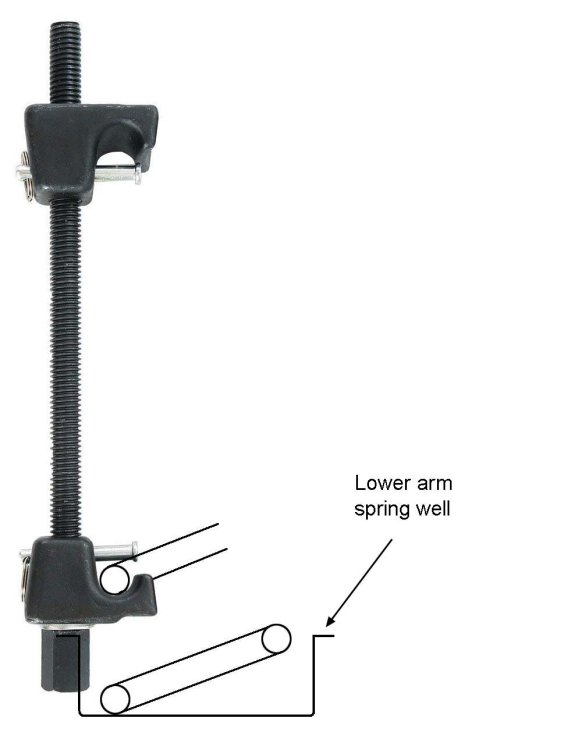
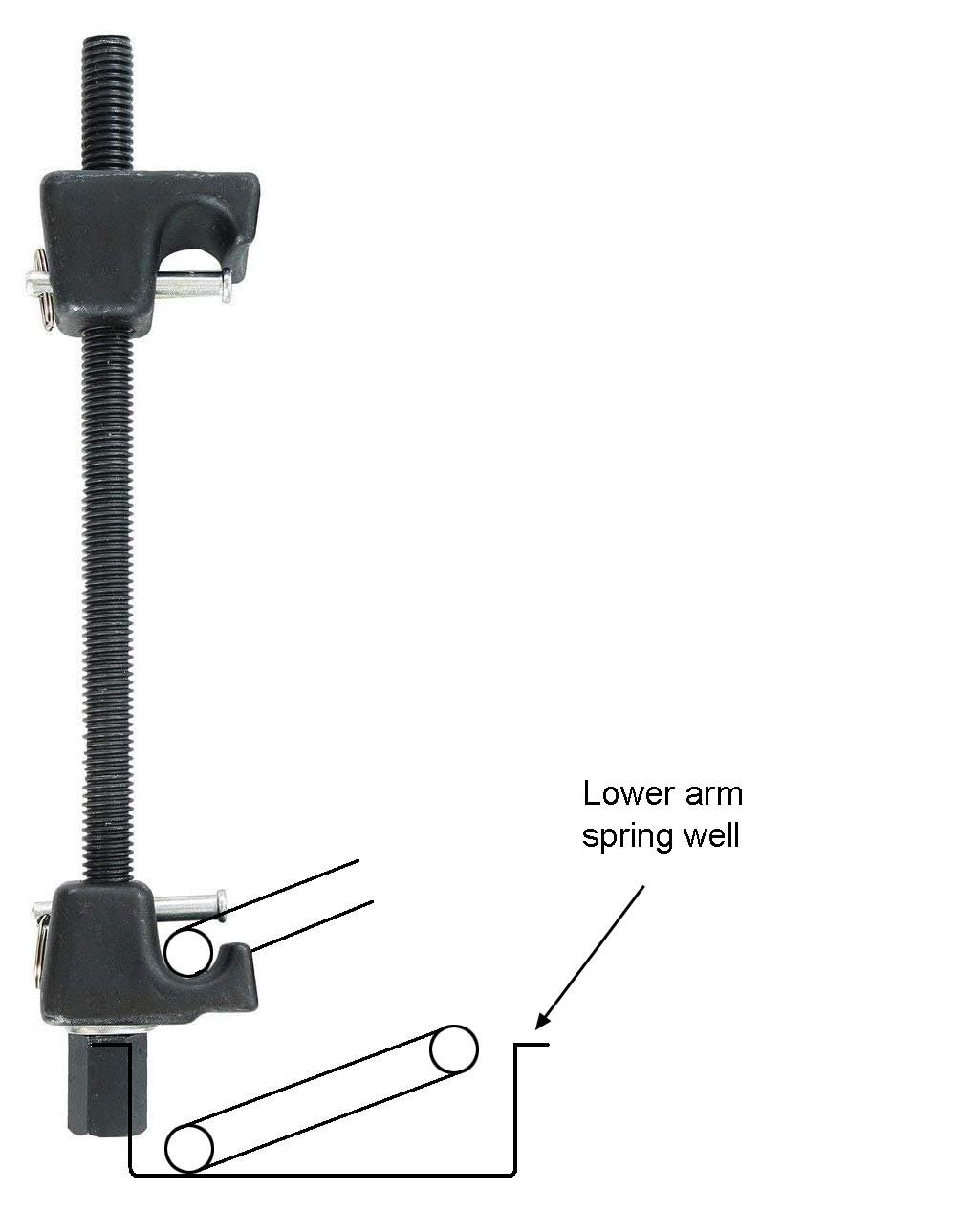
Hi, Octavia Mk.2 Estate, 2008 Its rear lower suspension arms need replacing, but being a novice, I'd appreciate advice on safely removing the springs. Jacked up, there is about 9" (225mm) of accessible length of spring between the top mount and suspension arm. Given that this will (hopefully) be a one-off job, I don't want to pay the earth for an elaborate spring compressor. Would it be possible to do this using a pair of double- or single-hook type compressors, because some, if not all, of those types seem to be too long to fit in that 9" gap, or might foul on the suspension arm (see illustration). Even if the actuating screw head could be situated above the arm, it seems that the screw shaft might foul on the inner surface of the wheel cavity or the car body. On a related topic, what actually prevents the spring expanding fully when the wheel is off the ground – the shock absorber? Thanks in advance for any help.