




leeroytibbs
Finding my way
-
Joined
-
Last visited
-
Hi all 2011 vrs petrol tfsi has the rattle when you let off the throttle. Put it down to the turbo actuator rod rattling. Fitted the clip modifications off ebay and seemed OK for a while...rattle now back Can you replace just that arm and bushing? Will it just rattle or will it eventually fall off with disastrous consequences? Thanks all Lee
-
The RCD 330plus looks good Would like a UK supplier All the eBay look like coming from China
-
Yeah will do want a factory look
-
Thinking the same thing Would like some modern comforts..Android play and decent maps Hope someone can advise both of us
-
Hi all Had my vrs octy for 8 years now. Looking for recommend headunit upgrade. Would like to run Google maps and have dab radio so i can listen to listen to 6 music. System seems a bit outdated.i have a Columbus so it's good What have you guys got? Would I lose the on screen heater functions?
-
Cheers
-
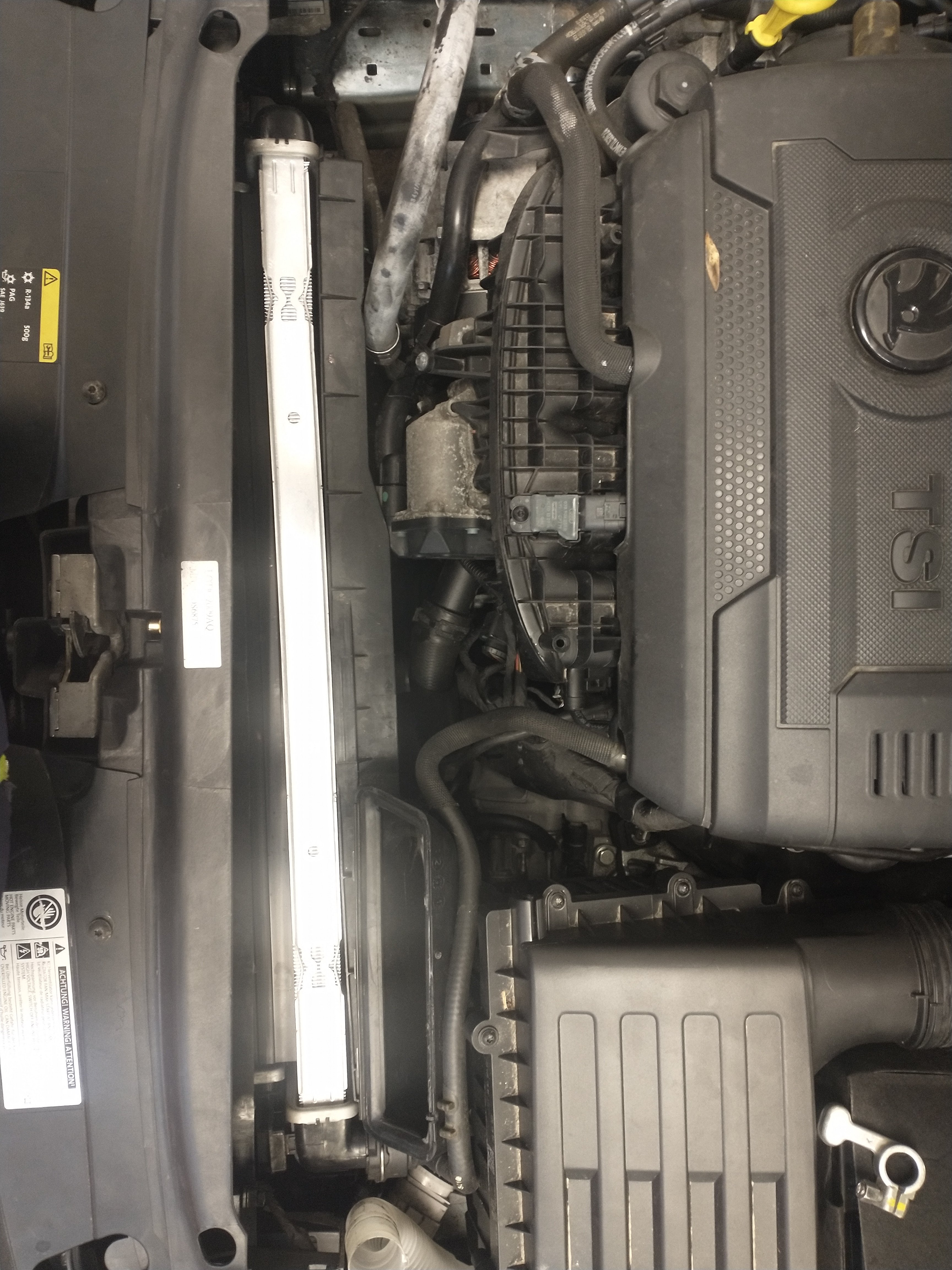
This is it as you can see it's way out of line.(sorry couldn't rotate the picture) It's mahle which is oe But yes I agree genuine is always the way.its in at the bottom and clipped at the top so something must be made incorrectly.surely it should sit square
-
Morning all. Been lurking for a while now but need a little help if possible please..I need to fit a new front panel,rad, intercooler and AC rad to the front of my 2016 vrs petrol.against my better judgement I have gone aftermarket (although mahle which I believe is oe) The 3 rads with fan all clip in ok but when on the car appear to not sit straight.further back on the right edge as you stand over it.as a result the air box won't fit correctly. Can anyone confirm that this is wrong and it should all fit square as I would expect.any link to under bonnet pics with the air duct off would be helpful. Thanks in advance Lee
Important Information
Welcome to BRISKODA. Please note the following important links Terms of Use. We have a comprehensive Privacy Policy. We have placed cookies on your device to help make this website better. You can adjust your cookie settings, otherwise we'll assume you're okay to continue.