russ1006
Finding my way
-
Joined
-
Last visited
-
Sorry i have not replied to anyone earlier, your belp has been greatlg appreciated. Thank you everyone. I have the 50mm shocks so alas the vrs will not fit. The octavia i jave is the 4x4 2.0tdi in sel trim. I jave decided to go with MarkyG suggestion of the B6. I do load it up when we go away so the stiffer shockers will help. As for greenmachines comment, yes i have had misting for last fes years, i get a bang when i go over a certain bump and yet it does not happen in other cars. The springs are ok and so is the top mount. Carlston is a wizz with finding data i must agree.
-
I have a weeping front shock, going to replace both but was wondering if i could put on vrs shocks for a better ride through the corners. Will do rears as well next month on payday. I want to improve the cornering and take out some of the roll. It is a 4 wheel drive. I have looked at skoda parts but cannot find out if parts are vrs or for other models.
-
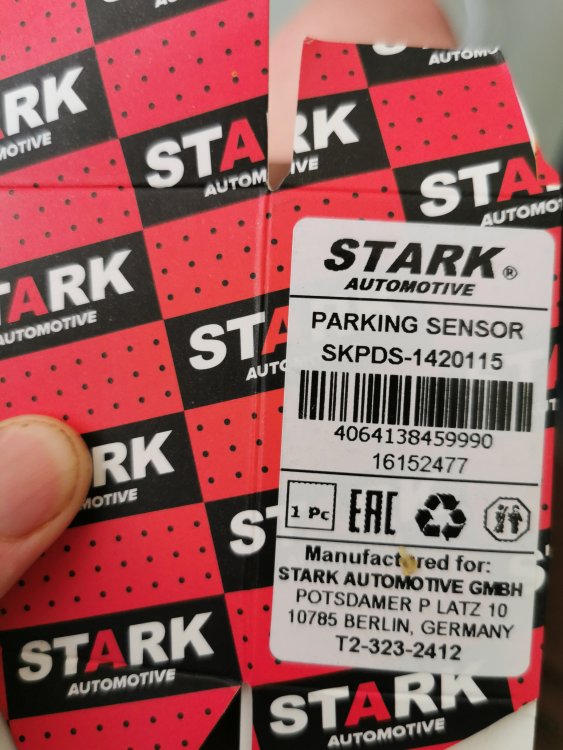
The part they sent say it is a match for my requirements. I know that the 5Q0.919.275.C is a generic part for VW AG so i thought they would all work eith park pilot unless this was an extra added to my car. A 2017 sel 4x4 2.0 diesel. I know it has alacantara and reversing camera added, it also has the sat nav. I thought park pilot was standard.
-
I did enter my reg and this was the part they recommended, i got the part from motor doctor in germany. Maybe it didnt realise i had park pilot, it was factory fitted though.
-
I have replaced a rear parking sensor. I had to rplace the wiring and sensor. The parking pilot shows no fault when the car is initially started, when the car approaches an object from the front or rear the error message appears. The front work perfectly, and the rear camera is working fine. Does the new rear sensor require calibrating or is there a module that might need replacing. I have looked on briskoda and the internet but i cannot find an answer.