cglchristian
New here
-
Joined
-
Last visited
-
Thanks Skomaz. Can you point me to an example of appropriate sealant? Seems like some people are recommending this product, but seems only sold in north America: https://www.permatex.com/products/adhesives-and-sealants/adhesives-sealant/permatex-flowable-silicone-windshield-glass-sealer-1-5-oz/ Thx. C.
-
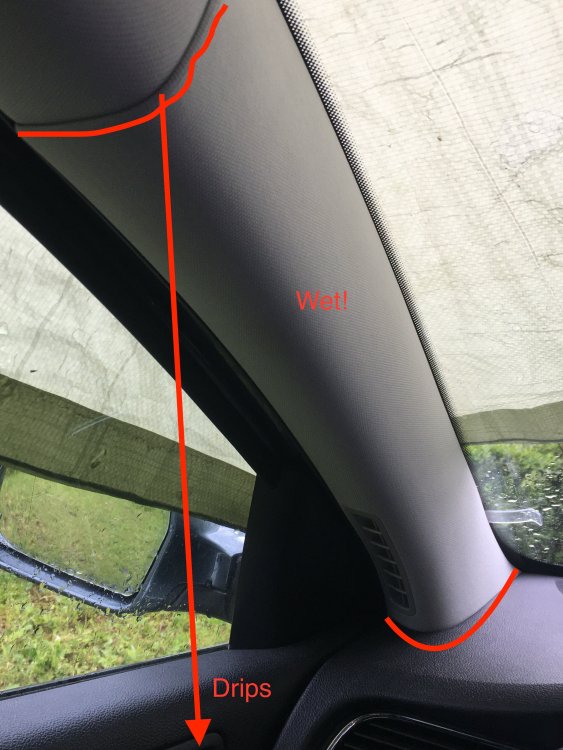
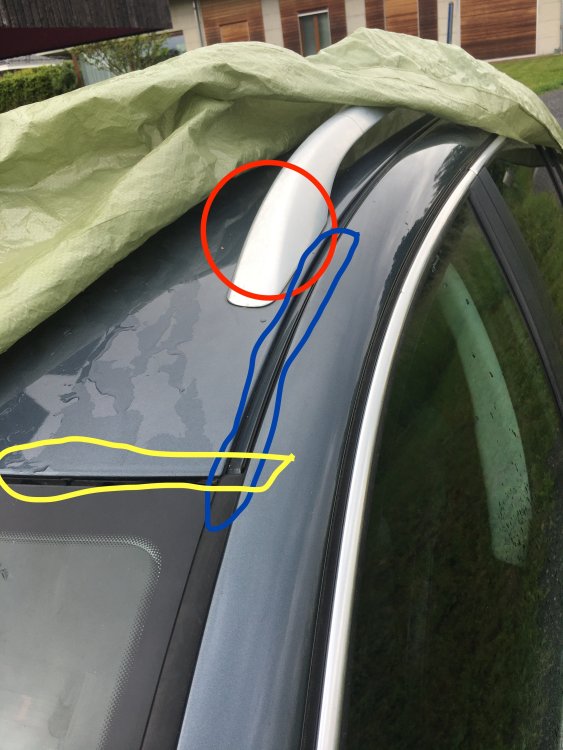
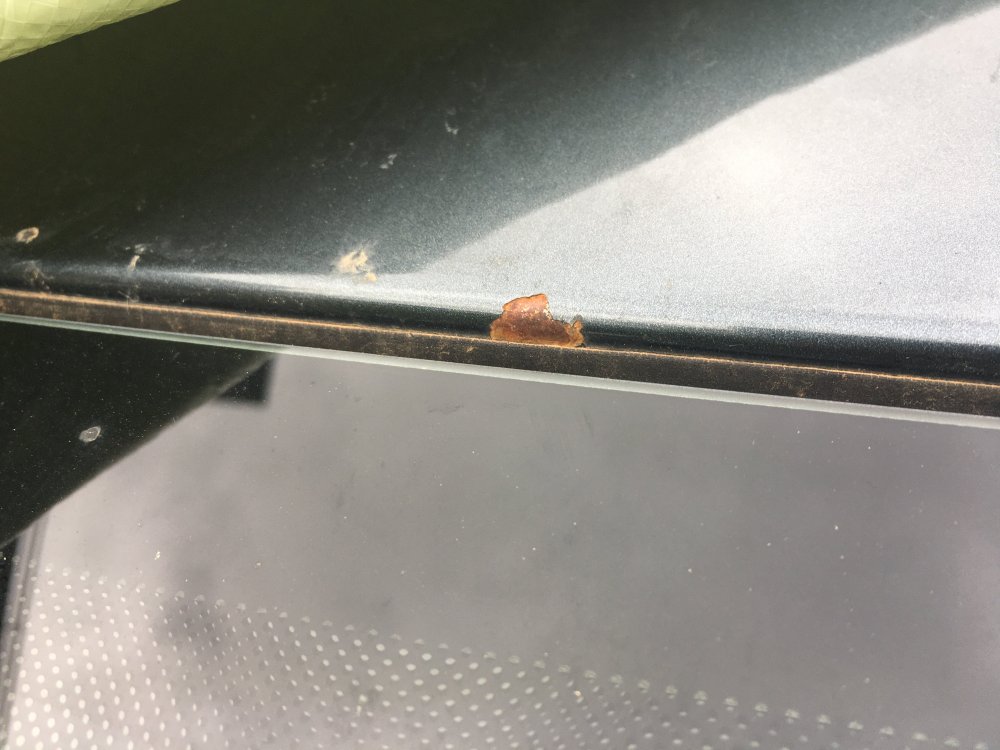
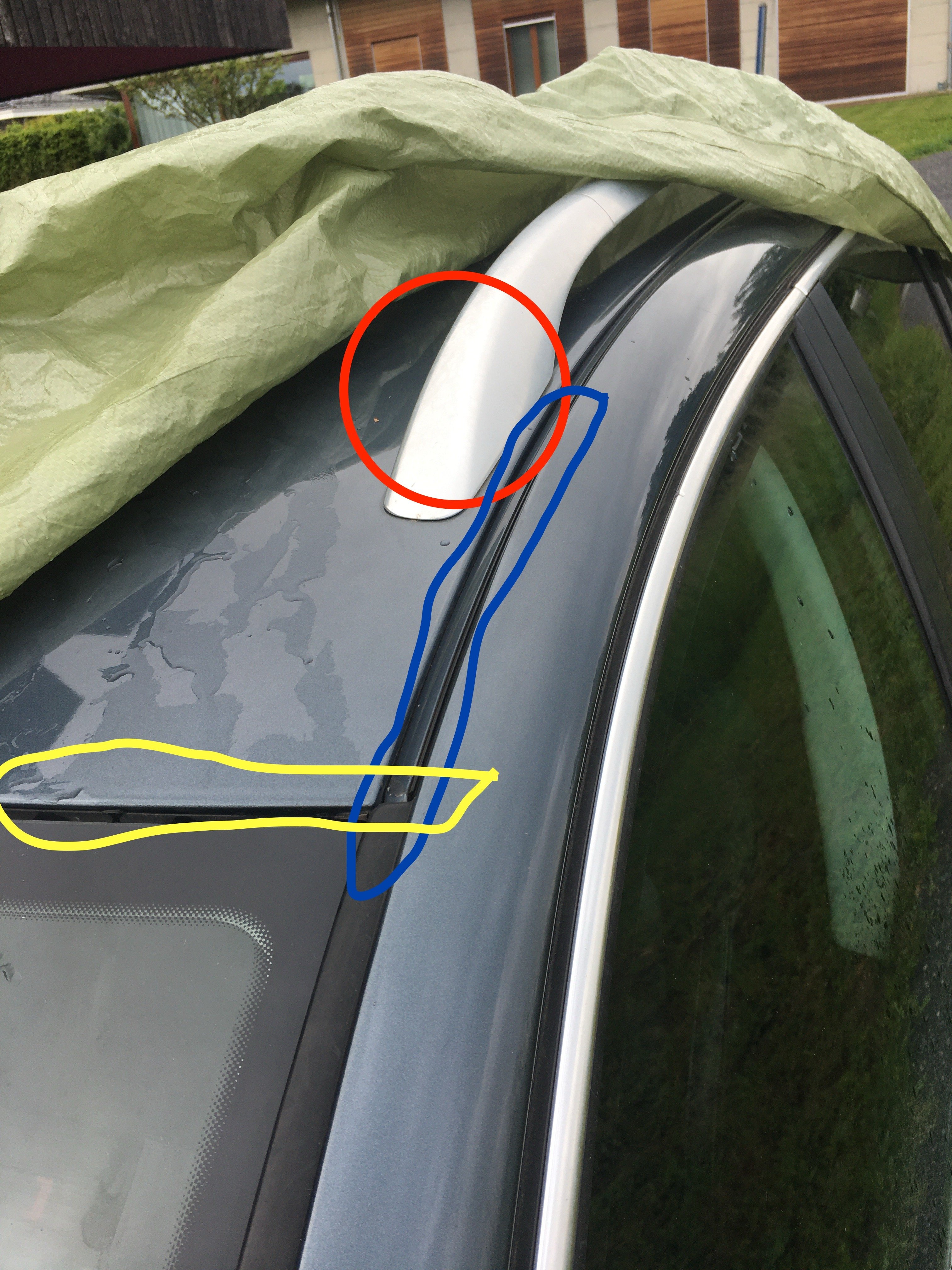
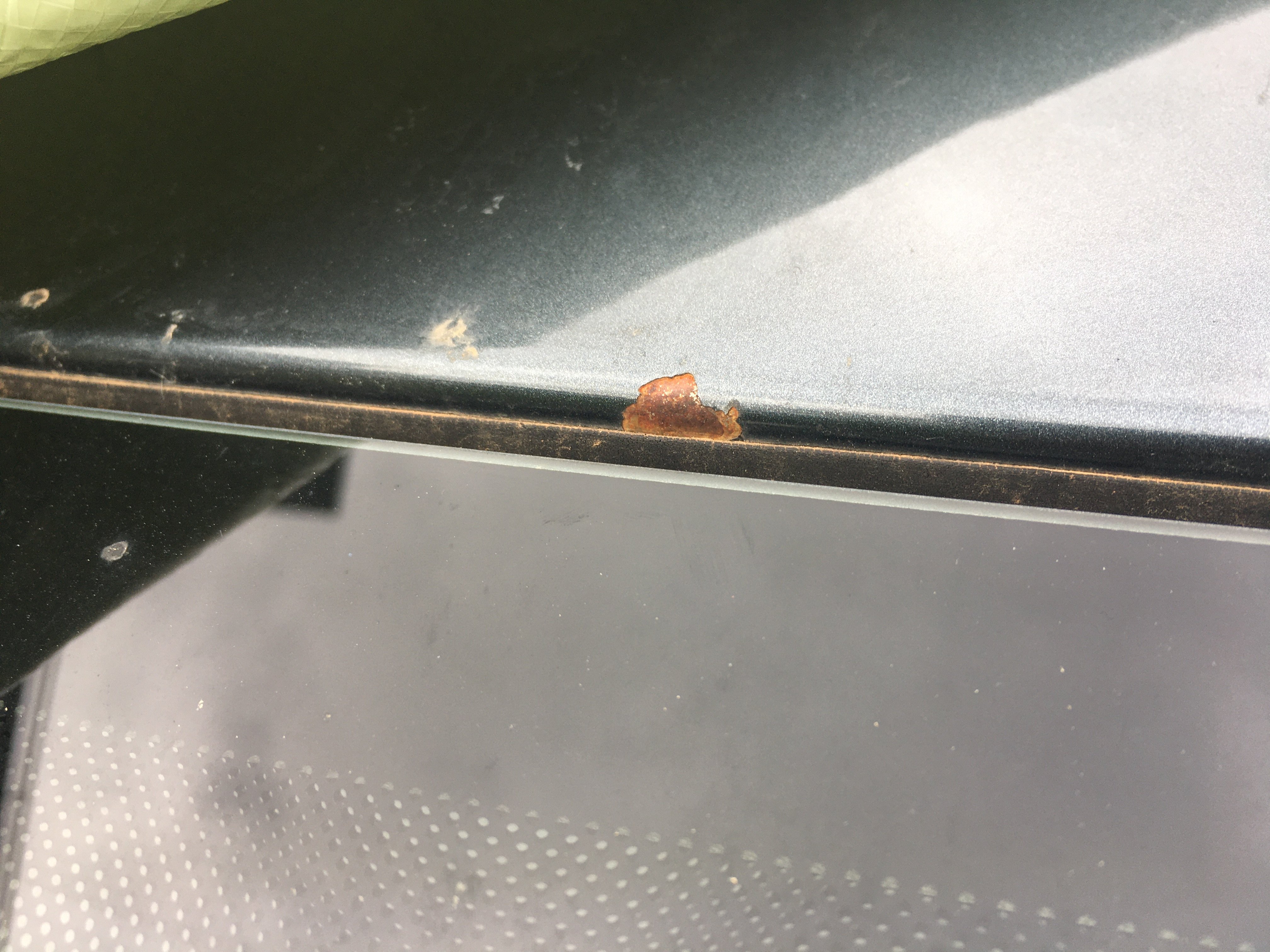
Hi everyone, Skoda Superb combi 2014 - Diesel 125kw - 4x4 - No Sunroof Starting this winter (no accidents or repairs), and only when it rains very hard, I have been noticing that the driver side (in my case left hand drive) A pillar trim was getting very wet to the touch, the outer fabric dripping with water. Now car starting to smell like mold. Sometimes a couple drops of water will be located on driver seat which would indicate that some water is getting under the headliner. Strangely the headliner is never wet to the touch. I do not know where to start since removing the A pillar trim is quite difficult without specialised tools, and I do not want to damage the airbag. Please note that this car is not equipped with sun-roof. I can see only 3 possible sources of water (see attached pictures): 1. Roof bars bolt holes: I have used a box with heavy loads in the past, can the bolts or seals be loose? Feels sold to the touch (red on pic) 2. Windshield seal issue (yellow on pic) 3. rubber seals between side and roof panel (blue on pic) I added a picture of a rust spot that I just located at the top of windshield/roof, but this is about 40cm from the corner of the windshield so i think it is unlikely that this is the cause. Maybe I can rule that one out by putting a bit of silicone on it as a temp fix! If someone can give me some advice on how to troubleshoot or possibly point me to some other posts where someone had similar trouble? Otherwise dealer will charge an arm and a leg to take apart the trim and try to locate leak. Thanks! Christian