Jae85
New here
-
Joined
-
Last visited
-
It's something to do with ASR I think yes...I must admit I'd never even looked at this option until they told me it wasn't working! Still not sure why this constitutes an MOT failure. Having googled this problem I haven't found a single post about this issue which tells me it's pretty rare. 🤷🏻♂️
-
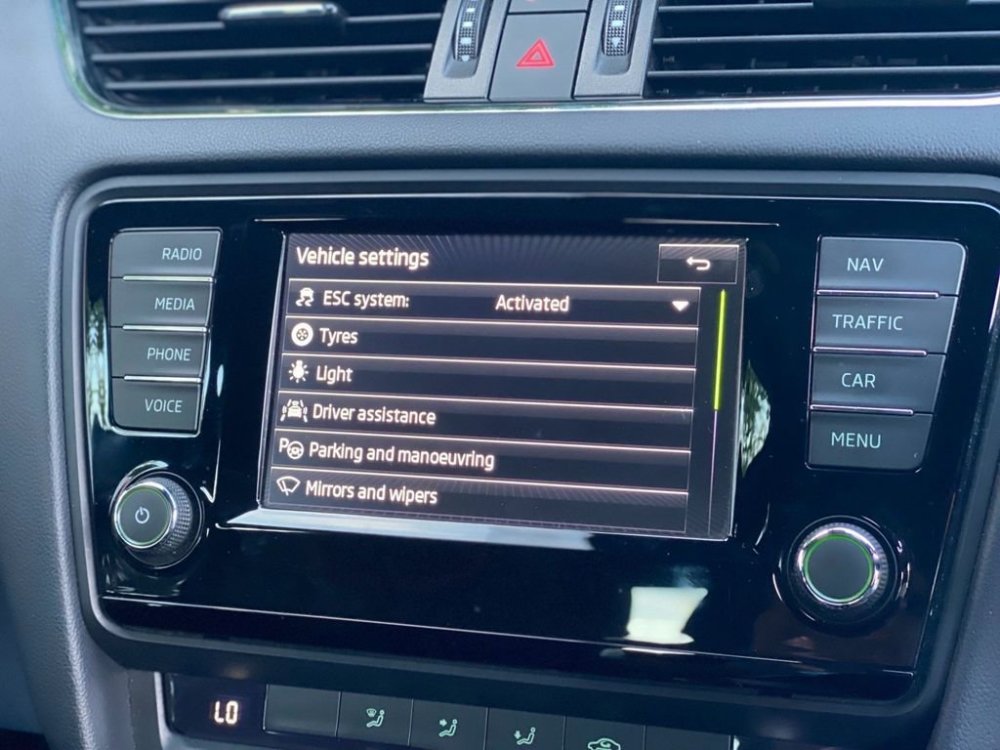
The reason for the fail is the ESC switch isn't working, can't be deactivated. In my Octavia it isn't a physical "switch" as such, photo below shows it as being activated. There should be 3 options to choose. The issue I have, and reason for MOT failure, when clicked the message "Function not available" comes up. No lights on dash so assuming no error and I am not feeling any issues with the drive so I believe the fact it says "activated" it is working. Yes it's with the main dealer, I'm thinking if I'd taken it to an independent garage it would have passed as they wouldn't have checked this!! 😂 I've haven't had much of an update from the dealer since last week...I was hoping it just needed a software reset or update but wanted to see if anyone else had experienced this problem.
-
Hi All, My 2013 Octavia MK3 has been in with the dealer for MOT and has failed due to "ESP switch not functioning". Has anyone had this issue and any solutions?? Dealer seem to be struggling with a fix! No error messages, ESC is active it just won't allow it to be deactivated/reactivated in infotainment system. Help much appreciated