Deerman
Finding my way
-
Joined
-
Last visited
Everything posted by Deerman
-
Not long after I bought the Octavia MKiv, the SOS fault appeared, then did not recur when I next started the car. Dealer said not to worry........ This has happened twice since, the latest time it repeated each time I started up for over a day, then disappeared. Decided it was time to get it sorted, so it's booked in to dealer tomorrow. Then, on 1st August, I got "airbag error" warning - which disappeared once the engine was running. At the weekend, when I set off, the tablet screen was blank (instrument cluster working though) and stayed that way for a couple of miles, the then the display reappeared. Today, I got t he "front assist not available" warning, which also went out when I set off. Does anyone know if all these fault warnings have a common denominator in the car's electronics ?
-
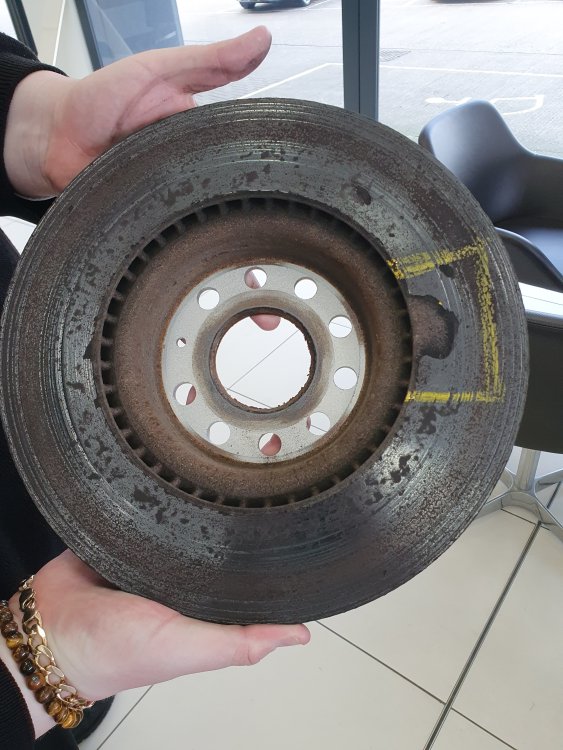
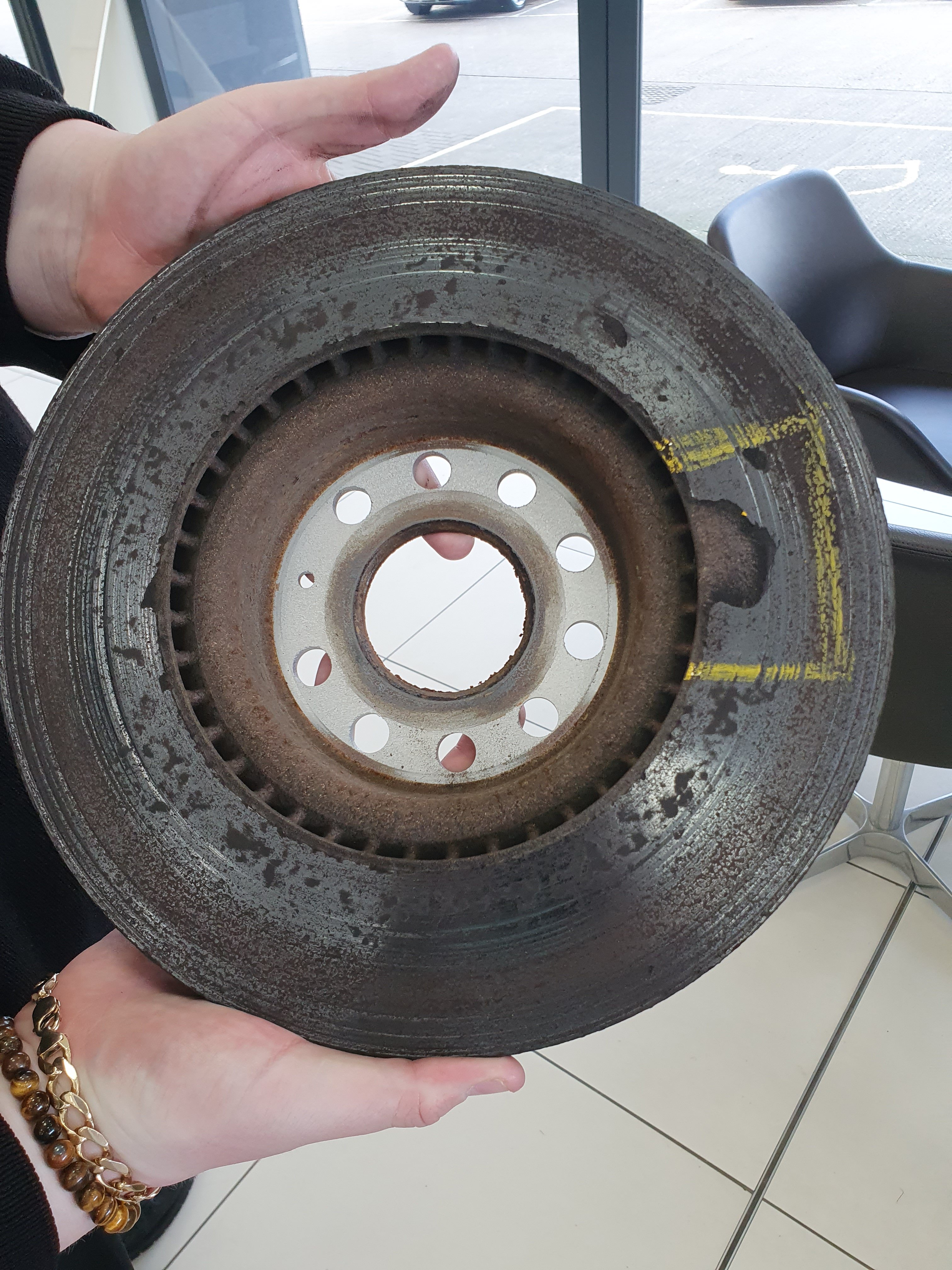
Driving from Scotland to Norfolk on holiday last Sunday, noticed the brakes starting to judder rather badly, while between Penrith and Scotch corner. Carried on gently after staying the night at Scotch corner, and visited the Skoda dealer in Gt Yarmouth (Simpsons). They had a look and found that all the disks were in a bad way, but the nsf had a chunk of metal missing ! They went out of their way to be helpful and agreed to fit new disks on Wednesday, and I took the photo below of the offending disk. The missing chunk can be clearly seen. For background, the Superb is my wife's car, 4 years old and has done 12,000 miles in that time. I suspect the heavy pitting is due to her gentle driving style (I must start taking it out every month to give the brakes a decent workout). I can understand the pitting, but am very surprised that a chunk of metal came off ! Anyone else had anything similar ?