MMBS
Finding my way
-
Joined
-
Last visited
Everything posted by MMBS
-
Hi Guys, thanks for the posts. I just tried putting my VIN number in again and it appears to be working now. I think maybe their server must have been down on Monday. Now it is looking more how i remember where it shows the various options for which maps i would like. Thanks, Mike.
-
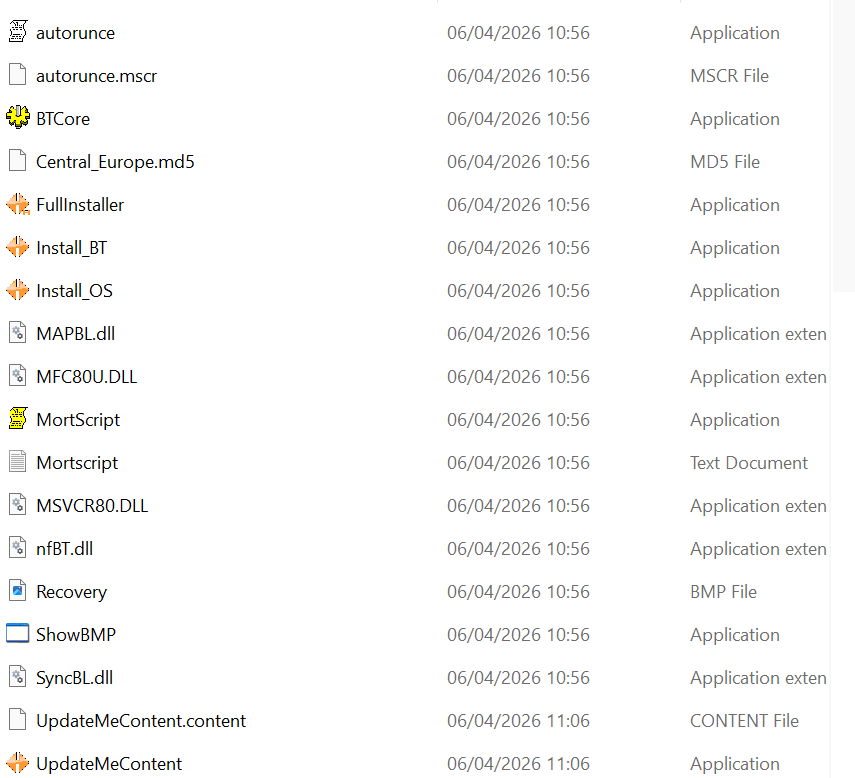
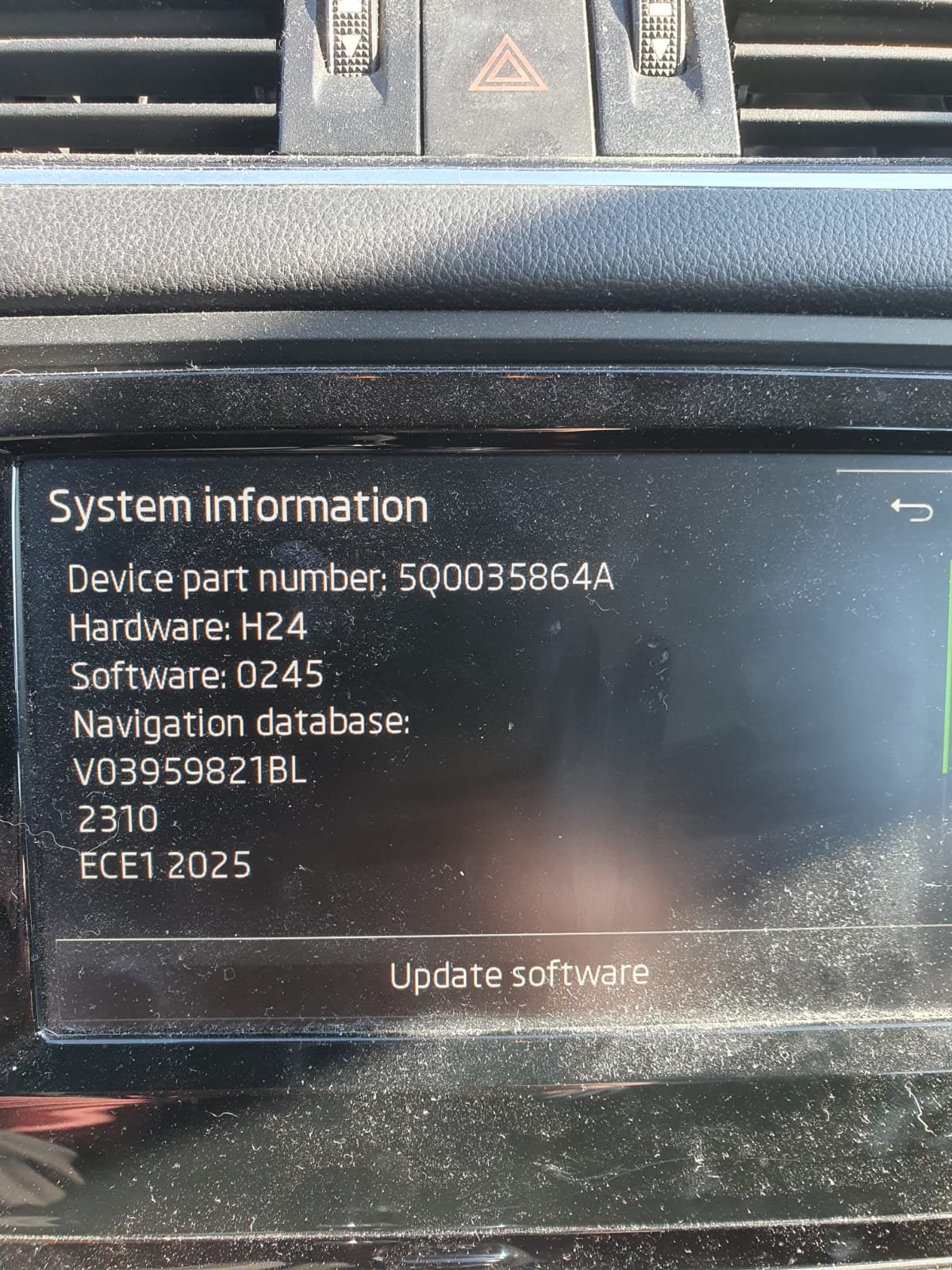
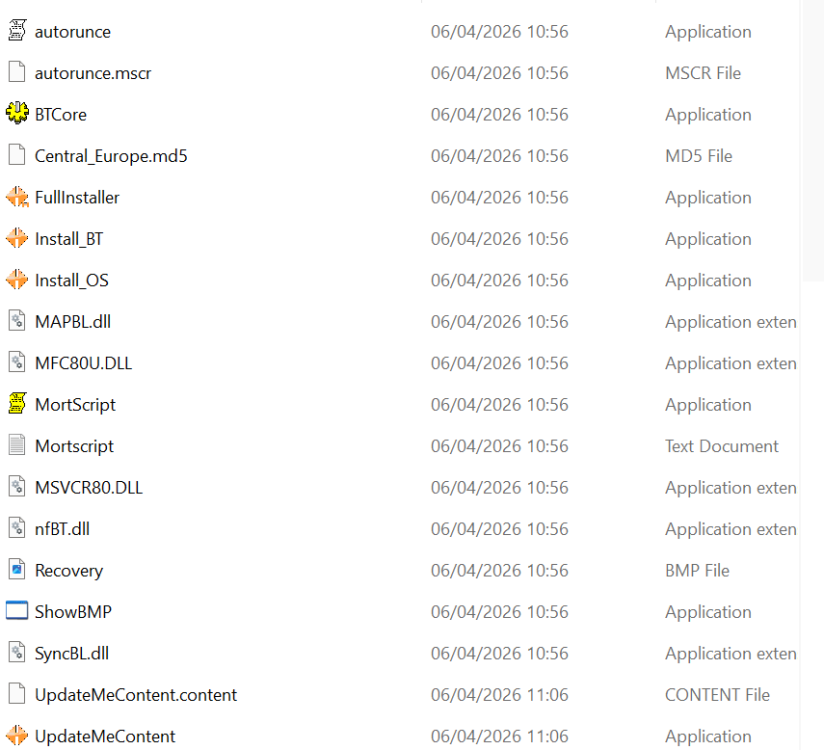
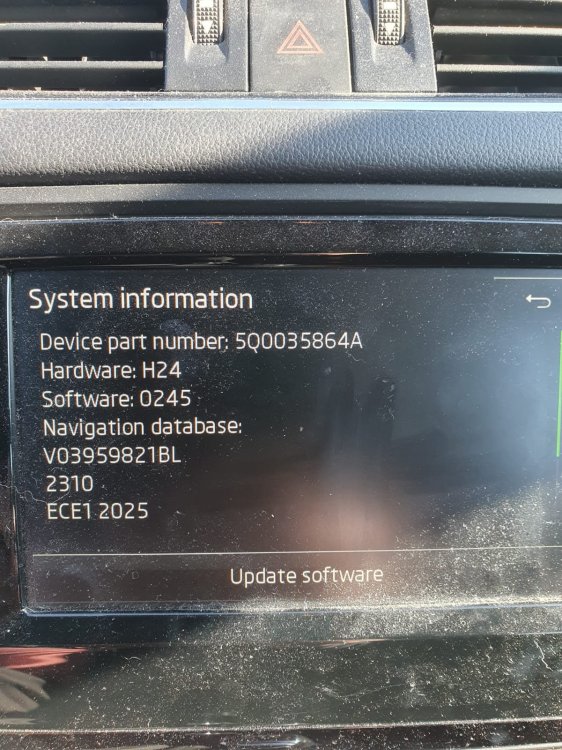
Hi, I am trying to update my maps, but when I put my VIN number in TMBJC7NE8G0xxxxxxxx i get the error "The page cannot be displayed because an internal server error has occurred." The car is French and i've tried UK Skoda and FR Skoda - same problem. I continued to download Central Europe maps anyway, but it downloaded totally diffent to ones i had previous downloaded Previously it had download a folder named "maps" and a text document called "2310_MP233-1240.x_EU1.md5sum" This time it download like this:- The last time I updated the maps was 07-Mar-2025 - is there any point continuing to try and update the maps as i read that they arnt updated any more for my Skoda's year. My octavia III is a 2015 and is a Amundsen MIB1 ? Regards, Mike. Vin obscured by Brisky admin
-
-
Hi Guys, Follow up question. One of my keys fully works OK now, but the other one simply doesn’t no matter how many batteries I’ve tried (i think it is kaput). I bought a replacement blank key from AliExpress which looks correct, but I can't get it to synch. I've tried all the youtubes, but none are working. Is it possible to synch this blank key to my Octavia Mk3 2015 myself, or does it require the dealership?
-
-
-
Hi, Both my key fobs have stopped working. I replaced the batteries (CR2025), but still when I press any of the buttons, the little red light on the fob still does not flash. I have tried several batteries, but none work (I tested the batteries with a multimeter, and they all are showing more than 3v). Is this definately a problem with the key fobs as the red light should flicker when pressing the buttons? Can i purchase a generic replacement key fob and change the physical metal key part? best regards, Mike