vecdo
New here
-
Joined
-
Last visited
-
I will check that too. thanks again!!
-
Forgot to say mine doesn’t have a sunroof and I don’t think it is the door seal as you said. So I will look around the inner guard and bulkhead.
-
Much appreciated again! as soon as I get chance I will do some more investigation.
-
Wow thanks for such a quick reply! How would I check what you mentioned out? I removed the scuttle panel and could see the water run down the side into the front wing area but couldn’t see any more. I imagine it is something as simple as some drainage hole somewhere not quite draining properly. So the water simply goes where it is not supposed to as you say. Would I have to remove the wing?
-
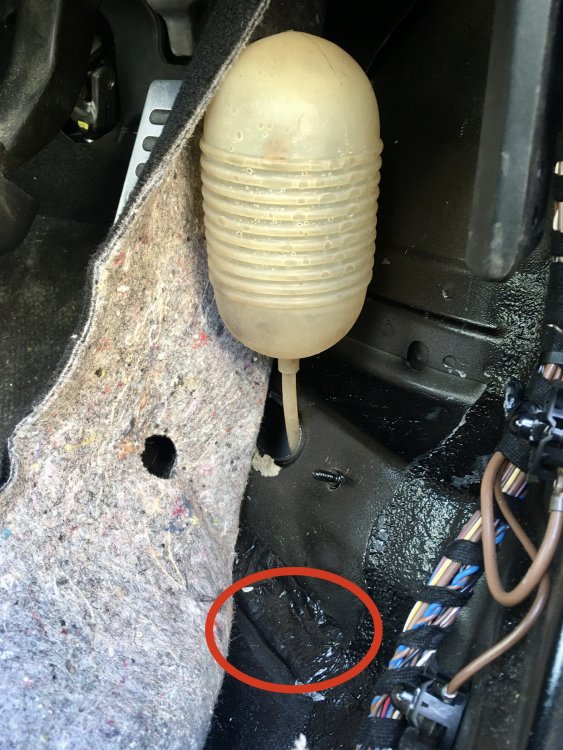
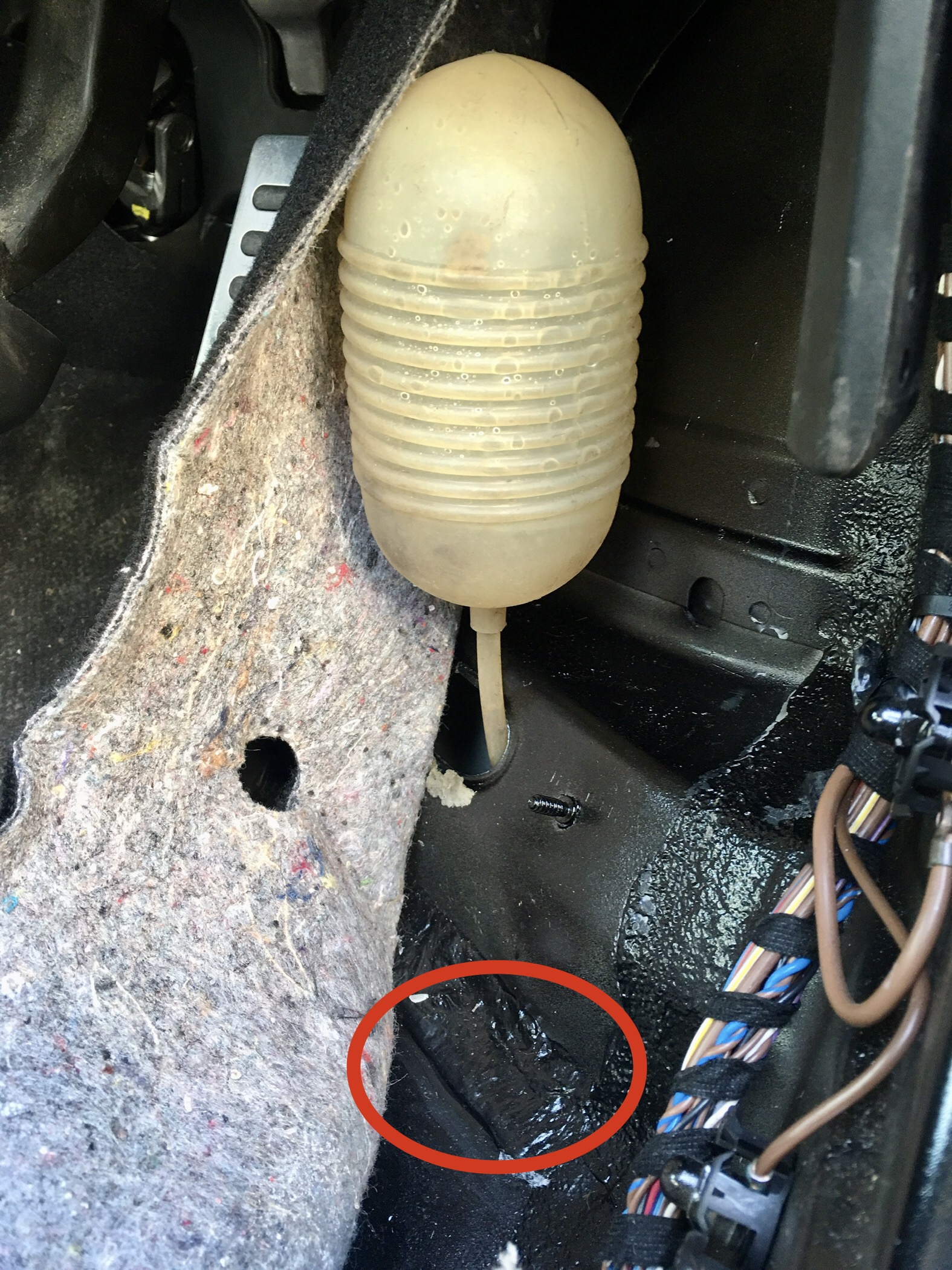
Hello everyone, After having not used my Octavia MKII for a while (due to lockdown) I went to use it only to find the footwell was soaked with rain water. After some investigation - removing carpet accelerator etc and putting the hose pipe on the windscreen I found that the water is somehow getting into the subframe. The water is getting into the subframe via the windscreen/scuttle panel but I cannot see what happens after that - alot of the water goes onto the road as it should but some is going into the subframe. I sealed the seam of the subframe so water does not enter the car (the red circle) but when it rains water still enters the subframe - hence having to drain it with that suction device seen in the picture. I took it to a local garage and they said they have never seen this problem and suggested drilling a drain hole. The problem is I cannot seem locate this area from under the car, as it all seems boxed in? Any ideas suggestions? Ideally I want to solve the real problem before randomly guessing where to drill a hole. Much appreciated in advance!