katzenberger
Finding my way
-
Joined
-
Last visited
-
Yes it worked in the original car. It is OK, that the bluetooth module is a "BAP only" module, but int the PHONE menu everything is working (last calls, contacts, phone name, signal strength, etc.), so I think the Columbus headunit is prepared to handle BAP and DDP telephone modules as well. But I can imagine some features are working with BAP protocoll only. I will try it out with BAP switched ON in Columbus...
-
Hi There! I bought a Skoda Columbus head unit and a OEM Bluetooth handsfree unit. The two module was removed from a Octavia mk2 VRS FL 2010 (I removed it). I installed the devices in my pre-FL Octavia mk2 VRS 2007. Everything works perfectly, except the lack of the track info and track controlling over bluetooth. The columbus shows only: "Bluetooth Audio", whitout any song titles, and I can't control the phone with the headunit's next/prev/pause buttons (grayed out on Columbus). It is very intersting, because this device combination worked in the previous car. Okay, it was a FL version not pre-FL. Everything is coded in VCDS. I changed only two thing in Navigation coding: - disabled BAP protocol - disabled Skoda Sound System (it was installed in the previous FL Octavia) BT module: 7P6035730D Columbus: 3T0035680A, SW:5238 CAN gateway: 1K0907530L I tried it with sereveal phones: iPhone, Android, Tablet, etc. But all is the same. What could be the problem? Can there be a difference in whether one FL is another pre-FL? Or my CAN Gateway version is earlier? Thanks, Peter
-
Thanks for the info. I sent back the unit to the seller. I hope it will be refunded... I bought a "new" one form an other seller, and it works well.
-
Udpate: Finally it turned out, my Columbus is HW faulty. I tried with an other Columbus in my car, and it worked.
-
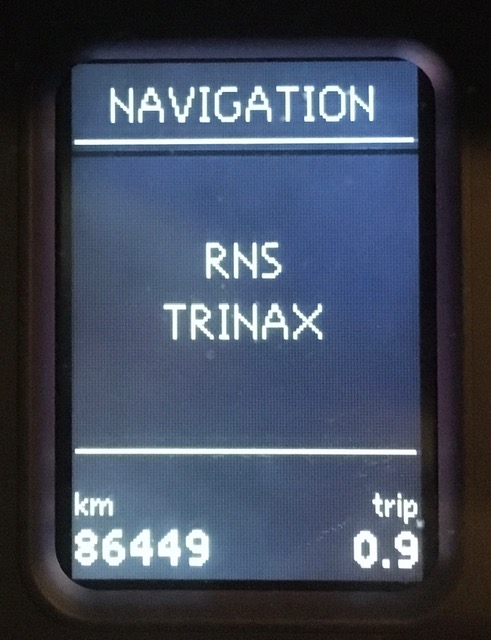
Thanks for your reply. Yes, I know. But not this issue is my biggest problem now. I checked the radio and a navigation (same devices, but on different address). I switched the BAP protocol off. (first time I switched the BAP on, but the audio and navigation menu disappeared with this setting) So it uses DDP protocol. Can I code something in the instrument cluster as well? Update: - I tried to "re"-update the 5230 FW (by josi) version. I tired 3 times, but always finished with error after 11% on Gateway update process: VuC library error - Can gateway 202 error - I tried to downgrade to 4120 FW factory version, but I got the same error messagge - Finally "fixed" with the recovery disk (by josi) - So it uses the 4120 FW now, but the navigation menu still showing "RNS TRINAX" only
-
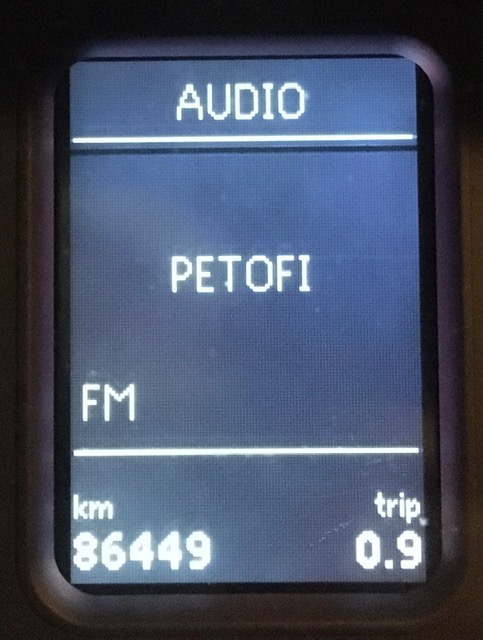
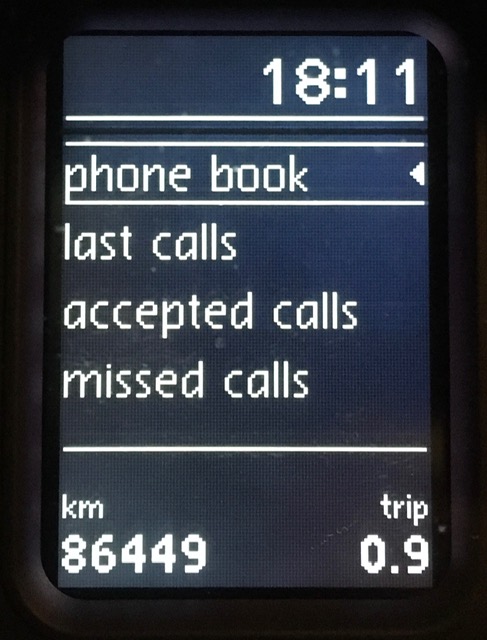
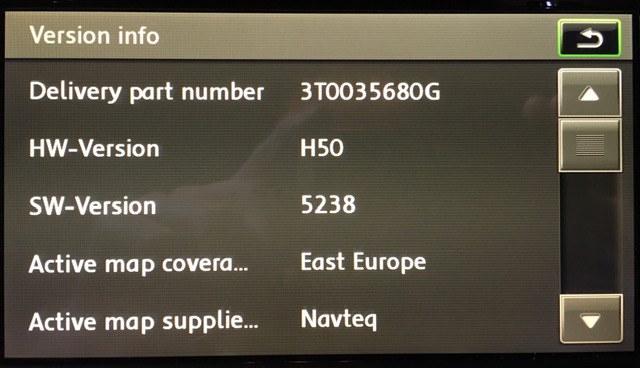
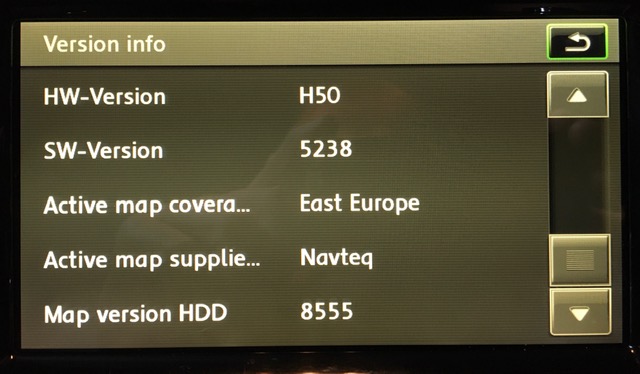
Hi there, I installed a Columbus head unit into my Octavia mk2 pre-Fl VRS 2007, with Maxidot display. Everything wors perfectly, expect three things: - Maxidot doesn't show any Navigation informations (arrows, directions, street names, etc.). The "Navigation" menu is active and I can select it from the menu, but it shows only: "RNS TRINAX". The "Audio" menu works well, itt shows the title of the tracks, FM stations, etc. - I cannot exit from "Audio" and "Navigation" menu with the wiper stalk's buttons. (I read before, it is definitely SW problem) - The litte compass in the top lef corner of the screen doesn't appear, but the clock moved form top center to the top right position I coded in VCDS: - 37 Navigation added into CAN Gateway's installation list - 56 Radio is still ticked in CAN Gateway's installation list - 37 Navigation was coded in "Coding" menu in VCDS as BAP protocol disabled - No DTCs - No battery drain Some infos about the installed modules: Address 37: Navigation (J0506) Labels: 1T0-035-680.clb Part No SW: 3T0 035 680 G HW: 56D 035 682 Component: RNS-MID H50 5238 Revision: AB001001 Serial number: VWZ6Z7L6066087 Coding: 00000400000100000006 Shop #: WSC 12345 123 12345 Address 77: Telephone Labels: 5P0-862-335.lbl Part No SW: 1Z0 035 729 B HW: 1Z0 035 729 B Component: FSE_2P7x H31 0050 Revision: 00000001 Serial number: 00000005010023 Coding: 0000311 Shop #: WSC 73430 790 00000 Address 19: CAN Gateway Labels: 1K0-907-530-V3.clb Part No SW: 1K0 907 530 L HW: 1K0 907 951 Component: J533 Gateway H07 0052 Revision: H07 01 Serial number: 270907F2002371 Coding: E9817F0E4006021302 Shop #: WSC 73430 790 00000 I attach few "screenshots" about my problem. Can anybody help me to solve this issue? Thanks, Peter from Hungary