Luca3T4
Finding my way
-
Joined
-
Last visited
-
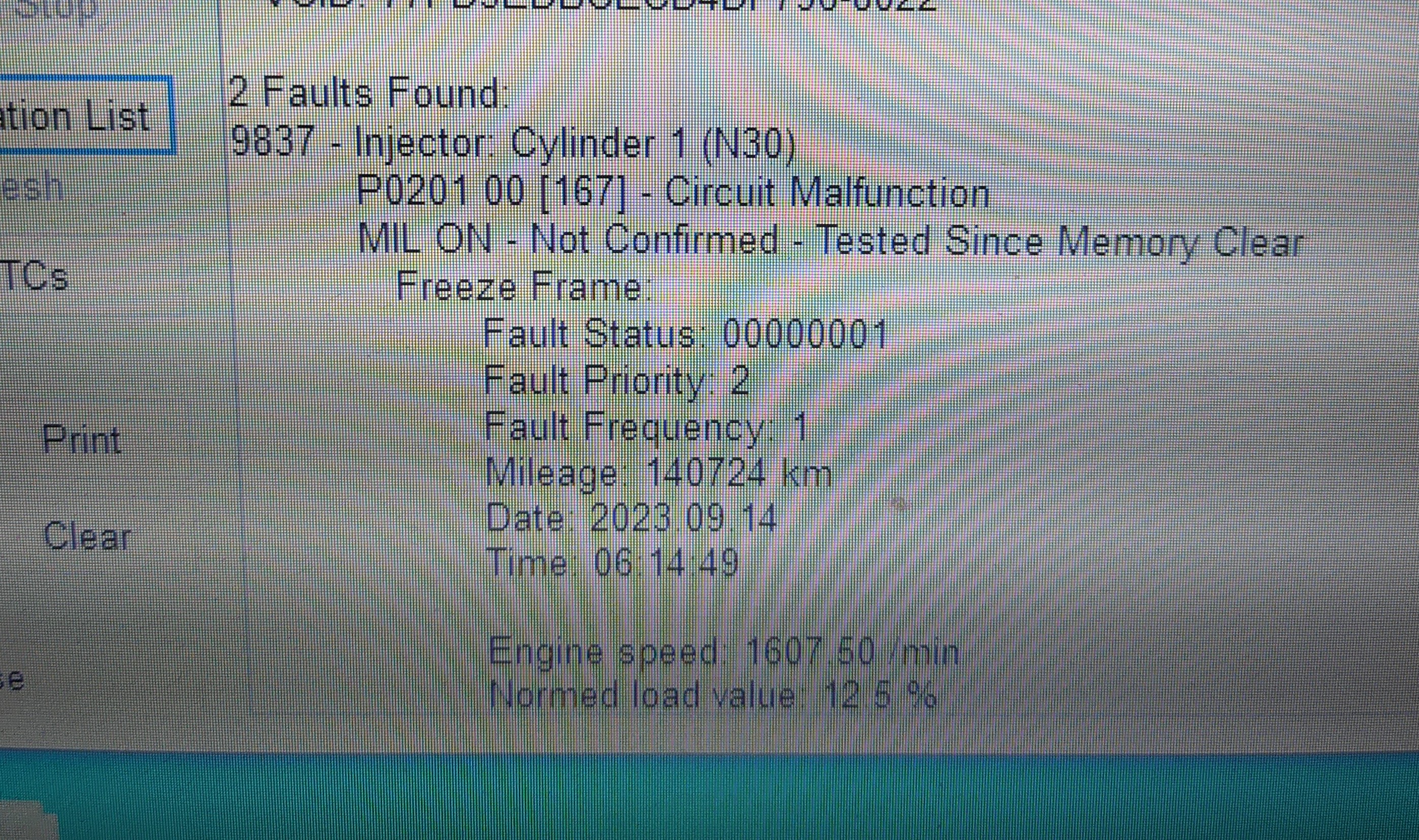
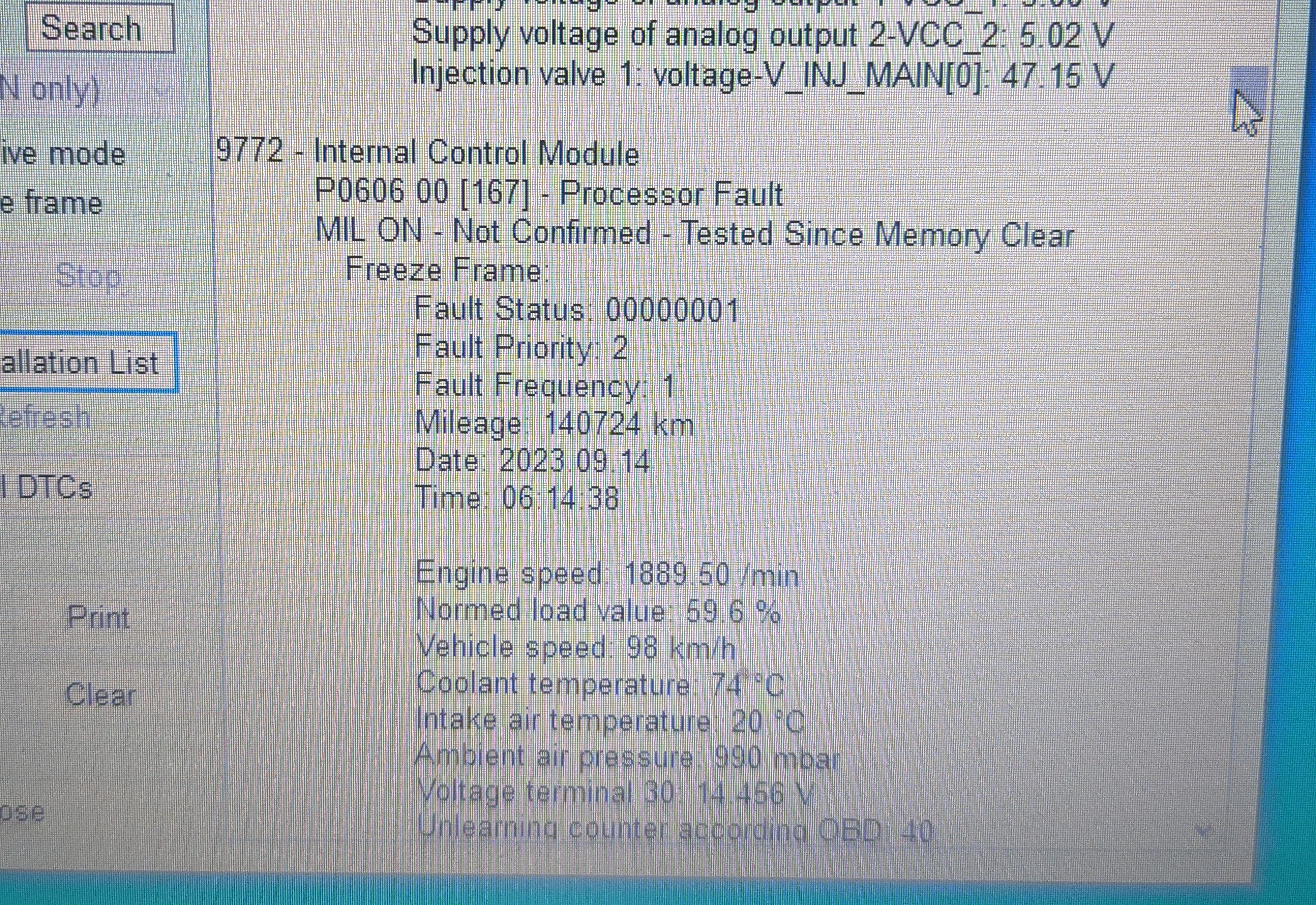
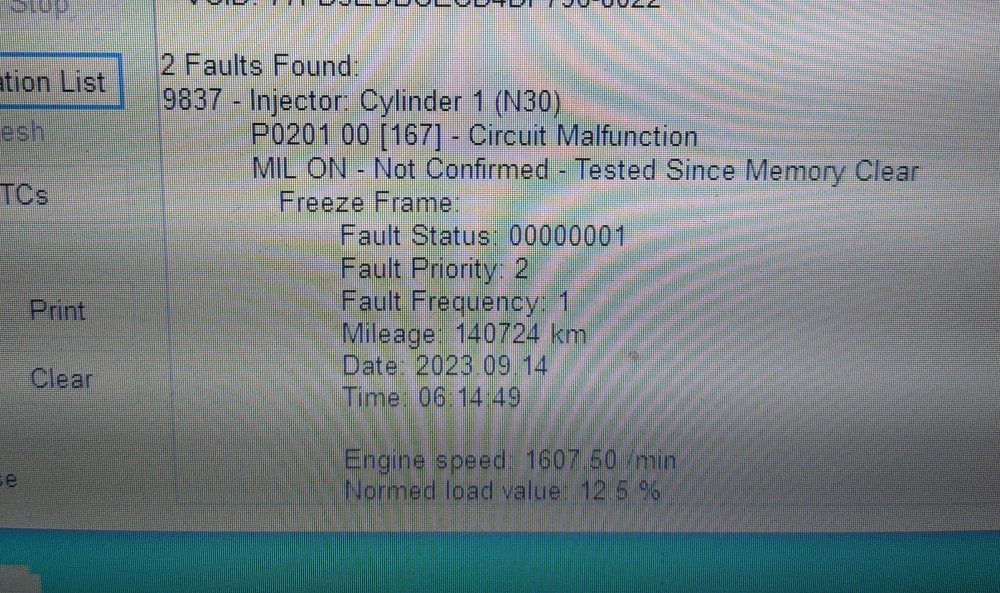
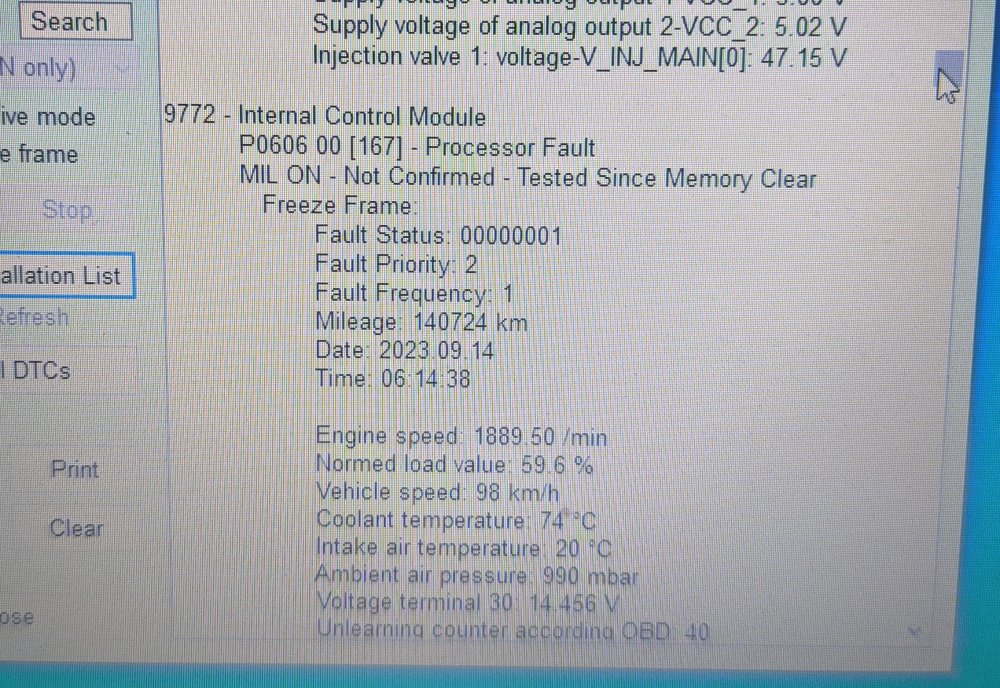
Hello, I own an 11 plate superb 1.6 TDI cayc engine, a couple of days ago while driving down the interstate the glow plug light starts flashing the car immediately goes in limp mode total loss of power and it was running on only three cylinders, I had to stop in the nearest fuel station luckily I had with me the laptop with vcds so I run a check for faults and the P0201 Injector cylinder 1 (N30) popped up followed by the Internal control modul P0606 00 processor fault, as I cleared the codes the engine started running fine again and got home safely. Still, sometimes while in acceleration in 4th or 5th gear it stutters a bit and the fuel consumption is extremely high. I've made I video of the deviation values, it seems that the injector 1 is running high values +2 and the injector 3 is on -2 as compensation? Here's the video sorry for the bad quality.
-
Hello everyone, i have bought a 70mai dashcam with the hardwire kit. Anyone know what fuse can i use for power and ACC? Thanks.
-
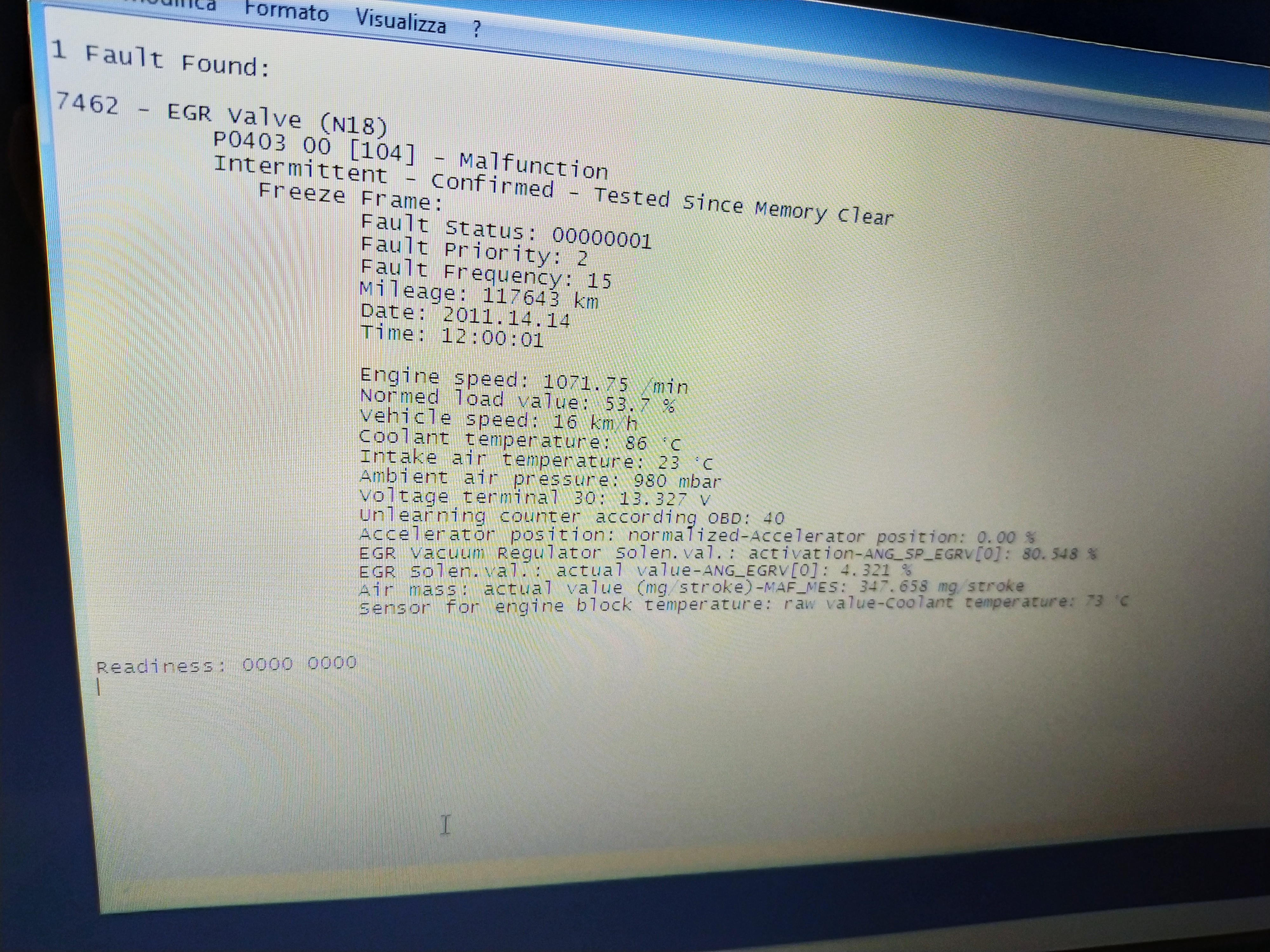
Hi all, about a week ago the flashing Glow plug light appeared in my 2011 Superb 1.6 TDI after some city driving, and after some minutes followed by the check engine light and limp mode. The lights went off after switching off and on the car. Another day, still after some driving, both lights come on again, same story.. Basically i have noticed that the lights come on after some driving, and after the engine reach the temperature, in the MFA appears a message saying "Engine malfunctioning Workshop" or something like that, followed by "Start-Stop Error". So i made a scan with VCDS. And these are the results: 7462 - EGR VALVE (N18) P0403 00 [104] - Malfunction You can see the full code on the picture. Thanks in advance.
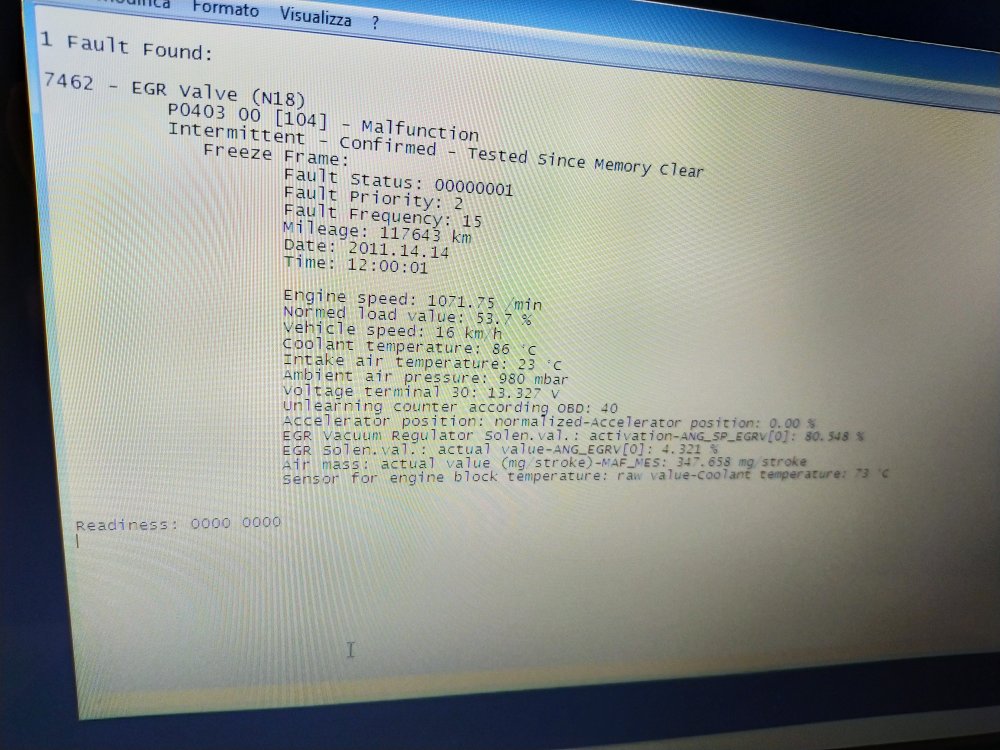
-
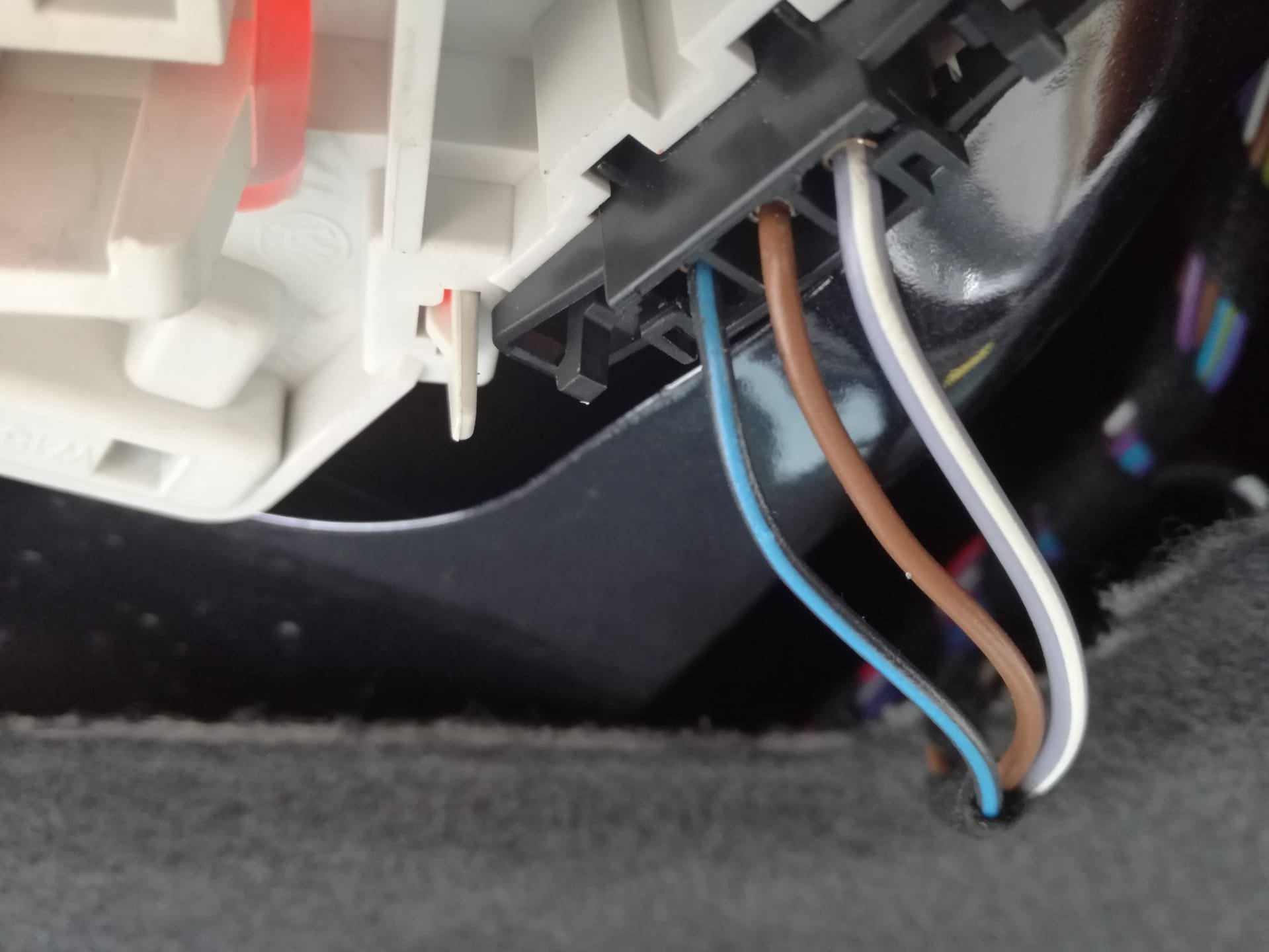
Hi all, I'm installing an aftermarket rear view camera on my Superb. As source of power, i will use the reverse lights, but i have found 3 cables, instead of 2. I need to know wich one it's the positive, and wich one the negative. Thanks in advance. Here a picture of the wires.
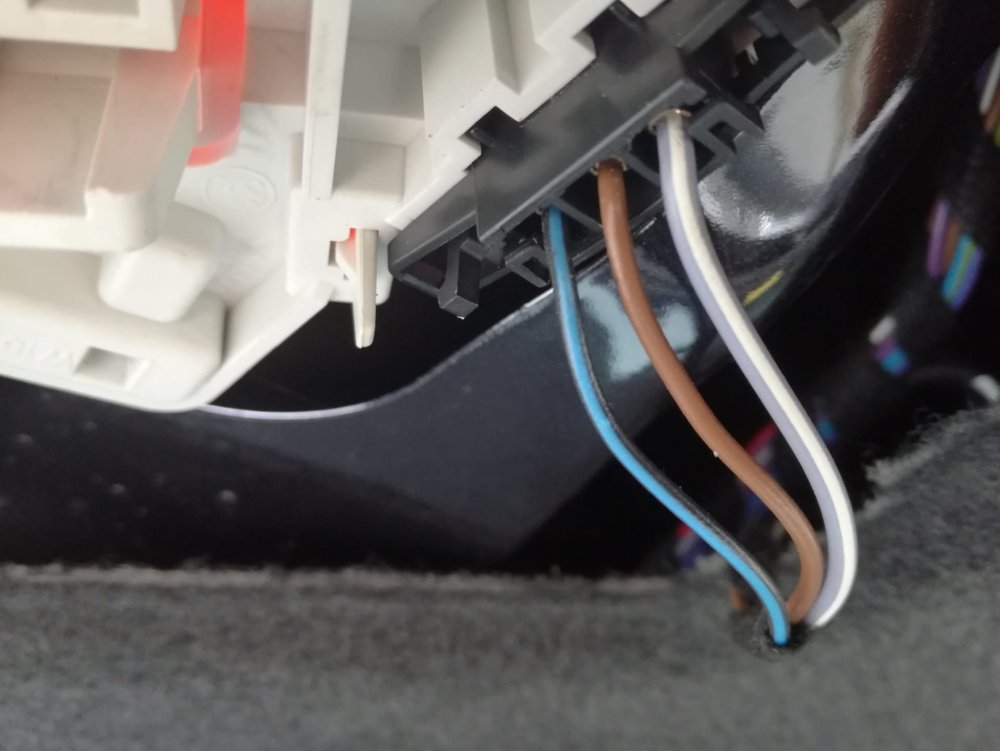
-
Hi all, yesterday while i was parking my Superb, i've noticed that the OPS wasn't showing on the RNS 510, it just stayed on the Radio screen, i've immediatly notices that the Audio of the Radio was dead too. So i've tried to turn it off, but with no luck, it just stays on the Radio screen, can't go on NAV or Media either (All the buttons are dead), the touch is dead and the Audio too, basically he doesn't do nothing anymore. The Soft Reset with the buttons sequence (< • > + i) doesn't solve the problem. Before that, it was working good. I would like to know if anyone had this issue in their RNS 510 and how they solve the problem. (if they solve it)