Daley87
Finding my way
-
Joined
-
Last visited
-
Thanks everyone, worries about the EPC have now gone lol. Also Stop Start is back working and I figured out where to go to see the status and reason it isn't kicking in. I think the reason yesterday was most likely due to the same reason as when I set off from work today, if the actually cabin is too hot it doesn't kick in, must think if it's that warm then the AC/Climatronic should be on. Turned them on and once the inside of the car had cooled a little it started working again.
-
Thanks, which menu do I need to be on to see why start stop isn't working? Thanks
-
Hey all, probably been answered a million times but is it normal for EPC light to stay on when when key is turned to ignition but then disappear when engine is turned on? (video attached) Also Stop start has been working fine but then this afternoon it's just coming up with the stop start symbol with a line through it on the maxi dot. Is there a menu I can access to see why the stop start isn't kicking in? 2017 Octavia VRS245 Cheers, appreciate any help on this. VID_20210714_173557.mp4
-
Thanks lads, ringing the garage this morning to get it sorted. 👍🏻
-
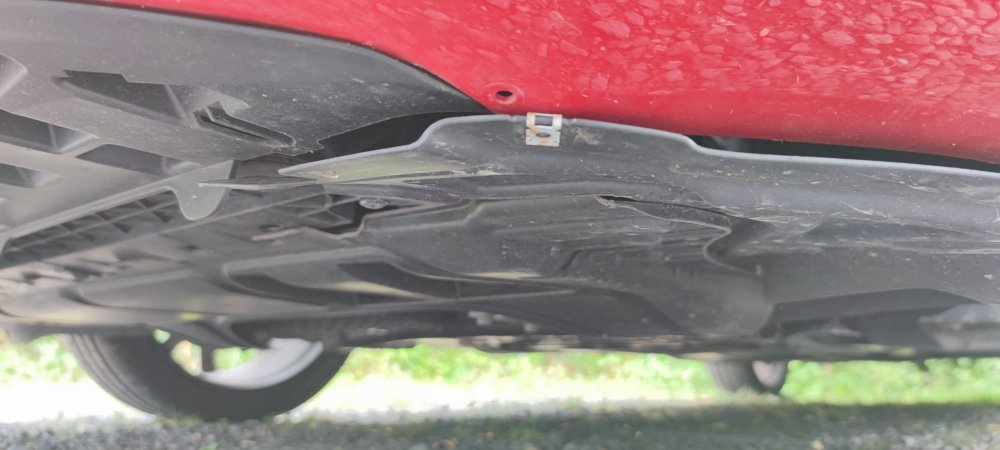
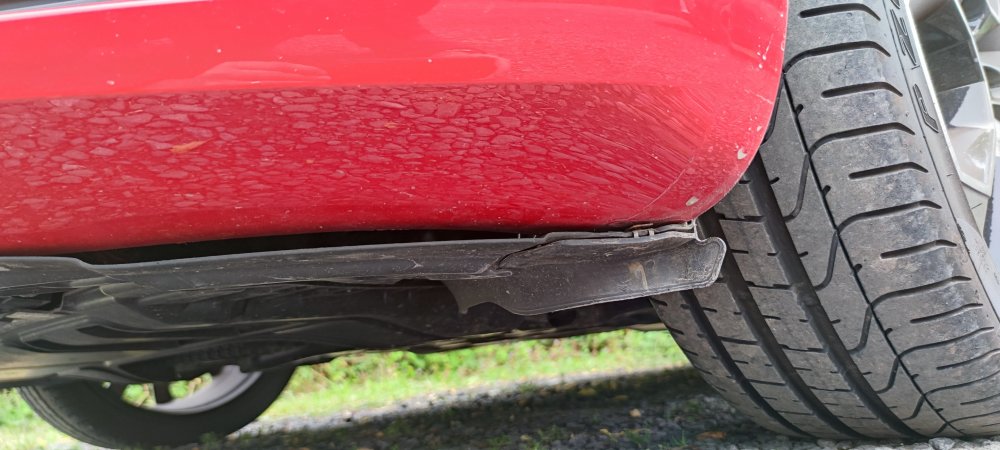
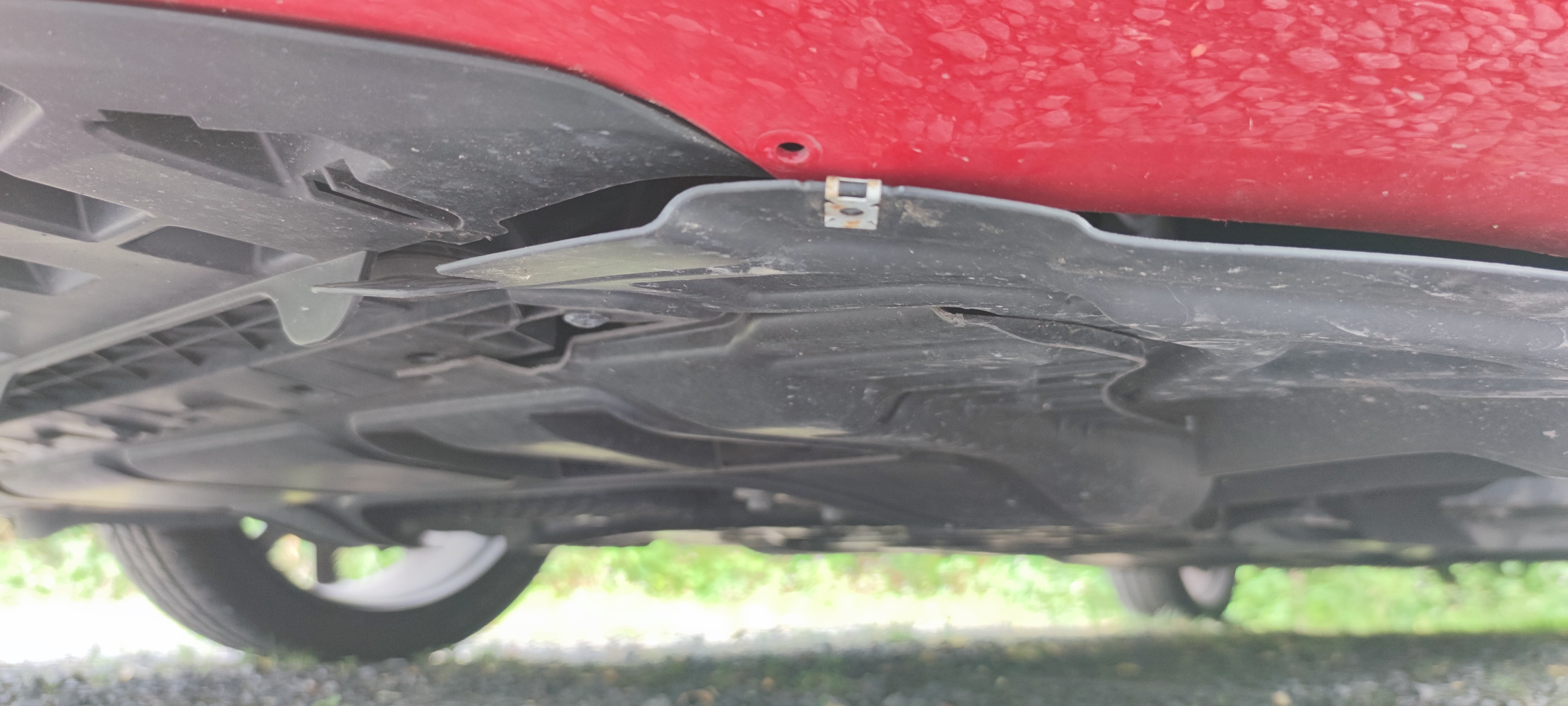
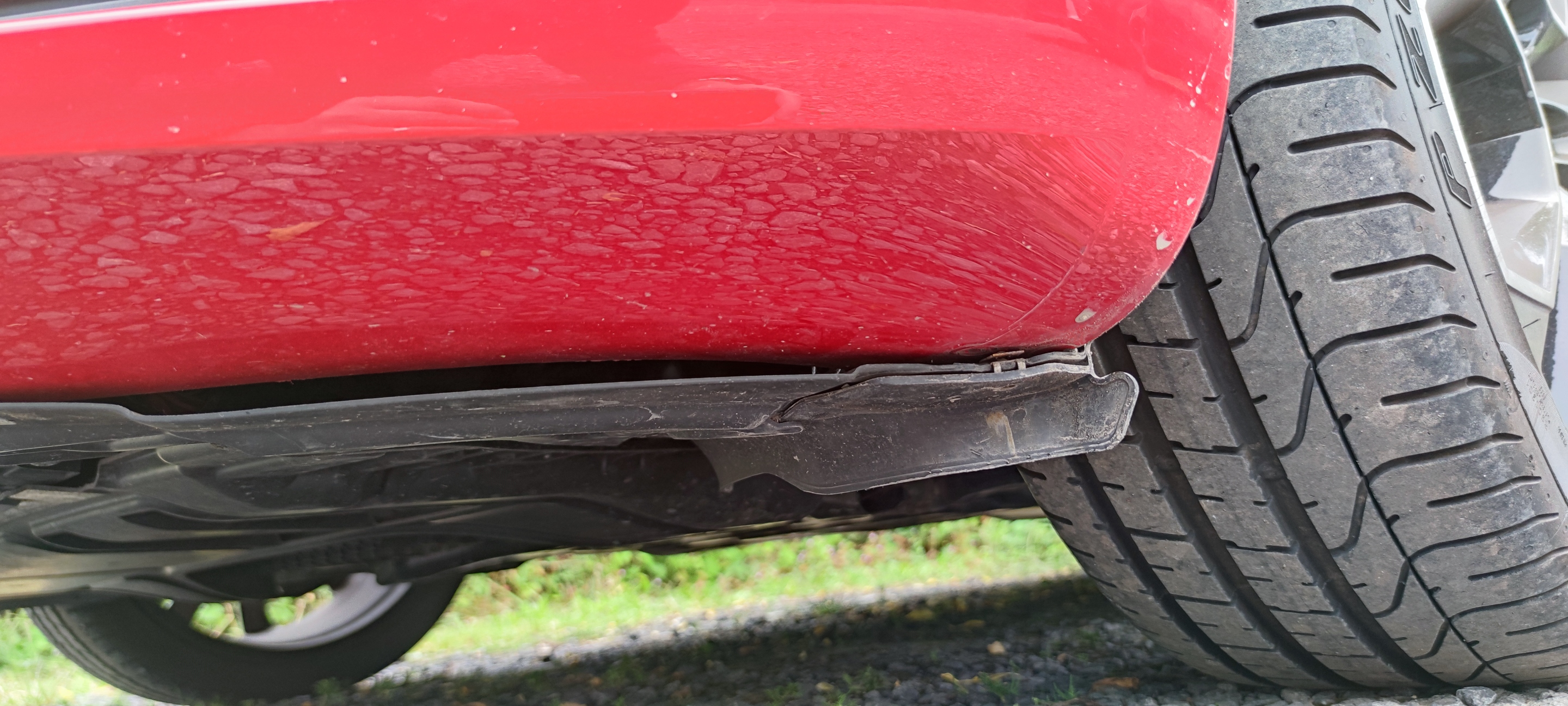
Just got my new (used but new to me lol) VRS 245. Great condition and only done 3300 miles but I've just noticed today a problem with the tray on the passenger side under the front bumper, it looks like the tray is on the wrong side of the bumper, like it should be tucked on the inside but has popped out?? Tried to get pics but they aren't the best. Any help on this would be appreciated. Cheers 👍🏻