



ygbjammy
Finding my way
-
Joined
-
Last visited
-
Interesting! Will give it a try
-
The manual says double pressing key fob deactivates the "safe securing system" which I think is just about the deadlocks. It also states "the anti-theft alarm system is activated when the vehicle is locked even if the safe securing system is deactivated. The interior monitor is however not activated." I assume the towing protection is part of the anti theft alarm rather than the safe securing system.
-
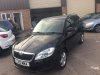
Hi all, owner of a 2013 Fabia Estate. I've read the manual about using the button on the driver's door to disable motion sensors and the towing alarm but mine doesn't seem to work. The button doesn't light up when pressed, and the red light by the window doesn't seem to flash at all, so I guess some wiring somewhere has broken? Alarm definitely works though - have tested by waving my arm through an open window! Not a day to day issue but going on the ferry in 2 weeks so need to work out how to not have the alarm set off. It seems the double-press on the key fob deactivates the interior motion detector but not the towing protection, so that's not a solution it seems. Current plan is to just leave it unlocked I think! Any other bright ideas or is this something easily fixable?
-
So the garage checked the coilpack and one of the leads had become corroded from water getting in somehow, so new coil pack and leads and all is now running smoothly thankfully This car is on 84k now and this is the only issue I've had really except standard servicing, so pretty pleased still. Most reliable car I've had.
-
Have just heard back from garage, said the car reported a misfiring on cylinder no.4 - glad a fault was readable! Planning to replace the coil pack to see if that helps (as sparkplugs still pretty new) so 🤞
-
Hi, wondering if anyone has experienced similar. 1.2 TSI 2013 After pulling out from a junction relatively quickly (but nothing crazy) the car felt sluggish/low power, then the engine light (although manual says exhaust?) light came on briefly, this then turned off and the EPC light came on and car went into limp mode. Drove to my local garage as I wasn't far from home and parked it there. Checked to make sure the engine could restart, and when I restarted it seemed fine and no warning lights on! Left with the garage just now anyway so they can scan for codes etc, but just unsure what it was likely to have been? Also, if there are no lights currently on, does the car report a log of previous error codes for the garage to find? Or will they not be able to read any error codes if no light currently on? My suspicion is a misfire of some kind? Although it had new spark plugs fitted in last service at end of January (~3k miles ago)! Thanks in advance

