




Steph2a
Finding my way
-
Joined
-
Last visited
-
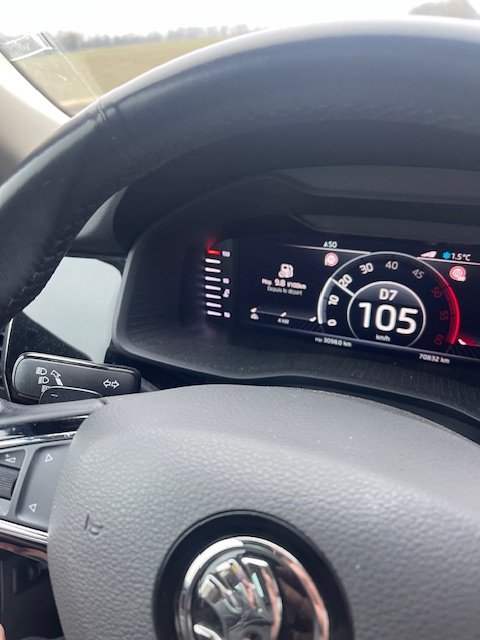
When I have stopped the engine, I couldn't smell any overheating. The level of coolant was good and not seems to be very hot (the temp was just stabilized) I bought this new car 6 years ago, it has now only 70000 KM and the gauge has never gone over 90° (and this car is every summer in Corsica where weather is hot). Even if there ae more than 1 temperature sensor, I think that the one connected to the gauge is inside the engine. So, for me it could cause mechanics damage to continue to drive. The first time the problem occurred was end of December. It seems that sometime, I don't understand why, there is no issue even if I drive more than 15 km without traffic.
-
Hello, I have faced the same issue an my 190 diesel kodiaq L&K. Even if the external temperature was between -5 and 0 °Celsius, the water gauge was at 130° Just switch on the AC and the Fan helped to join the 90° After that i have driven 500Km in one time with no issue. I have faced again the issue 3 or 4 times, each time it was when the car was cod and after 10 or 15 km. Each time the temp was OK again after activating AC and FAN. I have asked skoda dealer to fix the issue, but they say that they are not able to reproduce the problem. They ask me to wait a hot temp engine message. For me it's incredible to ask customer to drive with temp at 130° waiting for an hypothetic alert message (I have the photo of the dashboard where you can see the temp at 130°) I have deal with the garage to give them my car for one week, so they will be able to test it when the car is cold. I just hope that the ambient external temp, (now near 10° in France), will not be a case of non-failure ..... Kind Regards