chatlow
Finding my way
-
Joined
-
Last visited
Everything posted by chatlow
-
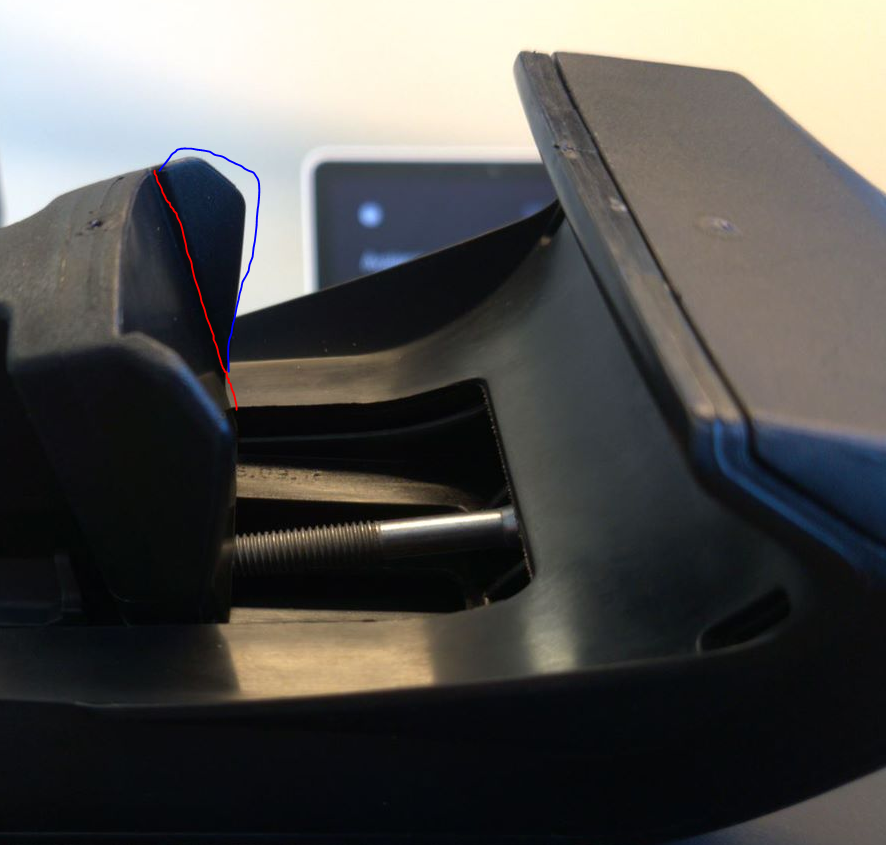
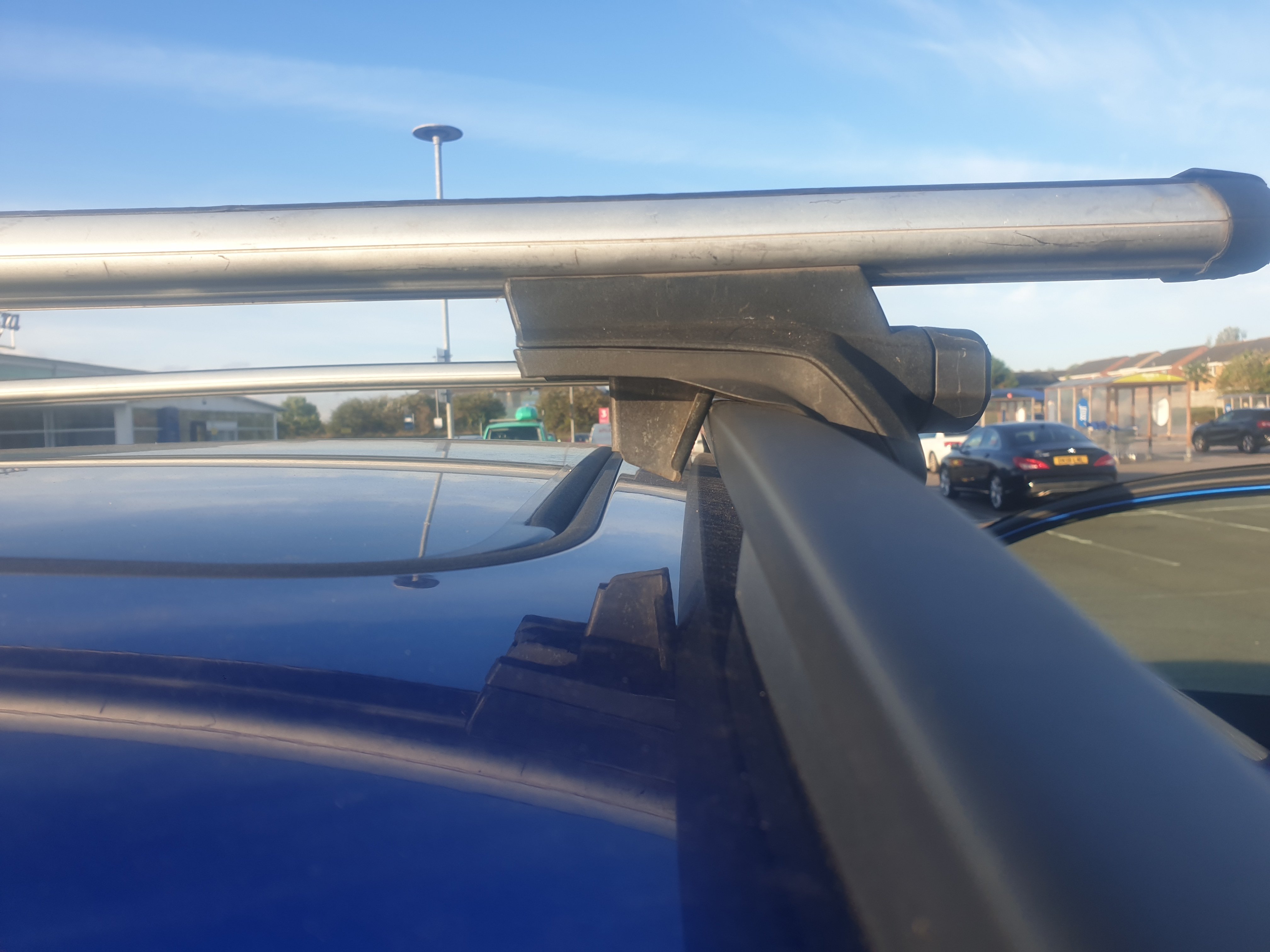
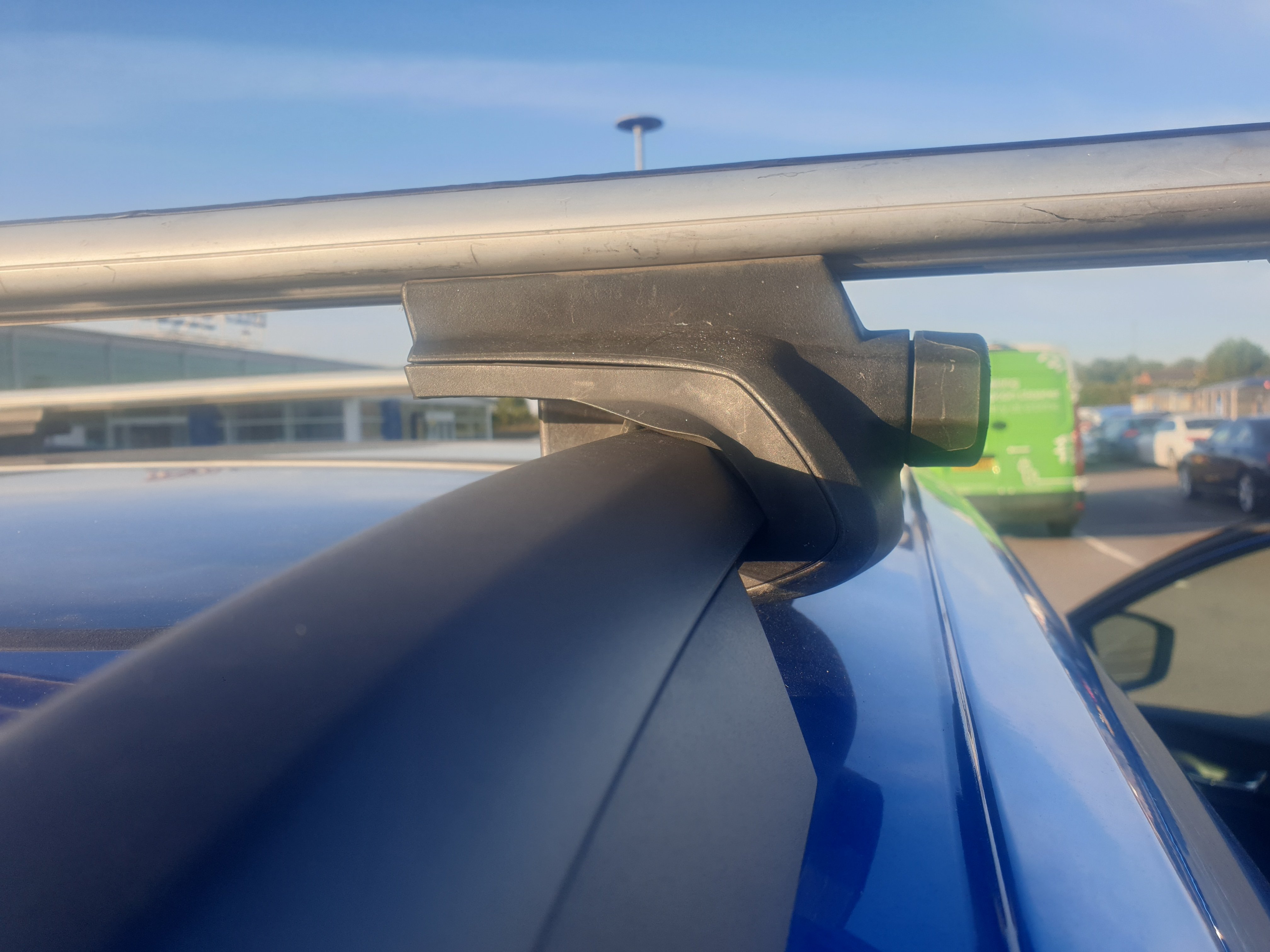
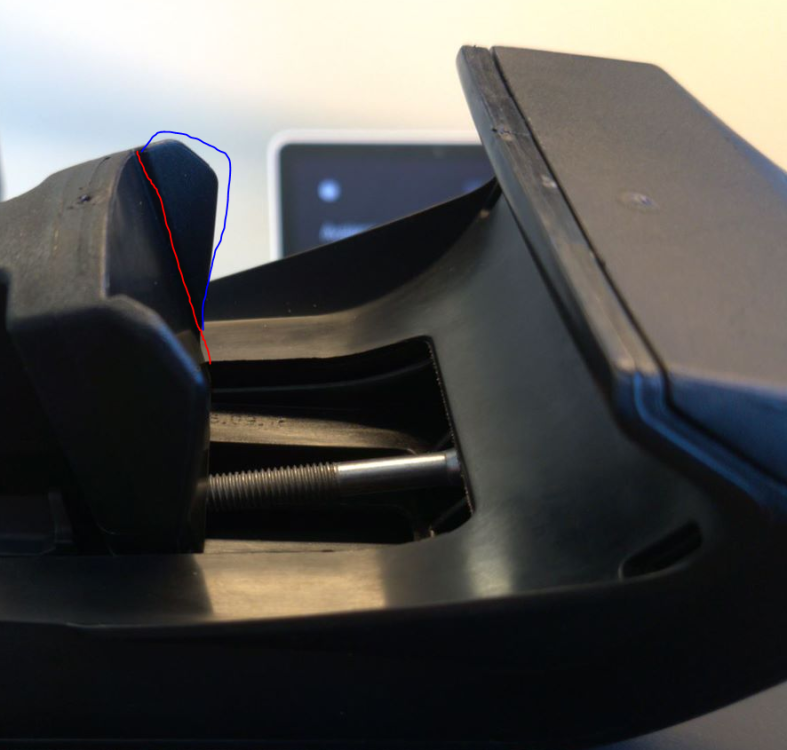
for anyone that is interested or ends up in similar situation...the 7104 foot pack is also very similar to the older 757 which it superseded - makes sense really. It does mean that the inner clamp isn't flush with the rail on a >2018 Skoda, only the small flap on the outside part of it that covers the open distance. See below. Thule have confirmed both are perfectly fine and safe of up the stated 100KG limit. Will be re-fitting mine later :-)
-
sent the above pics to Thule and they confirmed that the fit is fine. Yes, it surprised me also.
-
thanks Chris - I have heard of the 775 feet. Read that they are the same shape/profile just with a strap. Is that correct - i.e do they look like the above? cheers
-
the 757 footpack is the recommended pack for the Karoq. Its been superseded by the 7104 but should still fit. I'm reading that inside block can be moved slightly, so will loosen later and take another look
-
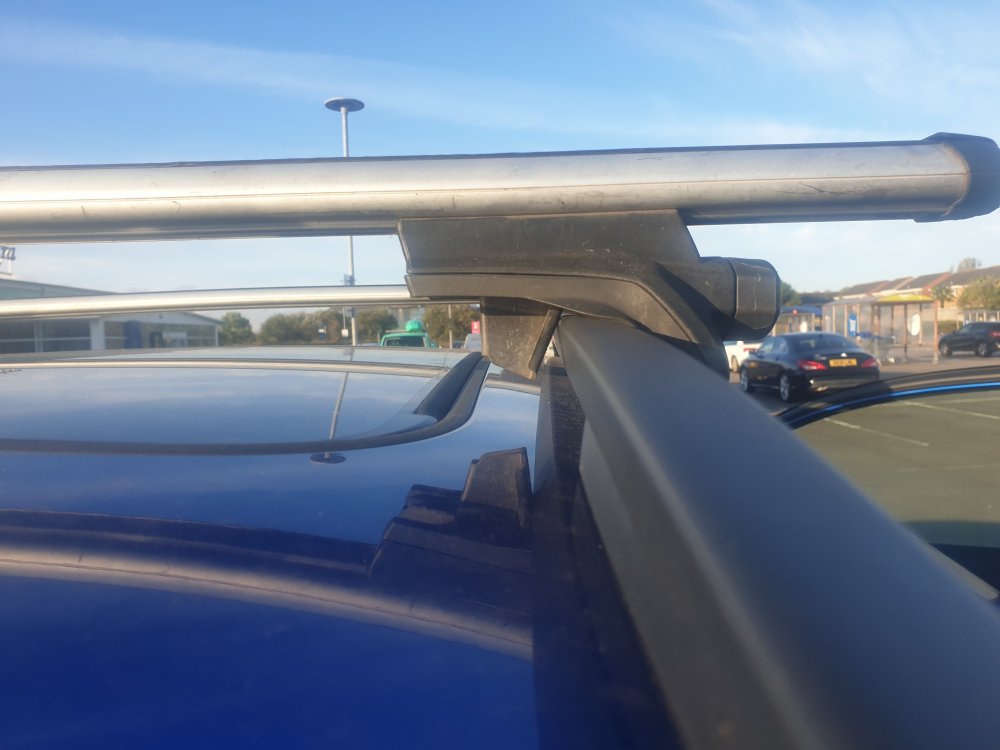
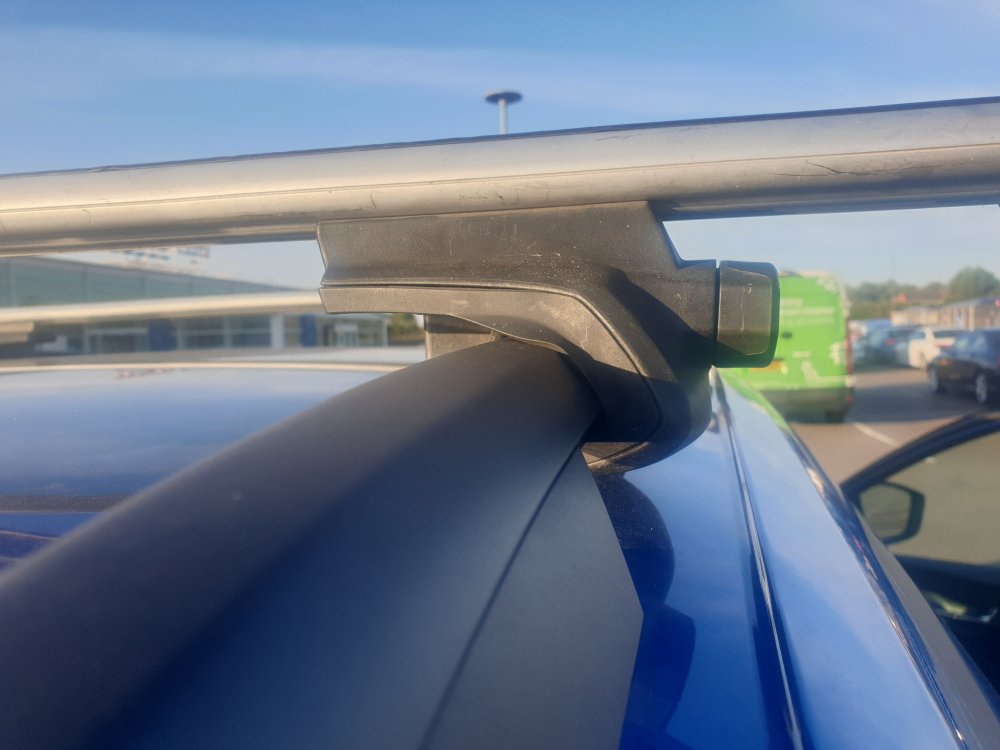
attached two pics, showing the poor fit
-
Hi all, We have a 21 plate Karoq sportline. Looking at the Thule website for roof bars and some results are a bit miss-leading. Two questions: 1. They have recommended both the 127cm aero bars as well some 118cm bars. Measured the width and seems 118 would be OK, but Halfords also suggest only using the 127cm. What have others gone for? 2. The footpack. A friend has got the older 757 pack which was recommended for the Karoq 2018+ I've checked the profile of this clamp and the inside edge doesnt seem to match the profile of the rail. The outside does and fits well. Again, has anyone used this pack? The newer version is the 7104 which I will look into but also costs quite a bit more than the 757 I've been offered. Thanks,
-
Just had it looked at by the dealer. They confirmed the noise was coming from the drive shaft cv boot. They said it could be due to cold weather and wasn't a defect. They've added some special grease for it. Louder from the right cv boot than the left. The warning for front assist hasn't come up since it did a few weeks ago, so think all is good
-
some sort of sensory overload ^ yeah this would account for my tests earlier too. Not happy with the noise coming from the steering/wheel though, so will get them to look at that
-
just took it for a spin around corner, stopped started twice and the alert wasnt there. Perhaps me testing the noise back and forth to the garage door triggered a brief warning, but will keep an eye on it
-
cheers, could well be dirty or perhaps the fog causing the alert. Will go for a drive now and see if it clears. as for the noise, I may need to call the dealer
-
thanks - just re-tested and it's coming from the drivers side wheel. doesn't sound like a pump or belt, more of a grinding/clicking and the tyre isnt rubbing on anything. I tested it back and forth on the drive half a dozen times and then I received a warning on the dash saying "front assist unavailable sensor impaired"!
-
Hi everyone - owned the Karoq 1.5 for just under a month now. My partner uses it mainly and today she noticed noise when parking. Turns out there's a bit of noise when on full lock. Suppose it's a low grinding/motor noise. I've had this before on other cars, which were older. Expected on a brand new car or worth talking to the dealer? thanks.
-
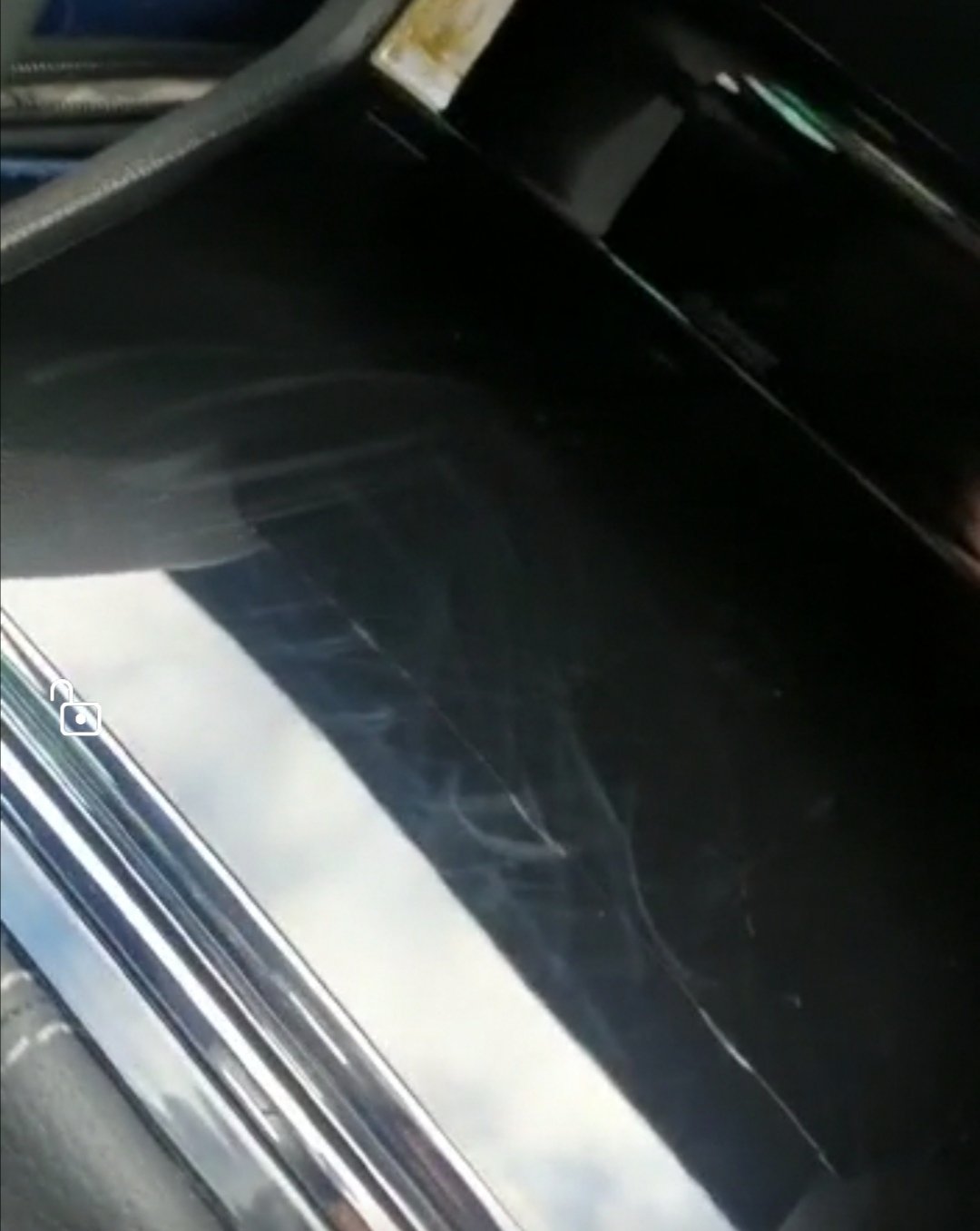
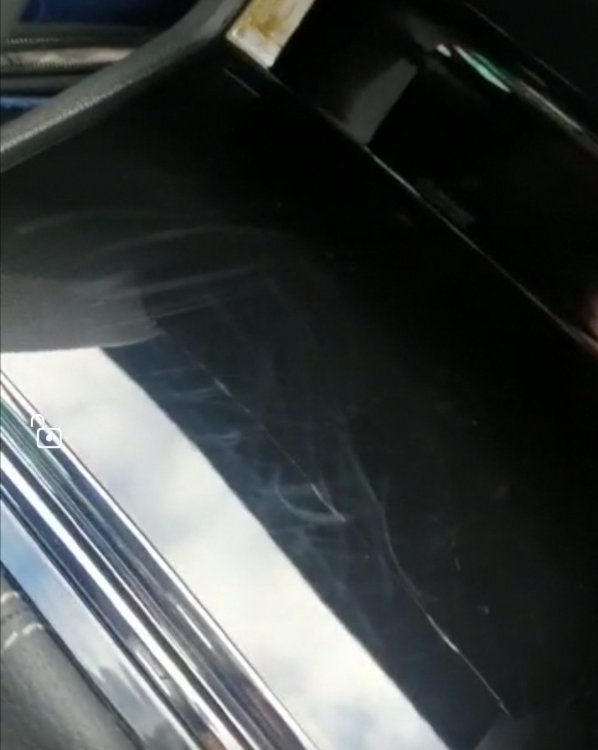
see attached screen grab from my partner. Not best pic, but you get the idea. As for saying it scratches easy etc - I would be more understanding if I had used a tea towel or something more abrasive, but she used a soft cloth designed for cleaning glasses, so this seems a little weird.
-
had hoped it might be a cover - it definitely had a film cover on when the dealer sent us a video of the car and we havent removed anything. Doesnt look like its there though, so maybe got removed during prep
-
no grit the cloth was clean which is why we're baffled. Oh and the screen is fine, its only the cover that got marks on it after wiping. Very stange
-
Hi All - only 1 week into the new car and the other half has called saying there are marks/scratches already. luckily it's inside but it turns out she used my glasses cleaning cloth to wipe fingerprints off the main screen and phone/usb sliding cover. shockingly it's left marks/scratches all of it! Anyone else had this before? and any tips to clear them?!
-
thanks all. already seems to be getting better. Will keep the revs easy then. As for the xr2, god that brings back memories - never owned one - but similar with golf gti early 90's. love the karoq but no chance i'll be workiing on the engine like I did the golf!
-
Thank you, great to know. Will keep an eye on it for now. Also wanted to ask if we should go easy on the revs during the first few hundred miles? It used to be a thing, especially with motorbikes, but I suspect things (engines, designs) have changed a lot since then. No mention of it from the dealer
-
Hi All Picked up our brand new Karoq on on Tuesday. love it, but occasionally getting a smell of burning. Seems from engine and in cabin. Im reading it's likely to be factory residue burning off, but just hoping for some reassurance here if anyone knows Thanks