



Kizotina
Finding my way
-
Joined
-
Last visited
-
Hi.Dont know about the codes,my mechanic just told me that there are misfires on all cylinders.There is check engine flashing only on idle when car is not moving for minute or two,the moment I start to drive check engine is not flasnihg any more.It ****es me off,otherwise car runs great,no issues.
-
I am having the same problems.Replaced spark plugs,coils,injectors,cleaned intake valves.Don't know what to do next. 1.4 tsi 110 kw CZDA engine code
.thumb.jpg.50f1978920912d22fe296757ea60bec5.jpg)
.thumb.jpg.826091094081ce3a13f91dd3546b40bf.jpg)
-
Spark plugs changed two months ago.My mechanic told me this is the way to go, spark plugs, then coil packs,if this is not the problem then I should check if injectors are clogged.
-
Two days ago I have changed coil packs,and I got check engine light flashing today.No clue what to do next.
-
Has anyone had faulty injectors on this engine?
-
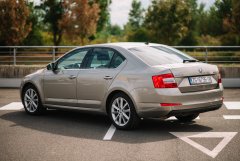 1.4 TSI DSG
 -
 1.4 TSI DSG
 -
-
-
My engine has misfires only in idle with AC ON,for now.Than it starts rattling and EPC light shows on dash.
-
Hi.I have same issues with misfire on all cilinders.Have you solved your issue?
-
Today we checked fault codes,it has misfire on all cilinders.
-
30.000km ago
-
I will do the VCDS this week,spark plugs changed before 30.000 km. 150.000 km on the clock.
-
Hi. EPC light on dash occurred twice in last month,both times when car was on idle while AC was working and cooling. When EPC was ON,engine started rattling,I switched off the engine and started it again,EPC disapppeard and engine is working properly. Any sugestions what is causing this issue? Thanks.

.jpg.21864f395dce7efd852653cac9743c0f.jpg)
.jpg.3c61e329de1b9de5a888585dc7ae4b53.jpg)

