
Pietro62
Finding my way
-
Joined
-
Last visited
-
Hi Chli ! haha !! I was not aware you had the icon on the right side of your setup screen ! My Kamiq doesn't show up this icon. Do I miss something in between ?? Btw, I think the only TSR indication on the virtual cockpit I saw, was when you select the big central view (Sport view ???). I mean the big central circle with speed, rpm, etc etc ... Please try this ... and keep us informed about all your tweaking or mods to get the setup's Icon and real TSR display both on navi and/or on virtual cockpit ! Ciao ciao ! Pietro
-
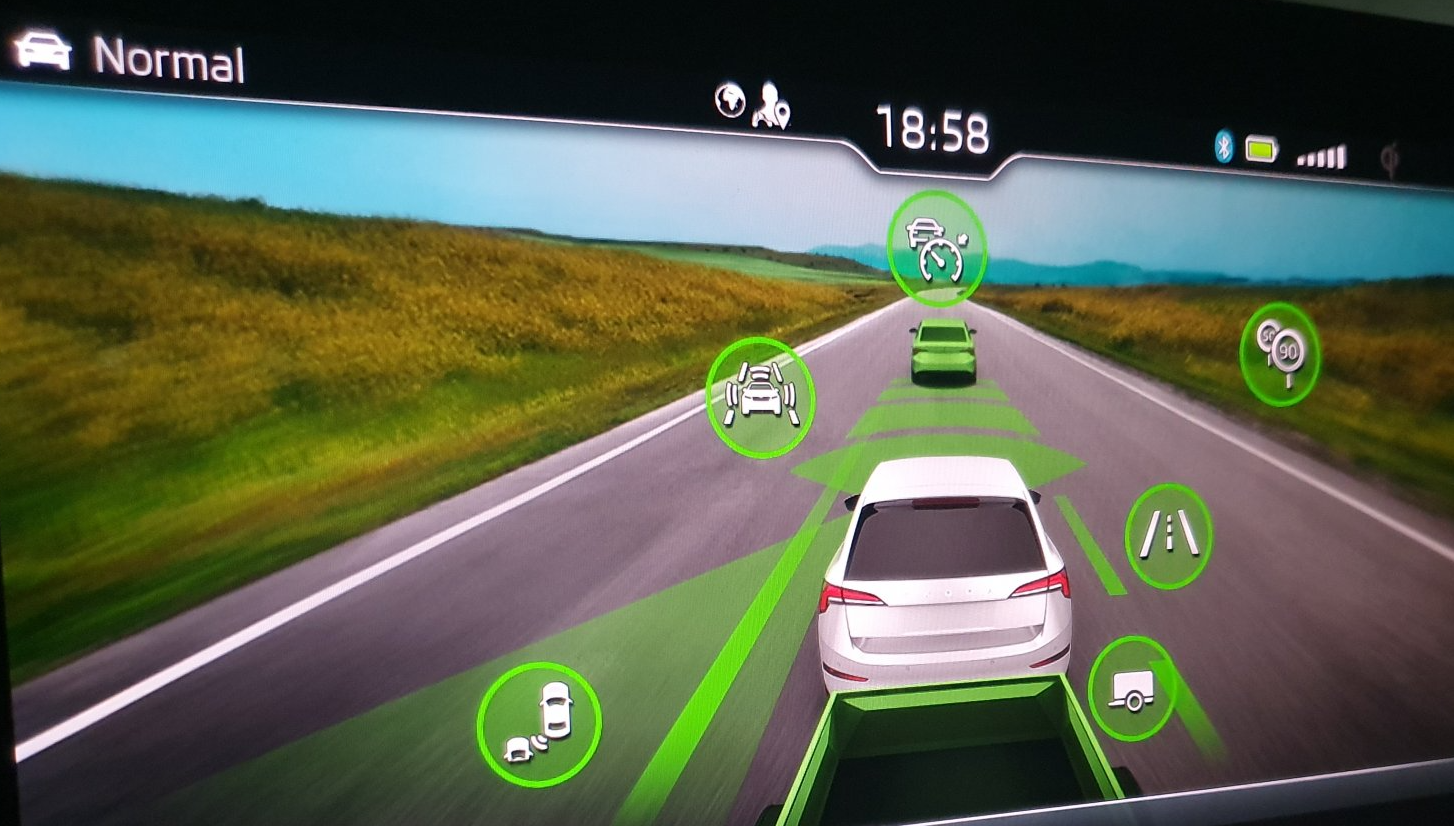
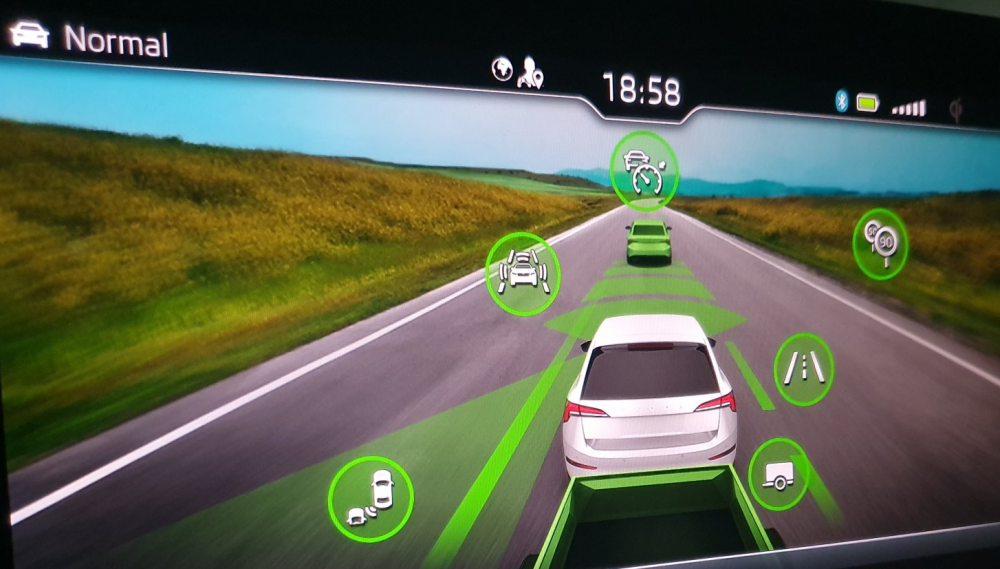
Hi Cinou, sadly ... no news about this thema .... need someone with a good friend inside a Skoda Garage that can search and browse original docs and info ! :-) Btw, I found somewhere the attached image, on the right hand side you might see the icon that should appear (I hope so) when you have the option activated in your car. Actually, I don't have this of course ! Regards, Pietro
-
Hi Chli and Stevie D, thanks for all hints ! Yes, I agree there is a lot of confusion about models, various configurations and options on the same car model. Also on a earlier user's manual, lot of functions and option are not explained or just documented. It's quite normal, becuase nowadays our cars are more like a "computer running software" than a mechanical toy ! Btw ... Skoda (or all manufacturer) should do much better than this ! Also being an electronic engineer, I will not start playing with VCDS and other programming tools ( "it works, don't touch!" ) until a clear and tested procedure is available. Googling around, I found lot of infos (and Ebay offers $$$) about enabling options (TSR comprise) but it's never clear to which actual model it apply ... and also which requirements should be fullfilled prior to start tweacking (needed installed hardware, base software, etc). So if you have any interesting infos, page to visit, etc, please let me know ! PS : in the last week (mid september 2020) I receive at least 3 - 4 software update (bug fixes and minor change) ... but really I don't see any difference ... Have a nice day .......... Pietro
-
Hello chli, ciao ! Well, actually not yet ! When I bought the car (december 2019) the vendor say "yes it's fitted with TSR, as soon as you leave AMAG garage and go on the road, you will see a speed symbol on your display !" So, I have no time to discuss with the vendor, explaining that those symbols are coming from "Navi maps" and not from the front camera. So lot of confusion here ... I leave in Ticino, with lot of works on highway and other roads and as you know, it's very confusing to see 120 - 100 - 80 and even 60 km/h changing every kilometer .... (and the sign on map stay at 120 ) ufffffffffff ....... !! But I saw that the latest Kamiq depliants show clearly that (some) model are fitted with a real TSR, read sign from the front camera (used also for other things, such mantaining center of the lane etc...). I will ask the same AMAG garage (or maybe another one ...) about this and how much it will cost for updating / installing the feature, but I will not surpised if it will cost a lot !! $$$ !!! If you have any news, please let me know ! BTW, my Kamiq 1.0 is just a fantastic car ... 9000km till now ! Ciao, Pietro
-
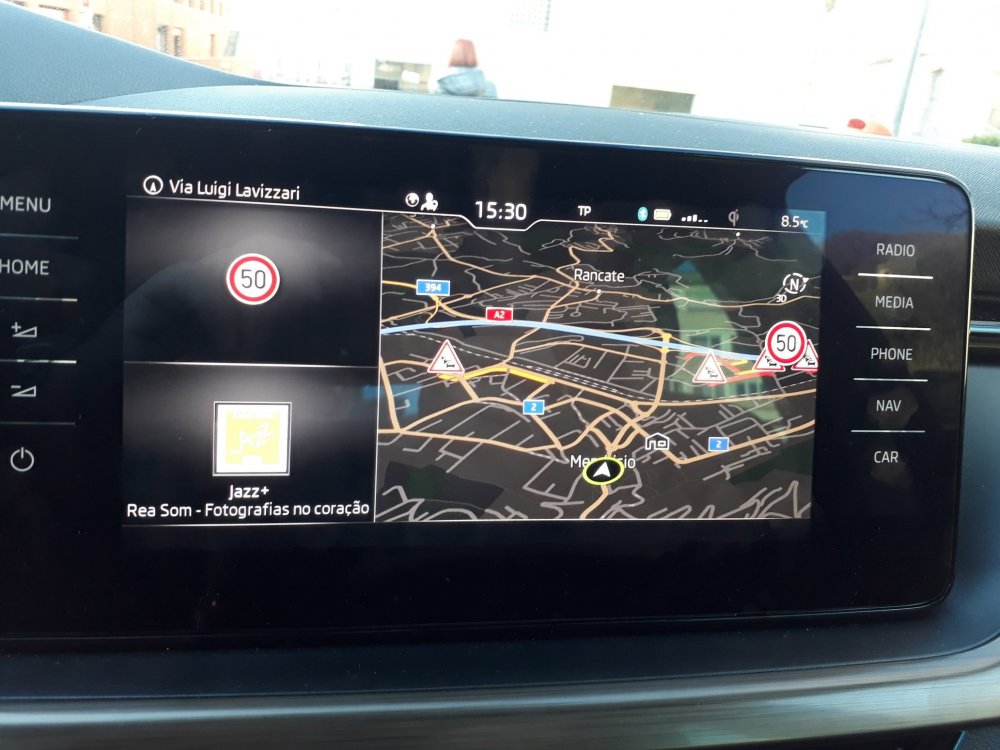
Hello all, new here from Switzerland with my Kamiq Ambition 1.0 / 115 CV / manual 6 gear. I do have: Amundsen + Navi + Virtual cockpit + Lane Assist + Front Assist (speed and distance) etc etc ... On the Navi and on the separated widget I can see the road signs (speed limit, wet road, etc) only if I enable Navi > Road Sign > Show on navi map. Then I may also select to show the speed limit alarm when +5km/h ... If I turn OFF the <show on map> option, no road sign will never be shown .... even if the I go trough a real road sign during my trips ... So I suspect that the Speed Limits and other signs are stored on the Navi database and not read directly from the road using the front camera ! Should be this true ??? Or do I need to activate some kind of other options to enable <real road signs> recognition ?? Other Skoda models seem to use the camera to read actual Road Signs. After some hours of googling, I feel a bit frustrated !! hihihih Many thanks for any info !! Cheers Pietro