



Skip to content

SkyFl4m3

New here
  • Joined

  • Last visited

  1. Thanks for the reply @AGFalco Quickly searching on superskoda I can only see one variant but this would actually solve my problem, are they recommended to use as a retailer or are there better alternatives? I guess I would also have to take a chance at seeing if my phone would fit in there, but that isn't much of an issue because it currently fits perfectly in the space below the handbrake anyway...
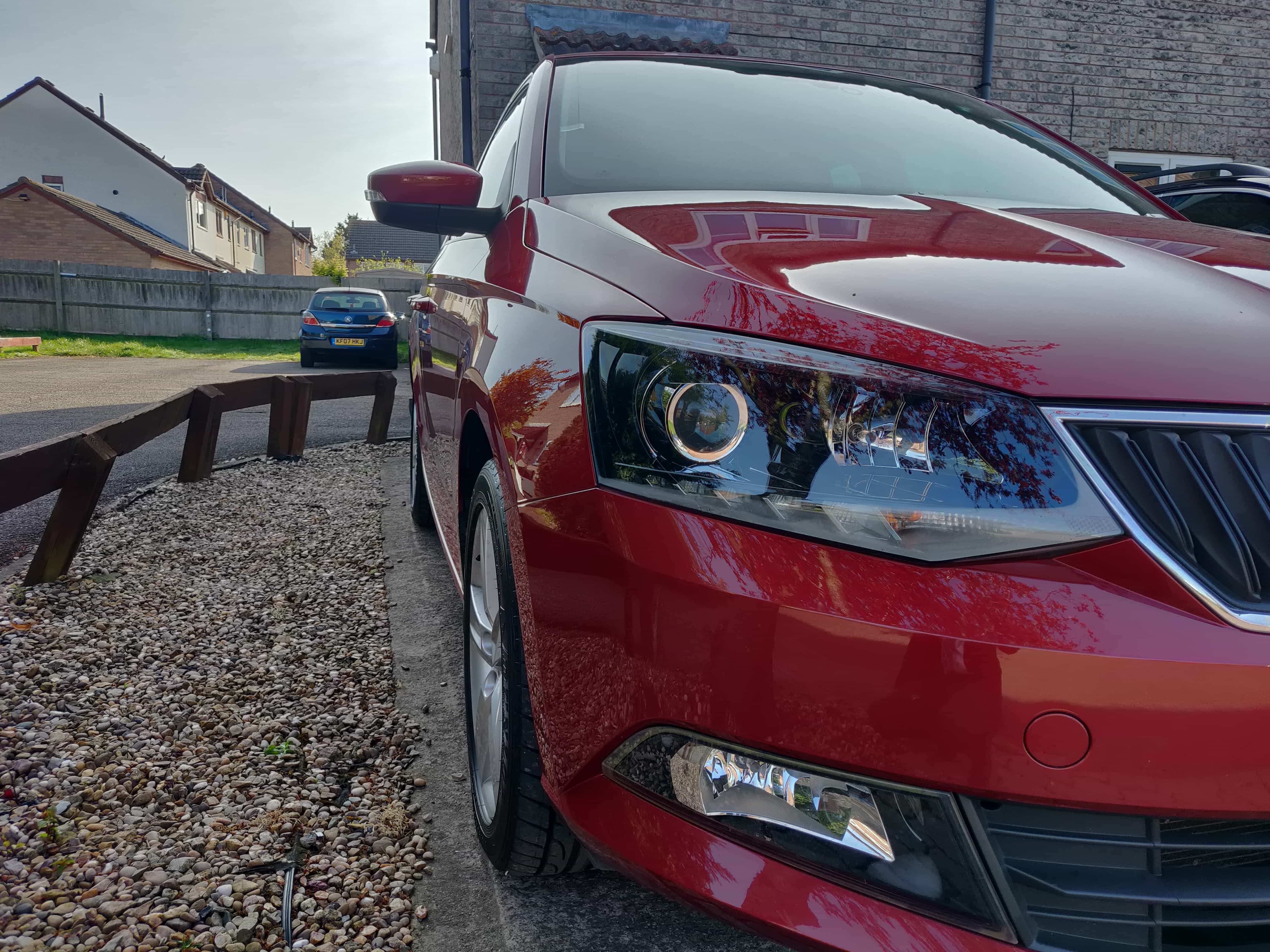
  2. I've previously been lurking around on these forums but decided it was time for me to actually join seeing as I will be using it more and more now. Purchased a 2015 SE L as part exchange for my first car (mk2 Ford Ka (Fiat 500 😶)), as a family we have always loved Skoda's so this was a very nice upgrade. The car had only done around 17k miles at purchase earlier this year, and is now sitting around 22k. Adventures so far have included fitting an android head unit and then destroying that with a bad USB cable (my radio is the early model with only mirror link, no android auto sadly - I shall just stick with a phone holder I think). Other than that and having my key rattle around in the cupholder due to the car having keyless start but no keyless entry, I cannot fault it. The colour is Rio Red Metallic which looks great clean in the sun, but a little brown in the shade and dirty - must get around to cleaning it again this weekend. Shortly I shall be able to renew my insurance and start making some changes, currently liking the look of a remap to take the 1.2TSI from 90 to 130bhp 😄

Important Information

Welcome to BRISKODA. Please note the following important links Terms of Use. We have a comprehensive Privacy Policy. We have placed cookies on your device to help make this website better. You can adjust your cookie settings, otherwise we'll assume you're okay to continue.

Account

Navigation

Configure browser push notifications

Chrome (Android)
  1. Tap the lock icon next to the address bar.
  2. Tap Permissions → Notifications.
  3. Adjust your preference.
Chrome (Desktop)
  1. Click the padlock icon in the address bar.
  2. Select Site settings.
  3. Find Notifications and adjust your preference.