
Groteske
New here
-
Joined
-
Last visited
Everything posted by Groteske
-
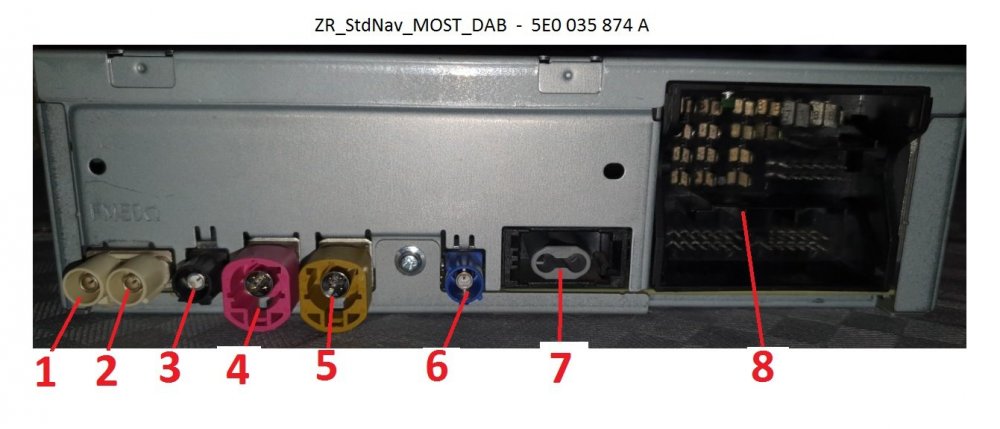
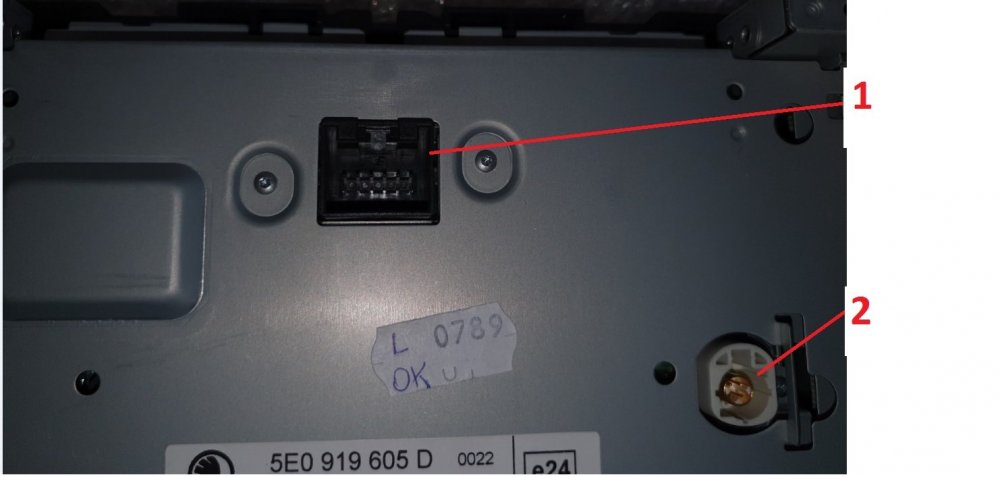
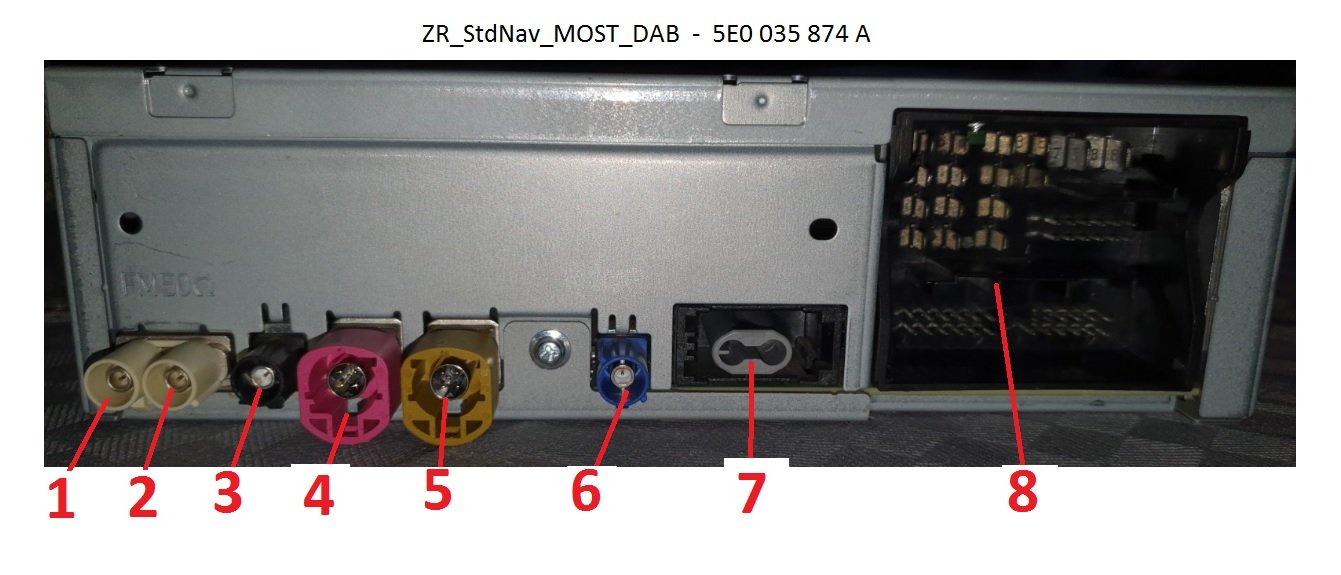
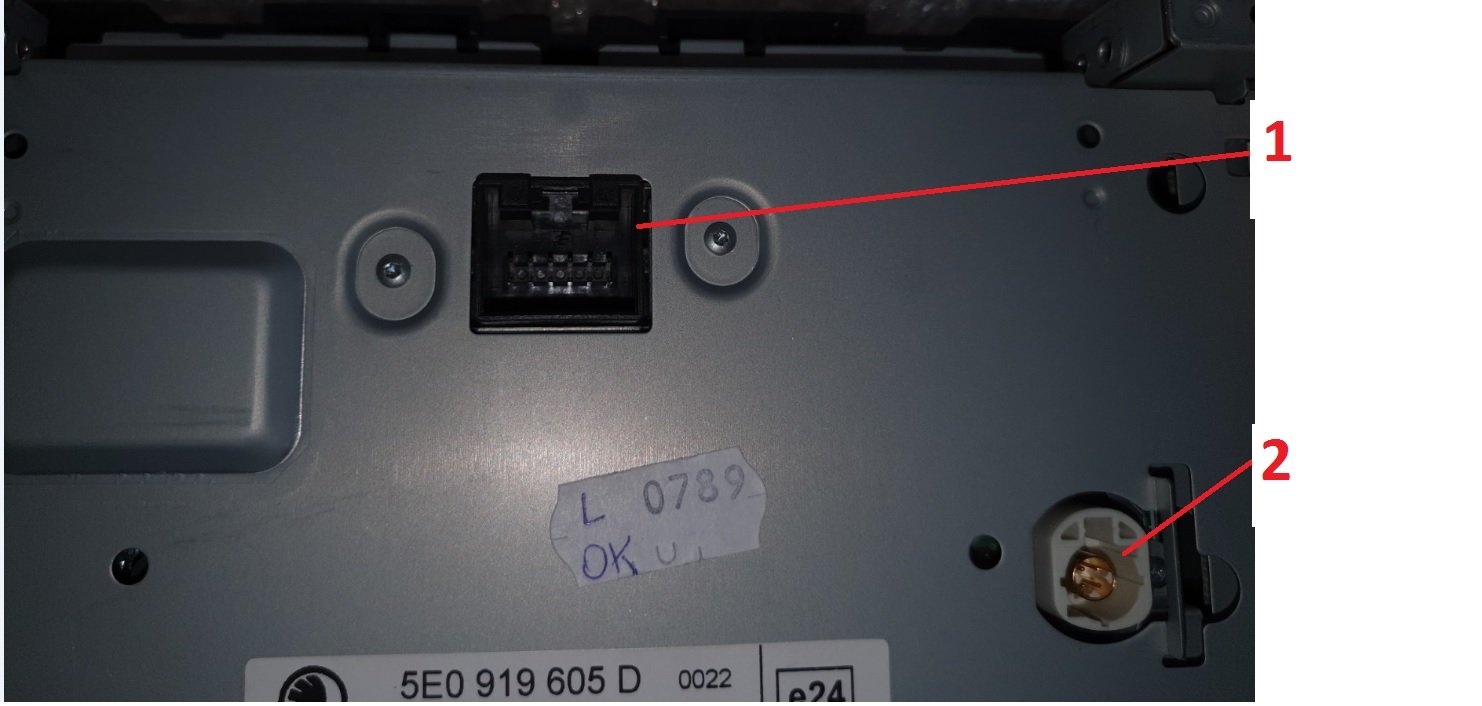
Hi! I new in this forum I bought 5E0035874A and 5E0919605D. Standard Navigation head unit with the display screen. And I’m trying to figure out the connectors function to be able to build a cable harness to this system. Can anyone help me with the connector description on the units? I have attached two pictures. For the 5E0919605D: Connector 1: 12-pins (need to have the pinout description) Connector 2: is this one connected to the pink connector in the head unit? (need to have the pinout description) For the 5E0035874A: Connector 1,2: (Double White) AM-FM antenna connector Connector 3: (Single Black) – DAB antenna connector Connector 4: (Single Pink) is this one connected to the display? (need to have the pinout description) Connector 5: (Single Yellow/Brown) no idea Connector 6: (Single blue) - GPS antenna connector Connector 7: (MOST) – Audio to amplifier Connector 8: I got the pin description on the forum Thanks in advance. Regards, Antonio