




Skip to content

OM54

New here
  • Joined

  • Last visited

  1. How much did that cost you if you don’t mind me asking? For the adas? The one local to me won’t do it as they can’t supply a screen!
  2. Hi All, Just wondered if there was a simpler way to adjust the backlight? In my old Vauxhall there was a little bit near the light controls but can't seem to find it on the superb! Instead I have jump through the menu options to dim the dash down which can be a little distracting! Or is there a way to code it in on a different menu that's easier to navigate to?
  3. Been looking at this, where have you hid the adapter bit? Does it still fit under the cover and can you still use the wireless charging pad? (MY17)
  4. Forgot iPhone images upload as attachments
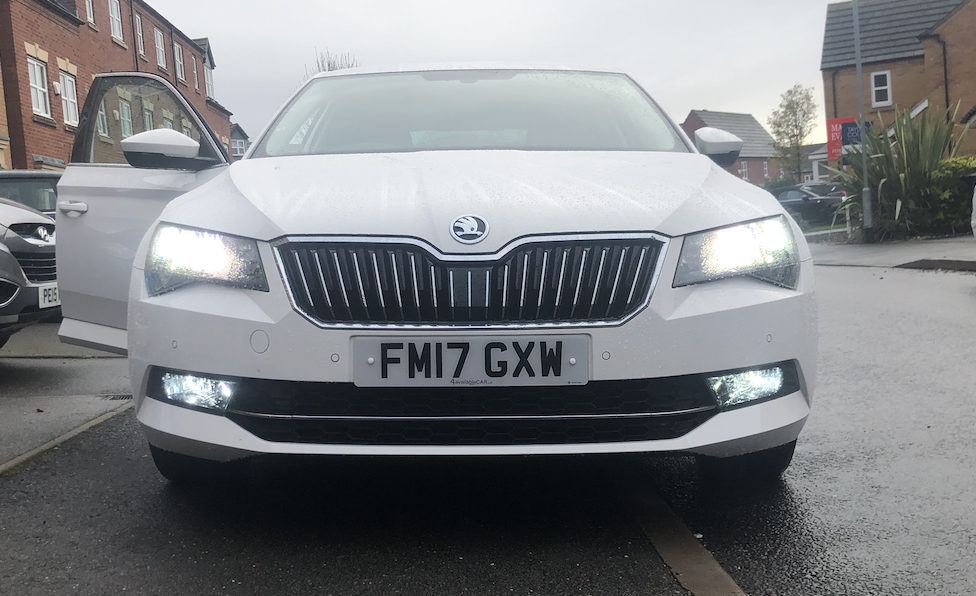
  5. After a few months of ownership I have got rid of the yellow tinge from the front! (Yes I know LED will affect front fogs, never used them in 4 years on the last car so can't see it affecting me!) 417E644C-768A-4F1B-9AB5-6F2522C7C7AE.heic
  6. I did think it wouldn't fit, but that's what it said on the HalFrauds website!
  7. Hi all, upgraded my dipped beams to a OSRAM Nightbreaker laser and I'm well impressed just trying to line up new bulbs to get rid of the yellow look! I've scraped together a rough list of the fitment, any help/additions is appreciated massively! Dipped and Main beam are both H7 (X2) Front and Rear Fog Lights are H8 (X2) Reverse Lights are P21W (X2) Rear Indicators are PY21W (X2) Front Indicators are also PY21W??? DRL/Sidelights are a PWY24W? (And a pain to get at)
  8. OM54 changed their profile photo
  9. OM54 posted a topic in Hellos and Goodbyes
    Hi All, Just picked up my 2017 Superb SE Tech, and loving it! Upgraded from a 1.4na Corsa to a 2.0TDi and I'm loving the power as well as all the little features like the Simply Clever items! May draw on the brains for some good bulb upgrades soon OM

Important Information

Welcome to BRISKODA. Please note the following important links Terms of Use. We have a comprehensive Privacy Policy. We have placed cookies on your device to help make this website better. You can adjust your cookie settings, otherwise we'll assume you're okay to continue.

Account

Navigation

Configure browser push notifications

Chrome (Android)
  1. Tap the lock icon next to the address bar.
  2. Tap Permissions → Notifications.
  3. Adjust your preference.
Chrome (Desktop)
  1. Click the padlock icon in the address bar.
  2. Select Site settings.
  3. Find Notifications and adjust your preference.
