290359
New here
-
Joined
-
Last visited
-
Meant to add the VCDS info for my 5F to show which type I have. ------------------------------------------------------------------------------- Address 5F: Information Electr. (J794) Labels:| 3G5-035-MIB-HGH3.clb Part No SW: 3V0 035 816 K HW: 3V0 035 816 K Component: MU-O-ND-EU H25 0330 Serial number: SKZAZ2B0415827 Dataset Number: V03935377LP 0001 Coding: 34827008000020000000000000000000000000000000000000 ASAM Dataset: EV_MUOIMQB 001001 ROD: EV_MUOIMQB_001_SK48.rod VCID: 3B23382113E55E92421-806E No fault code found. -------------------------------------------------------------------------------
-
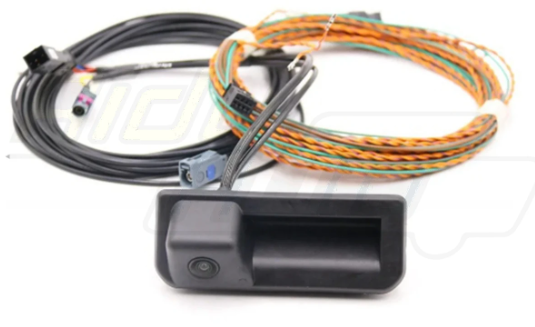
Hi, been lurking around for a while and recently purchased a 2023 MKIII Superb Estate, Black Edition Sportline. I'm looking to fit an aftermarket rear camera and have purchased the AIDU Auto version from our favourite Chinese electrical store 😉 The one I've gone for will need fully cabling into the MIB3 unit in the glovebox and I'm happy to do that, I have VCDS to do the necessary and (according to the supplier and stickers on the unit) it's coded for the Superb but I'm having a hell of a job finding a pinout for the quad lock connector on the back of the MIB3. Can anyone point me in the right direction and provide a diagram so I can connect the CAN Hi/Lo and video in/screen connections? I can find the 12v and earth myself but the others are the ones I could do with help on. Thanks in advance. 🙂