Rus275
New here
-
Joined
-
Last visited
-
Rus275 changed their profile photo
-
Small update, have ordered a new speed sensor/xenon/brake wear sensor loom and it's booked into a local recommended auto electrician on the 26th!!! of this month. Will update further then.
-
Thank you for your comprehensive reply. Does anyone know a good auto electrician in the Dorset area?
-
Thanks, I'll have a chat with my mechanic and see if he's willing to try it! Failing that I may try it myself, how hard can it be!!! Lol
-
Bloody cars. Do you know if the wiring goes directly to and from there?
-
When the fault first appeared I lost the ability to toggle between travel mode and normal.
-
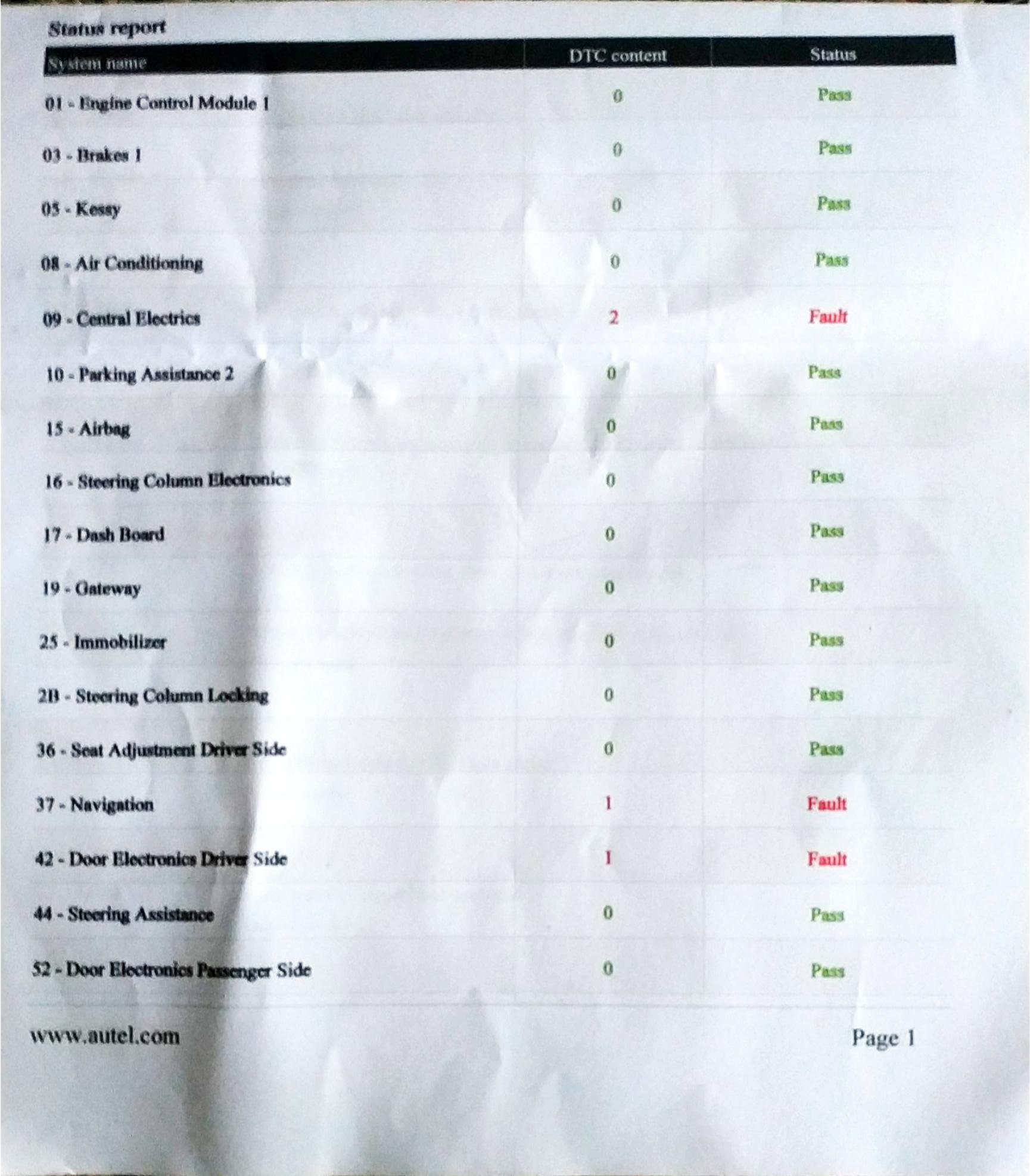
I have a steering headlight fault on my 12 plate superb, it's been into two garages for repair, one replaced the faulty front level sensor and suggested the next step would be to replace the loom on the front side of the car as I've previously had a broken wire from abs sensor. 2nd garage gave me the printouts attached and said they couldn't fix it but the two different results from front and rear sensors don't make sense and it would be a main dealer problem which I'm very reluctant to do as they're useless if the computer doesn't give them the answer and they're expensive. Hence my initial question could it be deleted thus clearing the fault which I've been told is now an MOT failure.
.thumb.jpg.fa93deff0b44a6c79f6b3a177a58b46e.jpg)
-
Hi. Skoda superb MK2 owner here, have used this forum as a valuable resource many times so hi!

.jpg.bf28c51b4adb5780285b408c4e085691.jpg)