amohammed
Finding my way
-
Joined
-
Last visited
-
Everything working correctly, I wasn't asking about the message, to be honest. The issue is the lag or the car dies for a few seconds before starting up, the lights went off and after the start, all lights in the dashboard went up, too. I don't know the correct definitions and/or description of the issue, but here is what I understand from it since this behavior only came up a few days ago.
-
Hello, As the title says, I own a Skoda Octavia 2.0 TDI with automatic gear. I have the car serviced every six months, and the last service was two months ago. Recently, I faced this issue, which is attached in the video, when I cold-started the car. I don't know what the problem is or its description. I replaced my battery nearly 2 years ago, but I didn't code it to the car. What I am asking for is, what is the issue that I face on cold start? And, should I code the battery when it is replaced? WhatsApp Video 2024-12-15 at 7.22.02 AM.mp4
-
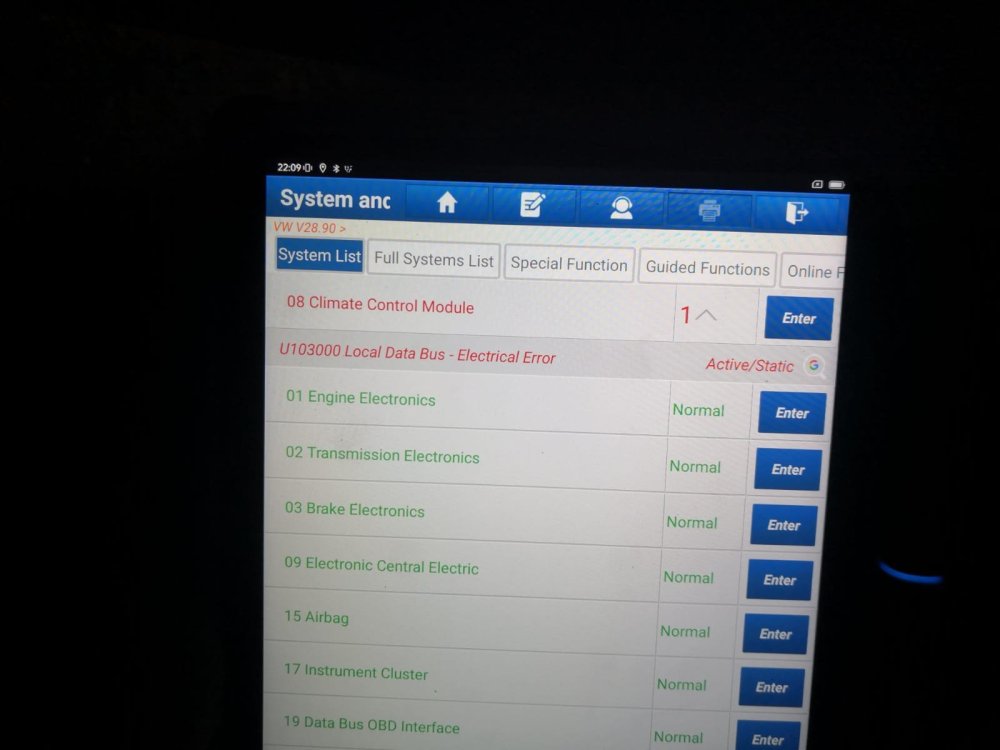
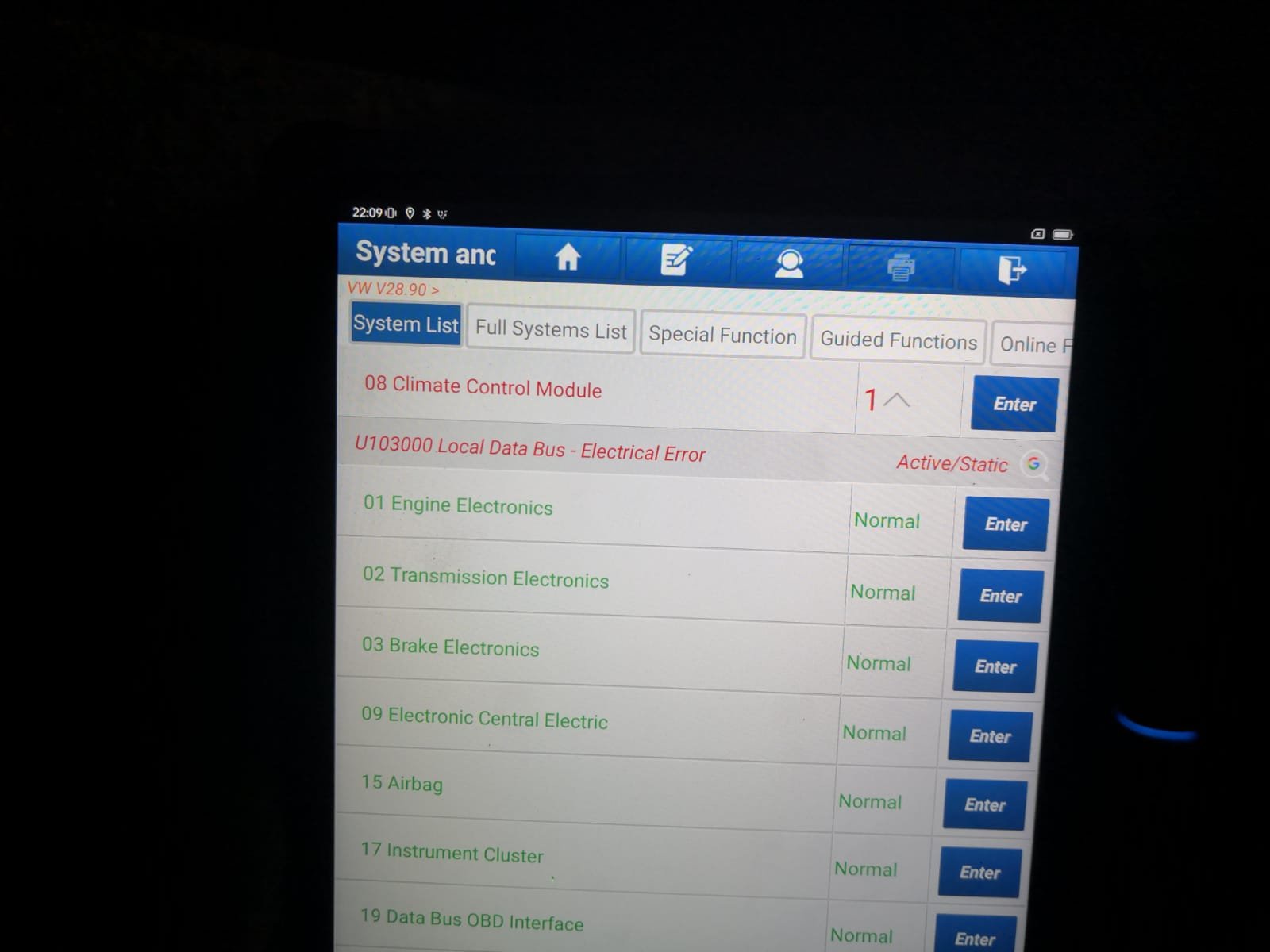
Hello, I'm owning Skoda Octavia 2018 2.0 TDI, since few days ago my air conditioner is not working, when I start it nothing works. Today, while I was driving, it turned on automatically even though I didn't turn it on and the button of the air conditioner was of. However, I tried to turn off the car, still the air conditioner is working. I just checked the computer an found "Climate Control module error, U103000, local data bus - electrical error". Can you help me identifying the problem? Attached a video showing the air conditioner is not working along with climate button (car with circle), and the error code. WhatsApp Video 2024-01-05 at 2.24.03 PM.mp4