Lols
New here
-
Joined
-
Last visited
-
Hi again, mrgf, we changed the battery in the remote, and it's worked! No wipers wiping when they're not supposed to. The old battery had a reasonable amount of charge, so maybe it was just shuffling things about a bit that made all the difference, but we're leaving the new battery is in place. Both keys run the car, by the way. The remote only locks and unlocks. We are now happy Skoda drivers. It seems like a solid little car, willing and nippy, and just what's needed for narrow country lanes. Now, if we can stop it saying 'Error' whenever we turn on the engine, we'll be even happier! Thanks for all your help.
-
Conversely, we hope to get back to the UK when normal service(ish) is resumed. We had to cancel our annual trip to Cornwall, and we haven't seen our son for a year. Sometimes the English Channel can seem very wide indeed.
-
Hi again, mrgf. I've got a new take on the wiper thing. Yesterday we had a spare key made as there was only one with the car. The spare is a manual key, the original does the central locking. Today when we went out, we decided to try the new key to make sure it worked, which it did - and the wipers didn't move once. They didn't jump when the engine was turned on either. So maybe the fault lies with the electronics to do with the original key. (I'm touching wood here as it may change its mind tomorrow!)
-
I can't work out how to just add to my reply to mrgf - hope you can read this. It seems today that if we are driving along and then brake for a junction or for traffic - a firmish sort of braking - the wipers swipe once. It's been a very wet day so we've had rear and front wipers going, and the front ones have done their impromptu thing with repeated swipes at times without being asked; but we noticed that when it wasn't raining and they weren't switched on, they would work when braking. Does thia make any sense to you?
-
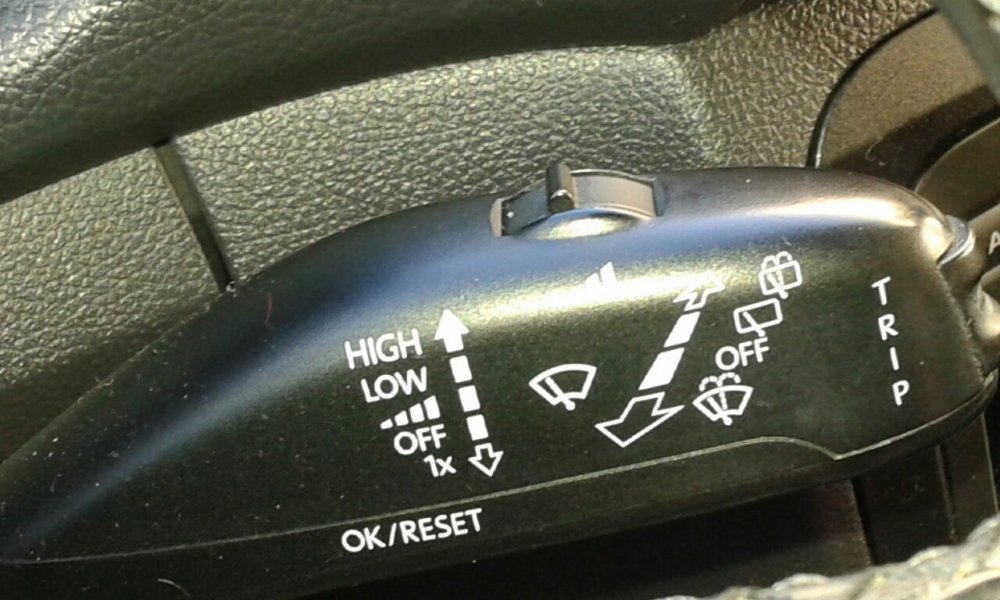
HI, mrgf, and thanks for your response. To clarify, the reset button I mean is the one on the bottom of the stalk - OK Reset - not the trip button on the end. There is no looseness at all in either switch - both are satisfactorily firm.
-
We have recently bought a 2010 Fabia 1.6 Tdi, (left-hand drive) which I believe is a Mark II. It's a good car in all respects except one: the windscreen wipers come on at random, for one or two or three wipes; they can stop for some minutes and then wipe again. It seems they may be triggered by either indicating (left or right) or turning the wheel for a rightangle bend. They seem to jump when the engine is started. There is a Reset button on the wiper stalk which isn't mentioned in the manual or anywhere else; we've tried using this and it seemed to stop the problem, but it didn't last. I once had a Polo which sounded its horn every time the wheel was turned to the right, so I'm beginning to think the problem must be similarly to be found in the steering column. Any ideas? Many thanks.
-
Good morning, everyone, from Brittany, where it's impossible to exist without a car. Well, I could cycle, but only if they ever invented a comfortable seat. And possibly a knee rejuvenation kit. I'm a former VW driver (a long time ago) and have just bought a second hand Skoda following the very smokey demise of a Renault Scenic which has gone to a worthy, well deserved, long overdue retirement. I'm hoping you'll be able to help keep the Skoda going for a long while. There's no manual so I've downloaded one, but if in doubt, talk to the people with the greasy hands, I say.