George9898
Finding my way
-
Joined
-
Last visited
-
Finally managed to find them they here if it helps anyone else https://www.skoda-parts.com/spare-parts/fabia-2/Decorative Foil Škoda.html
-
I’ve got a 2008 fabia it’s got an aux port behind the handbrake it’s been a bit dodgy since I got the car but lately been playing up I’m guessing replacing the port will fix it. Any tips? Is it as simple as it looks to replace?https://skodapartsdirect.co.uk/product/skoda-fabia-hatch-2007-2014-aux-in-socket/
-
My b pilar trim is pealing away it’s been mentioned here does anyone know what the part number is as I’m struggling to find a replacement.
-
-
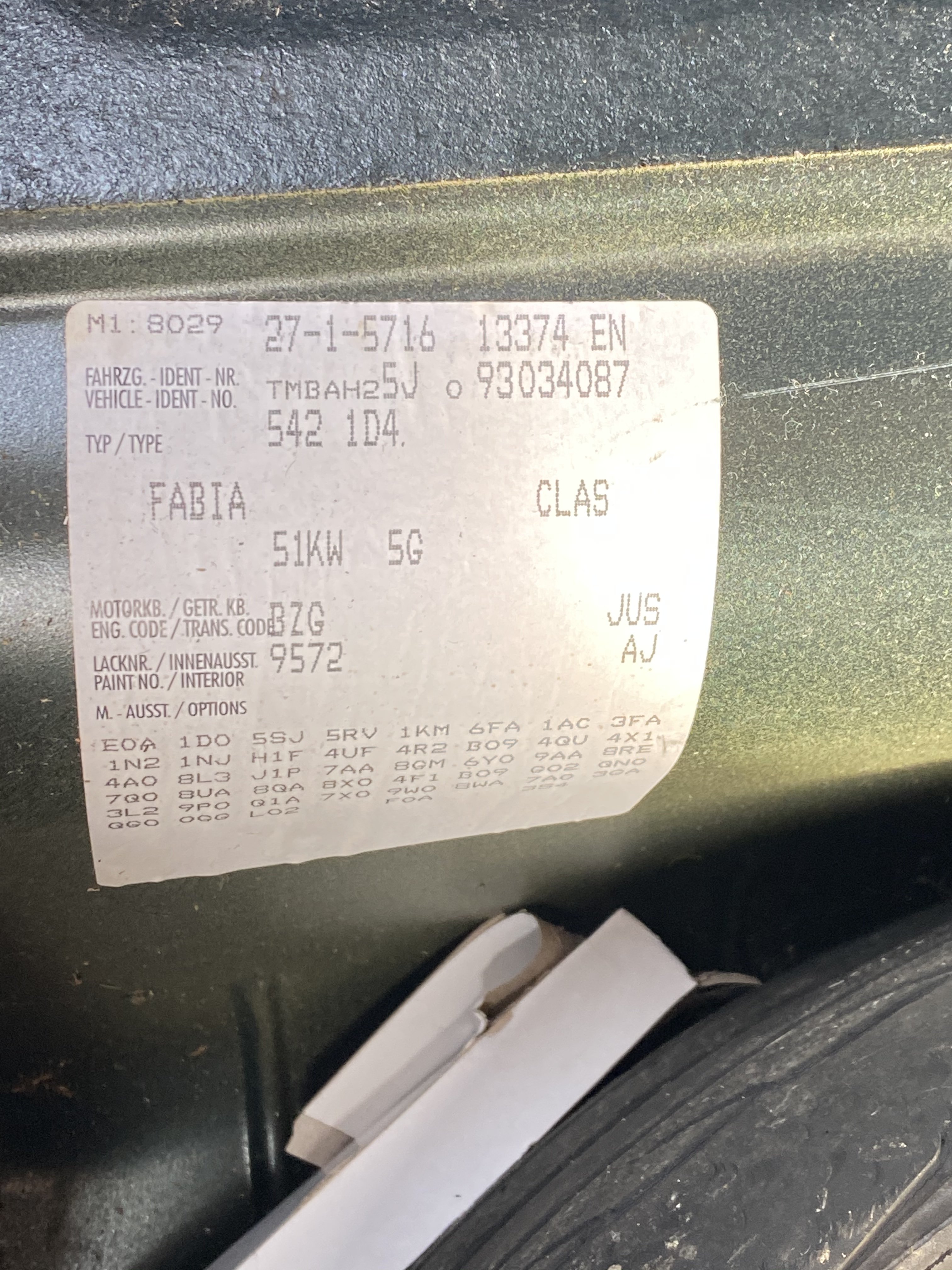
The code is Jus
-
I’ve found a mechanic to do the job but he wants me to get the oil do you know what oil it needs I’ve tried looking on euro car parts but it’s showing tons of different types with differing prices.
-
How hard of a job is it do you think you could do it with out a lift or a pit?
-
Do you know of any good Skoda mechanics that are around the Swindon area?
-
My car has done 105000 it’s the bearings that have gone in the gear box my dad said it’s probably cheaper to buy a whole gearbox than pay for the labour of getting the bearings change.
-
I will get my dad to message the guy. Do you know what I should be searching for I’ve seen a lot listed that mentioned bzg what makes it compatible?
-
I’ve got a 2009 Skoda fabia with gearbox problems looking for a replacement gear box on the sticker it says engine code BZG transmission code JUS does anyone know if this gearbox on eBay will fit. https://www.ebay.co.uk/itm/VW-Polo-Seat-Ibiza-Skoda-Fabia-1-2-1-4-petrol-5-speed-gearbox-02T301103-M/353216494813?hash=item523d57fcdd:g:JWYAAOSwbWlfcGSneBay