fafafa44
Finding my way
-
Joined
-
Last visited
Everything posted by fafafa44
-
Thanks for your reply, as I understand it impossible for me the understand because I don't have the kits and the person who made the installment just don't understand this stuff. Maybe but maybe if I tell him "this must be the broken thing please check it" then it may work. Thanks again.
-
Does anyone have any idea ? Is it a software or a hardware issue ?
-
rear view camera video.mp4
-
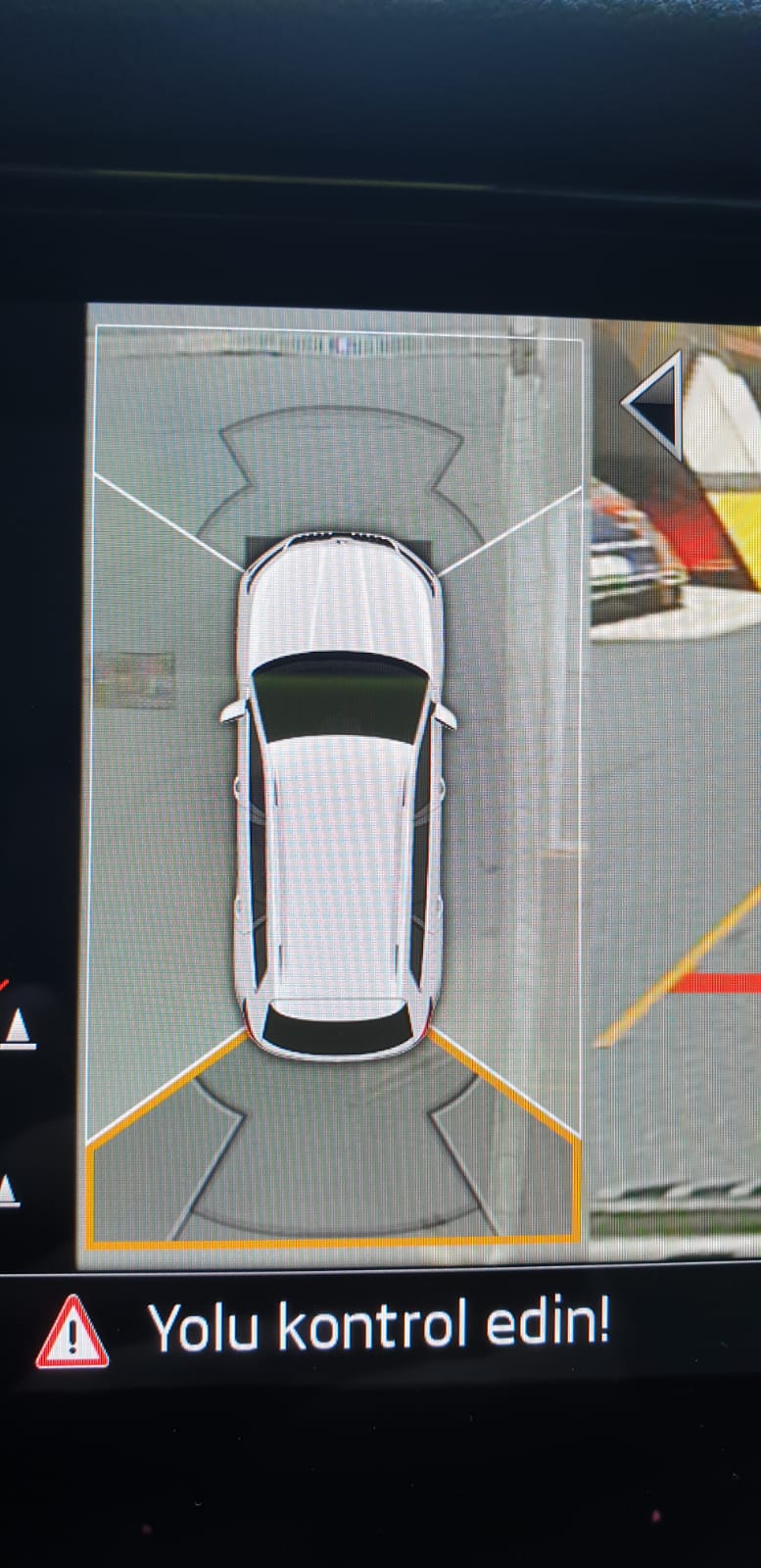
Hi, I used to have a Bolero system then I changed it to Columbus MIB2.5 retrofit. My problem is with the car icon while using the rear view (rear gear). There are two black spots near the front plate (left, right) always.. Also sometimes but sometimes, the car icon part is blank ( black rectangle) for 3-5 seconds then back to normal. Before changing the unit I had the black rectangle issue but not the plate one. Now I have the plate issue but almost no black rectangle issue. I need your help. Thanks. P.S: I saw an other retrofit car same model with mine and it didn't have any visual issues. They tried coding again but didn't help. I will put the photo here.
-
-
Hi, thanks for the instructions. I have the latest Europe map installed Columbus retrofit model but I want to install the latest ROW map. The system does not allow me. Is there any way ? I live in Turkey, the installed Europe map has Turkey in it but I thought the ROW map would be more detailed. By the way I needed to use the retrofit install guide , I am using Mac, I used keka and clean my drive 2 apps. I tried FAT32 without success then I tried same apps but EXFAT, I guess it worked because it saw the USB this time but could not able to update because of the region thing. Thanks.