Weinoc
New here
-
Joined
-
Last visited
Everything posted by Weinoc
-
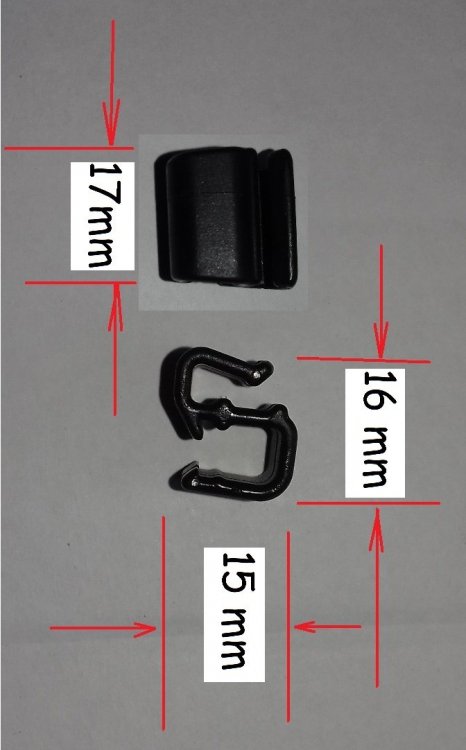
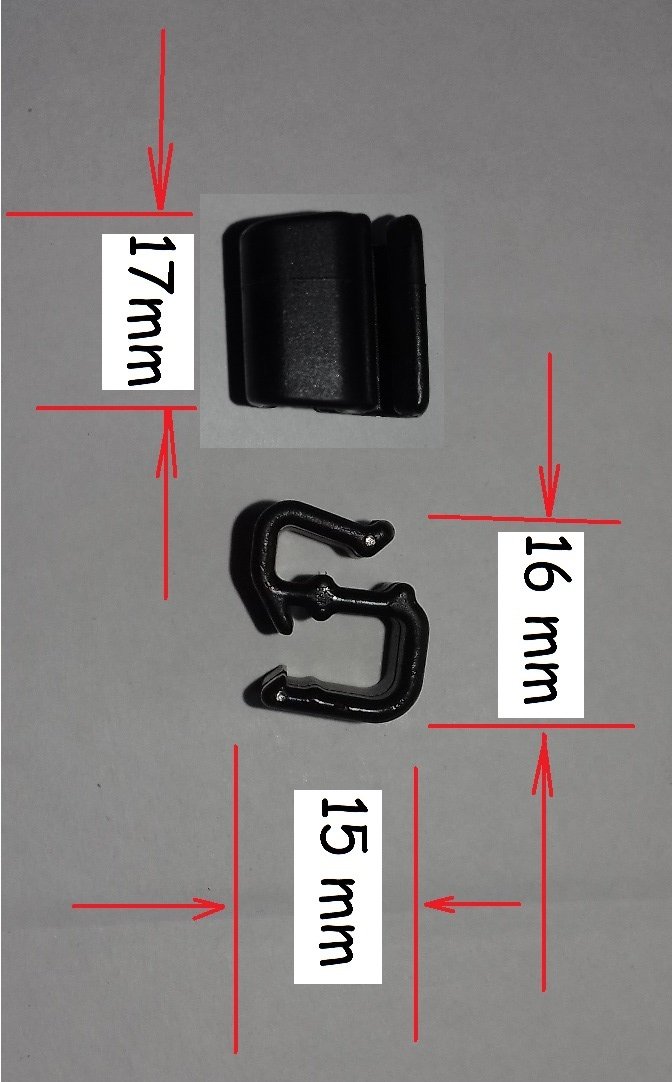
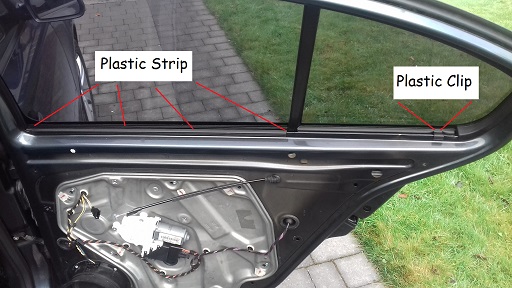
What Does The Plastic Clip Do:.. There is a metal edge that the top of the door panel sits in over. Part of the metal edge is covered with a plastic strip, it is the length of the window glass that goes up/down. The plastic clip is like an extension of the long plastic strip. It acts to hold the panel in the same line as the long plastic strip. If the clip was not in place the end of the panel would be loose. So that’s the end of this story. A happy ending thanks to the help of MicMac, StickyMicky and mac11irl.
-
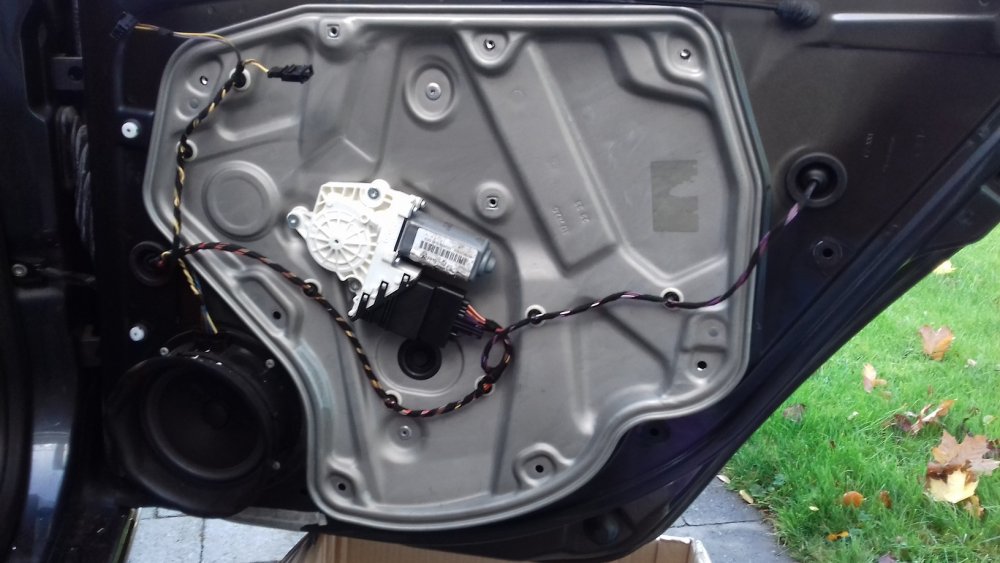
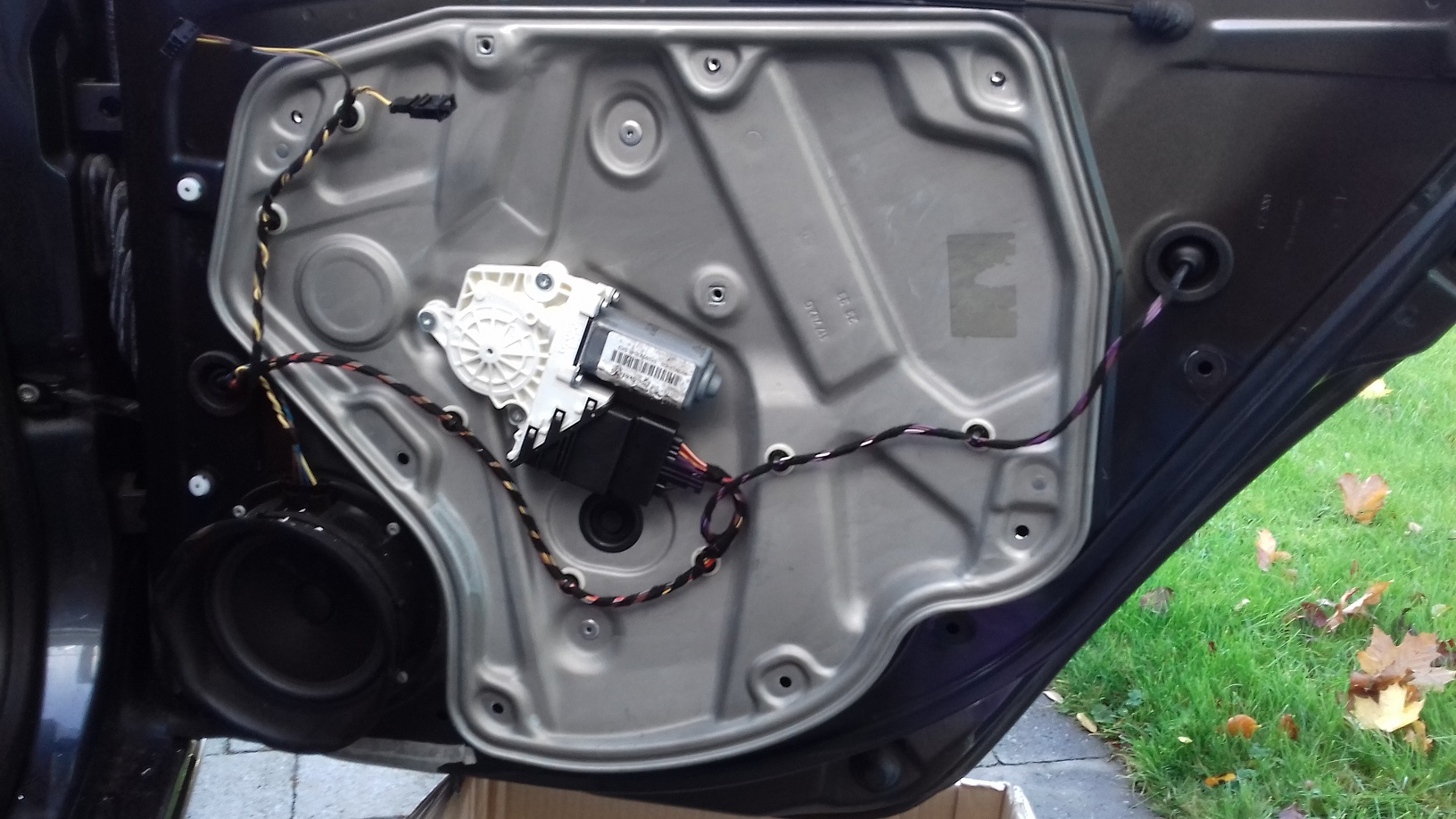
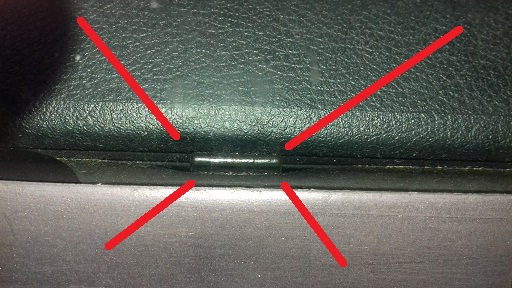
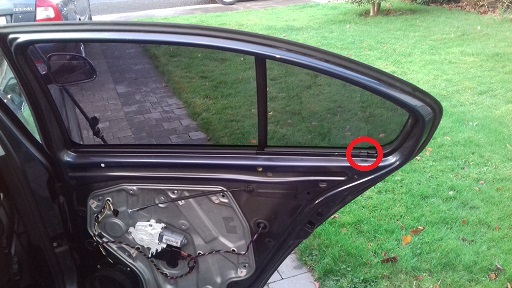
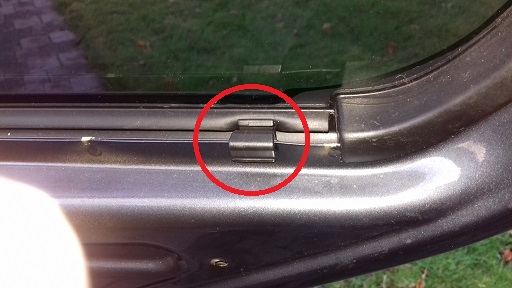
A big thanks to MicMac, StickyMicky and mac11irl for your help. Your suggestions led me to go back and look at the door and the panel a good few times. Eventually I spotted a mark in the rubber near the end of the small glass section. Looked at another Octavia through the glass and there was the clip. I was really giving up on it before getting your help. I was thinking that it must have been some stray piece from somewhere else. See the photos. Thanks
-
Thanks for your suggestion StickyMickey. The link led to a lot of parts but could not find the part there.
-
Thanks for your suggestion MicMac. Had a look, this is a photo of the rear roof handle with integrated hook. Is this what you were thinking of.
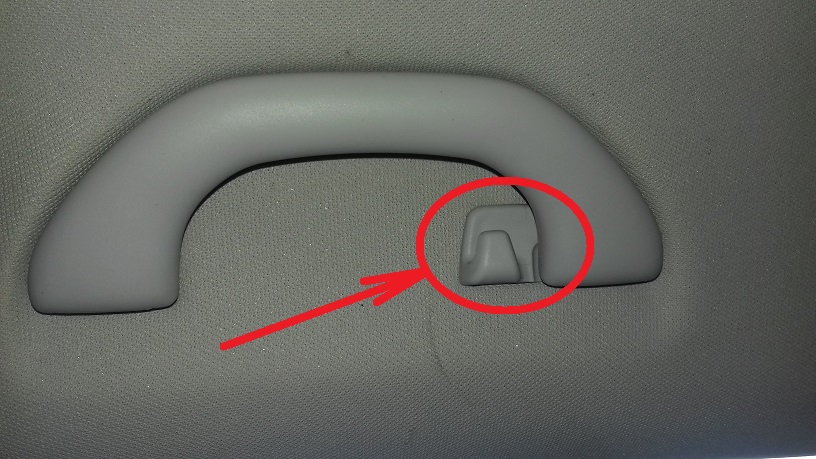
-
20201120_100536.mp4 Help needed to identify a part and where it is from in the car. Have just done a repair for faulty solder joint in rear door lock module on 2012 Octavia. The door open indicator on the dash works fine. Now at the point of putting back the large metal panel have a mystery piece in the box of bits. See photos and video. I don’t recognise the part or recall having removed the piece during taking apart the door. Nobody else was involved in the job so I cannot see how it could have gotten there except by my hand. Is it part of the door or from somewhere else in the car?