MunchMan
New here
-
Joined
-
Last visited
-
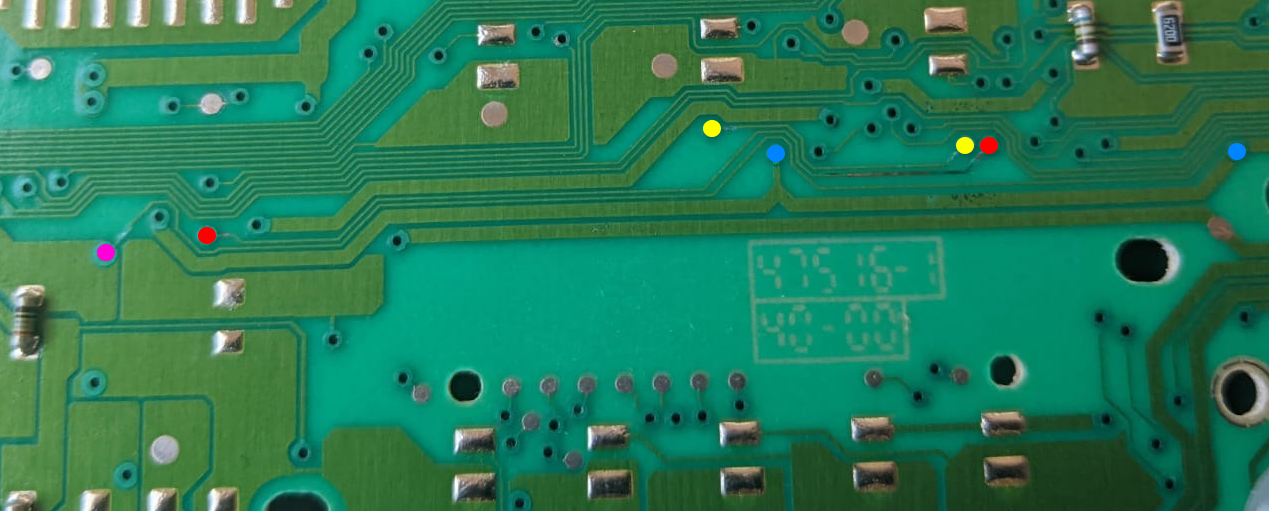
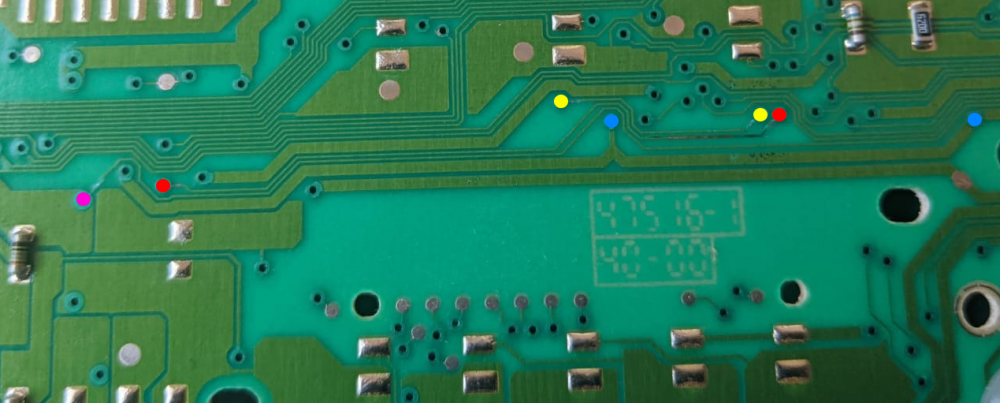
Managed to take it apart this morning and have a good look I looked under the sticker, and tested all the connections with the continuity setting on my multimeter (I've colour coded it to prevent me confusing myself) The connection between each colour was absolutely fine, even though the red looked damaged/darker to the eye - it checked out a fine connection still I'm thinking it must be the actual LED's drawing too much current as previously stated on here Can anyone help me find a place to purchase suitable ones? Thank you for all your help do appreciate it!
-
I didn't even consider issues with the immobiliser and mileage, probably best off not replacing it then. Thank you Do you think the replacing the LEDs also as they might be drawing too much current? @sepulchrave Cheers guys
-
If you could dig up that PM would greatly appreciate it my guy
-
Thank you guys, I will have to dissemble it when I next have a day off. I can pick up a new unit for about £25 so I'm not too worried. Will upload pics when I can :)
-
MunchMan changed their profile photo
-
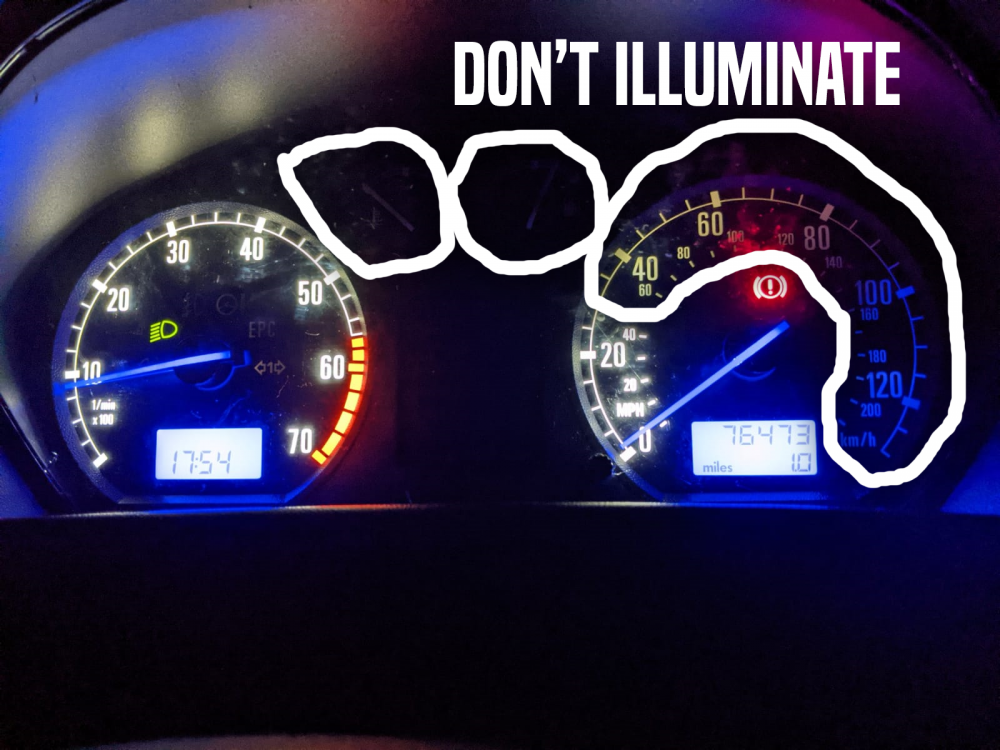
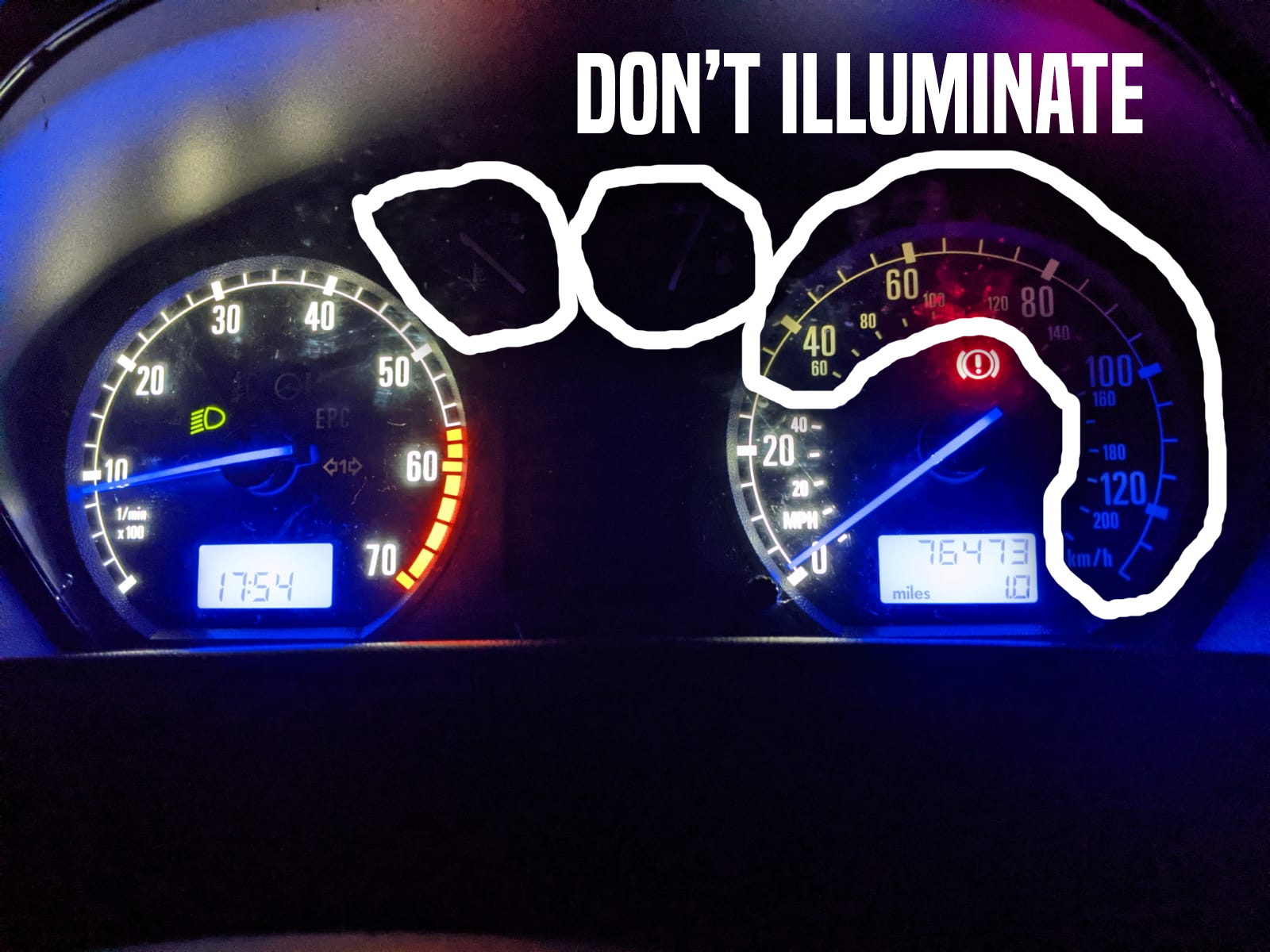
Hey guys, Just wandering if anyone can help... I recently swapped out the LEDs in my dash as my old ones were too dark. Now I have an issue where half of the dash cluster doesn't illuminate (please see picture) - All the soldering is solid and making good contact - The LED's have been inserted into the correct way (tested by multimeter) - As far as I can tell the two connection leads at the back are in perfect shape - I have had the dash randomly fully illuminate for like a minute, which hasn't happened since... Do you think this could be a capacitor issue? if anyone could shed some light I'd be really grateful cheers guys!