Julija
New here
-
Joined
-
Last visited
-
Would you suggest for just leaving the car and not trying to fix it just scrap it? why would the car drive perfectly while it’s cold it’s quite fast and it changing gears perfectly without any noises. But when it’s hot there is this problems appear. The light for exhaust gases appears only when there is problem with gearbox.
-
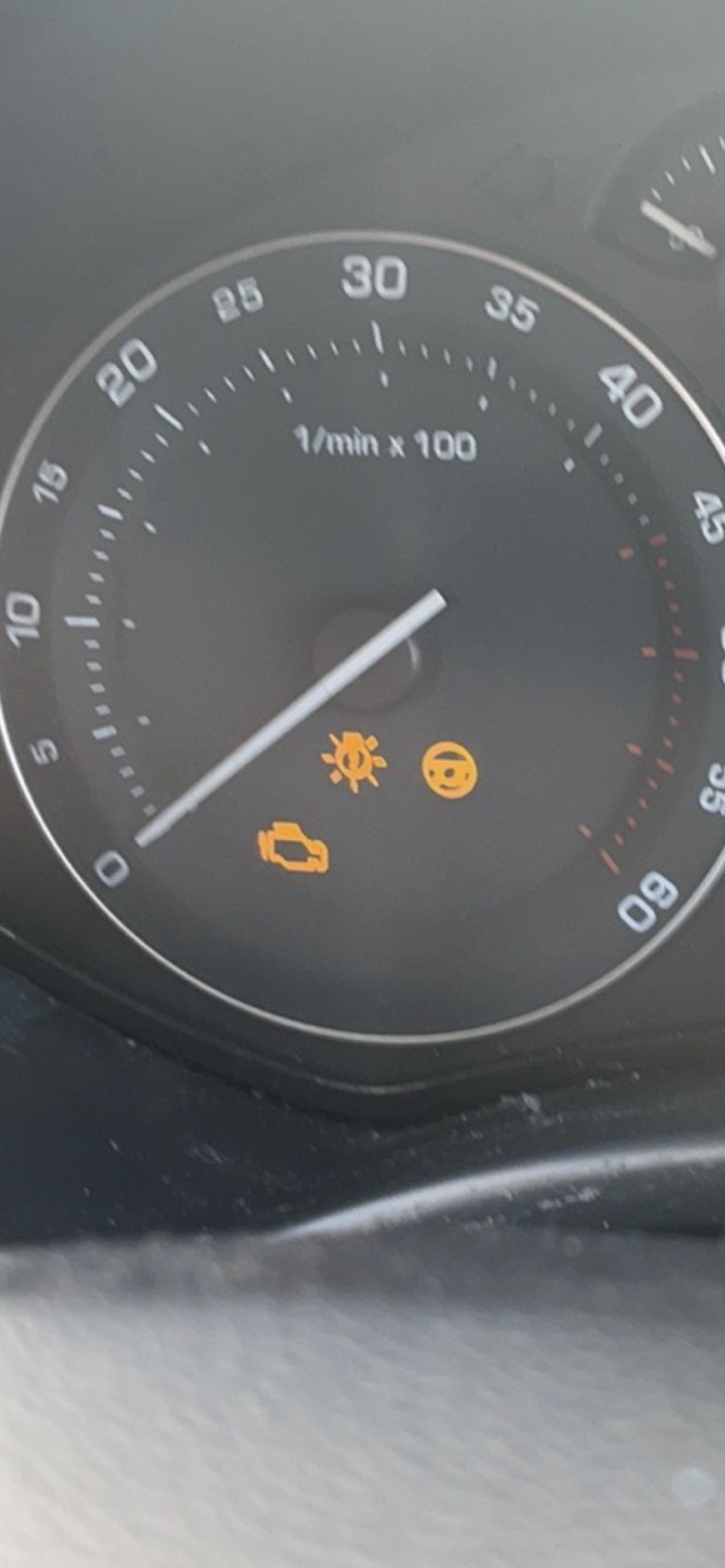
Thank you for your reply there is no noises coming out from the car. It was yellow steering wheel. I just went now to check it and there wasn’t light on the dashboard showing steering wheel. i phoned the garage but they said that means that there is something else but what exactly they don’t know.
-
Hello everyone sorry I’m new here and not to sure how to explain what is happening with a car. My car is Skoda octavia 2007 automatic diesel it done 148k miles. Problems started few weeks ago car was 90 degrees than it stopped engine was running but it wasn’t driving gearbox was flashing so I had to switch it off and on and problem disappeared than next day it happened again so I took it to garage and they told me it’s gearbox controller and it’s £1000 to fix it but they tried by deleting the mistakes with computer and told me to see what will happen. I drove car for about a week and everything was fine than today it appeared again this problem while the car was 90 degrees but while it’s cold there is no problems at all. But today there is another problem appeared which I’m not to sure what is it. It showed something like steering wheel. I left it to cool down everything disappeared and drove perfectly. sorry for long post but I’m not to sure what should I do should I try to fix it or is the car is ready for scrap yard