Kiwifruktish
New here
-
Joined
-
Last visited
Everything posted by Kiwifruktish
-
I’m unsure but I had an other skoda when my car was in work shop where it showed the speed sign on the dashboard, is that something that exist for the Octavia Iv? Or is it something that needed to be purchased to get something like that? as the system already do show info for slowing down on slows streets and roundabouts already.
-
Got it fixed now after 5 days and the workshop… kinda sad as it seems other have had this problem before.
-
Thanks for the information, ye i know they have alot of bugs, the revers camera is one of them which seems to take ages to get fixed for some reason. I only went with skoda instead of kia just because the brand family name with vw and audi, which i really do now know it was a mistake sadly as the system has have bugs from day one. Its also funny thats some function was never ported to the skoda version from vw, they are able to use apple car play navigator in the dashboard but it is not possible with the skoda version which is a real miss.
-
Thanks, tried it didnt work sadly, the "small globe" is white, i am able to login with skoda connect, but cant example make my account "main" user any more after reset as it uses some kind of internet connection also, rest internet apps like shop and digital instruction manual just shows "could not start"
-
Im unsure when this happen but i always get like "could not start" when trying to open shop app or any other "internet" related applications. I have tried to do a factory reset which did not help but luckily i was able to login so it seems that it works some how but applications that needs internet keeps saying cant start. Have any one have this issue before? i do have a appointment with the workshop, but wanted to see if someone have a easy fix instead of waiting 1 month,
-
To hold down the power
-
Sadly i dont see any fix in the near future, I did get few updates a week ago but seems those updates didn’t do any thing for me, I have moved to using usb-c to lightning instead as I know it will connect without almost no problems. i did hear that superb did get a big update and I’m unsure if we will get it as I heard from customer service there is one on they way but the mechanic said they haven’t heard about that. another problem I have been having is that the screen goes black in apple CarPlay and revers camera, my fix for that at the moment is go gold the power button for the information system of what the f it is called until it reboots ( can be done while driving )
-
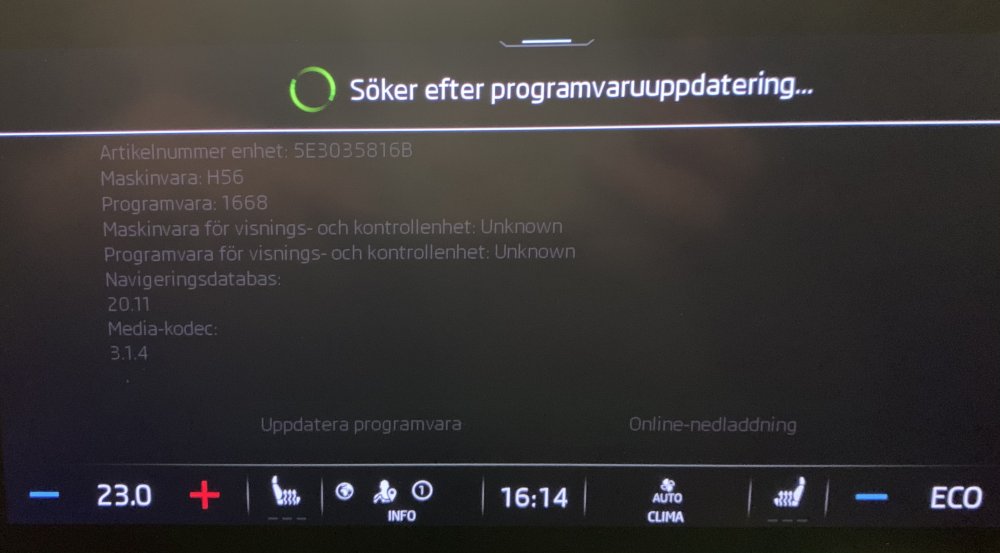
I will try it, I’m also on 1668, funny to trie search for update and it just keeps searching for ever until I shutdown the car without allowing me to cancel or use the interface haha
-
Do you mean you do it every time or just don’t that once?
-
So I have a new Skoda octavia iv. i have notice that the car often shows “connect phone” ( think it is the right translate from swedish ) instead of “connecting automatically” I have the same problem with Bluetooth and apple care play. If I am not mistaking it should automatically connect to my phone as all other cars I have owned before. funny thing is when it says “connect phone” I only need to open my door and it starts searching for it. IMG_6260.MOV