




Nikos1
Finding my way
-
Joined
-
Last visited
-
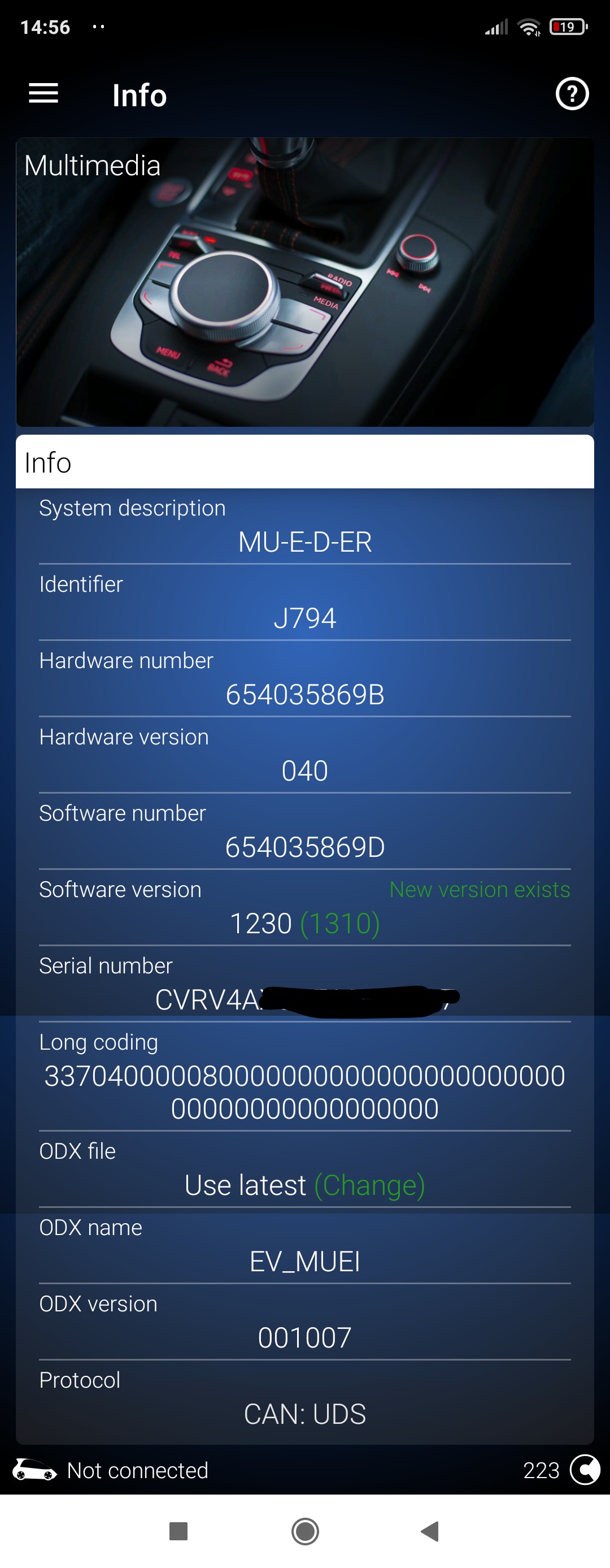
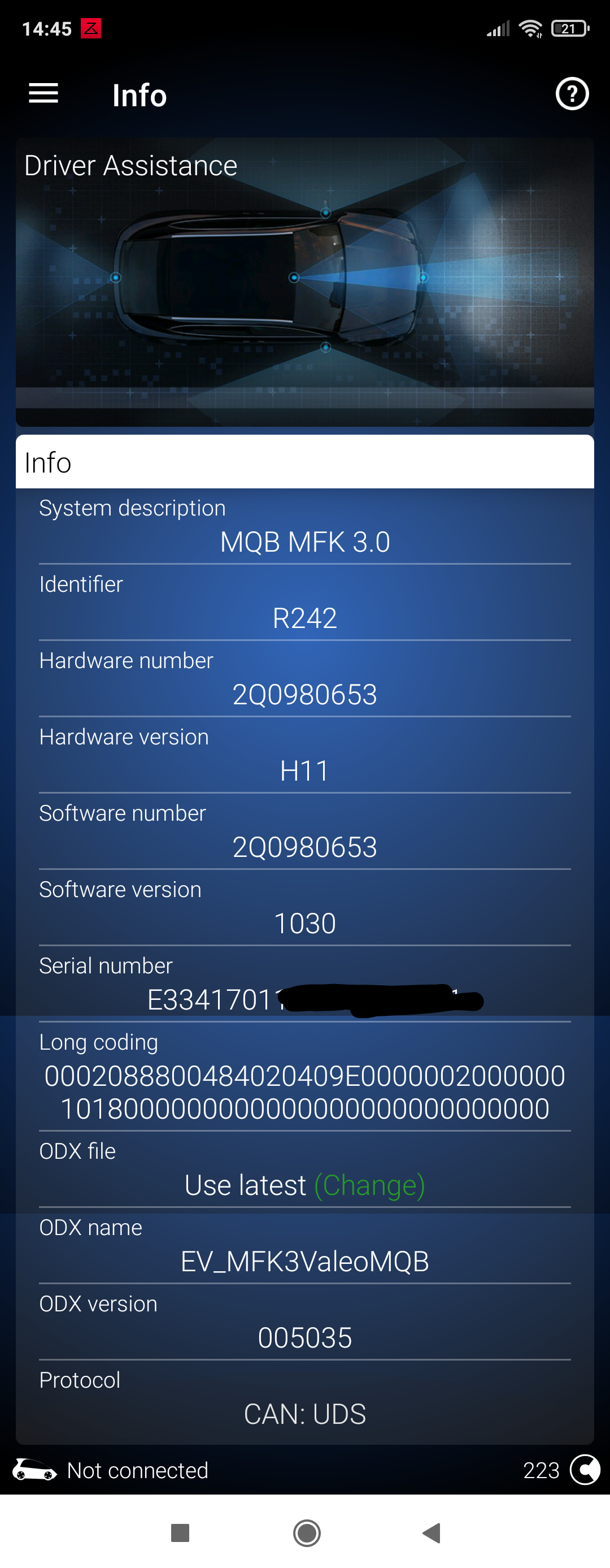
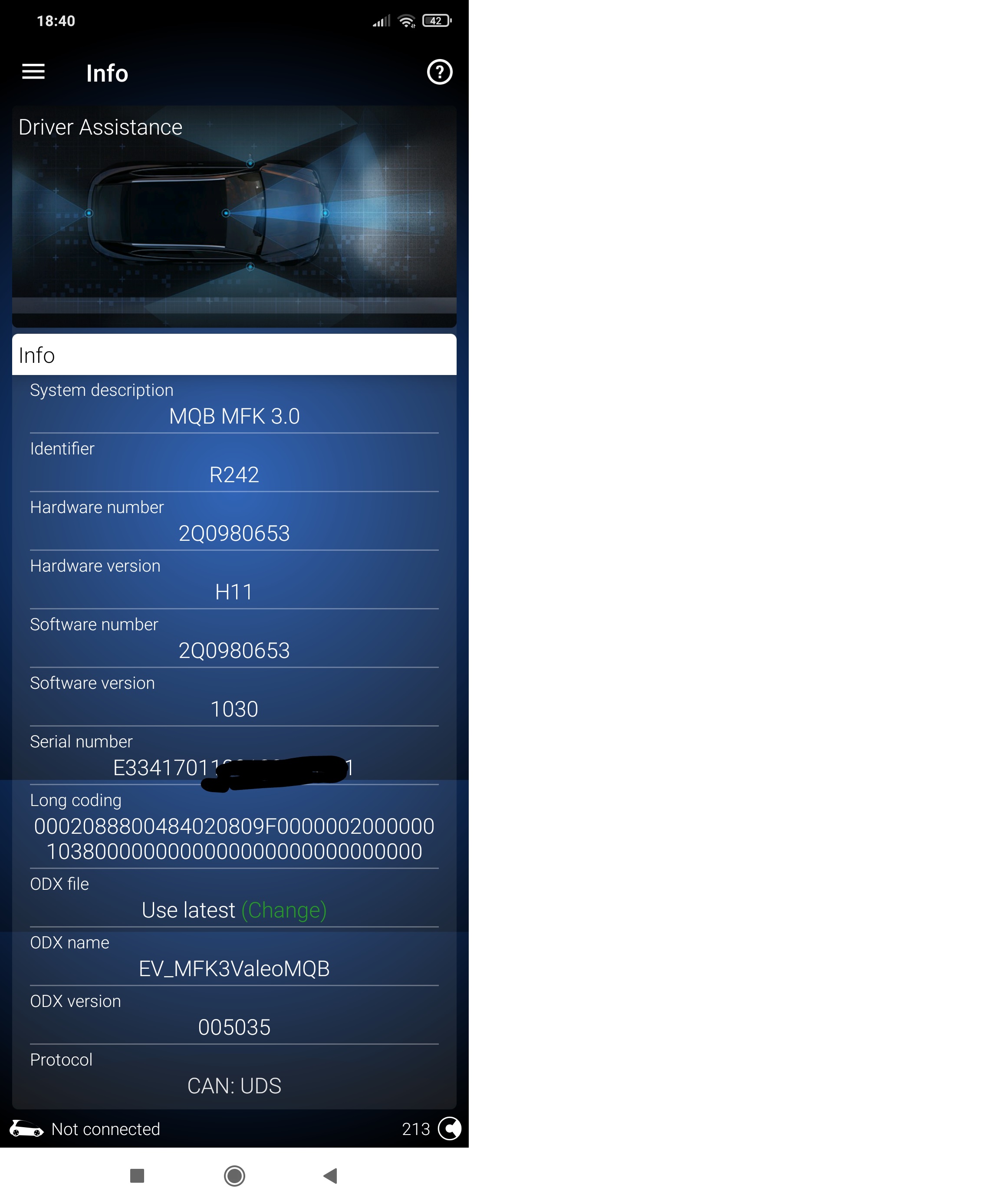
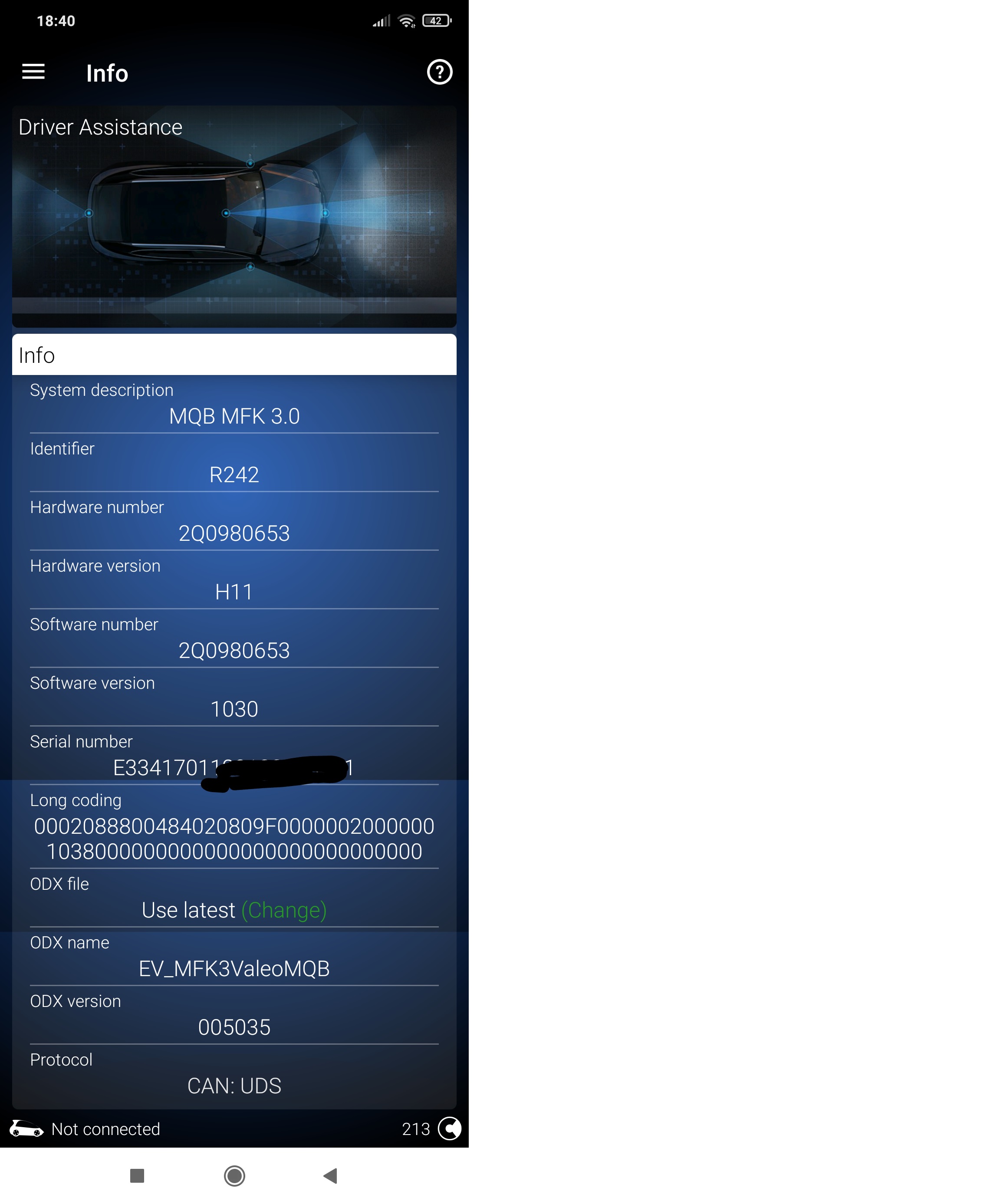
***Finally i have found the solution!!!*** After an update from my dealer on A5(camera) unit from Software version 1030 to 1302(software number 2Q0980653C) and on 5f(multimidia) unit to 1760(software number 654035869D) , adaptive lane assist works perfect! Point of intervation set to ''early setting via menu'' on A5 unit. EnJoy!
-
***Finally i have found the solution!!!*** After an update from my dealer on A5(camera) unit from Software version 1030 to 1302(software number 2Q0980653C) and on 5f(multimidia) unit to 1760(software number 654035869D) , adaptive lane assist works perfect! Point of intervation set to ''early setting via menu'' on A5 unit. EnJoy!
-
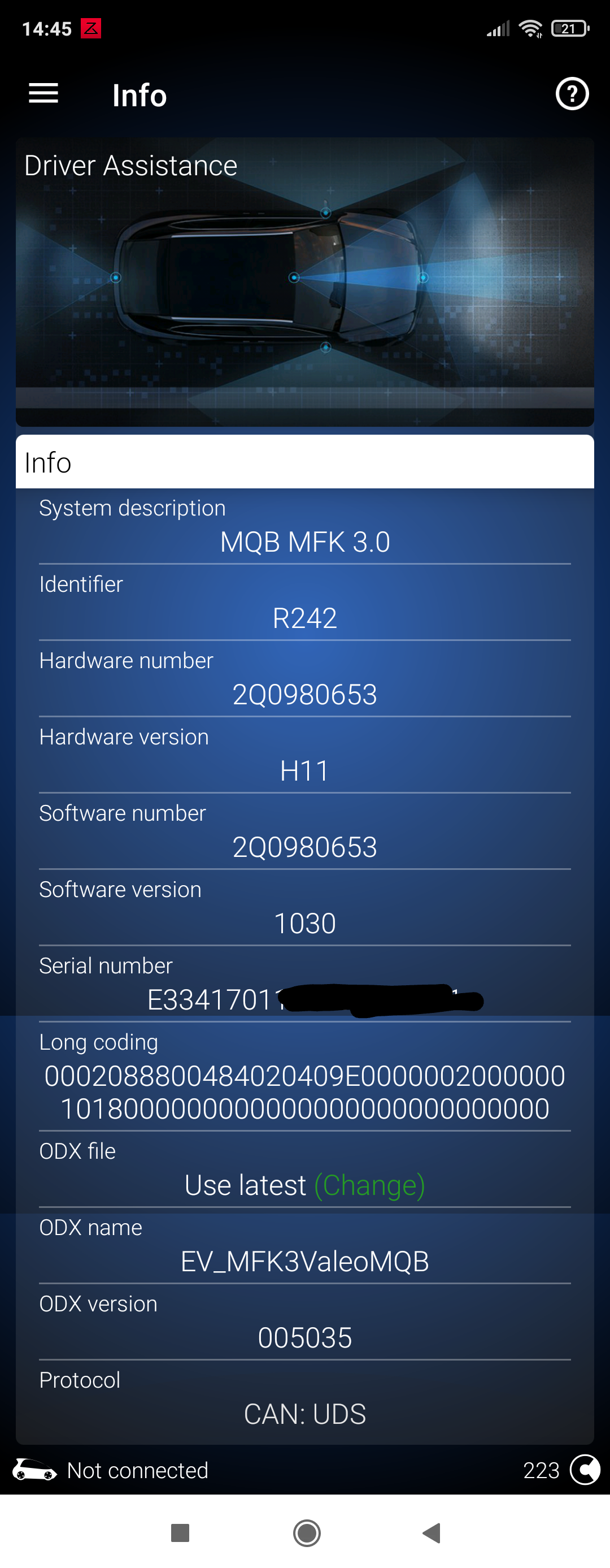
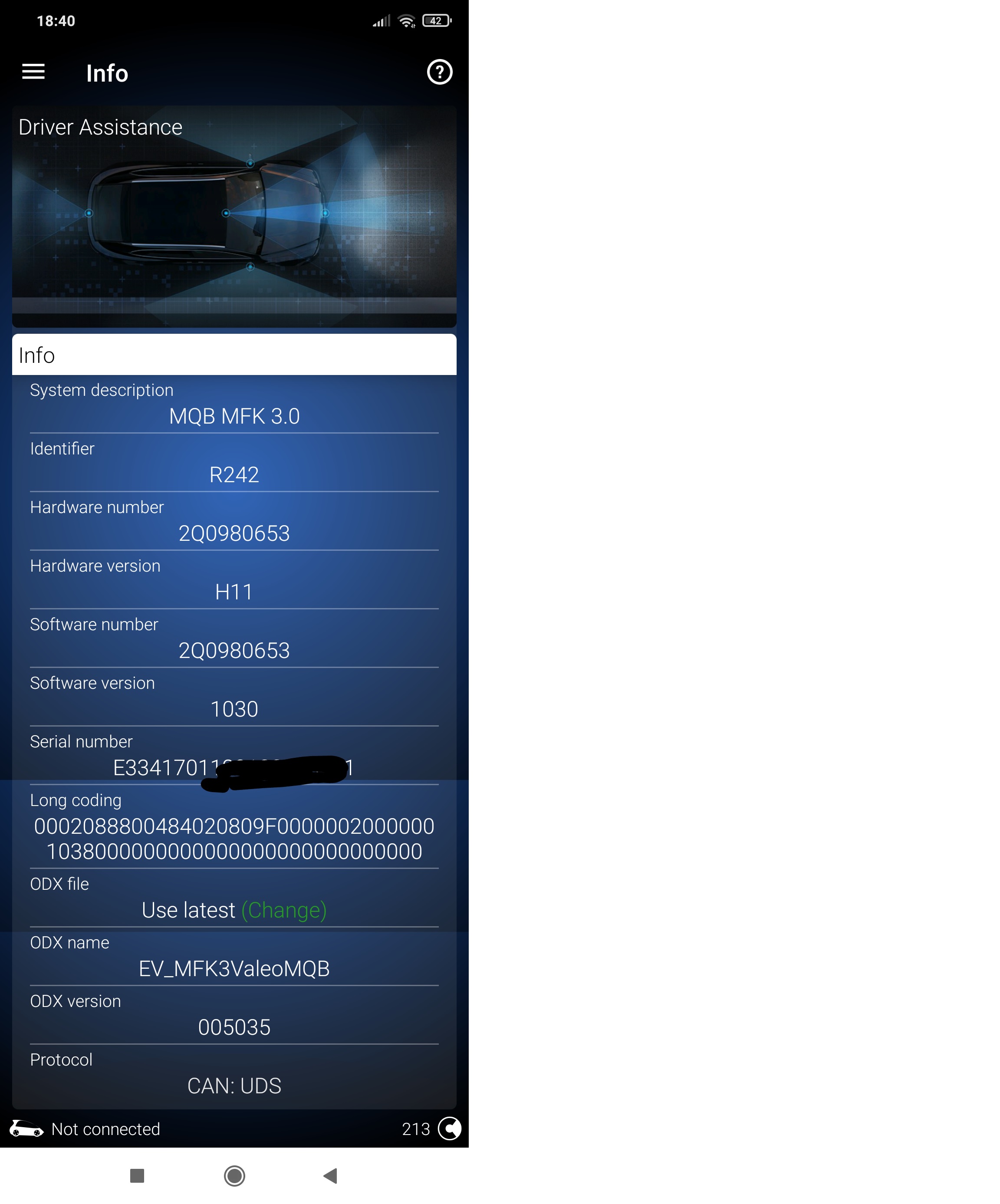
Snala thanks for the answer! Could you please attach you A5 info ? I mean a picture as i did below ! You will help me check if we have same camera-hardware and software. Thank you in advance!!!
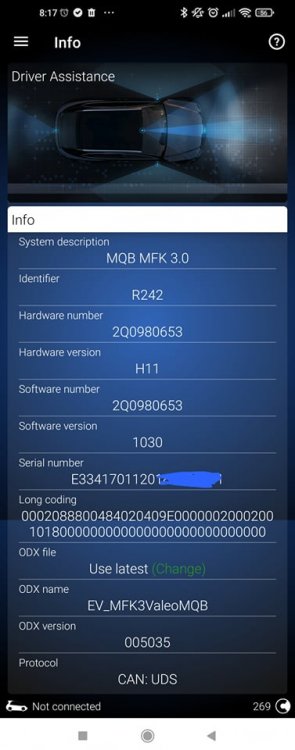
-
No , I haven't found a way to enable adaptive lane assist.
-
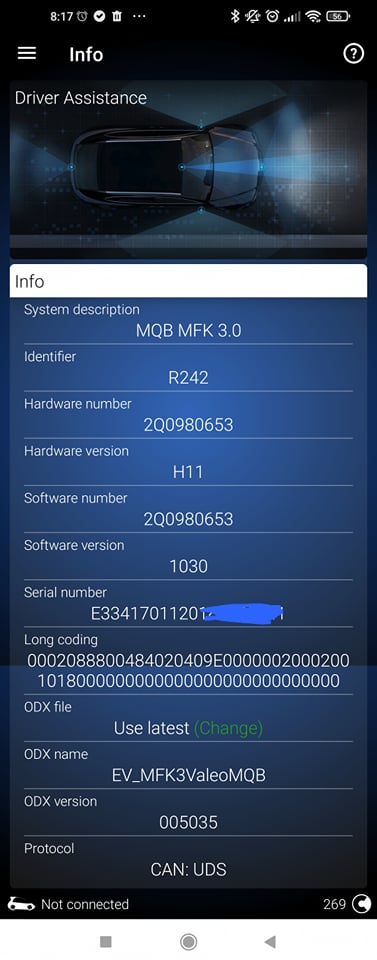
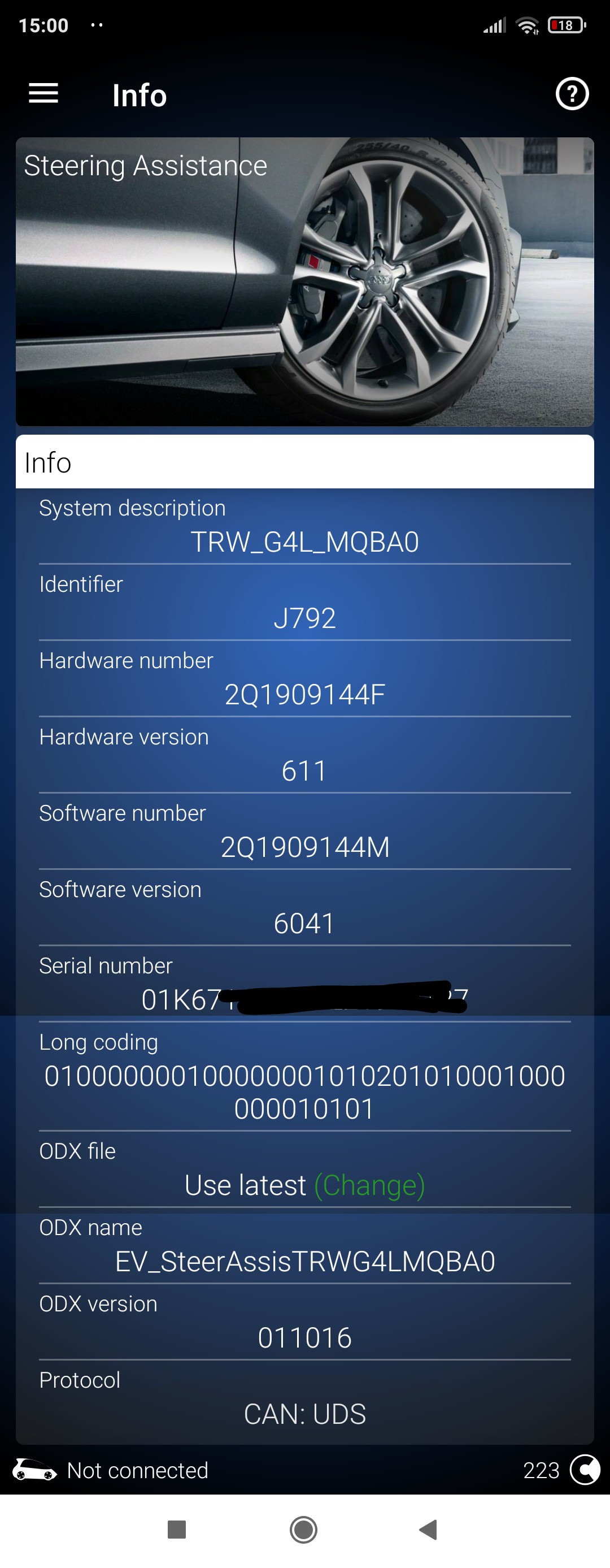
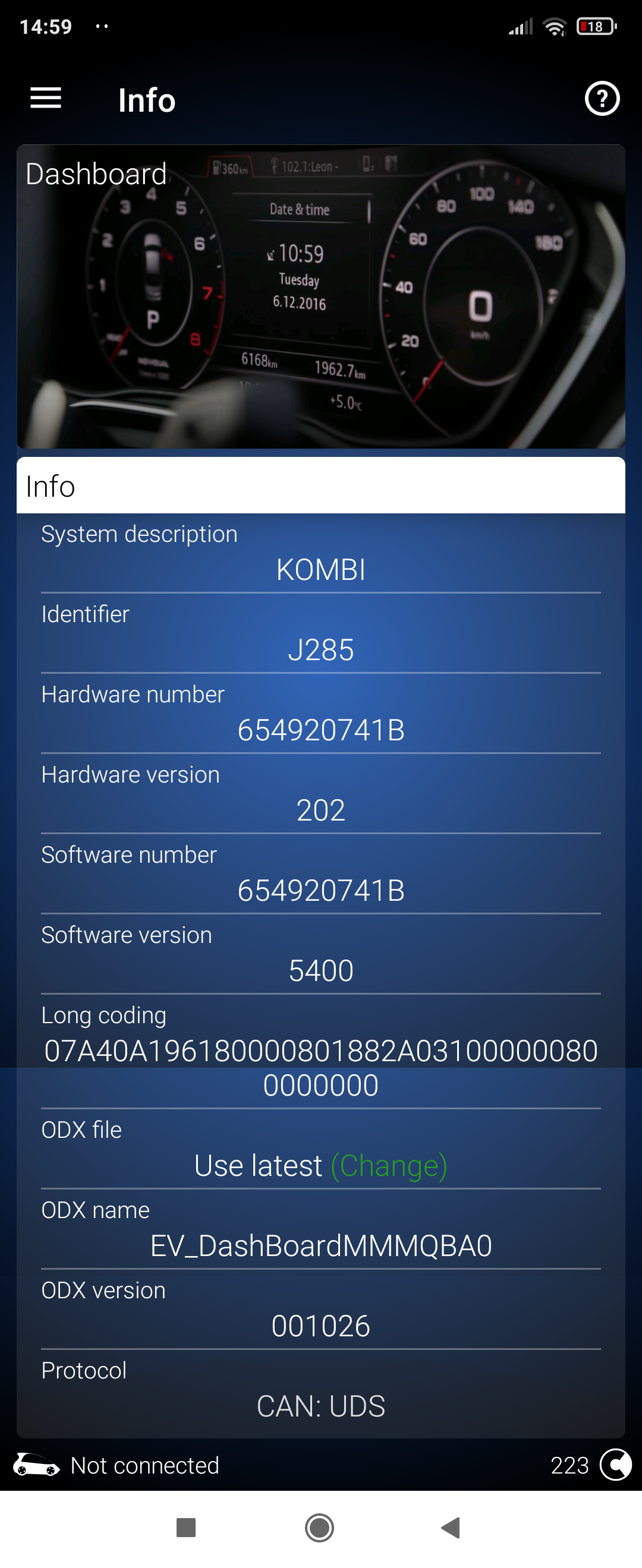
Since you are using ODB11 could you please provide us with long code and rest of information of A5 UNIT - 5F UNIT - 17 UNIT - 44 UNIT ? For example I am uploading my A5 UNIT info from ODB11. Will help us to realize what is the difference in coding , because in some models only changing Point of intervation it doesn't work . Thank you in advance !
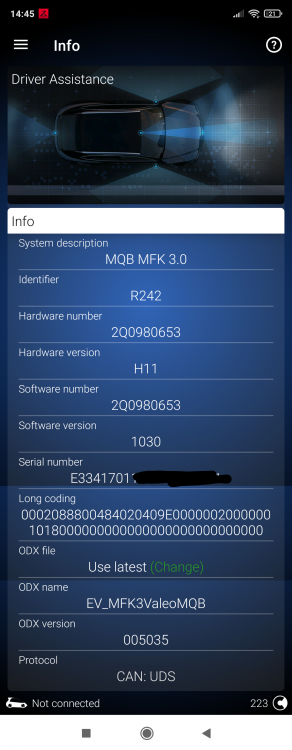 I don't know if has the SFD protection, but i a m sure that i have done some longcoding in A5 unit.Yes, its obd11 on android.Could you please provide me informations about your A5 Unit ? Take a look on picture bellow, its my A5 Unit Information. All these informations are critical in order to be sure that we talk about same A5 Unit. If we have same unit and same versions on software, just with Long Coding number i can make the changes needed! Last but not least, the only change you have made is about adaptive lane assist on A5 Unit? Thank you in advance!
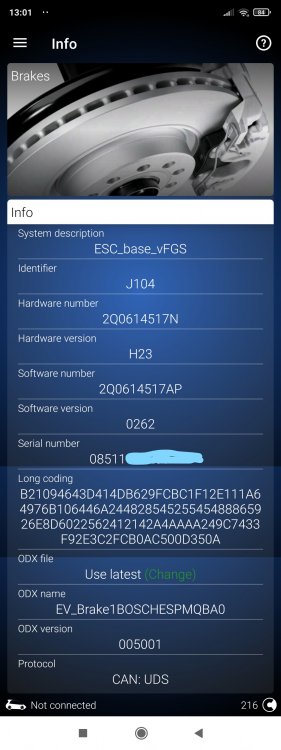
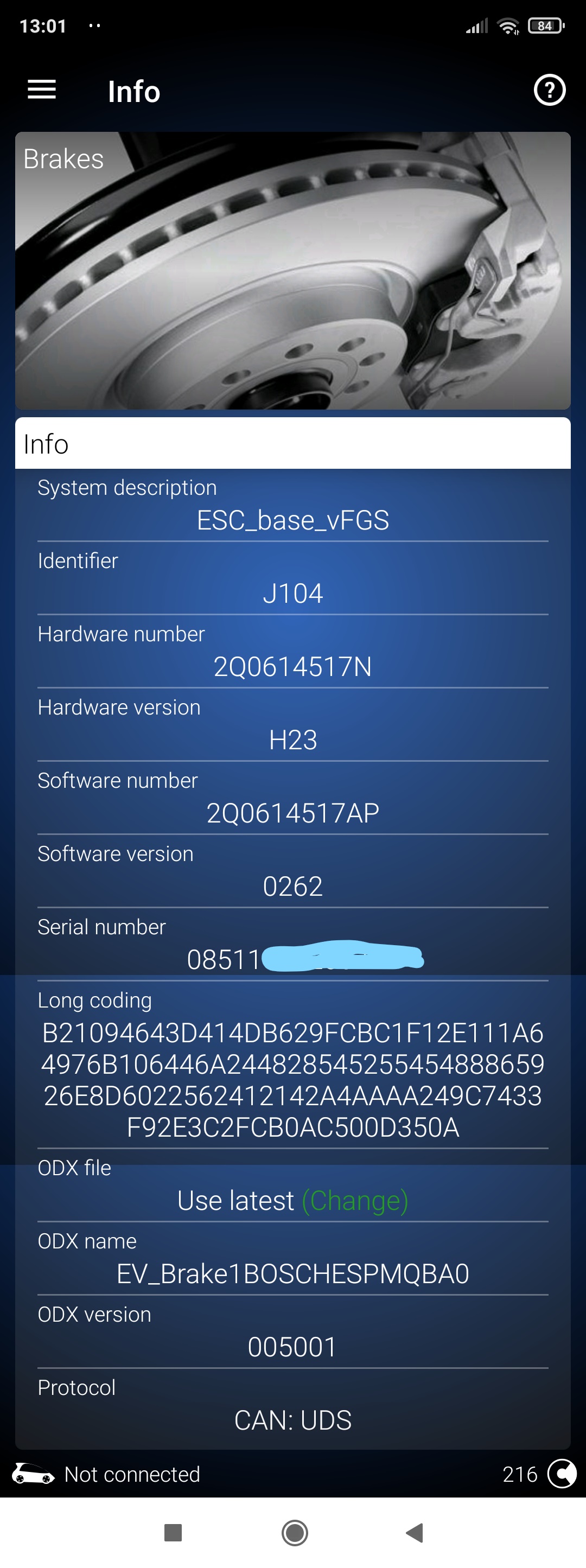
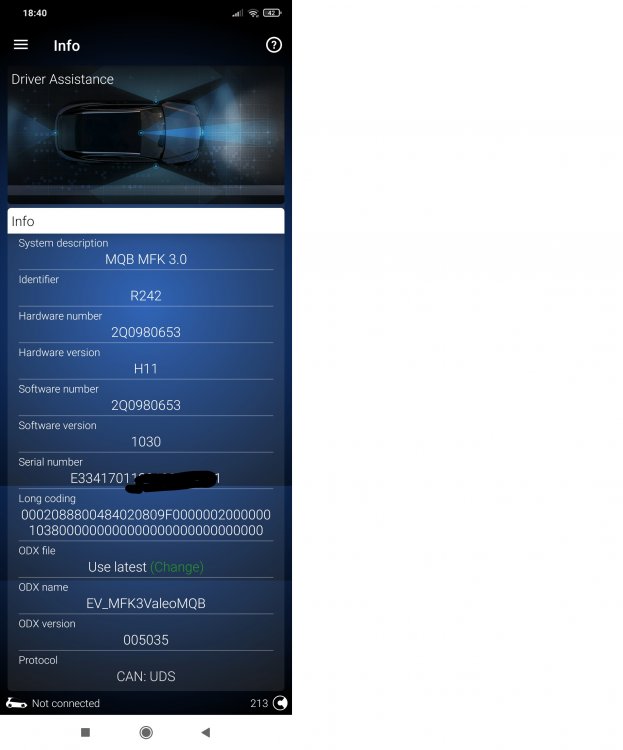 Hello Peta2020. I have a Kamiq MY2021 1.6TDI DSG AMBITION. You can find the informations you asked bellow. Also take a look on attached picture for more information. Long Coding of 03 Unit (via ODB11): B21094643D414DB629FCBC1F12E111A64976B106446A24482854525545488865926E8D6022562412142A4AAAA249C7433F92E3C2FCB0AC500D350A Kamiq Yes DSG - AUTO Hardware number of ABS unit:2Q614517N Software number of ABS unit: 2Q614517AP 1.6TDI 115 2021 Are you using VCDS or OBD11 ?
 Hello! I have a Kamiq MY2021 Ambition TDI 1.6 DSG. Car has already Lane Assist from factory. I am trying to activate Adaptive Lane Assist. So far i have gone through this long coding on Control Unit A5: POINT OF INTERVENTION -> early_setting_via_menu (enable adaptive lane assist) Everything seems good on menu for lane assist, i can find setting to activate/deactivate lane assist(as before long coding) and to activate/deactivate adaptive lane assist (which appeared after long coding). The problem is that i can't activate adaptive lane assist. It is there on lane assist menu but once i press on it, it's not getting checked. The only way i found out it can be checked is when i turn on ignition, if i rush to lane assist menu and checked it, is activated for 2-3 secs. Then after these 2-3 secs it is unchecked automatically(deactivated). You can Find attached my A5 unit info. I would appreciate your effort to find out what's going on! Thank you in advance! Greetings, Nikos
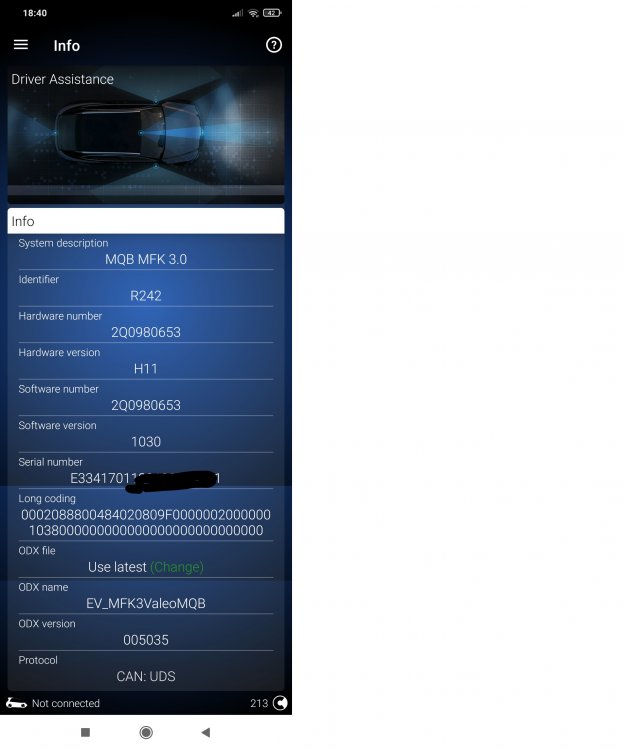 Hello! I have a Kamiq MY2021 Ambition TDI 1.6 DSG. Car has already Lane Assist from factory. I am trying to activate Adaptive Lane Assist. So far i have gone through this long coding on Control Unit A5: POINT OF INTERVENTION -> early_setting_via_menu (enable adaptive lane assist) Everything seems good on menu for lane assist, i can find setting to activate/deactivate lane assist(as before long coding) and to activate/deactivate adaptive lane assist (which appeared after long coding). The problem is that i can't activate adaptive lane assist. It is there on lane assist menu but once i press on it, it's not getting checked. The only way i found out it can be checked is when i turn on ignition, if i rush to lane assist menu and checked it, is activated for 2-3 secs. Then after these 2-3 secs it is unchecked automatically(deactivated). You can Find attached my A5 unit info. I would appreciate your effort to find out what's going on! Thank you in advance! Greetings, Nikos
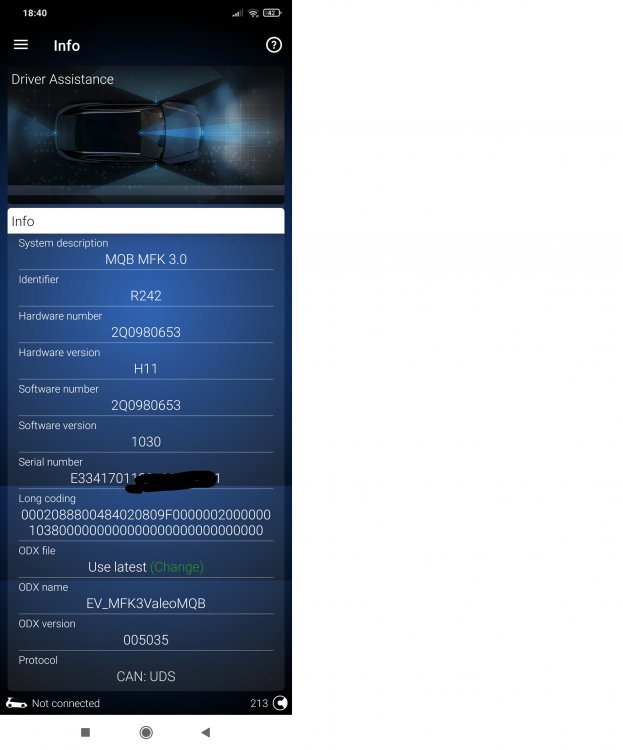 Thank you for your reply ! I am trying to set on A5 unit byte 14 as you said , but probably Obd11 works different... I can only choose 0-31 value for byte 14 and then I can change bits 0 to 7. Any suggestions?So, could you please forward us the long code you have done ? In order to activate adaptive lane assists ?Hi Sasha, I am trying to activate adaptive lane assist on my Skoda Kamiq 1.6TDI DSG Ambtion MY2021 A5 module MQB MFK3 (via ODB11) So far i have gone through this long coding on Control Unit A5 as you mentioned: POINT OF INTERVENTION -> early_setting_via_menu (enable adaptive lane assist) CONFIGURATION_FOR_LANE_DEPARTURE_WARNING_KL15 -> last_setting (enable lane assist power status memory) HC_WARN_INTENSITY -> setting_over_menu (enable lane assist warning intensity MIB setting) Everything seems good on menu for lane assist, i can find setting to activate/deactivate lane assist(as before long coding) and to activate/deactivate adaptive lane assist + chose level of warning intensity (which appeared after long coding). The problem is that i can't activate adaptive lane assist. It is there on lane assist menu but once i press on it, it's not getting checked. The only way i found out it can be checked is when i turn on ignition, if i rush to lane assist menu and checked it, is activated for 2-3 secs. Then after these 2-3 secs it is unchecked automatically(deactivated). You can Find attached my A5 unit info and A5 unit long code with the 3 changes above activated. I would appreciate your effort to find out what's going on! Thank you in advance! Greetings, Nikos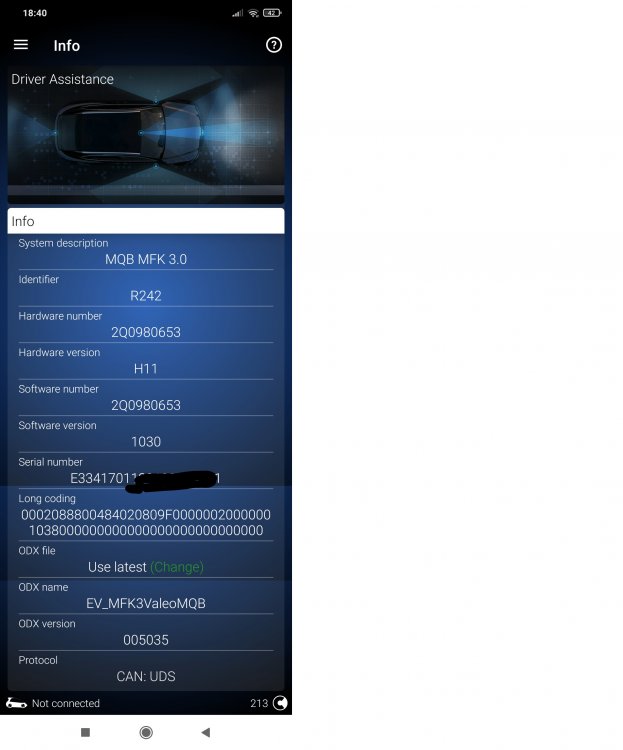



Important Information
Welcome to BRISKODA. Please note the following important links Terms of Use. We have a comprehensive Privacy Policy. We have placed cookies on your device to help make this website better. You can adjust your cookie settings, otherwise we'll assume you're okay to continue.