imperial
Finding my way
-
Joined
-
Last visited
Everything posted by imperial
-
ah ok. Forget that then. thanks anyway!
-
Thanks. so Android Auto isn't an option without Smartlink?
-
I'm only a month into my 65 plate vrs and loving it. But I could do with a little help on the infotainment. It looks like I've got Amunsen MIB2 (5Q0035874A) head unit. I was considering getting smartlink / mirrorlink until I saw the prices. Thinking about it I only really want it for google maps. So I've downloaded Android Auto on my phone, but it looks like the car might be slightly too old to be compatible. I've checked and I've got hardware H24 and software 0241. If I manage to update will that help me, or do I need to come up with another plan? TIA
-
Nice one thanks. I will ask. They have vw and seat, but not skoda.
-
My only concern with this is it isn't a skoda franchise dealer. It's another brand.
-
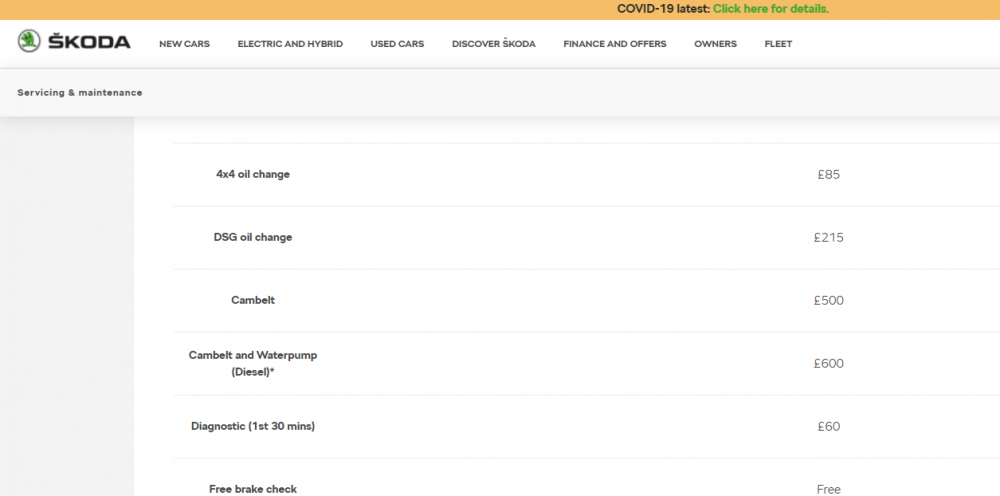
Well, I still need to establish if they have done the water pump. I was just about to say I would be surprised, but I thought I would just check the skoda website and they do quote a price for both so I would take that to mean both are included in the 'service schedule'? Is there any of the pump visible that I would be able to see if it looks new if I pop the bonnet?
-
Hi, I'm a long-time VAG driver but this will be my first skoda. I've reserved a 65plate TDi VRS. I don't know the engine code yet, but I've just been told by the dealer that during their prep they realised it was due a timing belt change so they've done it. They are a franchised dealer but not skoda franchised at this branch. I've seen the other thread about possible water pump issues on TDi's. I've had a scan of the thread and I'm guessing the pump is driving by the timing belt? Is that correct? Before I get into the detail with the dealer I'm guessing the recommendation is to do both at the same time normally? My suspicion is the dealer won't have as they will have an eye on profit! TIA