




MassiveTurboLag
Finding my way
-
Joined
-
Last visited
-
@BerkCo That's a really bright shade, is it G12 Evo or G13? Mine looks washed out.
-
Thanks @durhamfisher! Bizarre marketing decision, looking forward to G12 Ultron now
-
Hi guys, So I got my bottle and coolant flush done, luckily the heater matrix was not clogged, but something caught my eye on the invoice. The dealer had stated that G12 was used as replacement coolant and when I queried this with the service agent he confirmed this is correct. Didn't VW change to G13 in 2008?@bigade1 Thanks, realised after that I was mistaken and the parts guy confirmed M is the last version. Going to have it done next week after another dealer quoted €476 for the same job thus making the €140 inspection fee seem like a bargain. FMLUpdated image files
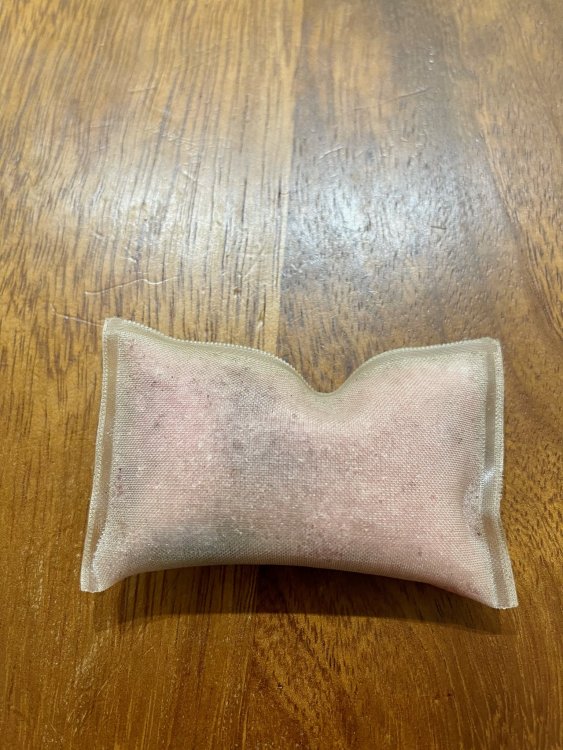
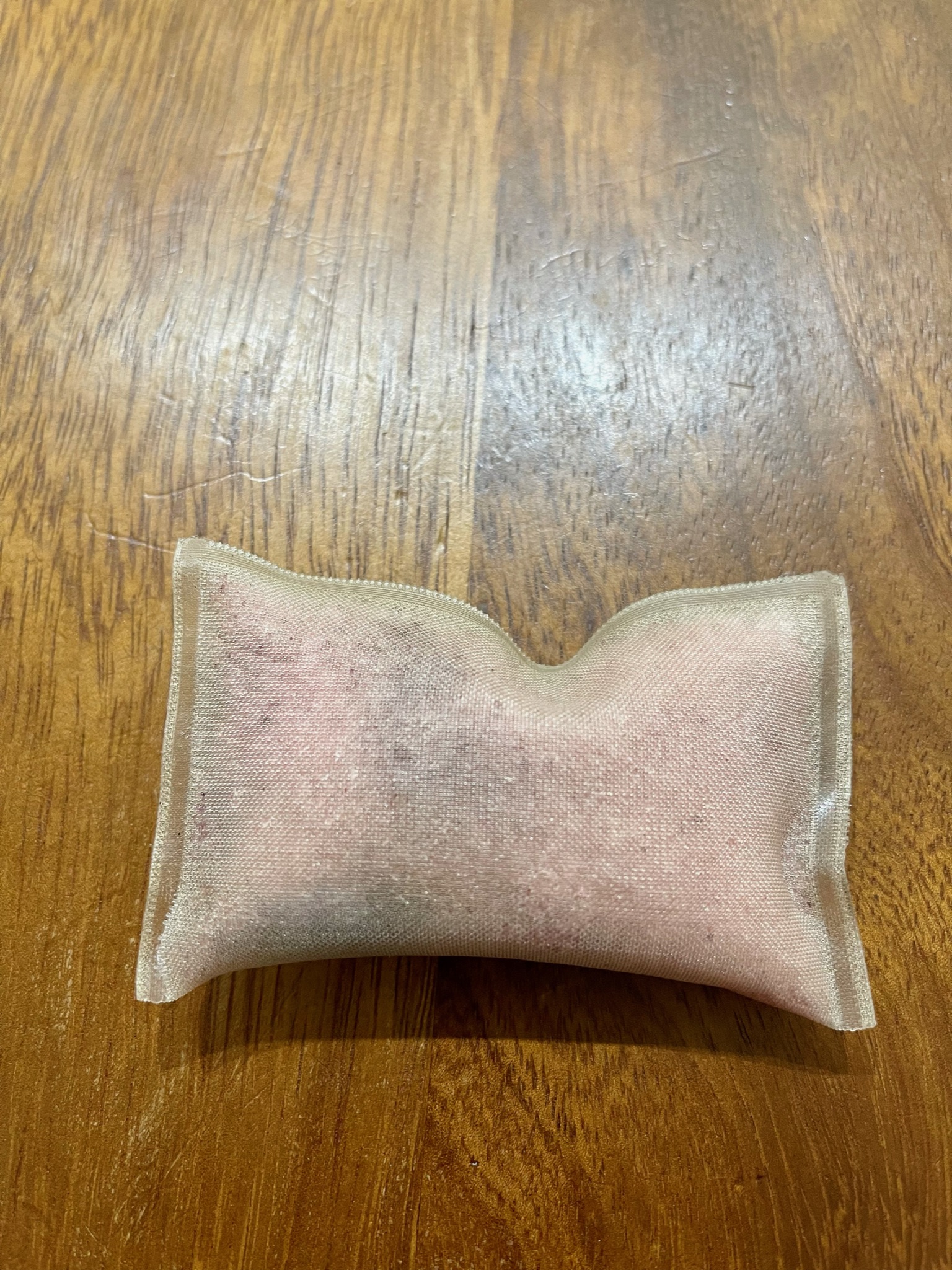
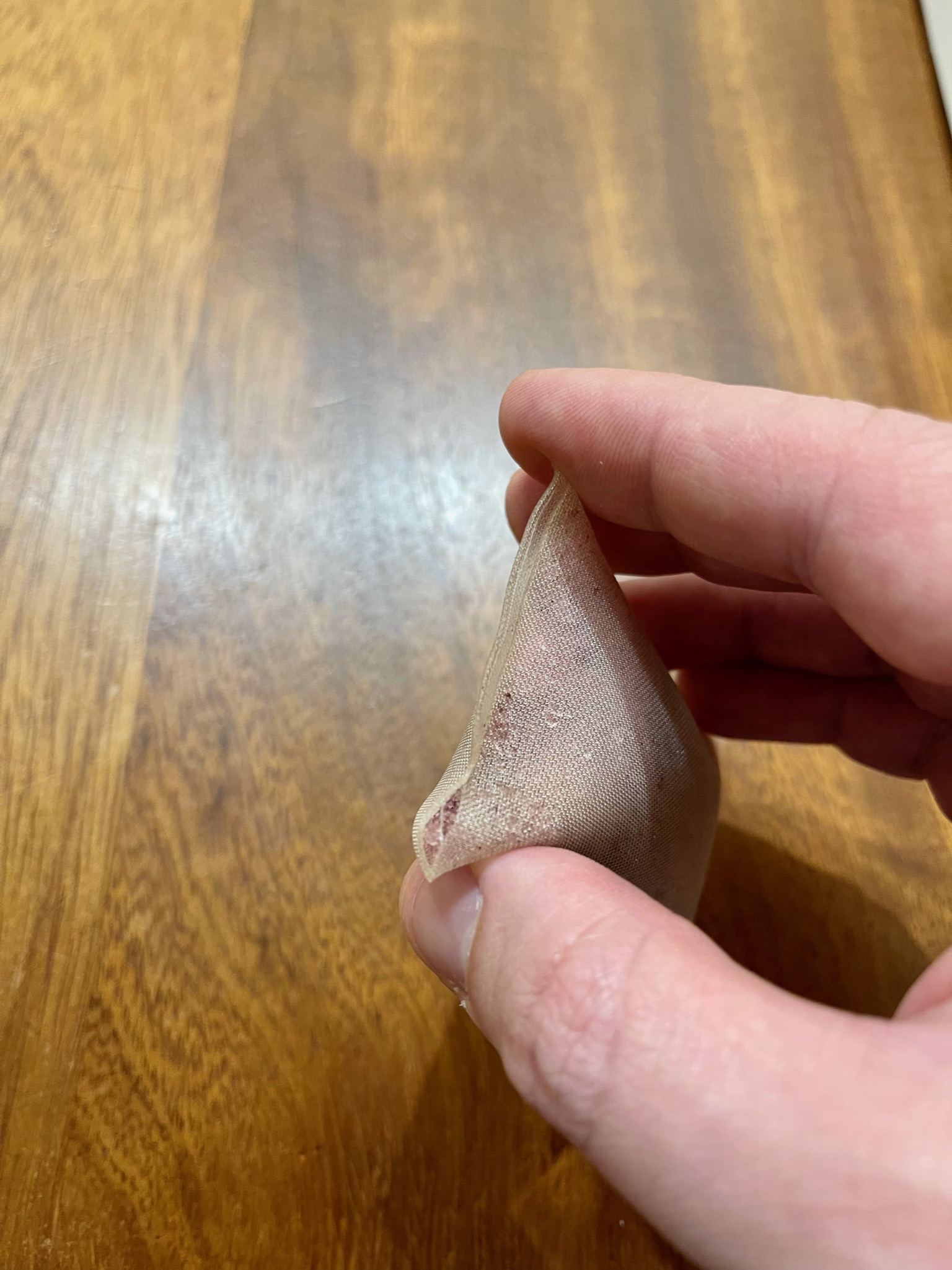
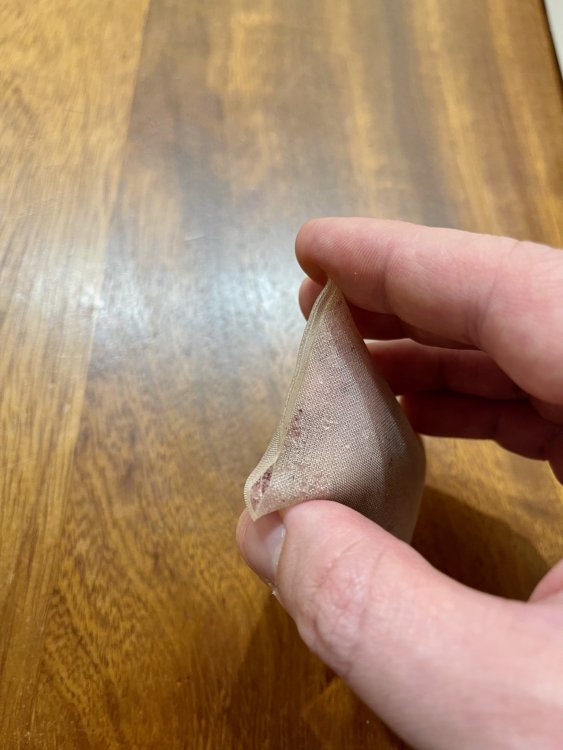 Hi guys, After reading this thread I decided to check the expansion tank on my 2016 Mk7 GTI PP and sure enough I've the Mit Silikat revision G installed so I've fished out the bag with my finger. It's not the easiest thing to do but definitely doable and once the bag was out I confirmed that it has ruptured and losing crystals. Thankfully it looks like I caught it in time as the bag looks fairly full. One thing I noticed is that there seems to be at least 3 varieties out in the wild: the straight seal like mine, the wavy seal and the x pattern seal. Not sure if one is stronger than the other. Having called the dealer and requested a new tank with revision T and G13 flush I was told that unless they inspect the car for €140 they will not be changing the tank! I declined and asked for the flush alone and was then presented with 2 options, a standard or 'advanced' flush. The latter takes 4h of labour so I went with the standard one, whatever that means for around €150. Hopefully this should get rid of the crystals that managed to seep through before I took the bag out. IMG_4547.heic IMG_4548.heic




Important Information
Welcome to BRISKODA. Please note the following important links Terms of Use. We have a comprehensive Privacy Policy. We have placed cookies on your device to help make this website better. You can adjust your cookie settings, otherwise we'll assume you're okay to continue.