gh5000x
Finding my way
-
Joined
-
Last visited
-
Little update. Finally got my car in. Tldr; my phone is not compatible Yes, they are saying that my wife and my Honor android phone is causing the SOS error. Feel free to listen to their health check video https://video.citnow.com/vtV2YM7fHXX Any chance they are correct. Only tend to connect my phone on long trips.
-
Yeah fair enough. Just got a long journey planned for tomorrow and was looking forward to it until now. I'm on to the lease company and Skoda UK now. 4 weeks is too long.
-
Apparently a big software update coming in the next few weeks but earliest they can book me in is the 7th July. Any way to reset it ourselves? Even if it doesn't last. E.g. with obd2 reader or the battery disconnect
-
SOS has failed again. Bought this car to be reliable compared to the Qashqai....
-
Ahh yes, I did put it into sport mode when I found the mode selection button working. Thanks for the virtual cockpit info. I didn't get a chance to play much - just wanted to know what was possible.
-
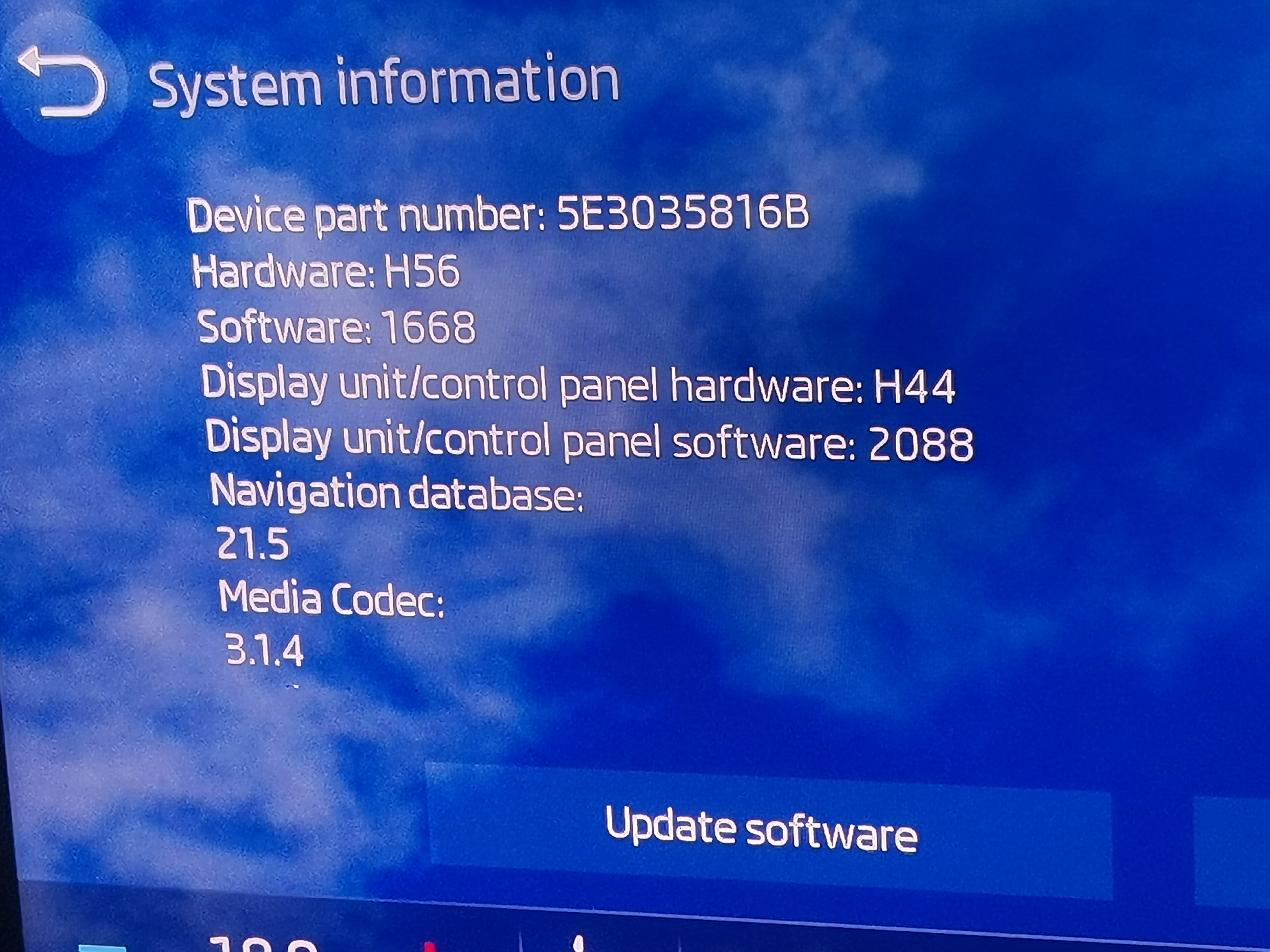
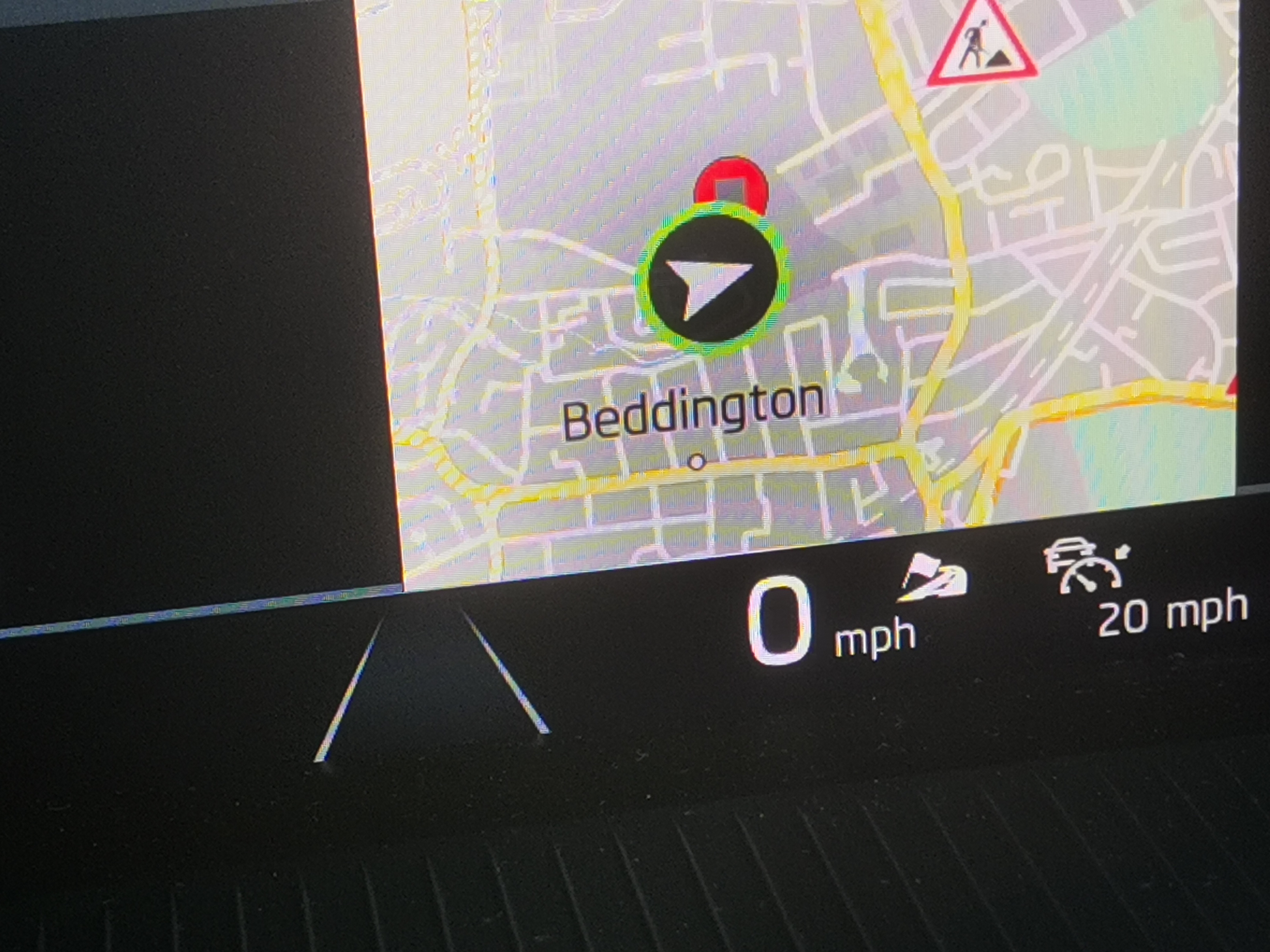
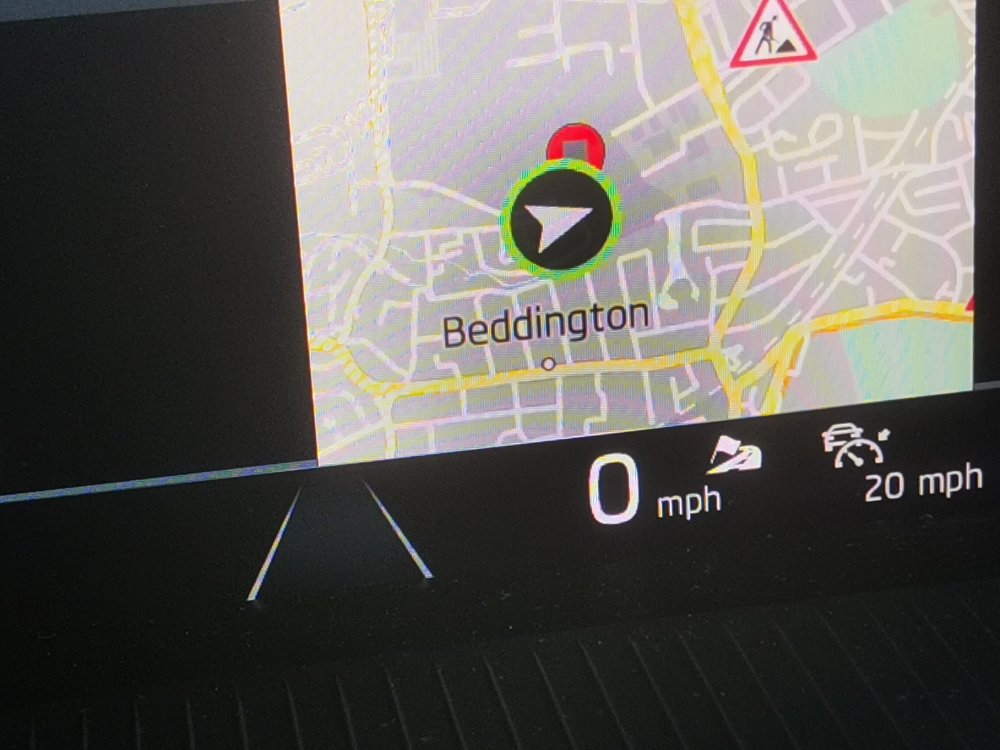
So you guys are making me pessimistic but everything is working for now and it lasted the 1.4 mile drive home from the dealer. Had a recall on the airbag control unit done also. Software info screen below. lines 4&5 were "unknown" for me previously. Someone save me a search through the manual please - what does the flag beside a road refer to? Right of the speed. And when using Android auto does any of that information show on the virtual cockpit?
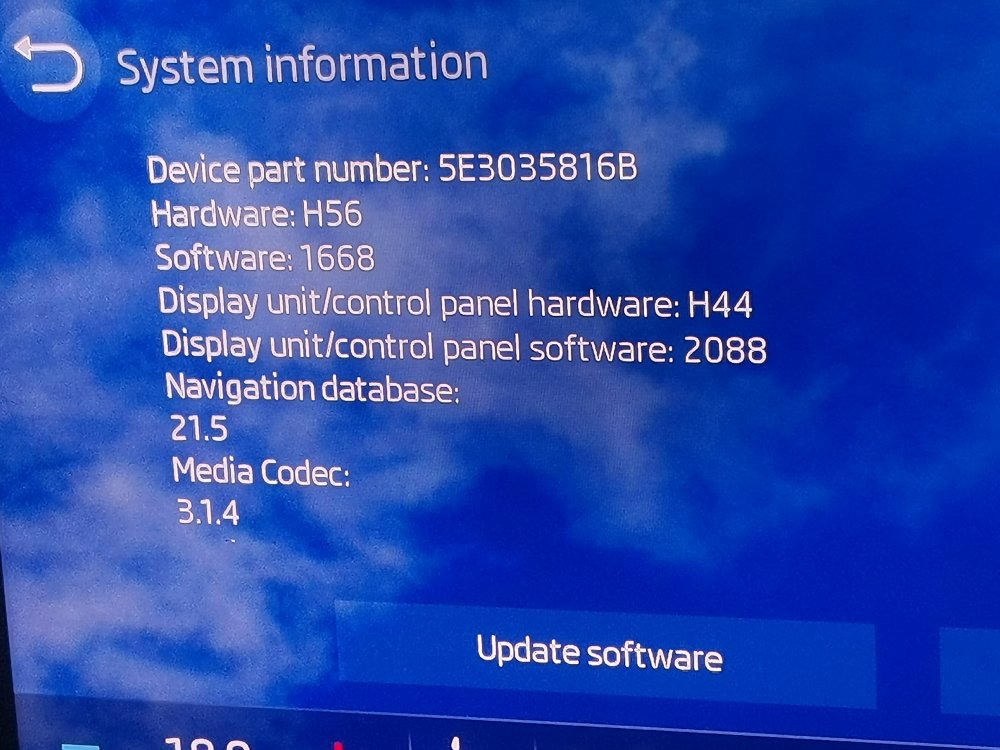
-
So tomorrow's the big day. Car is booked in. Ready to have everything fixed and helpfully it's started the SOS failure problem tonight so they can fix that one too!
-
Just an update to everything... Tried the battery disconnection (won't say which terminal I did to avoid anything kicking off 😃) No difference. Got batted around from original Liverpool Skoda, to London Skoda, to lease company and back to London Skoda. Went in after work. Lovely lady was trying to tell me that I didn't have smartlink because I didn't pay for it and it was an optional extra. So I asked her if Sat nav not working was because it was an optional extra, which piqued her curiosity from the understandable this man's an idiot mindset. Called a colleague over and they went through the history. It shows all the software fixes are up-to-date but they reckon they've forgotten to put load back all the extras e.g. the map download, the smartlink feature, the ACC cruise control, mode select - the latter three being model specific. Booked in for the following week. Will update when that's been and gone
-
Thanks, Just a sanity check is it still best practice to do this by disconnecting the negative terminal?
-
Thanks for the help guys. Think we've confirmed that it isn't my stupidity this time. So far I'm up to 1. No cruise control/acc 2. No smartlink feature (for Android auto wired) 3. No built in sat nav 4. Mode selection button does nothing. I'm presuming that although the dealer was in Liverpool and I'm in London I can get this fixed at my local Skoda under warranty? But contact Liverpool first to start the ball rolling?
-
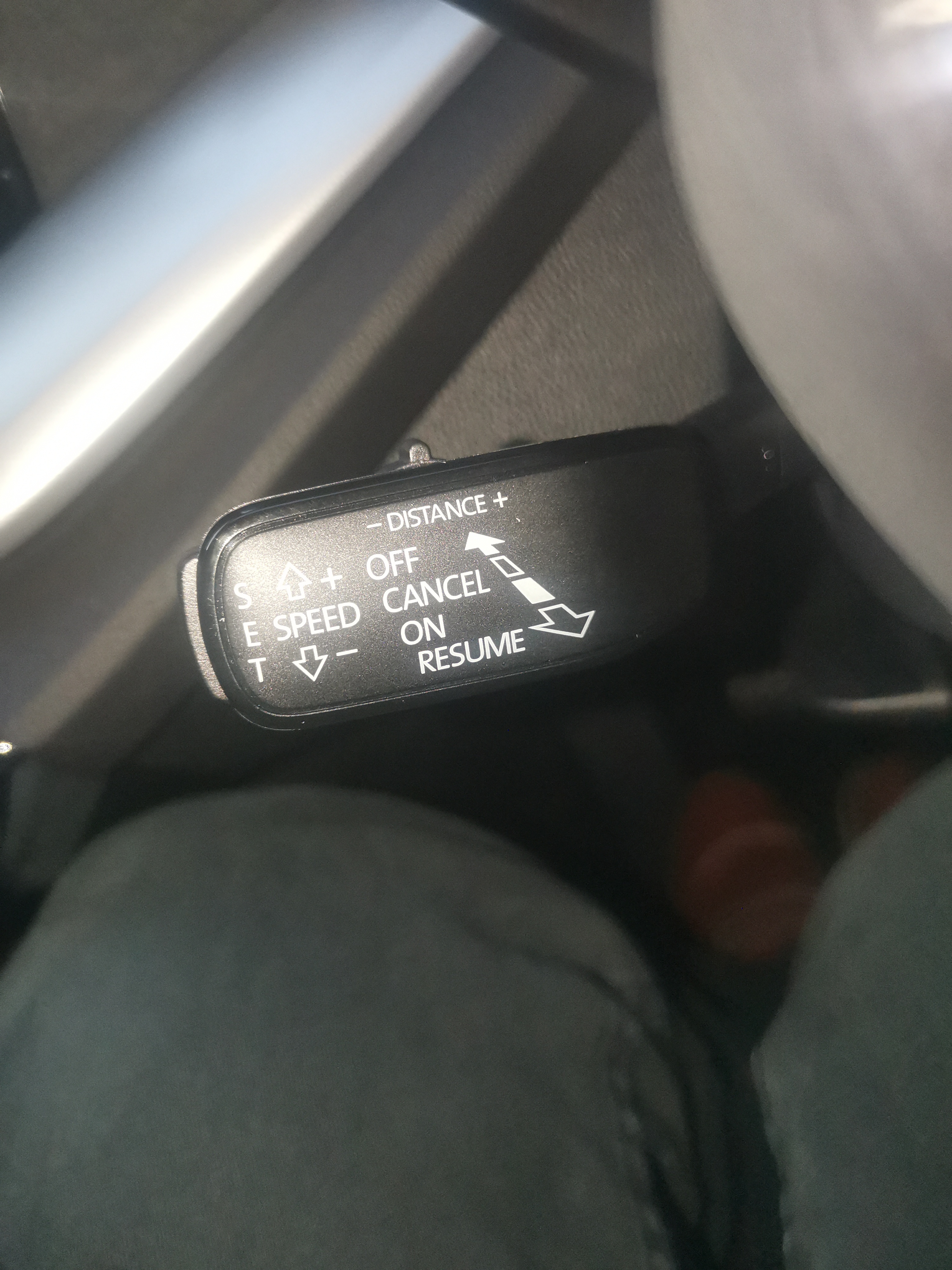
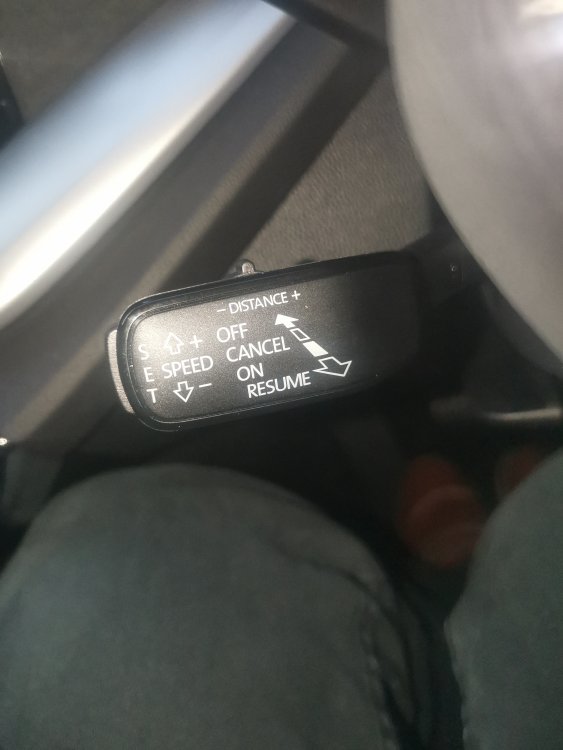
Based on the stick it should have radar since it has the distance toggle. And it's the SE L so if it doesn't I'll be shoving their brochure up their arse
-
This is my cruise control stick. Different to the one in the picture shown in the manual. Car constantly is Searching for software updates... Doesn't seem to update. Smartlink also shows as unavailable.
-
No problem. I'm pretty sure I'm on because the speed limiter comes on when in position. When off odometer shows as you say
-
For the drive assist button I get a left menu open on the virtual cockpit but only lane assist and front assist are options. If I press the distance rocker I get acc is not enabled. I am the primary user. Pressing it still does nothing. It's currently on searching for software updates. How long does that take? I'm on software 1668 currently
-
Got to say I'm slightly concerned by the amount of problem posts on this site. I've come here looking for answers to three different things. I was hoping I'm just missing something but the fact that there are so many posts does not give me hope. I've got a '21 Octavia Estate SE L. I've seen the messages about the firmware update so I will try that ASAP. Issue 1. Sat nav constantly on Loading/Please wait... Issue 2. Can't work out how to change from being on speed limiter to some form of cruise control. Issue 3. The mode selection button under the screen appears to do nothing. For anyone interested - a 30 second video of me pressing some buttons https://photos.app.goo.gl/JP1PAa5MXNhLynDa7 Am I being stupid with any of these issues or is there a problem?