Beau1337
New here
-
Joined
-
Last visited
-
1.4 tsi, 90k miles.
-
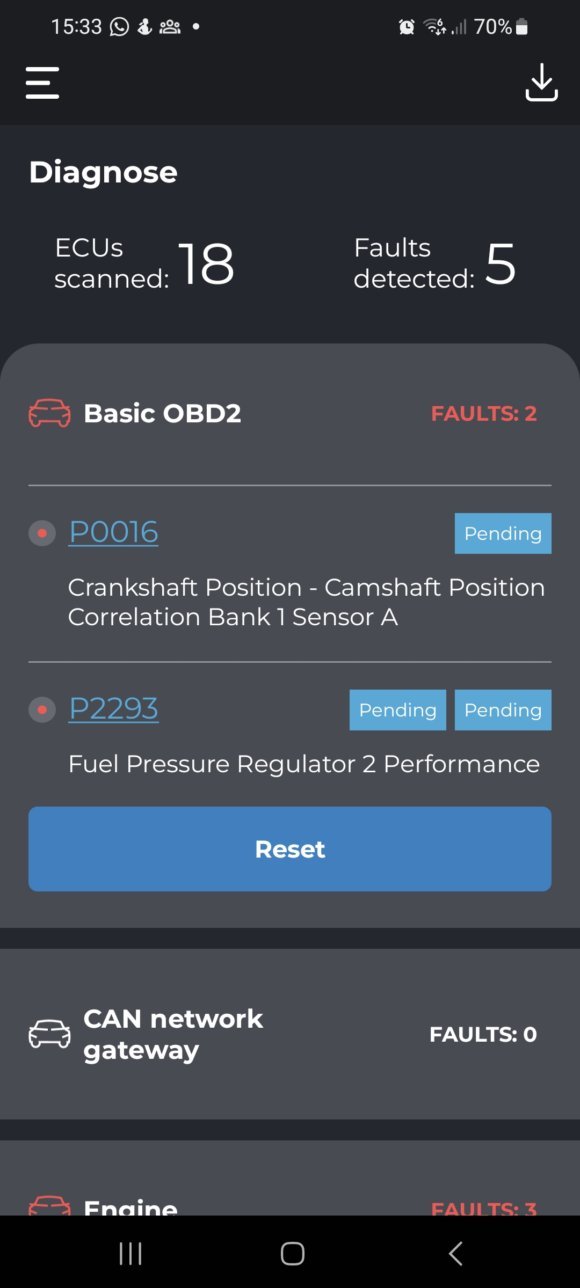
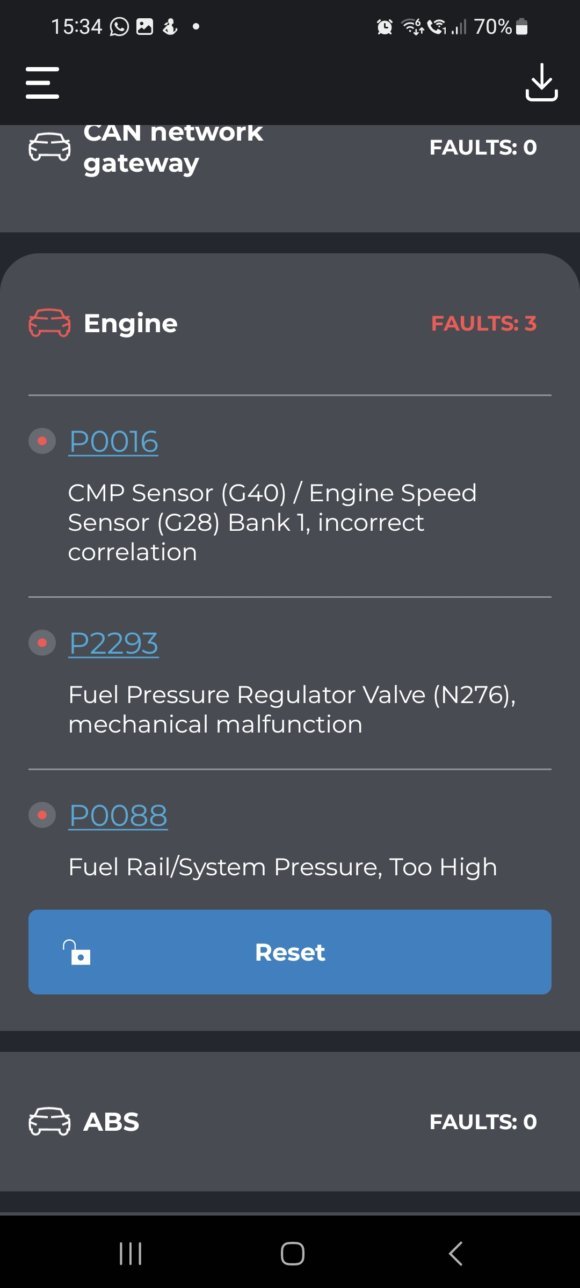
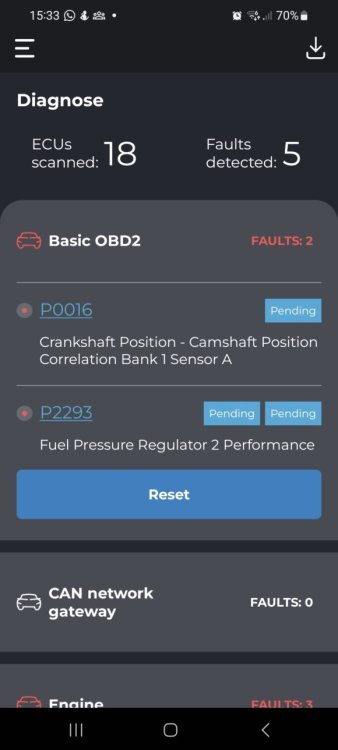
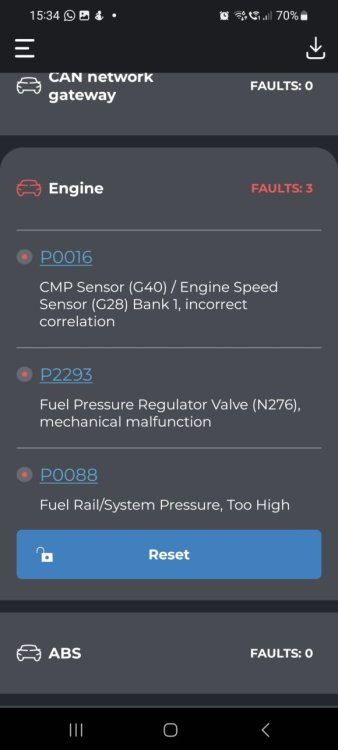
Hi Thanks for the reply. All I have is that Carista scanner, called local garage and was told that they are crazy busy and the earliest could get in is next week, apperantly same situation around. I have parked the car next to the house and have no intention to drive, do not wan't to make it worse. After cearing all the errors now only the fuel pressure ones come back, hence wise thought to get a new high pressure pump. At the moment have booked a rental car for the next week. Is there any chance to eliminate high pressure pump or timing chain?
-
Good afternoon, So was driving today as usual no issues, and after parked a car for 30 minutes started it again, but noticed that the revs seemed lower than usual, and the car acceleration didn't seem the same as well. There were no lights on the dash. I had a Carista OBD reader and after a scan found quite a few issues, which all seem quite serious. Is this something has accumulated over time, or could all these triggered by one thing? As well would appriciate where to start and is it possible to fix at home? Thank you in advance
-
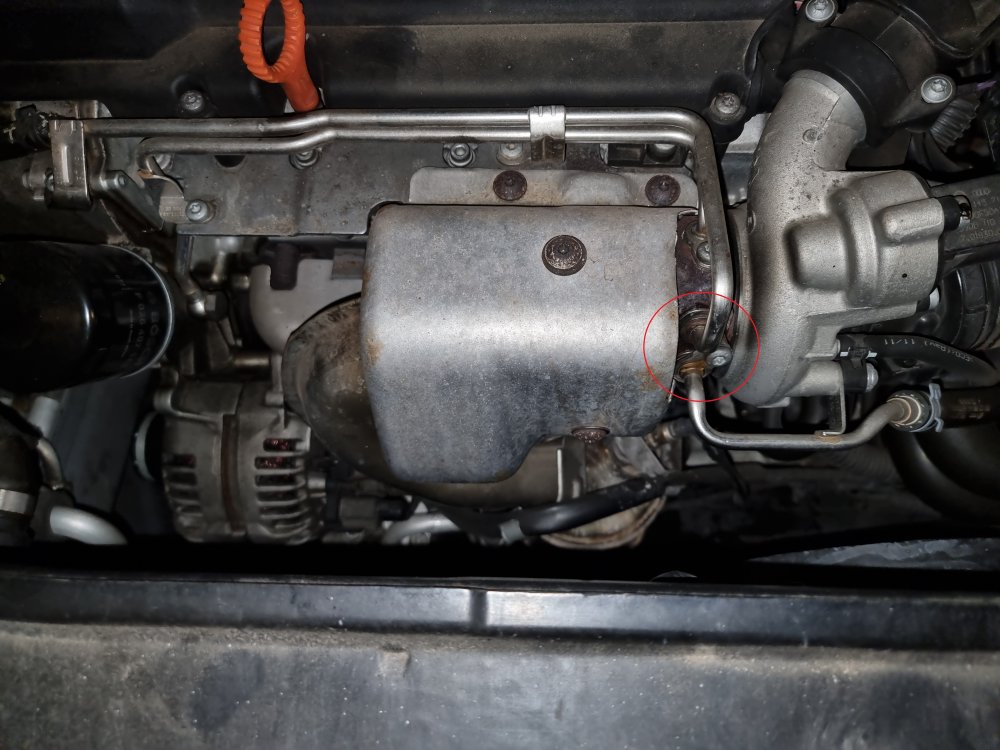
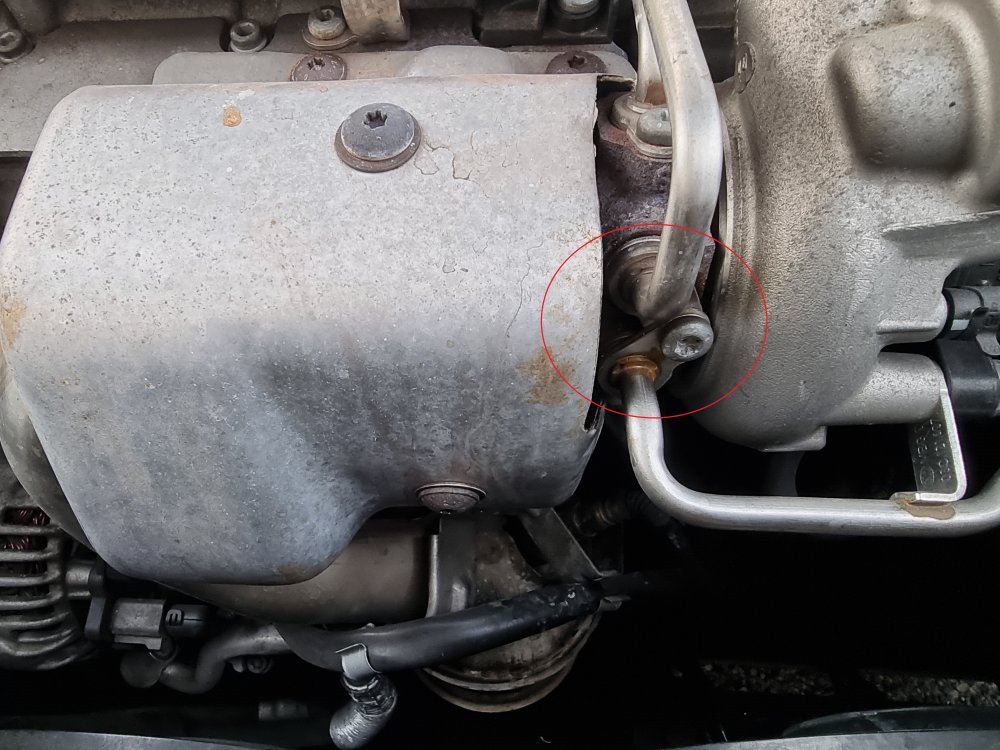
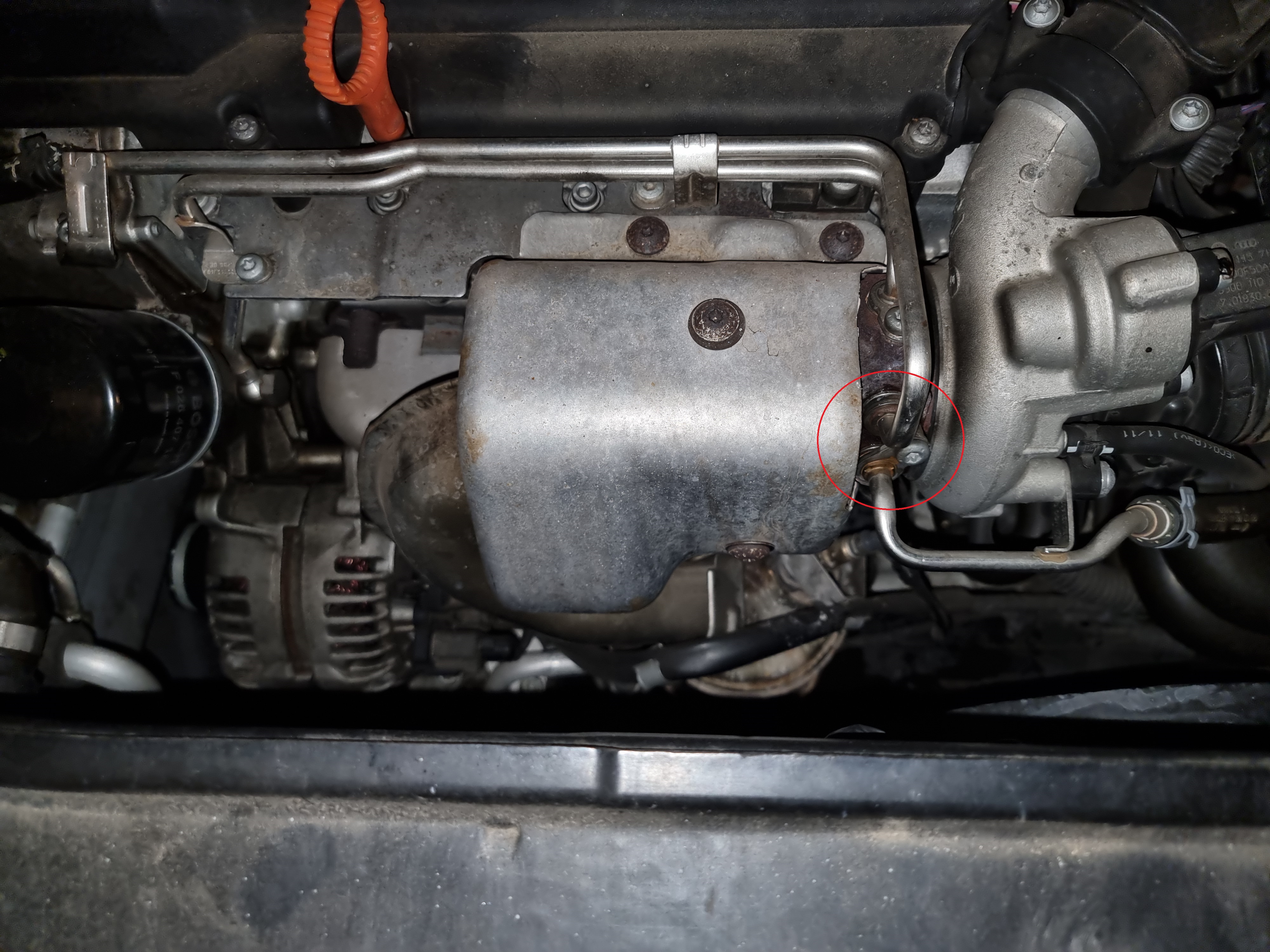
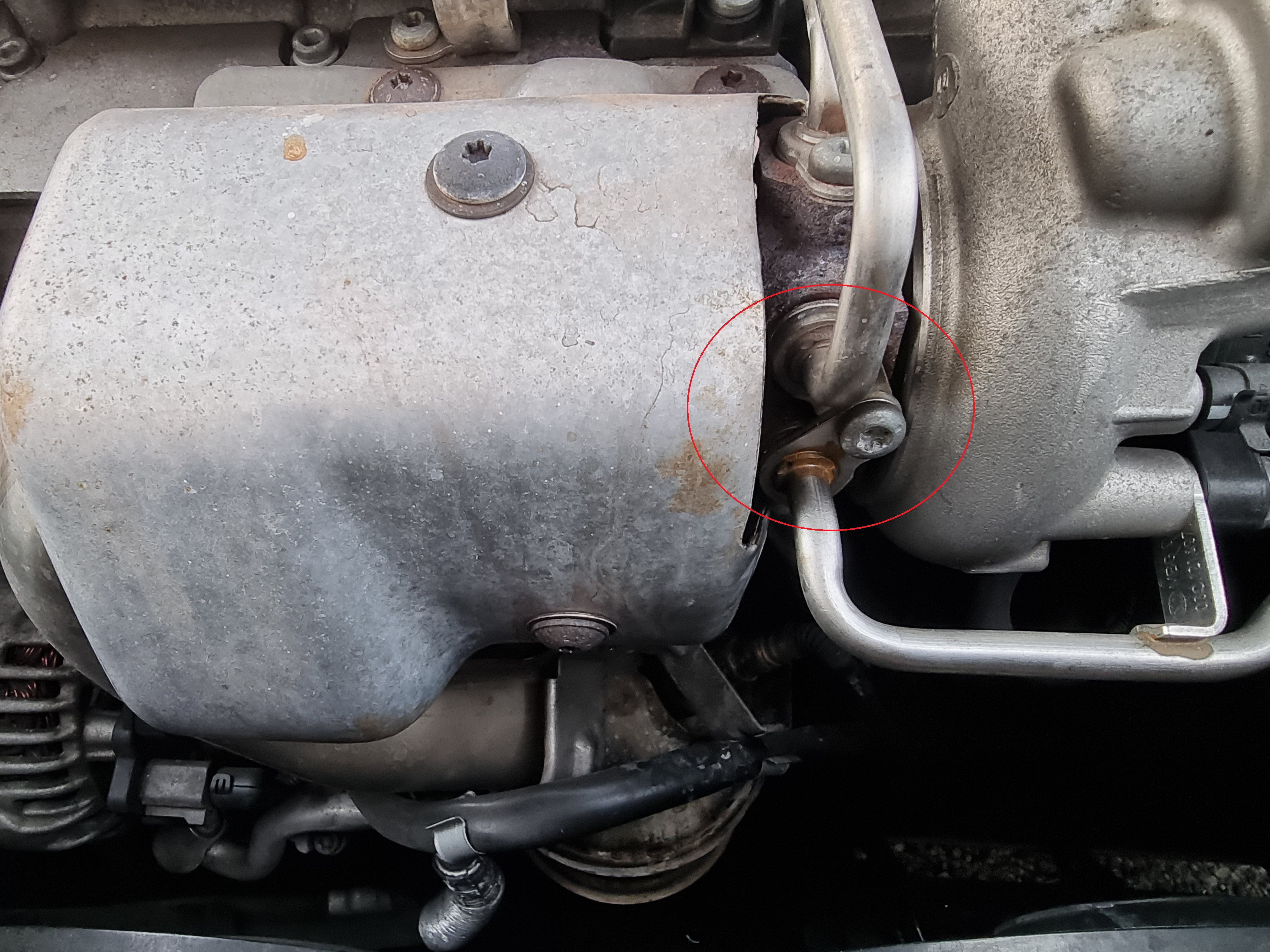
Hi, First time poster here. Have been driving my skoda Superb 2011, 1.4 TSI for 5 years now and barelry had any issues, but looks like small things are coming out. Had just an issue where lost power to drivers door, but after reading forum found that it is common issue and the wire snap after some time, which I was able to solder and put back, so far so good. But now noticed white smoke coming from the engine when stopped at traffic light, a bit panic kicked in, but then the sweet smell gave me a hint that it must bee coolant. After few trips, it looks like I have identified the leak. I have attached pictures, the bolt is nice and tight, looks like the 0 - Rings needs replacing? If so what size I would be looking for? It looks like simple job, anything I would need to watch out? Thanks