ionmarandici
New here
-
Joined
-
Last visited
-
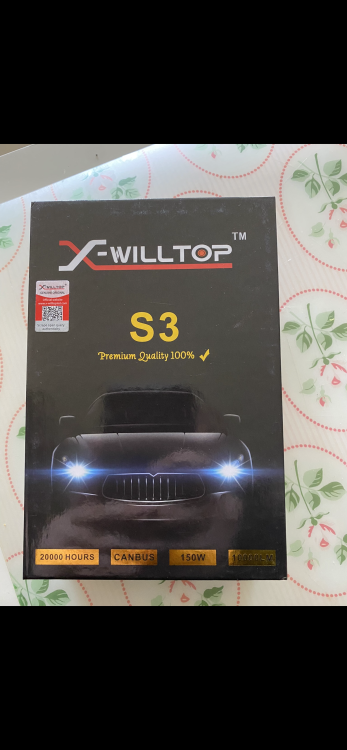
I attached a photo of the bulbs I use. They seem of decent quality. Alternator output voltage also looks good. Might try a different, more expensive brand of bulbs to see if it makes any difference. It’s very frustrating…
-
Hi. I’ve got a 2010 Octavia 1.6 TDI DSG, with the standard halogen headlights. About a week ago, I installed LED bulbs on the dipped lights, and on the right hand side it already burned through 3 LED bulbs. The left one is fine , and the bulbs aren’t of bad quality as I know others who haven’t had any issues with them. Anybody know why the right hand side keeps burning the bulbs? Thanks
-
Hello, I’ve currently got the Bolero unit in my 2010 Octavia Elegance DSG, and I’m looking to upgrade my head unit to an aftermarket unit. However, all aftermarket units that I’ve found are made to fit perfectly with the Radio Fascia that the Columbus and Amundsen units have. The Bolero unit is bigger, therefore I need to find the fascia for the Columbus/Amundsen unit. I’ve been looking everywhere and I can only find the trim in silver. My trim, however, is the wood effect trim, and I can’t find it anywhere. Does anybody have any idea where I can find such trim? Thanks in advance
-
My car will be in the repair shop for the next week or so, i thought i’d buy the bulbs before i get it back
-
Hi. I bought my Octavia 2010 1.6 TDI DSG a few months ago and it has the stock halogen bulbs from the factory. I find them too dim and want to upgrade the side lights, dipped beam and high beams. I already bought the side lights and dipped beams, but I don’t know which bulb type is used for the high beams. Different sites say it’s either H1 or H4. Does anybody know which bulb type is used for the full beams? Thanks