




Mike_Enyaq
New here
-
Joined
-
Last visited
Everything posted by Mike_Enyaq
-
Evening all, I was about 15 miles from home with about 50 miles of range when driving on the motorway tonight when the dash suddenly cleared and came up with the message - Warnings and Information unavailable. Drive Carefully! I had no speedometer, details of range or any other information systems so it was very disconcerting on a motorway. I initially thought this was what happens when the range drops below 50 (I've never been this low so far) but on reflection, it seems highly dangerous. I've done a quick google search and have seen similar complaints from ID4 users but nothing on any Enyaq. I checked the range on my app when I got home (the car information system was still unavailable) and had about 35 miles as expected. Has anyone come across this before, or any suggestions what to do about it? I've not got a bot of charge in it and it appears to be back to normal. Thanks.
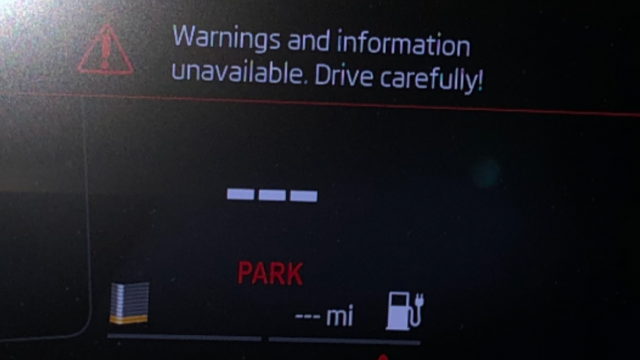
-
I've now taken it into the dealer, and it is apparently a software fault that is being worked on but it could be into the new year before they have any updates.
-
Thanks. I've just checked again and I have the family pack plus so it they should be included. Will check with the dealer when I get chance.
-
Just charging - kids in the back "need" their phones to be charged at all times!
-
I've just taken delivery of my Enyaq 80, and the USB sockets in the rear seats aren't working. Are these standard on all models or only available depending on which upgrades have been taken? If standard, is there any setting that needs changing to get them to work? I've got the micro USB to USB adapter which works fine in the front but is totally dead in the back. Many thanks for any replies.