redrose_45
New here
-
Joined
-
Last visited
-
1.6TDI Greenline has a rough idle. No codes or issues from VCDS, no codes from a snap on scanner tool either. Seems to drive fine when at temp and the lumpy sound is less. 119k on the clock Here is a video of it at various temps: https://www.youtube.com/shorts/60r8DnuL8gE Any ideas at all? I hear it can be the injectors, EGR, glow plugs, air filter, fuel filter, air intake system, the neighbour's cat... If there are no codes, what way could I or someone find out what's wrong? What live data would need to be recorded and checked? Side note: If it is the injectors, I heard the siemens ones that came with these have some factory fault where the insulation breaks down and causes issues. For replacements, which would I need to get in order to not have this problem in the future?
-
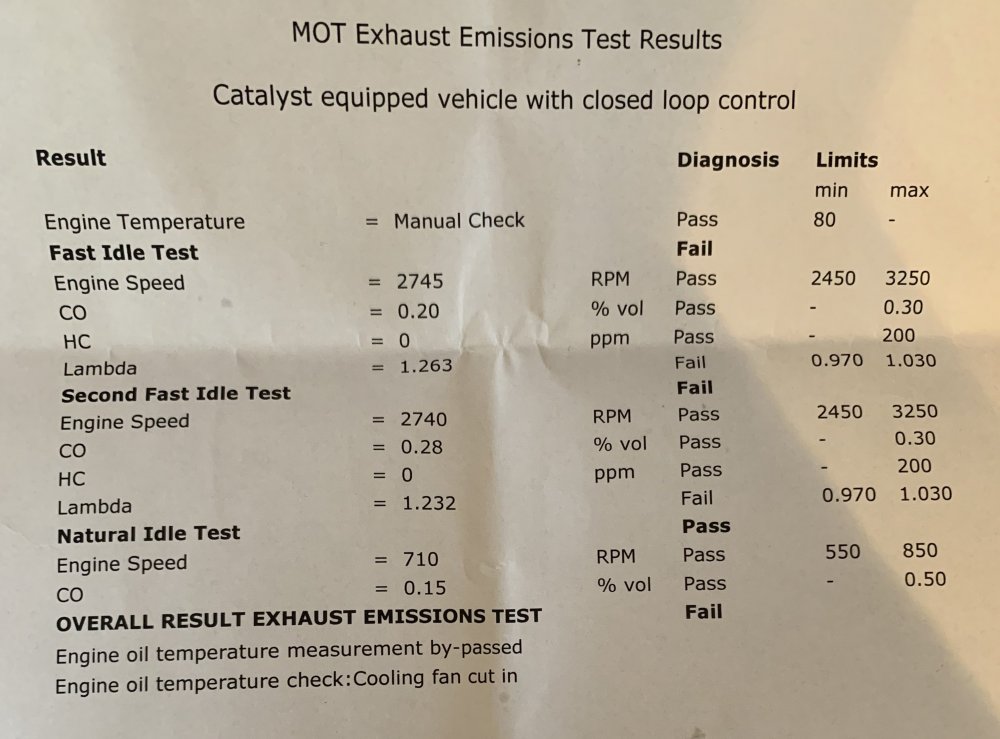
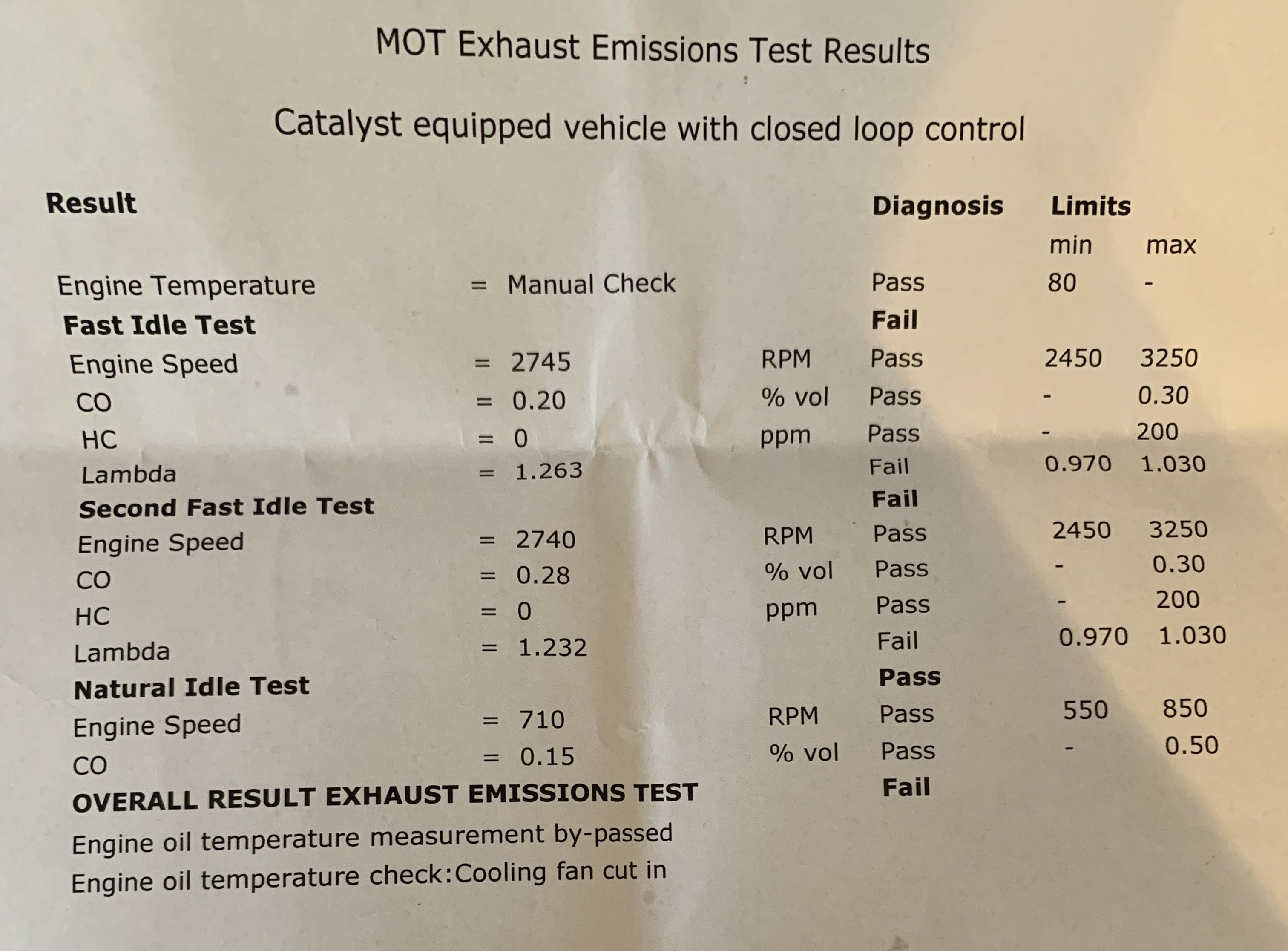
No lights on and since all the other emissions are in order it makes me think there's an exhaust leak. Will check those others thank you!:) South of UK.
-
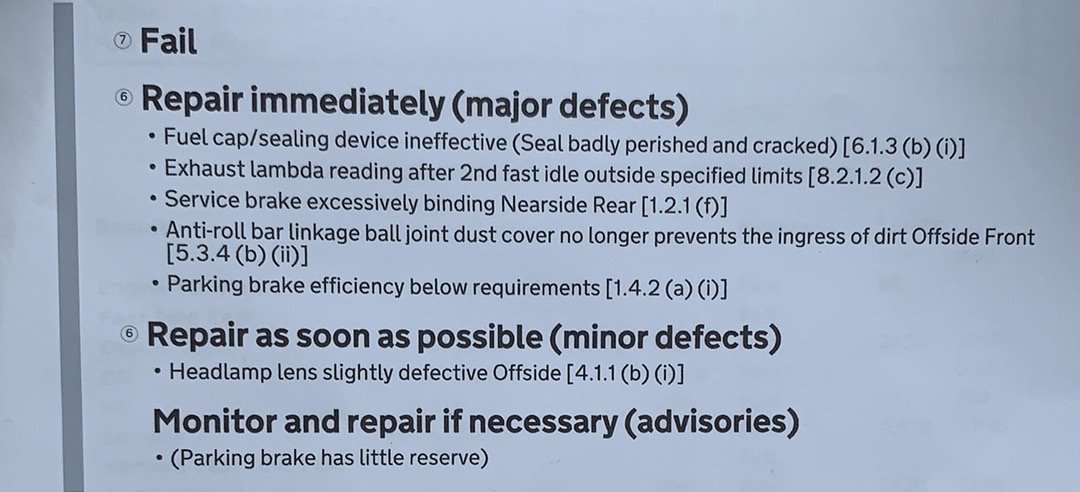
I think they were being picky about the fuel cap o ring and headlights, the lambda sensor issue is understandable because that's tested with equipment that has no bias. I will give that a shot, i'll need to find someone with the equipment. Could it be some small exhaust blow that's causing it to read so high?
-
I have a feeling this MOT station was being picky for some of this stuff but what could be the cause of this and how would I fix it? 2004 1.2 12v Fabia Estate with 71k miles and a previously flawless MOT history.