Billboy80
New here
-
Joined
-
Last visited
Everything posted by Billboy80
-
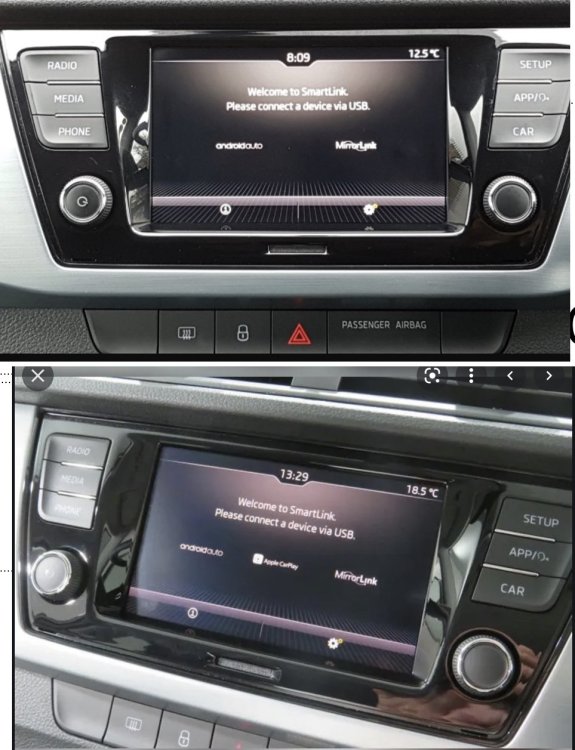
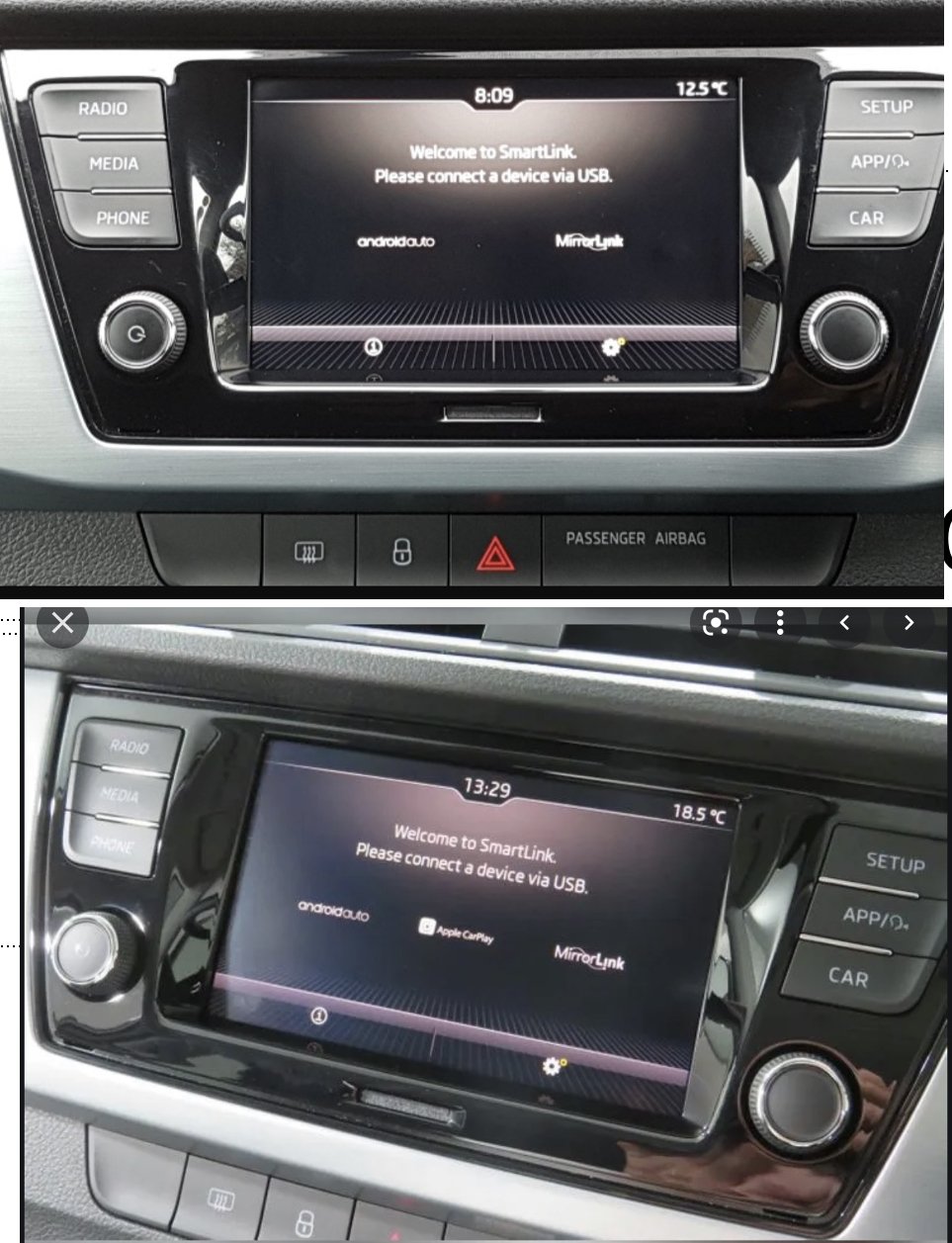
The solution was to reset Smartlink to factory settings and the Apple CarPlay logo was then added to the Smartlink screen (between the Android Auto and Mirrorlink logos). Connecting the iPhone using USB cable then automatically initiated CarPlay connection.
-
Family member is buying a 2018 (68 plates) Fabia. From images of the car on the webpage Smartlink shows Android Auto and mirror link but not Apple CarPlay. (Top image). I found the bottom image on Google of system showing all 3 options. Will they need to go to a dealer to get Apple CarPlay enabled or will it work with an iPhone.
-
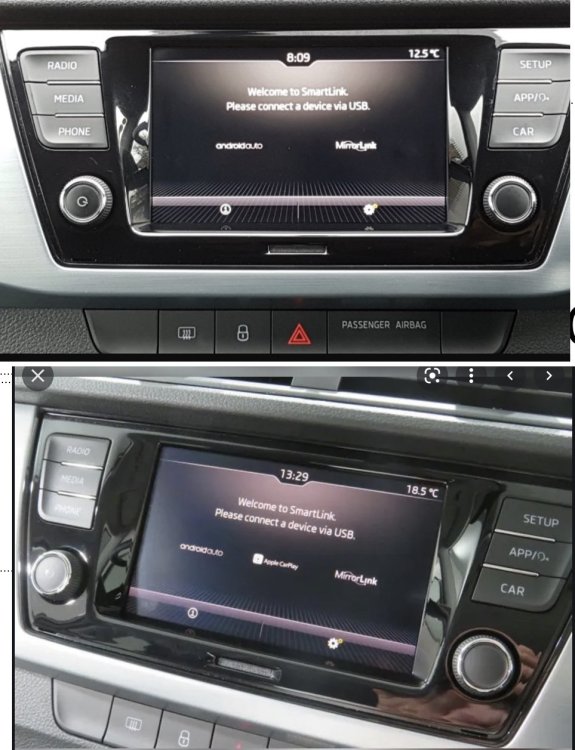
Family member about to purchase a Fabia (68 plate 2018). Image on website (top image) shows Android Auto and Mirror link under Smartlink. No mention of CarPlay. Image below taken from Google shows CarPlay. Will this car be compatible with CarPlay or does it need functionality unlocking at a cost? hows