Susuwatari
New here
-
Joined
-
Last visited
-
good score and it looks great! the raceseng ones are super nice too (y)
-
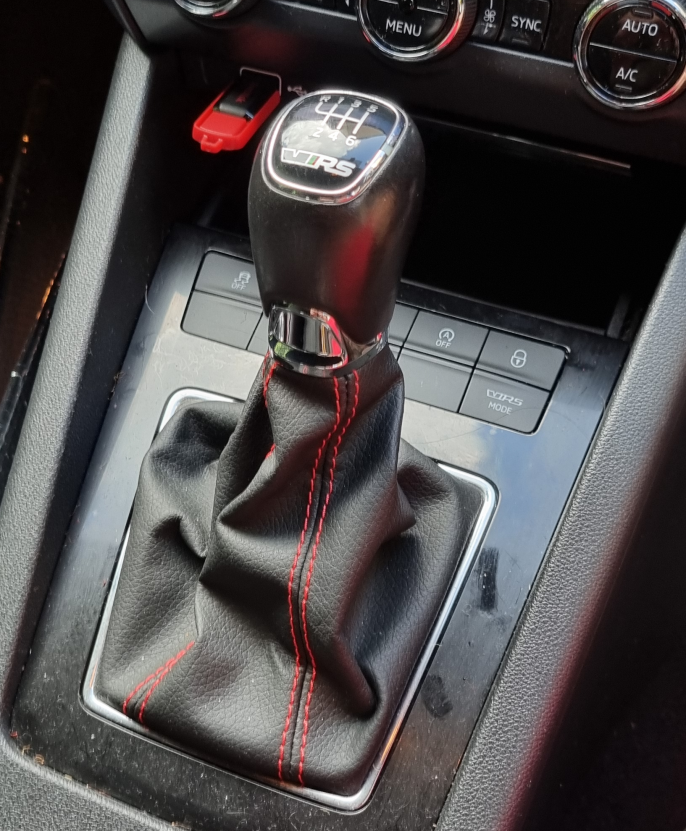
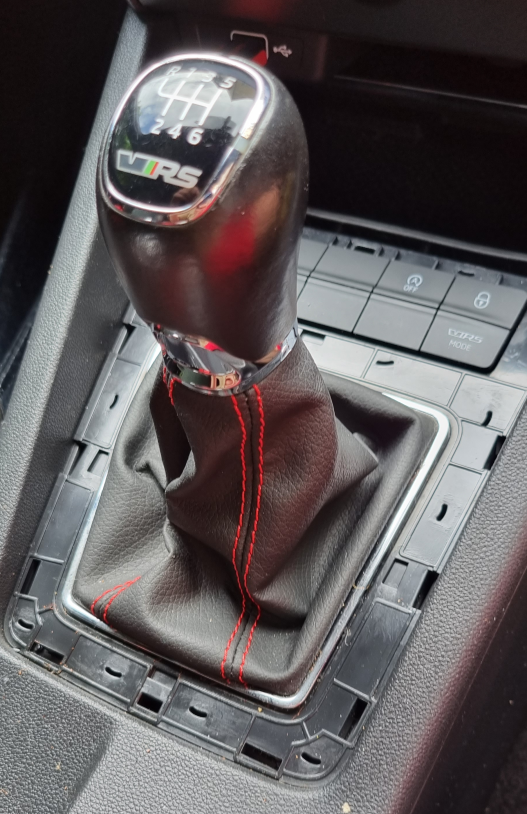
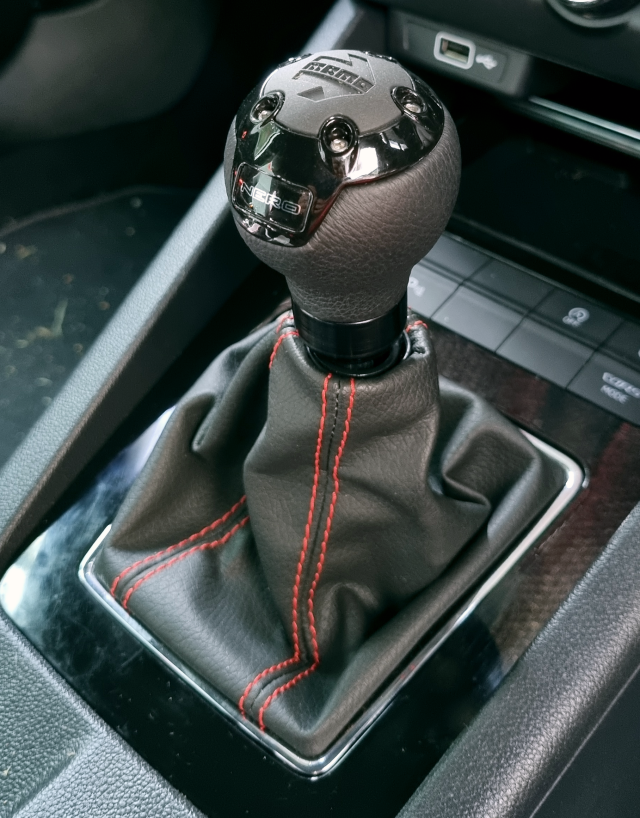
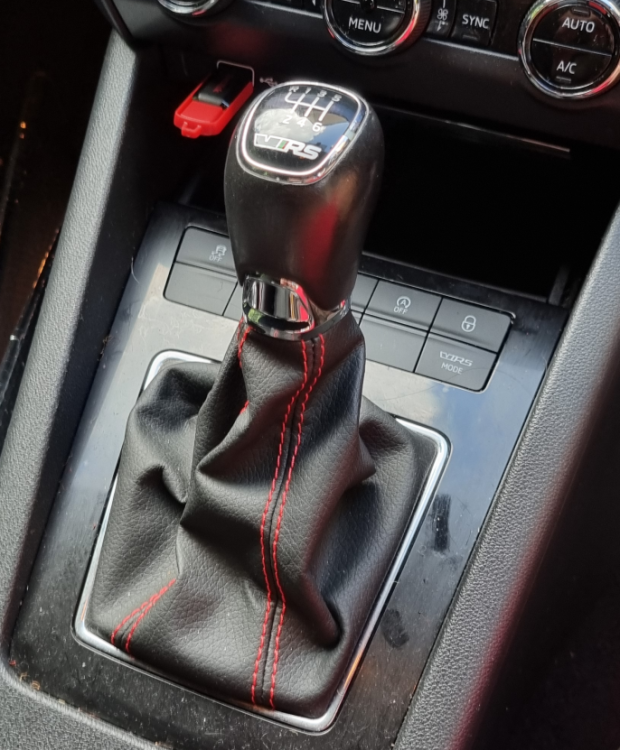
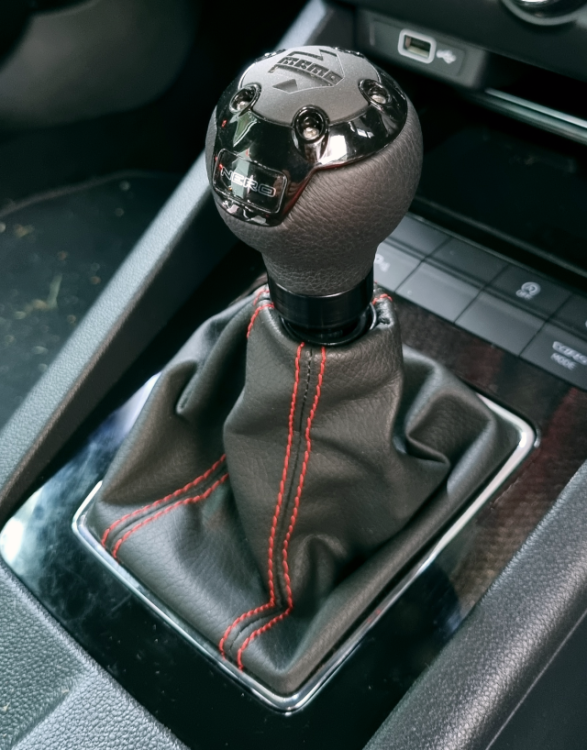
thanks! yea i was surprised there was so little out there, hopefully this helps for future reference 🙂 oh man, those little clips are so brittle! i swear i broke one from staring at it too long! lol shifter is a "nero", has the branding on the back which im not a huge fan of but its pretty much invisible when in use. was originally looking at bfi and other high end ones but just couldnt justify the price, so after a short search on universal ones the momo popped up and sparked a whole bunch of old memories. ended up getting this near new one for half price off the local "hock and hope" website... actually i think you guys have gumtree too 😂 yep, spot on! made a HUGE difference to feel and shift even tho this one isnt that heavy at all. the stock one had me thinking the gates or links needed to be redone but after the swap its been great! was originally thinking of a short shifter but i dont feel i need it anymore 👌 highly recommended to anyone thinking about doing it, ditch the flakey chrome stocko one!
-
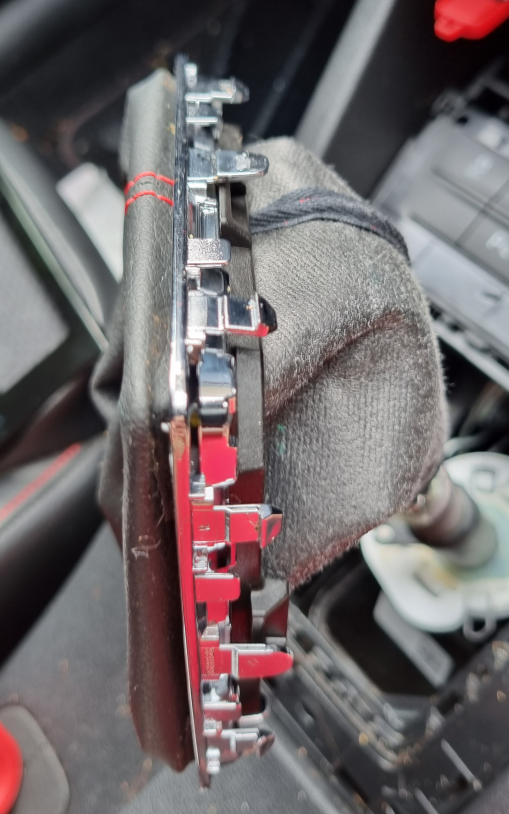
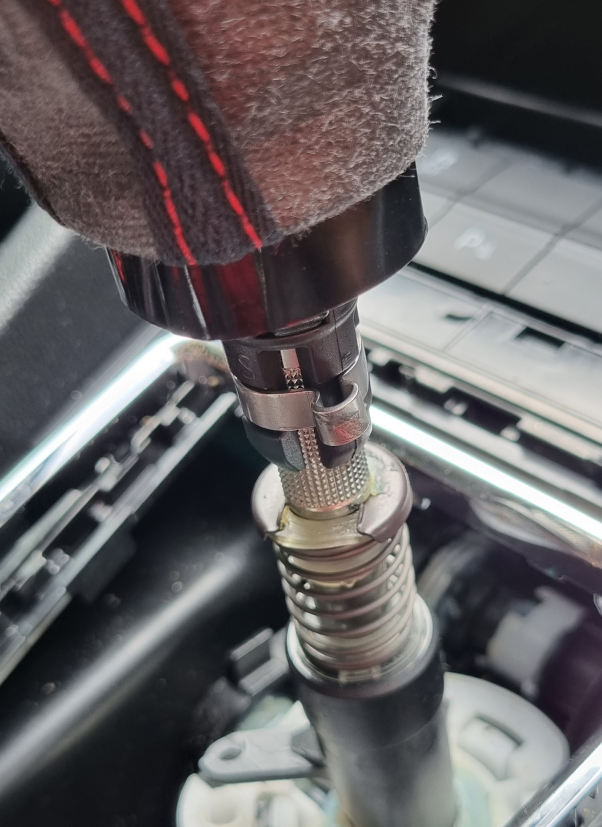
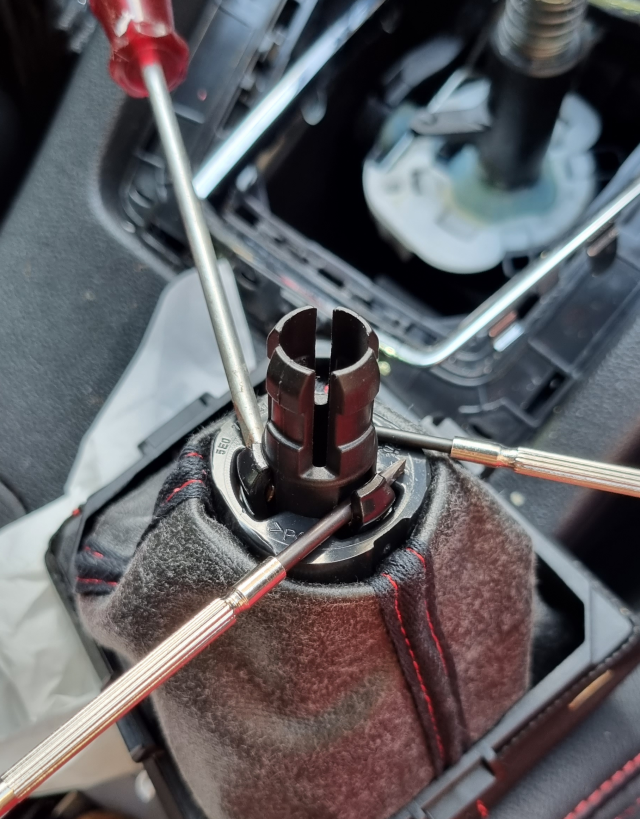
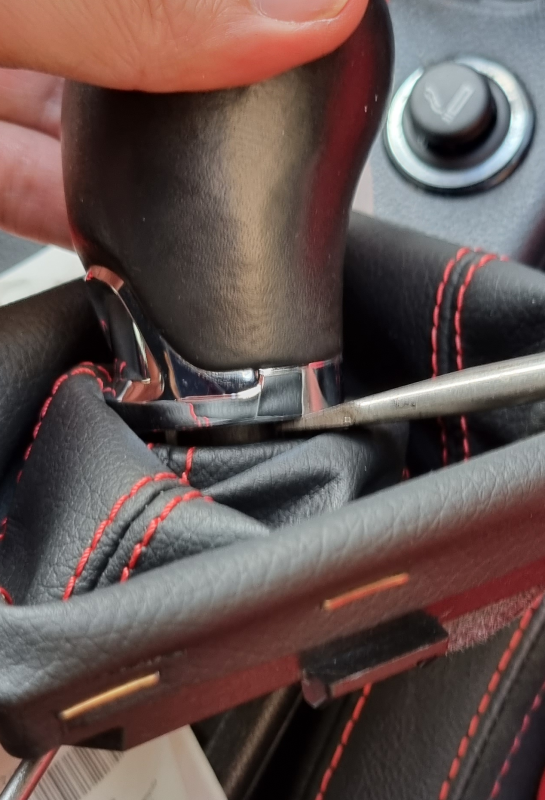
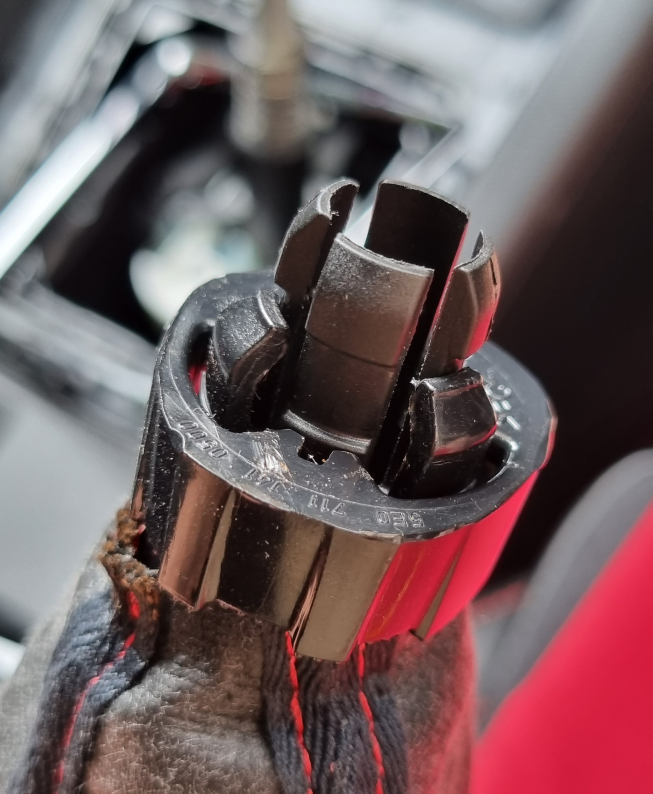
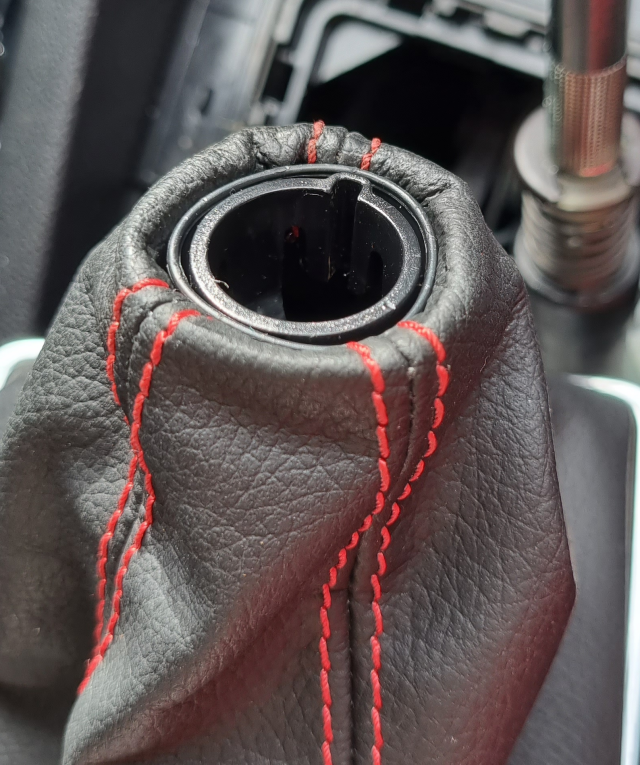
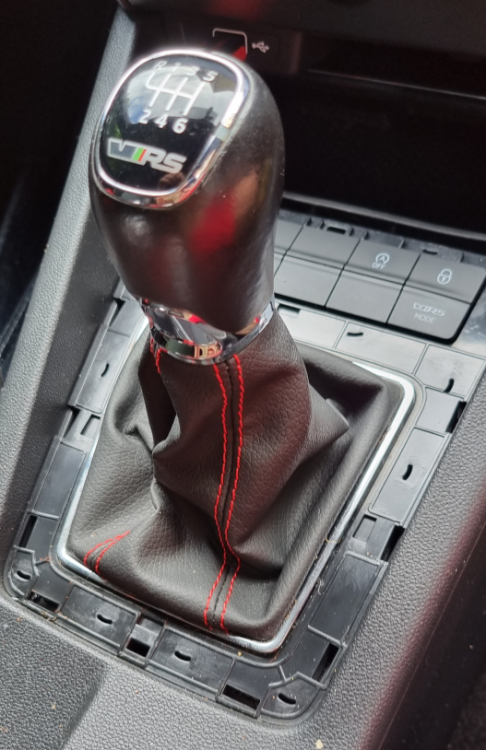
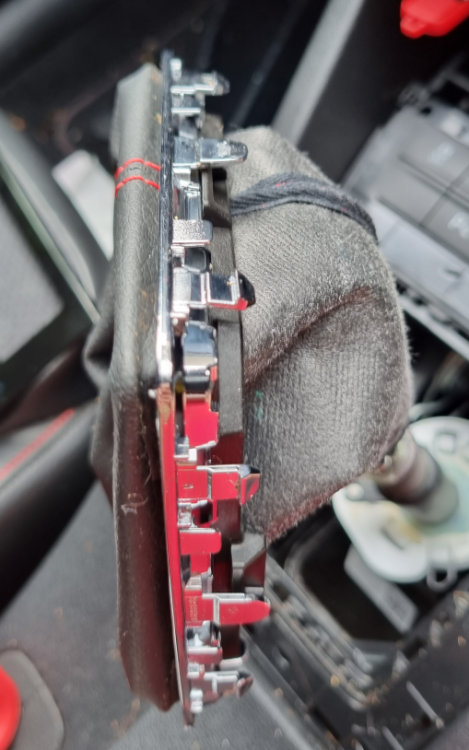
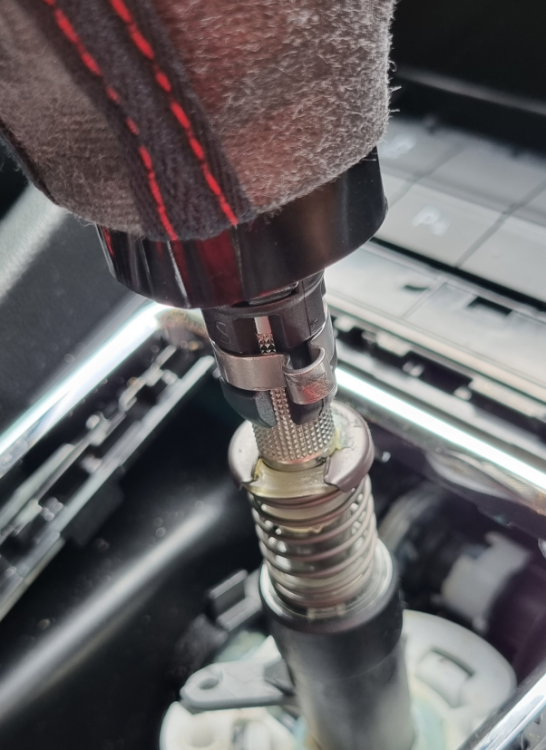
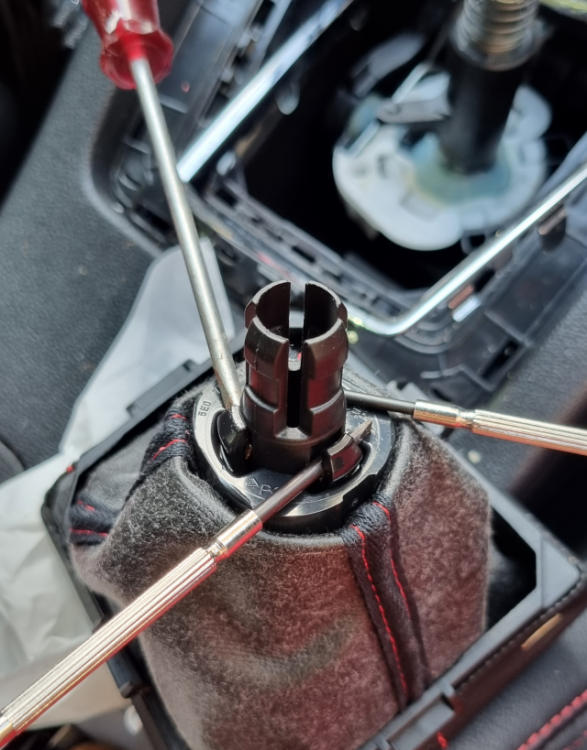
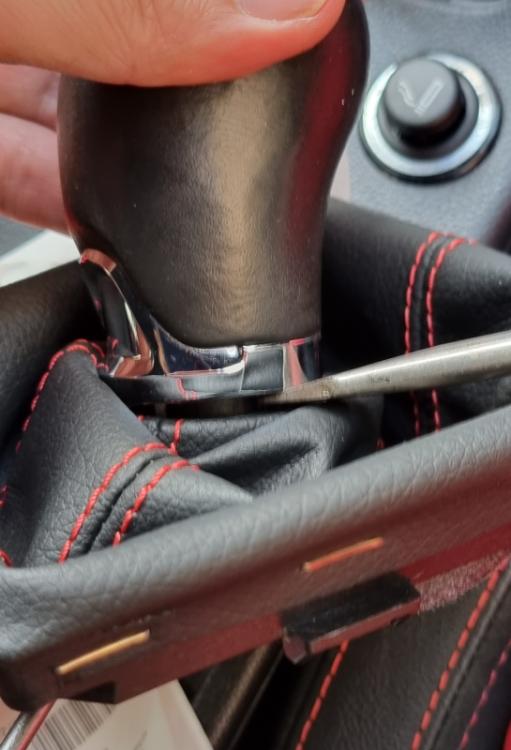
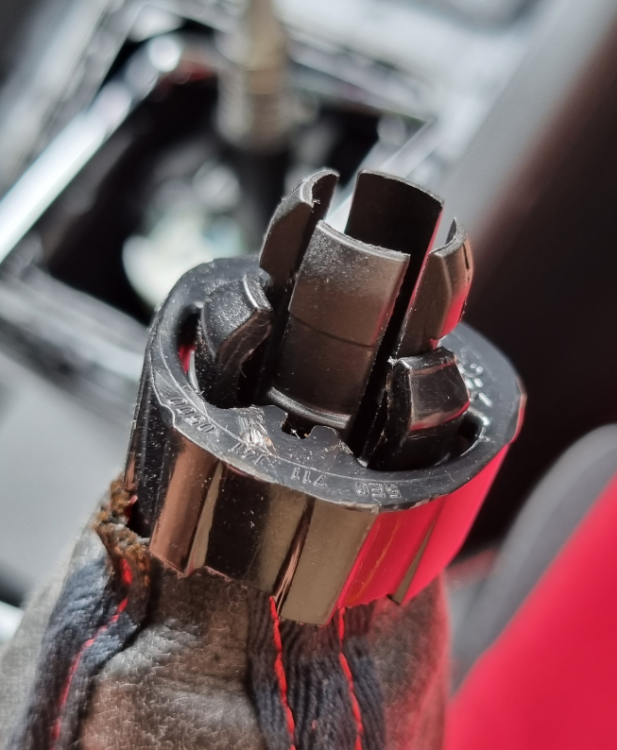
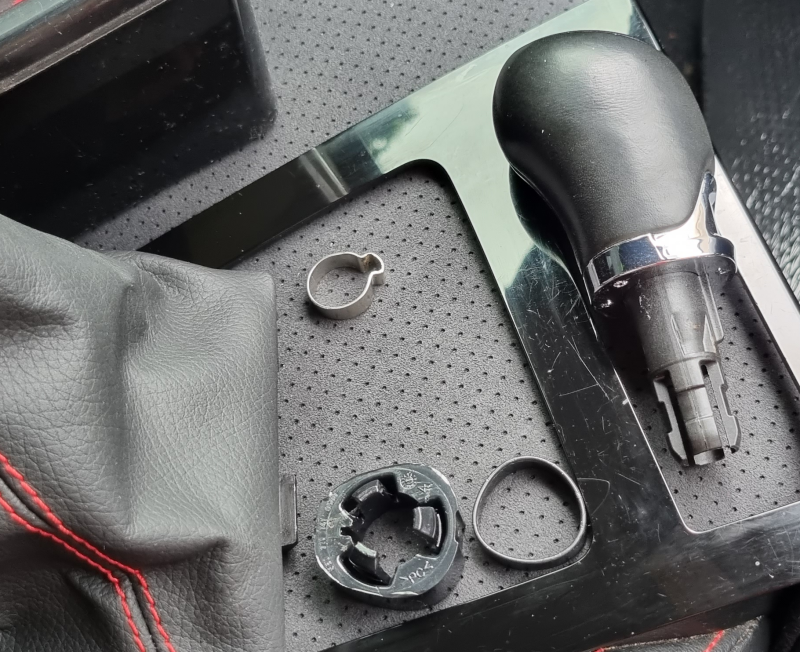
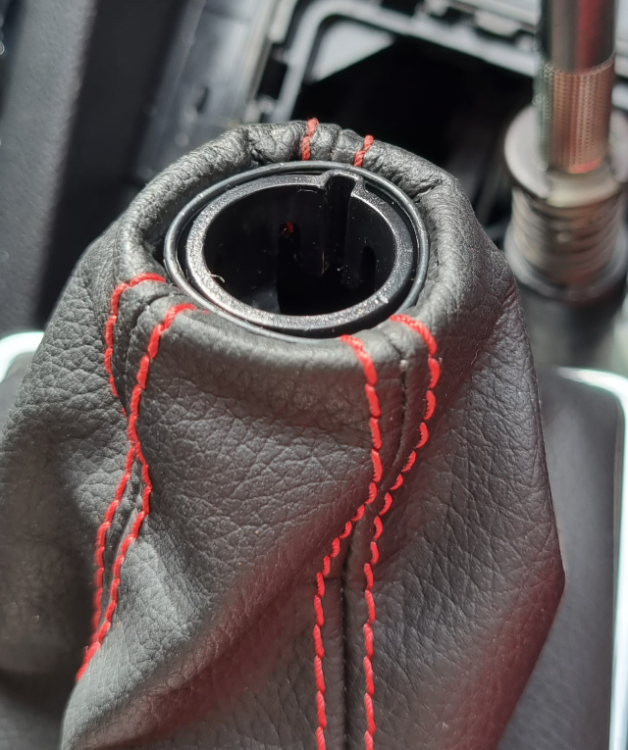
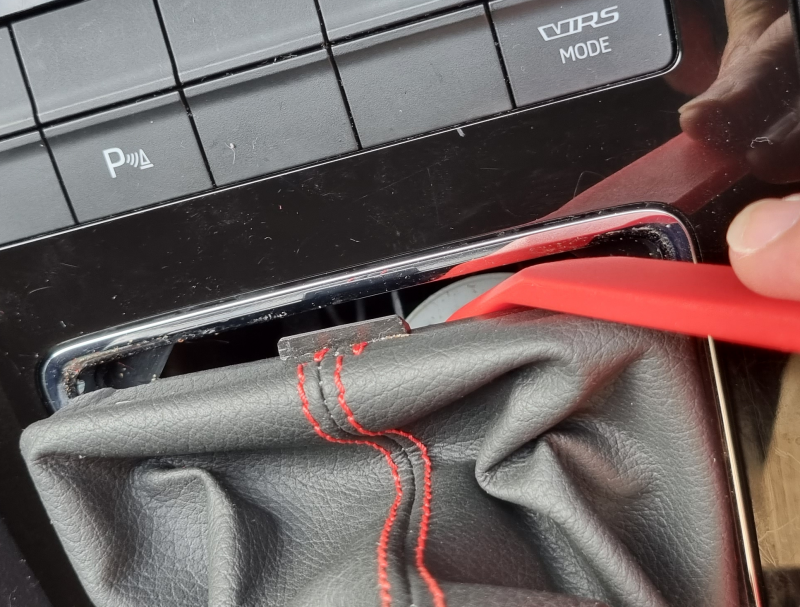
Well this little project turned out to take WAY longer than expected, mostly due to the misinformation I was going by! Most posts here and on fb were pretty light on info (or that it was easy, yea, easy when you know how! Lol), and just linked to youtube vids for golfs, so for prosperity here’s a little write up on – how to remove gear knob on a mk3.5 manual. 1. Removing the boot surround from the console. Every video made it look so simple, but this is where I wasted most of my time, just press down on the boot to find the tabs from the surround and lift it up. Nope, nearly 30min of pressing, twisting and gently prying with pry tools (i know how fragile the chrome is so I didn’t want to put any real force on to it) and I had gotten no where! I even tried removing the top plate surround to get a little more grip on the front side, still didn’t work, finally I took a pry tool and wedged it between the boot material and the chrome surround, the boot side flexed way more than the chrome side which gave the surround enough space to just pop out! I couldn’t believe it! So simple! Looking at the prongs of the chrome surround it was very obvious why no amount of pressing was working – a) the prongs werent long with the “latch” facing backwards like in the golf and b) the support for the boot (black part) was in the way of the chrome surround and about 1cm away! So basically I wasnt pushing on the latch instead, just locking the surround in more lol after that it was mostly the same as the videos. The black surround for the boot is held in by 4 tabs, one on each side 2. Removing the knob and boot. Only one video I found didn’t say to cut the cinch ring that holds the knob on, every other said to cut it. Im all for reusing existing parts so I just took a screwdriver and loosened it a little till the knob could spin, then pulled the whole thing off. Once off, you can squeeze the 4 prongs together and take the ring off. 3. Remove the knob from the boot. The knob is held onto the boot collar by 3 prongs, I flared these out with a few screwdrivers then used another screwdriver on the knob side to pry the two pieces apart. Once you get one prong past the notch you can just grip the collar with your fingers and use your thumbs to push the knob the rest of the way out. 4. Fitting new knob Each aftermarket knob will have its own instructions but all should be pretty straight forward eg. Rubber cap + gear knob + 3 little screws for the universal knobs. I reassembled the collar part on the boot (has just enough friction between the parts to not need glue) to give it more of a stock look, some videos mention using a zip tie but I wasn’t a fan of the pinched off look. Theres enough stiffness in the boot material to keep it prop it up against the bottom of the knob but I’ll be getting a rubber grommet to go on the underside to make sure and also some kind of end cap to tidy up the collar area, even tho its not really visible. (since writing this post, I've found the boot sits up just fine without any extra support so all I've done is add a plastic spacer to tidy the small gap between the boot and the bottom of the knob) And that’s it! I finally appeased the 90s boy racer in me that just HAD to have something MOMO on my car haha 😂 Hopefully this helps someone!
-
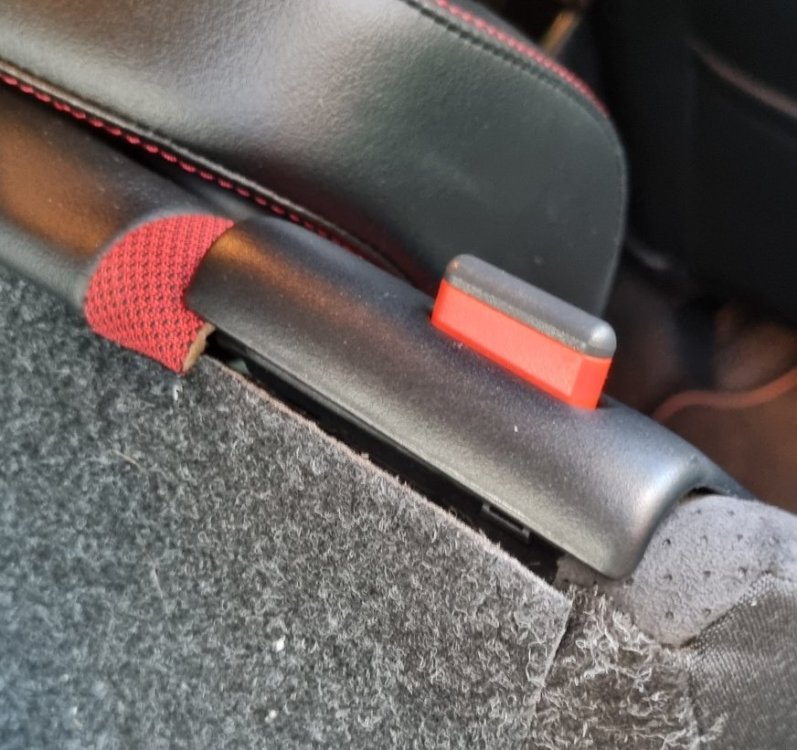
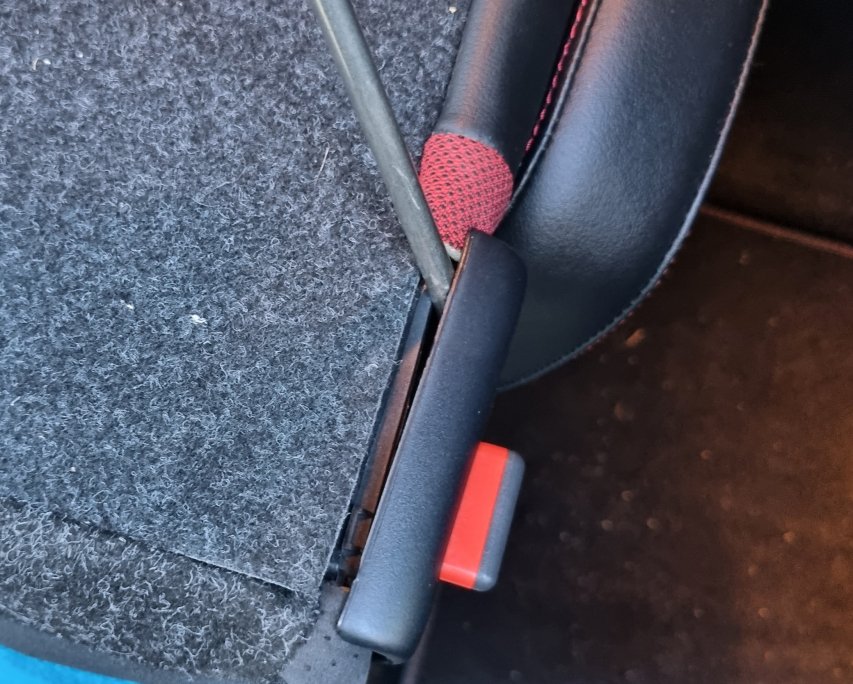
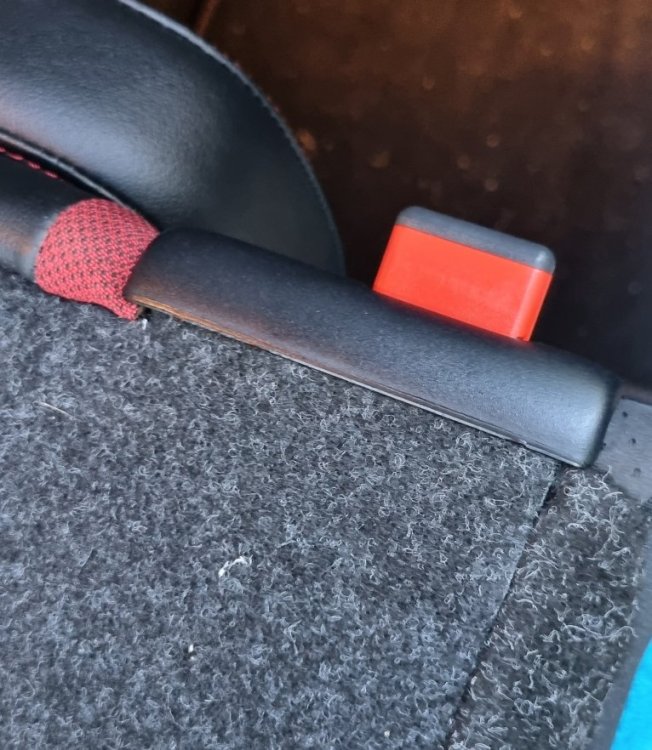
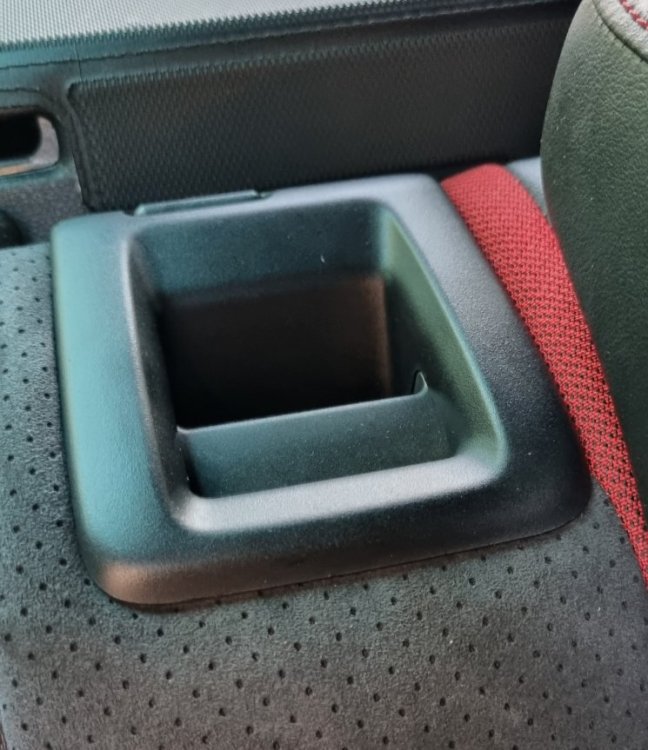
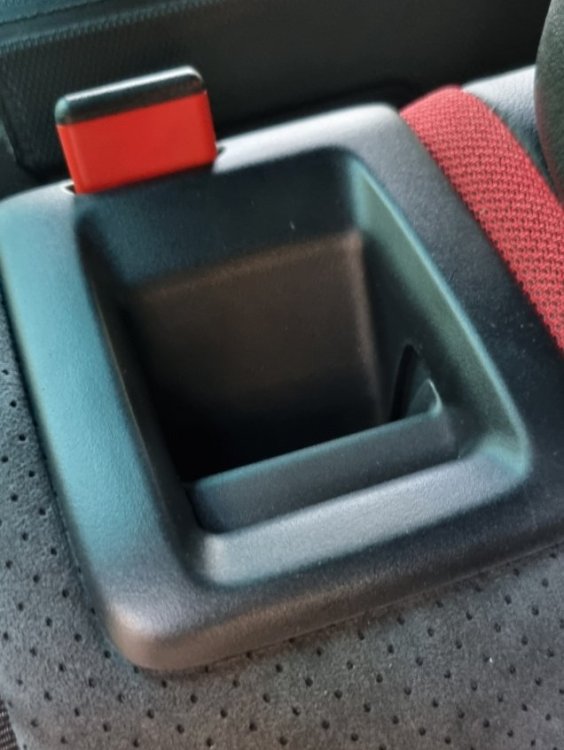
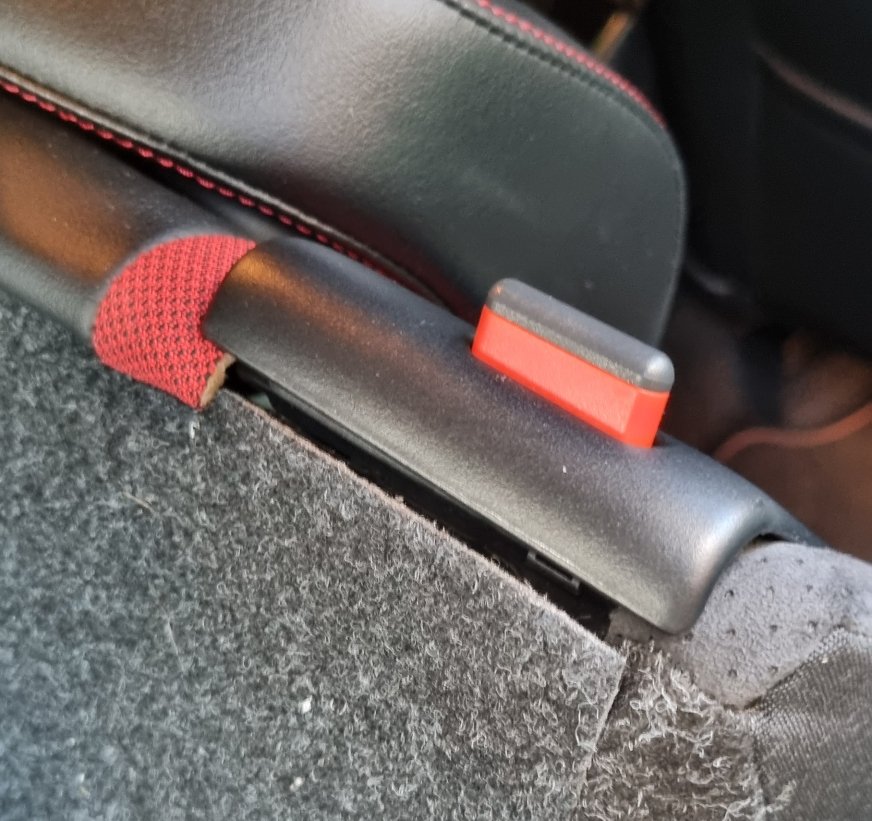
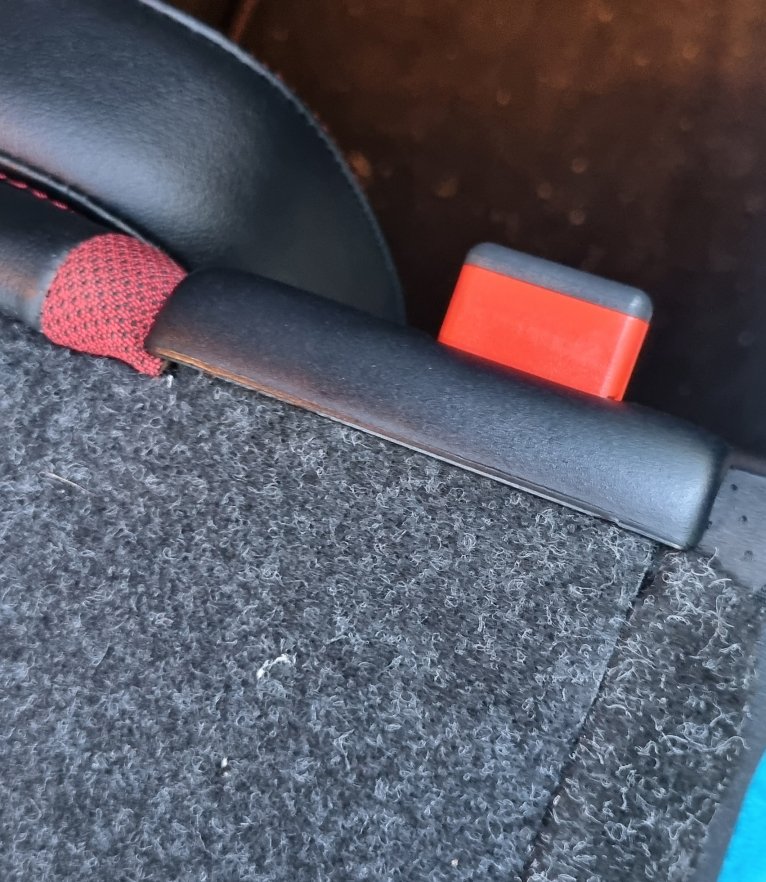
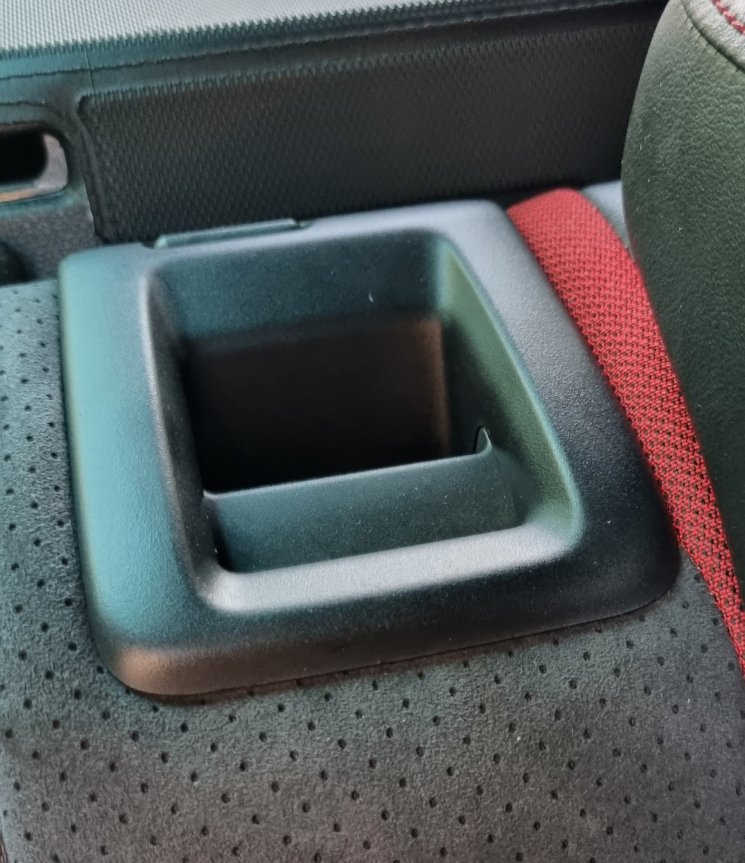
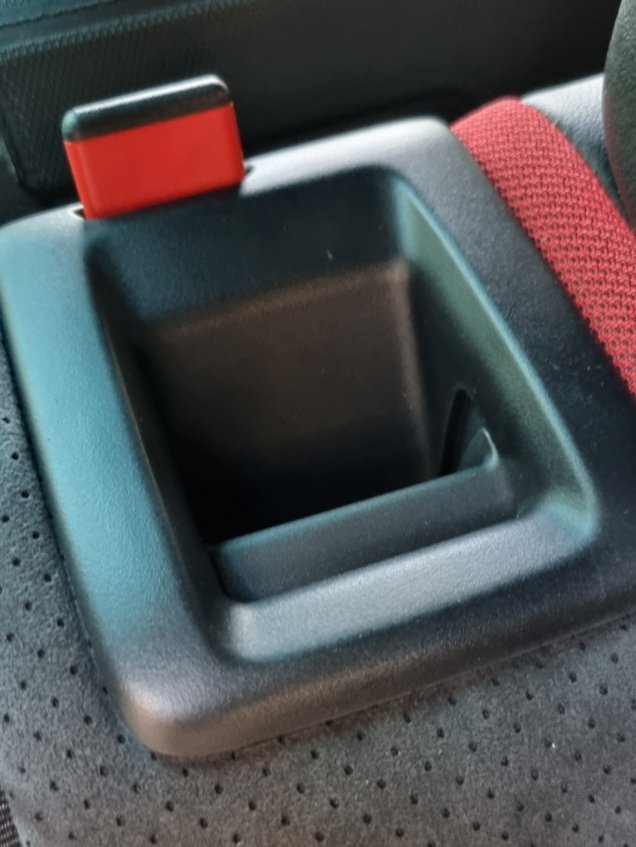
sorry for bumping this old thread but its what brought me here and the info was a bit sparse so i thought i'd add a little detail for prosperity 🙂 so i noticed this same problem when i had the seats down, the little red tab for the seat release was stuck up and the cover partially popped off, neither could be pressed back down. seat could still lock into place and unlock without any looseness. i read the posts here that recommended some grease but if felt more like it was locked out of place/caught on something than sliding poorly. i tried to pry the cover off by hand but it wasnt going anywhere, couldnt see any tabs so i took a screwdriver, stuck it as far down as it would go, hoping it would cross paths with as many tabs as possible (if there were more than one), pried upwards, heard a loud crack went to do the other side but as i pulled the seat up, the tab dropped back into place. wasnt sure if it worked but tried the cover anyway and what do you know, it slotted back in place with no effort at all and the front bit that i pried up clicked back into place. i was going to take it all apart just to see what was getting stuck but it was over and done so quickly (literally 2min with half that trying to use my fingers) i figured id just take the win 😃 from the way the cover was up and couldnt be pushed down, it seems if the seat is down and the cover is knocked off (wouldnt be uncommon if youre sliding in something with a flat bottom and decent weight), part of the mech for the tab gets dislodged and it stays up. so the key is to lift the cover while the seat is upright and let whatever its stuck on to be freed up. hope that helps someone 🙂