RAKU83
Finding my way
-
Joined
-
Last visited
-
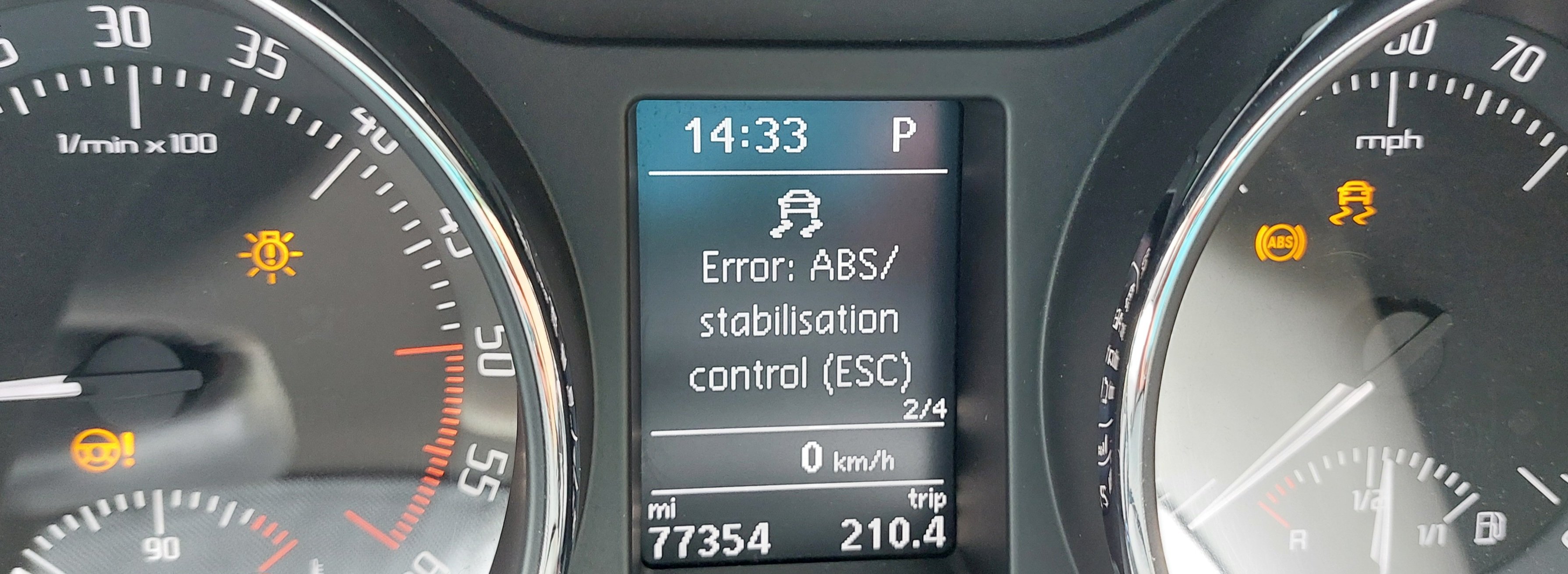
Thanks a lot everyone....it was ABS sensor
-
Yup once while driving and once just after start driving....alternator seems fine
-
I did use OBD to see any errors and came up with 0 errors
-
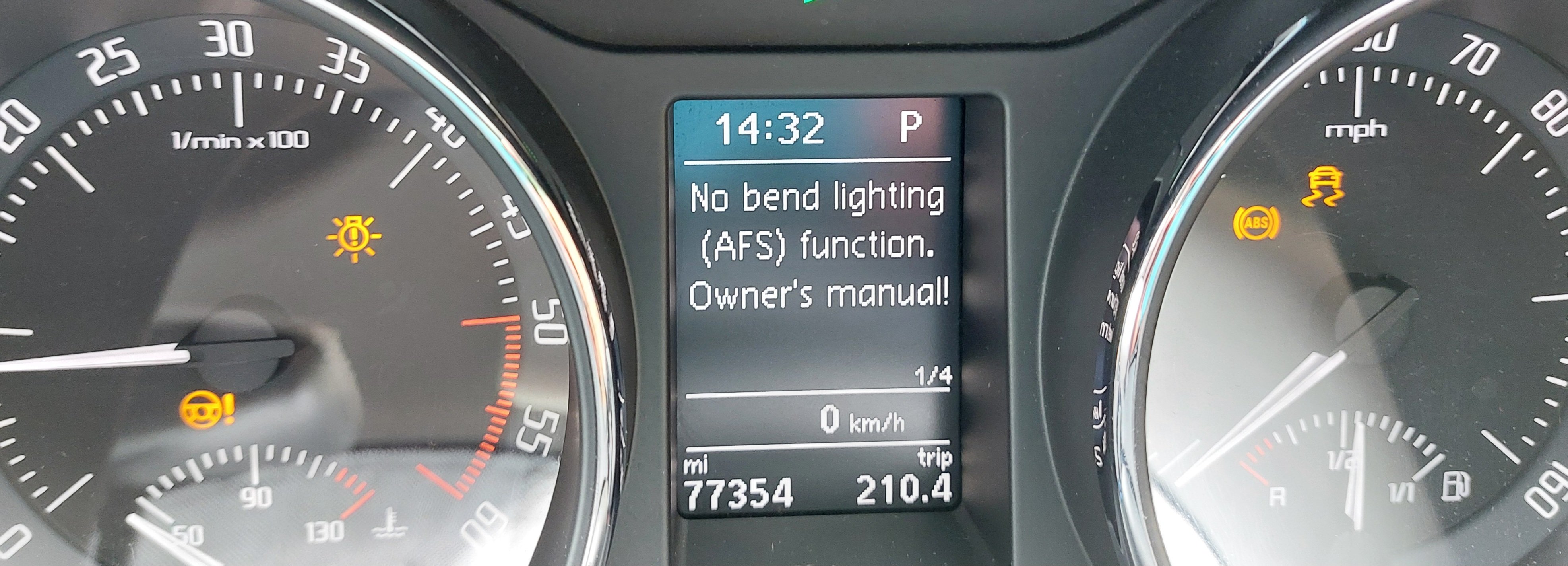
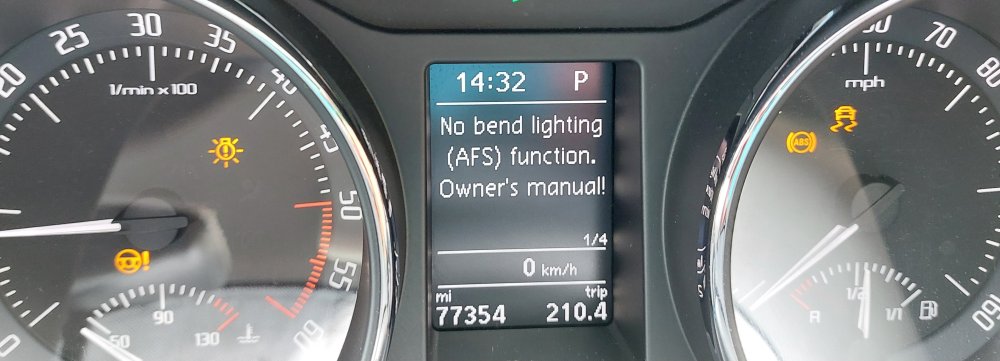
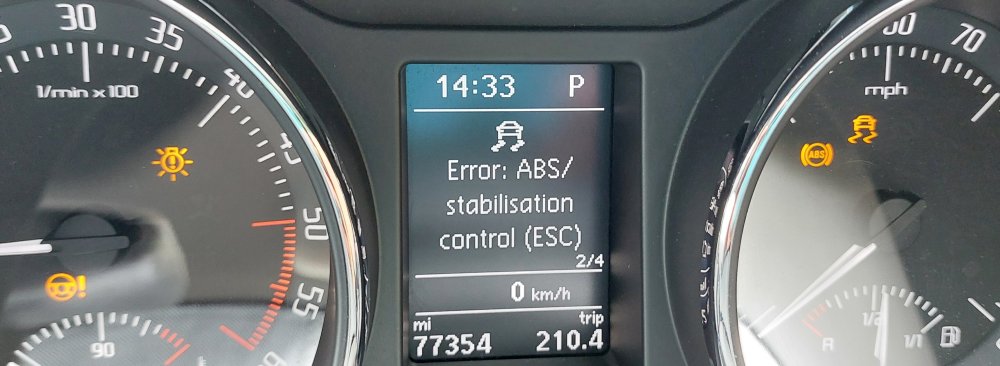
After some help.....all these lights came on once while driving and went off, once after just start the engine then went off and then while driving, on again and never went off ...nothing wrong with the car , bend lights working fine. Any one had this ? What was it? TIA all
-
Superb mk2 estate facelift 4x4
-
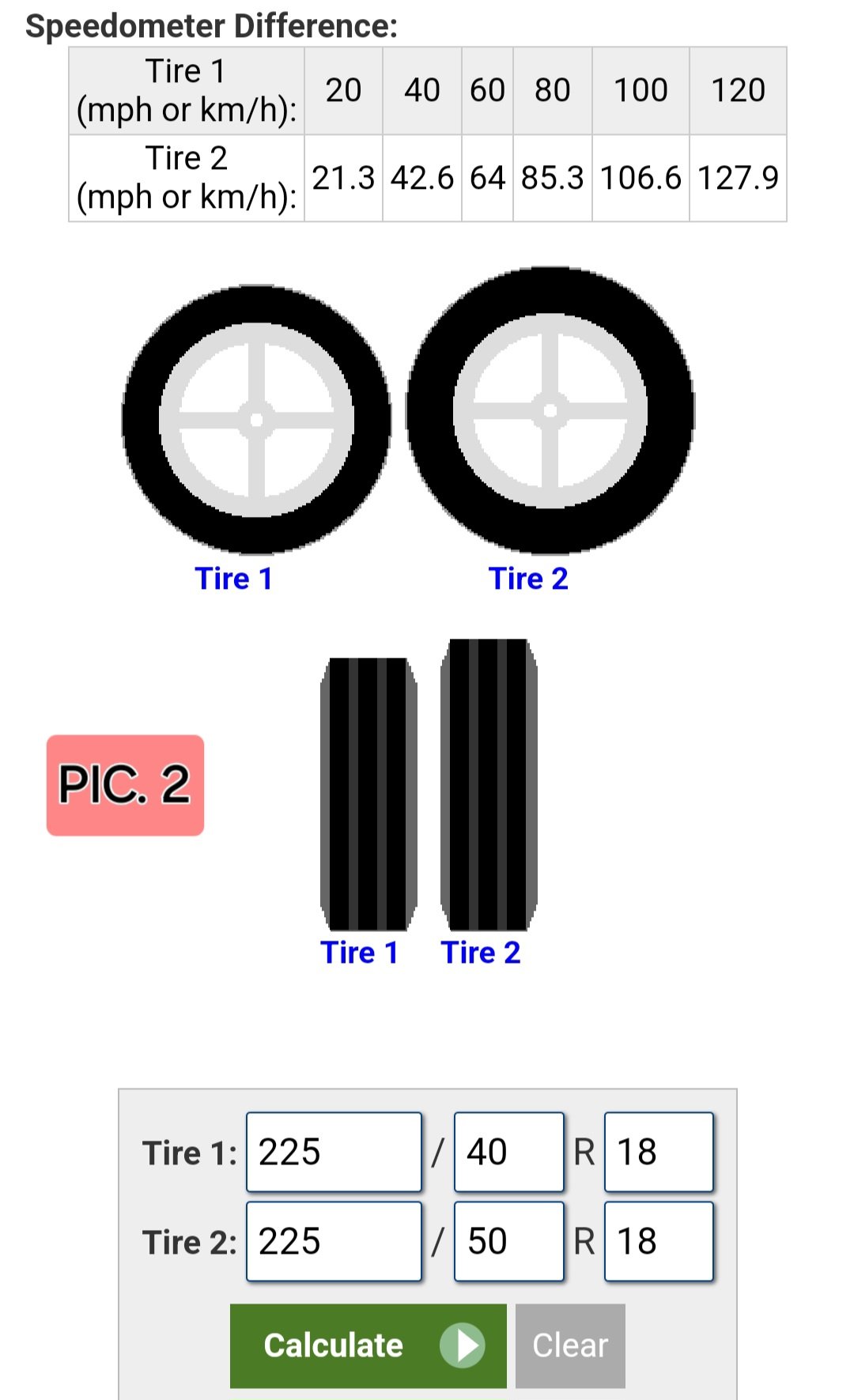
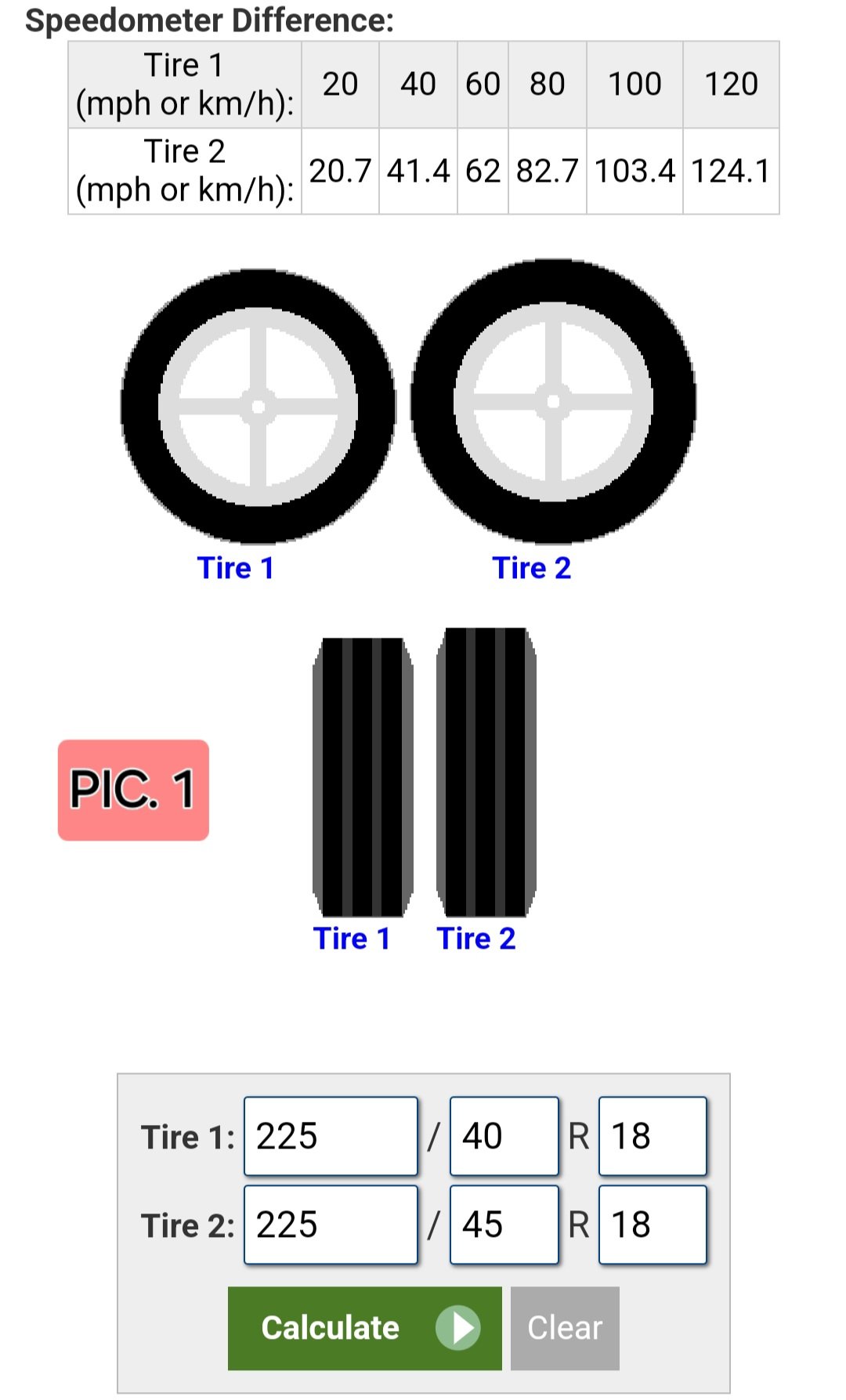
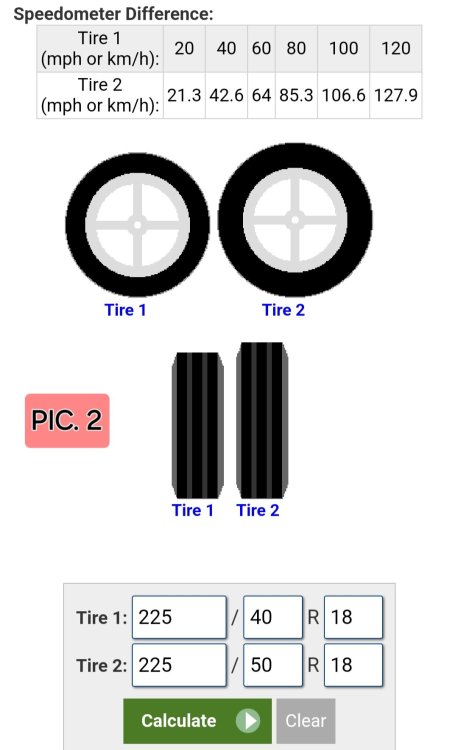
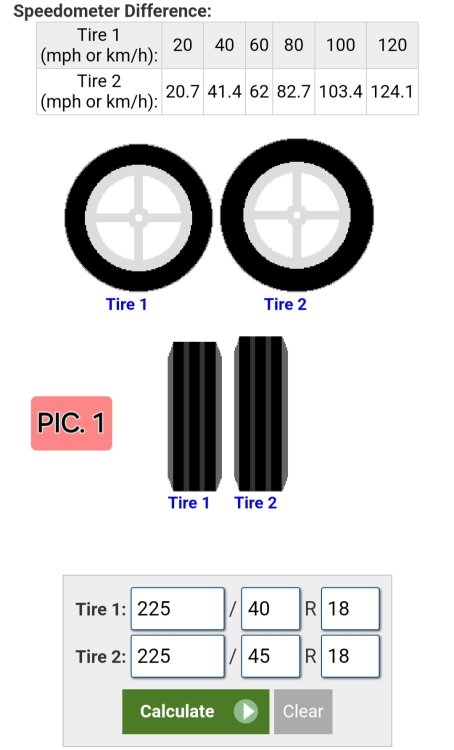
Hello everyone, after some advice....I'd like to change my existing tyres with a higher profile ones( current size is 225/40R18 92Y). Can I do pic. 1 or 2? TIA all
-
Yeah I'll give it a go and remove the battery see what's going on many thanks for your help 👍
-
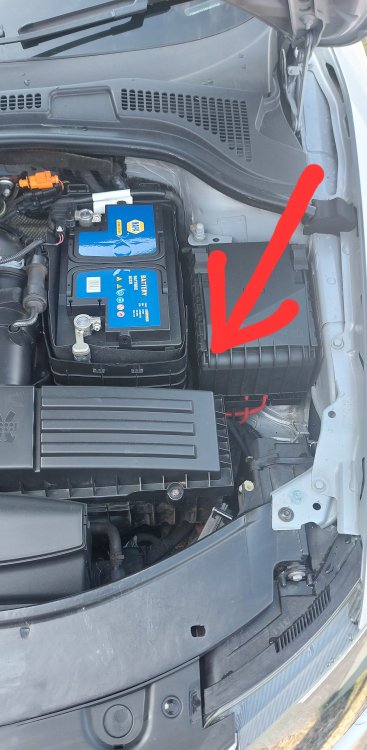
So if I get it right from your picture it should be somewhere under the fuse box where the pointy bit of the arrow is ? TIA
-
Can anyone help and tell me/show me a pic with location of the glow plugs relay on a superb mk2 170 hp 4x4 2l ,CFGB engine code? Many thanks!
-
Can anyone help? The screen won't work, no sound,it will connect to phone's Bluetooth but there's no sound although there's some sound like is trying to start the system....can be heard on the video....TIA 20230703_195038_1_1.mp4
-
Hello everyone, can someone please tell me exactly what needs to be done for a 9 years service on a Superb mk2 and what's the difference between 9 years service and maintenance ? Maybe is just me but Skoda website is a bit confusing at this one. Many thanks!
-
Got my windows tinted and also there is some noise with the ones that goes in the door frame.
-
Can u be more specific....a link.....a website? TIA
-
Has anyone put stick on wind deflectors to their mk2 superb estate and if yes where did you got them from? Many thanks!
-
Wow that is brilliant answer, really enlightening 😁, thanks for your help 👍