Larry97
New here
-
Joined
-
Last visited
Everything posted by Larry97
-
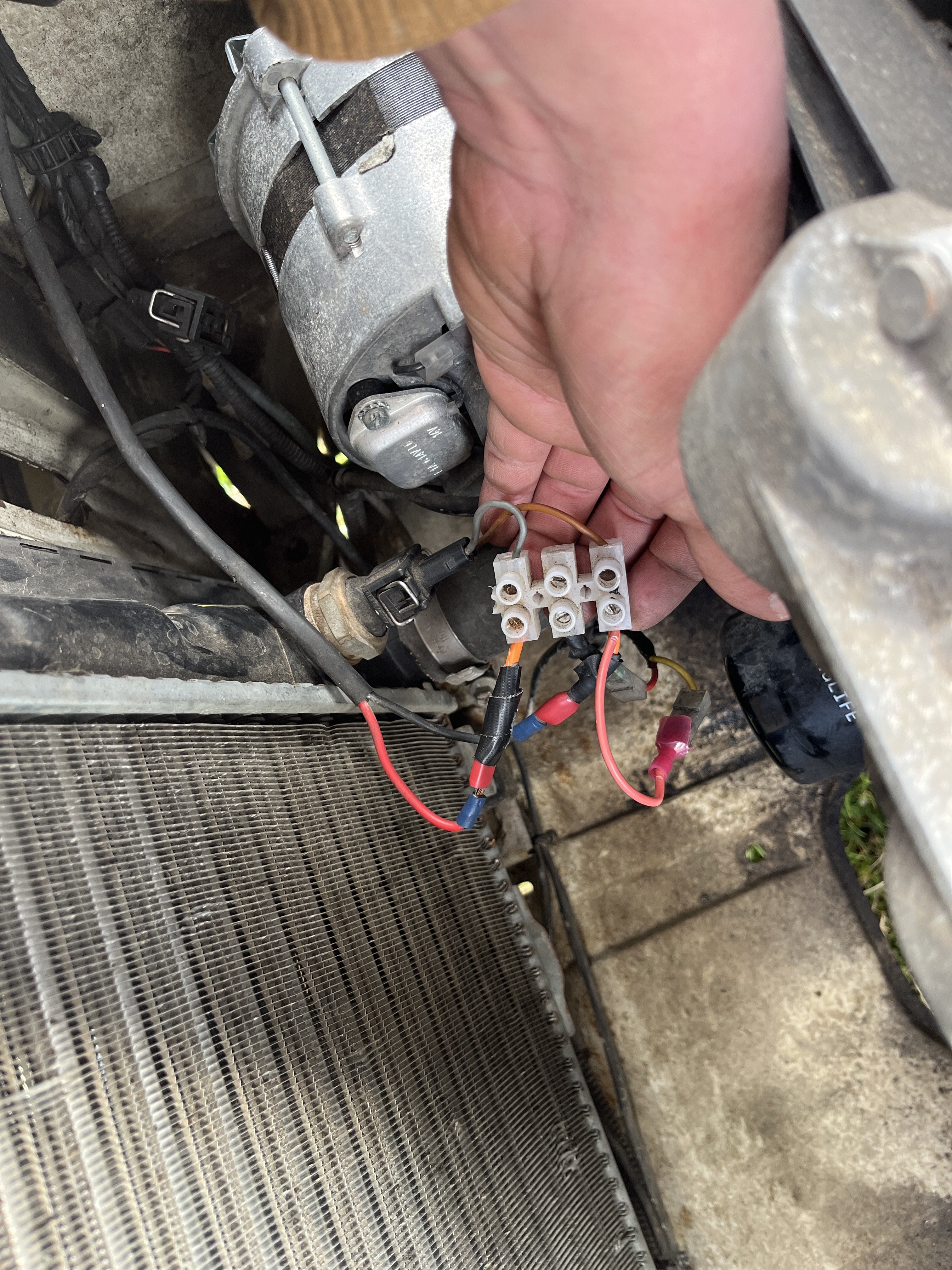
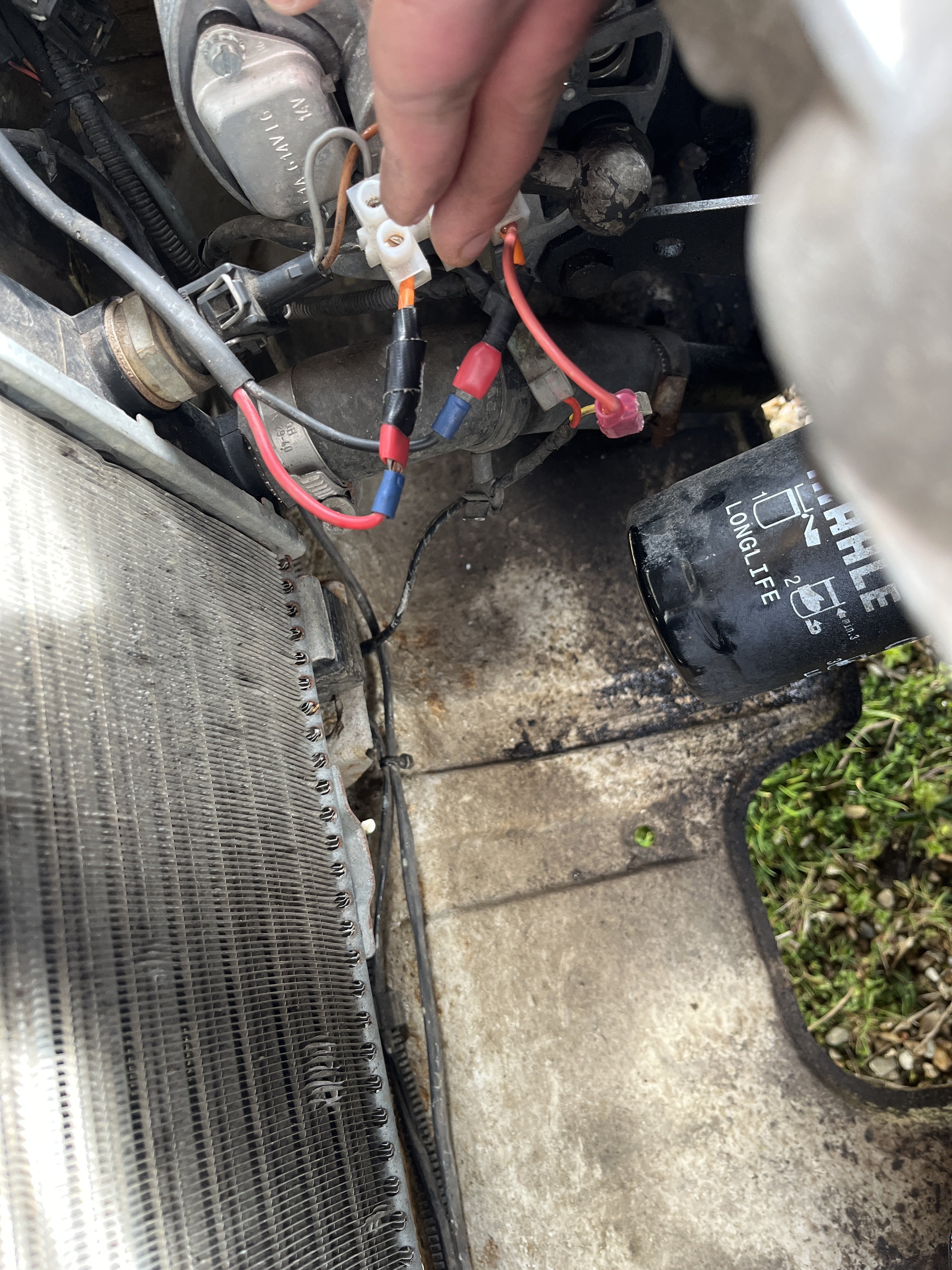
Thankyou guys, i managed to speak to the guy who did it, i understand what he was trying to do now, the switch was a back up incase the thermostat failed on him again. So it was still wired so that the thermostat could turn the fan on, but also be turned on from the inside of the cab if needed. The fan stopped working when the thermostat went I think. In any case I temporarily wired the fan directly to the switch in the cab avoiding the thermostat all together and have now installed a new thermostat and should be sorting out the rest of the wiring with someone who knows what they are doing this week😂 honestly has been far too dangerous driving around having to remember to switch the fan on. Thankyou for that schematic though, much more usefull in colour 👍 Will post an update when its all sorted
-
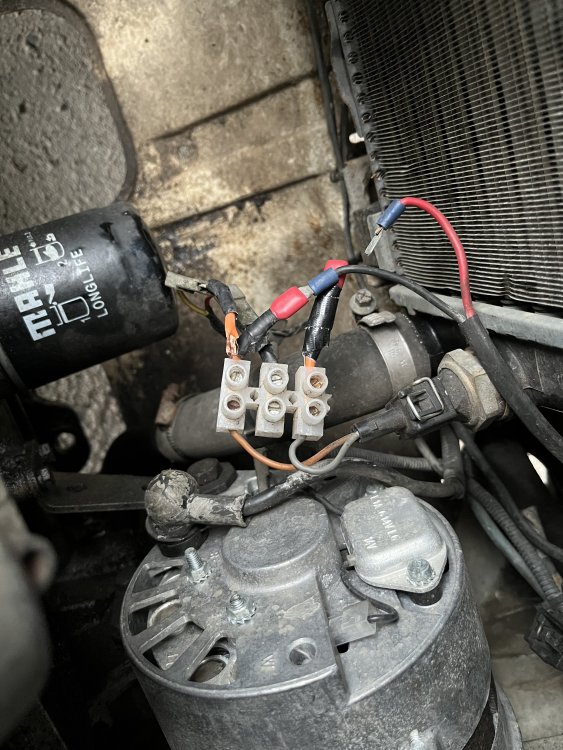
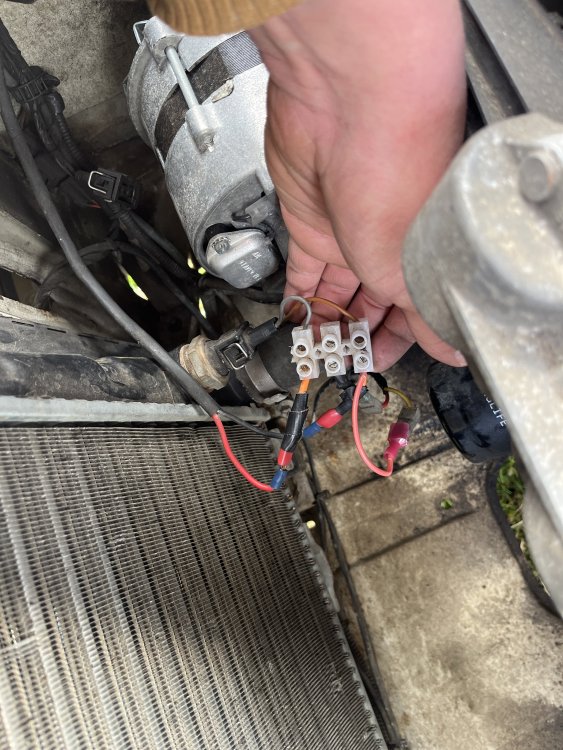
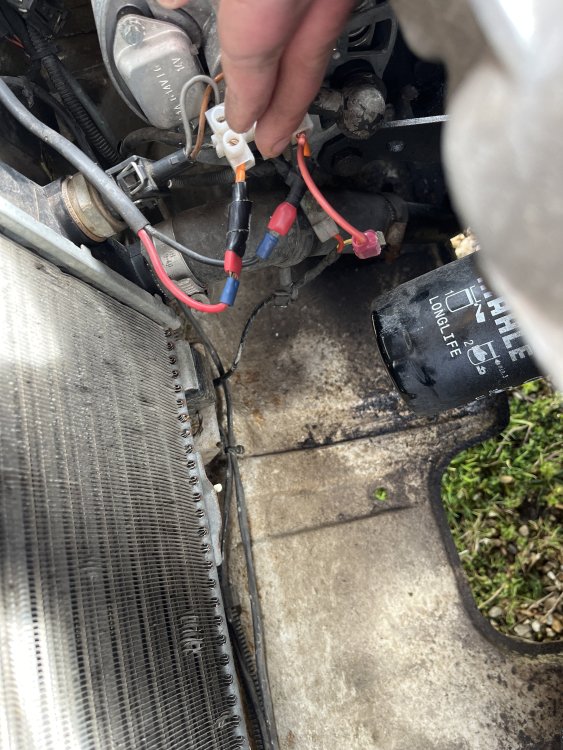
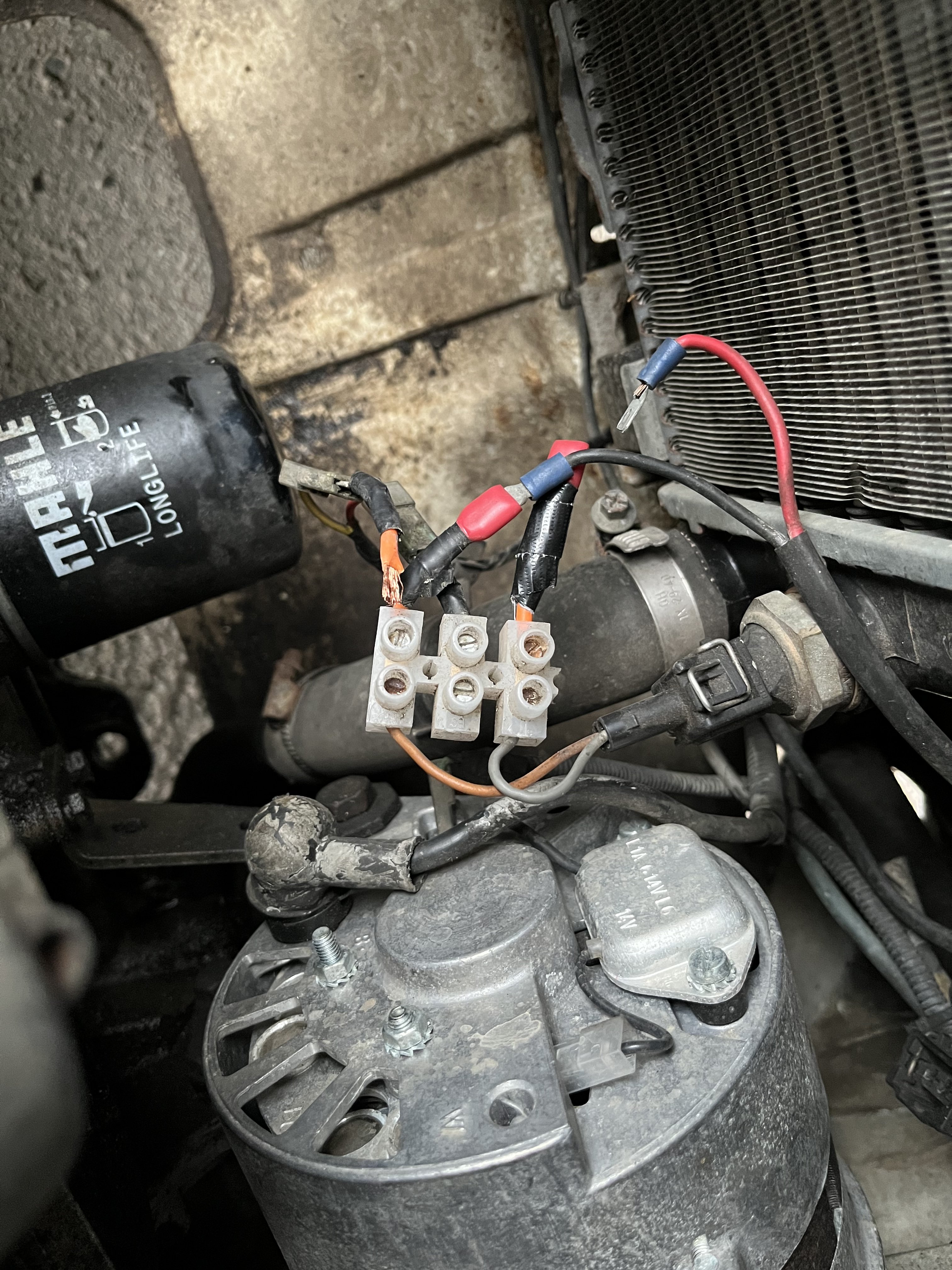
Bought my second Felicia a few weeks ago after the gearbox went on my first and have been having problems since. Its a 1.3 lxi 1998, the last owner (or the one before him) wired the cooling fan into a switch inside the cab. Im planning to remove this and get it back to stock but in the meantime desperately need to fix this fan. As far as I can tell (i hate electrics sorry) the switch comes from the cab into the radiator temperature sensor, then comes back out into the fan. Ive messed with the wiring after the fan stopped working but the photos show how the wiring was originally. Any help or advice appreciated.