




Welshtourist
New here
-
Joined
-
Last visited
Everything posted by Welshtourist
-
Those wheels have the wrong look I'm after bud, they look like the standard transporter 16" style I'm using the caravelle style ones...
-
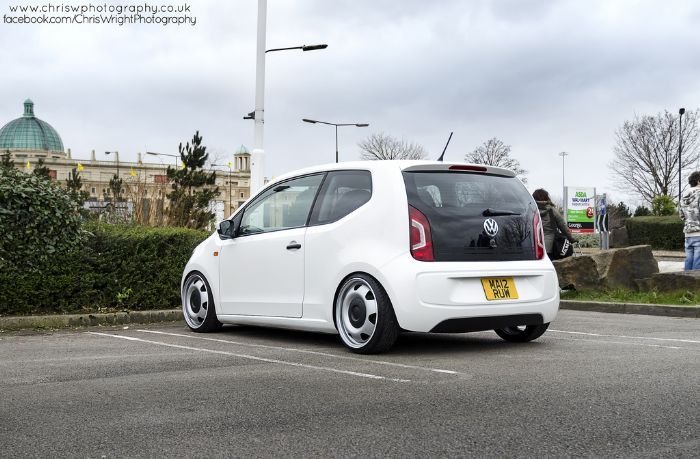
Have just checked, the tyre size I need is 195/35/17, wheels will fit fine. Been done on the VW UP so would be fine on the Citigo.
-
Looking at lowering my 2016 black edition, is it OK to just use lowering springs, maybe 35mm or would it be advisable to look for suitable dampers too ? Also to throw a spanner in the works I'm also considering using a spare set of T5 17" Steels with 215/35/17 tyres with the hub conversion kit, anyone done this and used springs and dampers or gone for the coilover route.....
-
Sorry, forgot about that, I used the free version of winrar to extract them. Also used a 32gb microsd card to do the job.
-
The last update is availabe here: https://www.volkswagen.co.uk/en/myvolkswagen.html Create an account and choose the UP as the car you have, no need to register vin etc... In the map support section the last update is for q3 or q4 2021. You have to download and extract the files from the .rar file to the root of a micro sd card, insert it into the pid and connect it with the power lead, when powered on it will start the update, dont touch anything once the update starts Its finished when you have a green screen and are able to select ok on the screen, its a full wipe/recovery install...
