PTV
New here
-
Joined
-
Last visited
-
Thanks both. It's a small independent garage who have always been pretty good so don't really want to kick up a fuss but I'll get an opinion from where I take it. Thanks for the info re timing belt change - mine was done 18 months ago so just before the guidance withdrawn 🙈
-
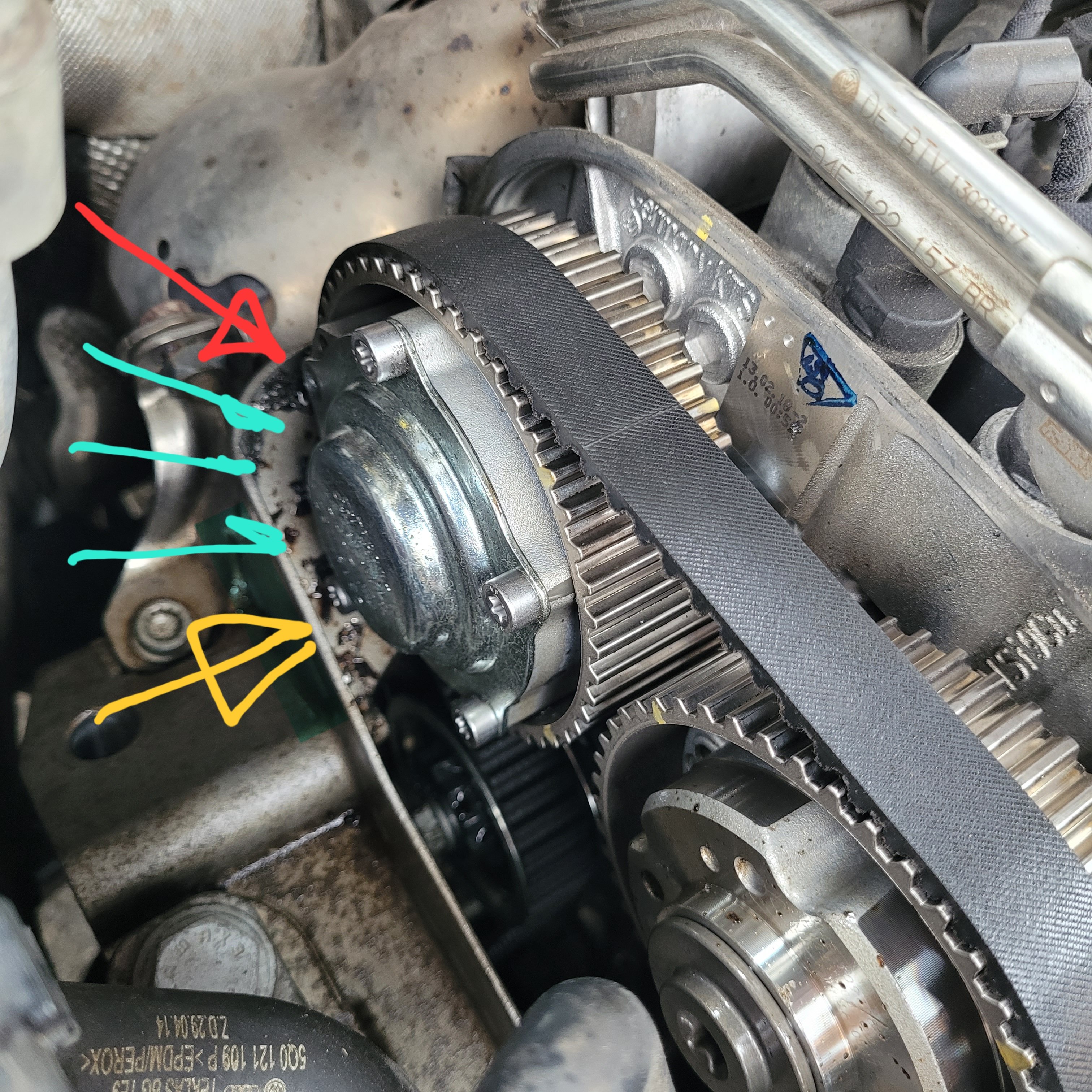
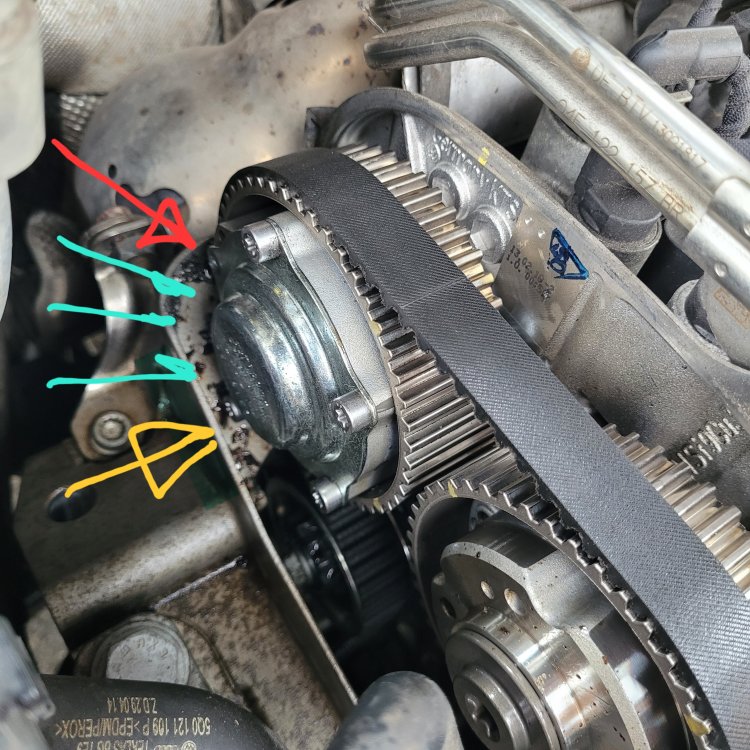
Just resurrecting this thread. My 2018 Skoda Kodiaq 1.4TSI (52,000 miles) has a very similar problem. Had the timing belt done at 5yrs old as recommended. A couple of weeks ago heard a noise but couldn't figure out what it was, noticed a significant oil leak a day or two. Now in the garage (that did the timing belt) and here's the issue: One bolt is missing (red arrow) and another is loose (orange arrow). The missing bolt must have been loose and backed out, then ground to smithereens as the pulley rotated. The remains are sitting in the housing (teal arrows). The pulley has been squirting out the empty bolt hole, the timing belt is soaked in it. Think I need a replacement variable timing pulley and seal behind it, plus a new timing belt. Does that sound about right? (I'm not going to do this myself). Second question - could this be related to the timing belt replacement 18 months ago? Sounds like it's an oil leak that causes the bolts to loosen, but that was not an issue previously. The garage have just told me they don't want to do the work.... from what I've read, I'm wondering if they may be at fault or is at one of those things? Thanks
-
Just resurrecting this thread.... My 2018 1.4TSI 150ps Kodiaq, 32,000 miles, started leaking massive amounts of petrol this afternoon. From reading other posts, sounds like sheared bolts in the injector rail (not that I really know what that is) ia a possible cause. I paid for the 5 year warranty so should be covered for repair when it gets towed to the dealer tomorrow. Frankly I'm just glad my daughter and I didn't end up chargrilled in a Kodiaq BBQ. Rhyskaz, what was the end result on yours?