superb86
New here
-
Joined
-
Last visited
Everything posted by superb86
-
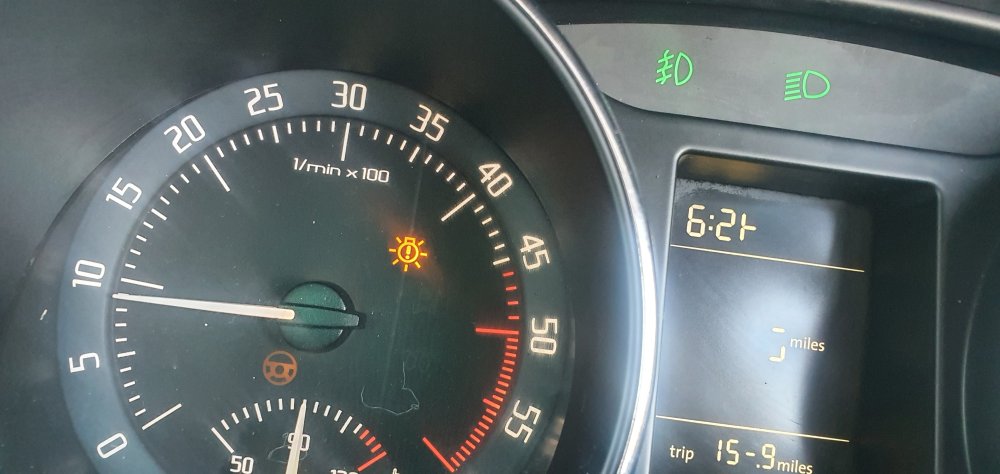
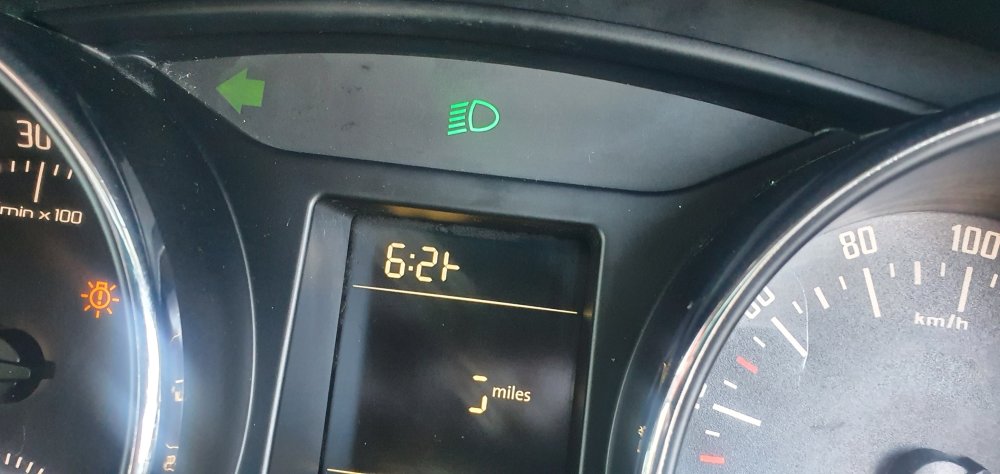
now with lights on
-
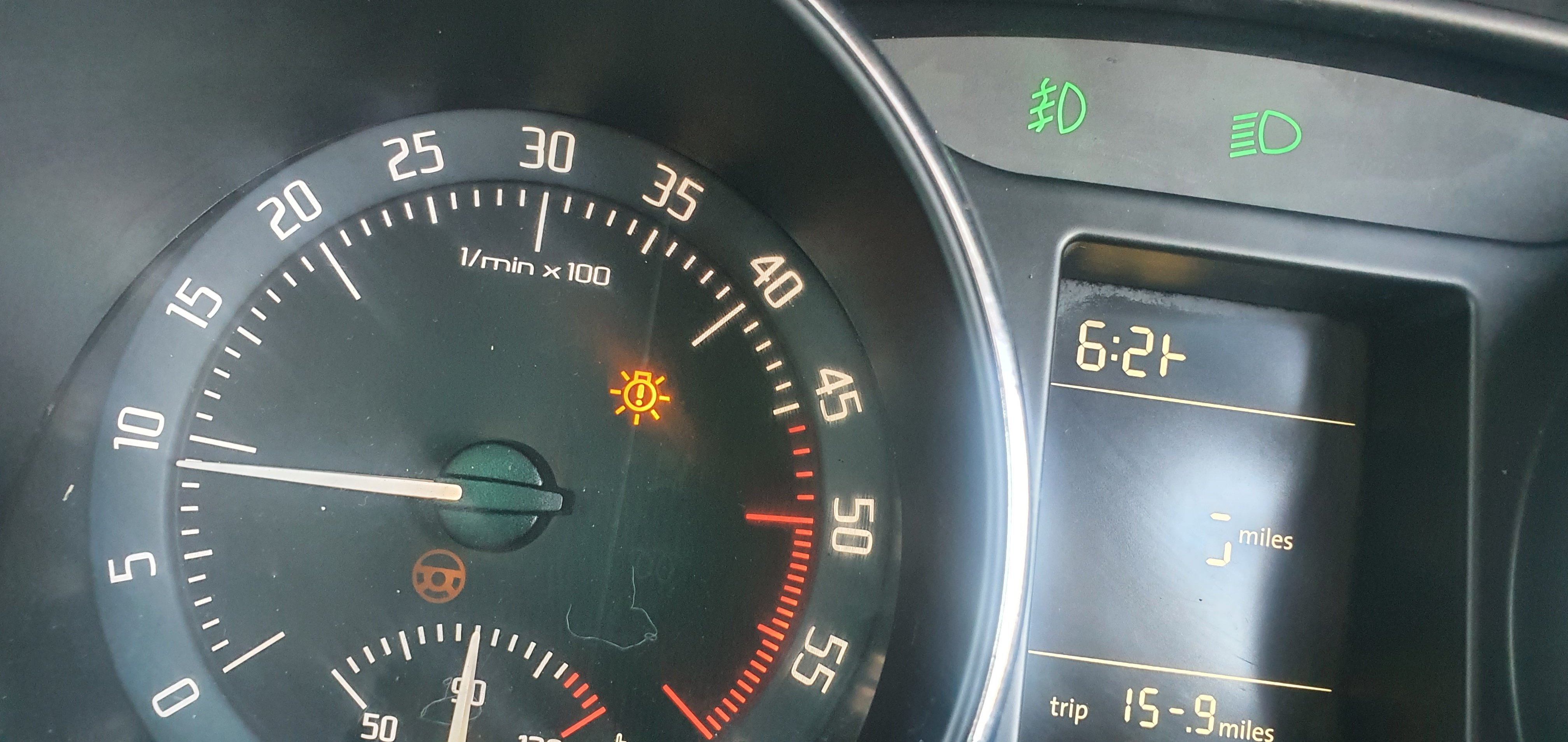
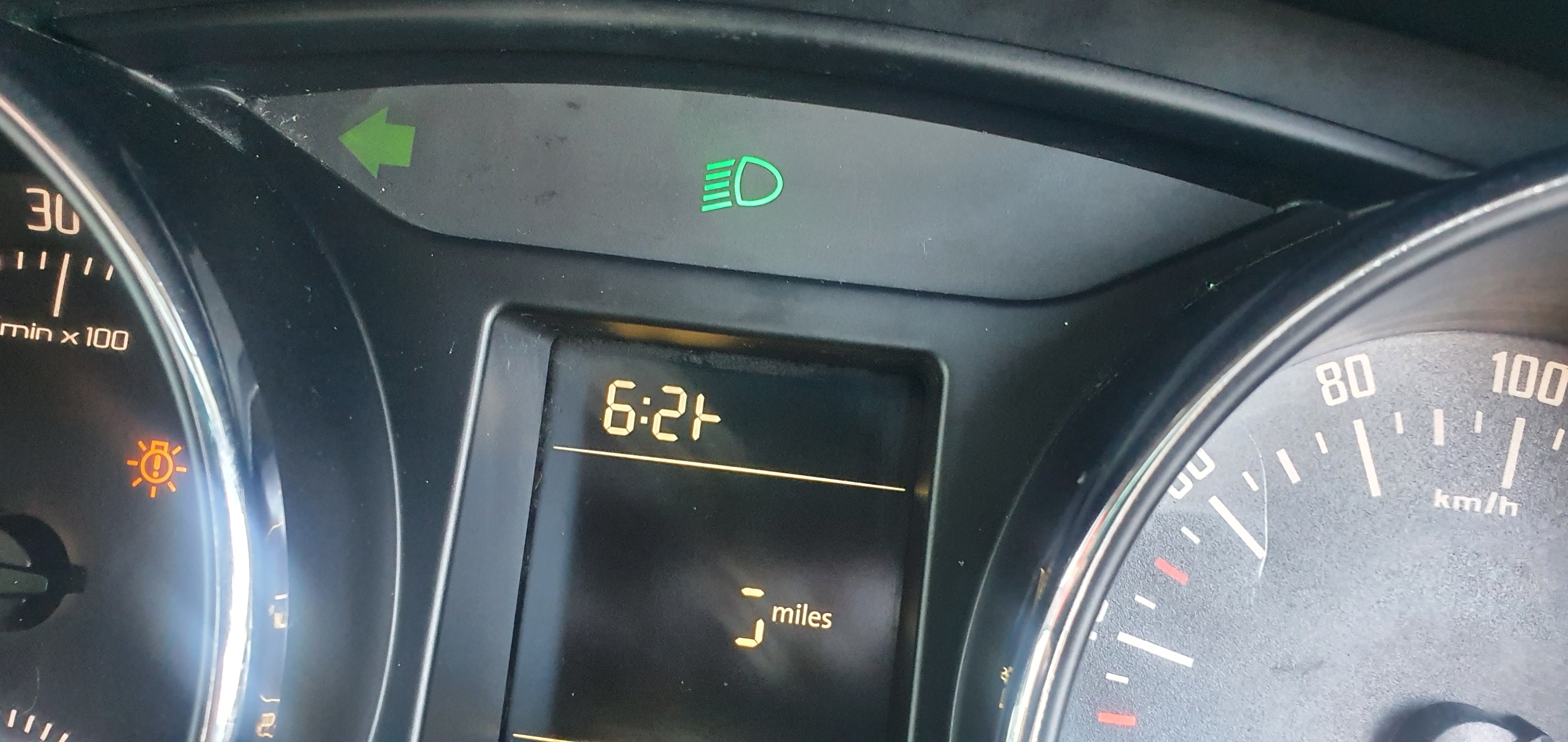
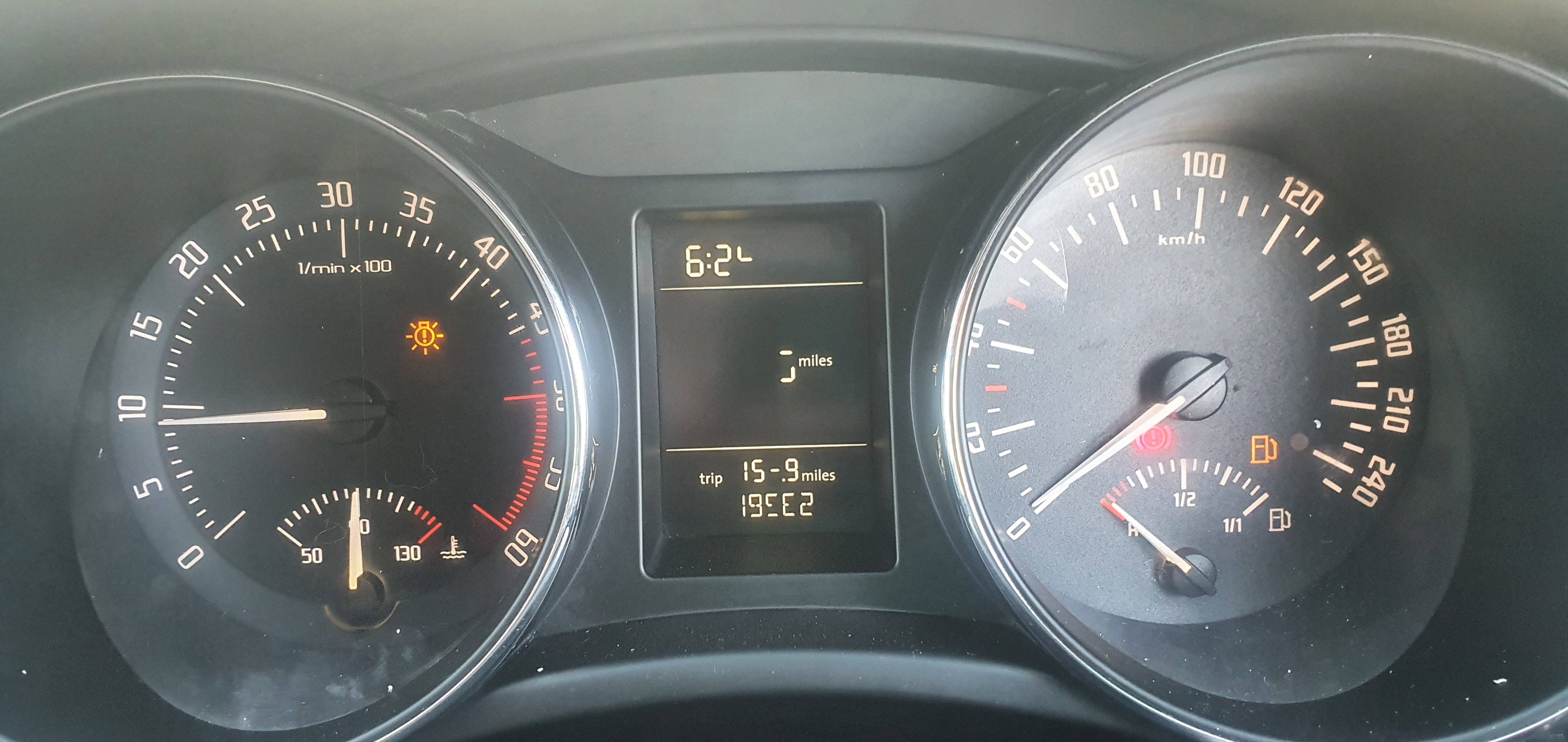
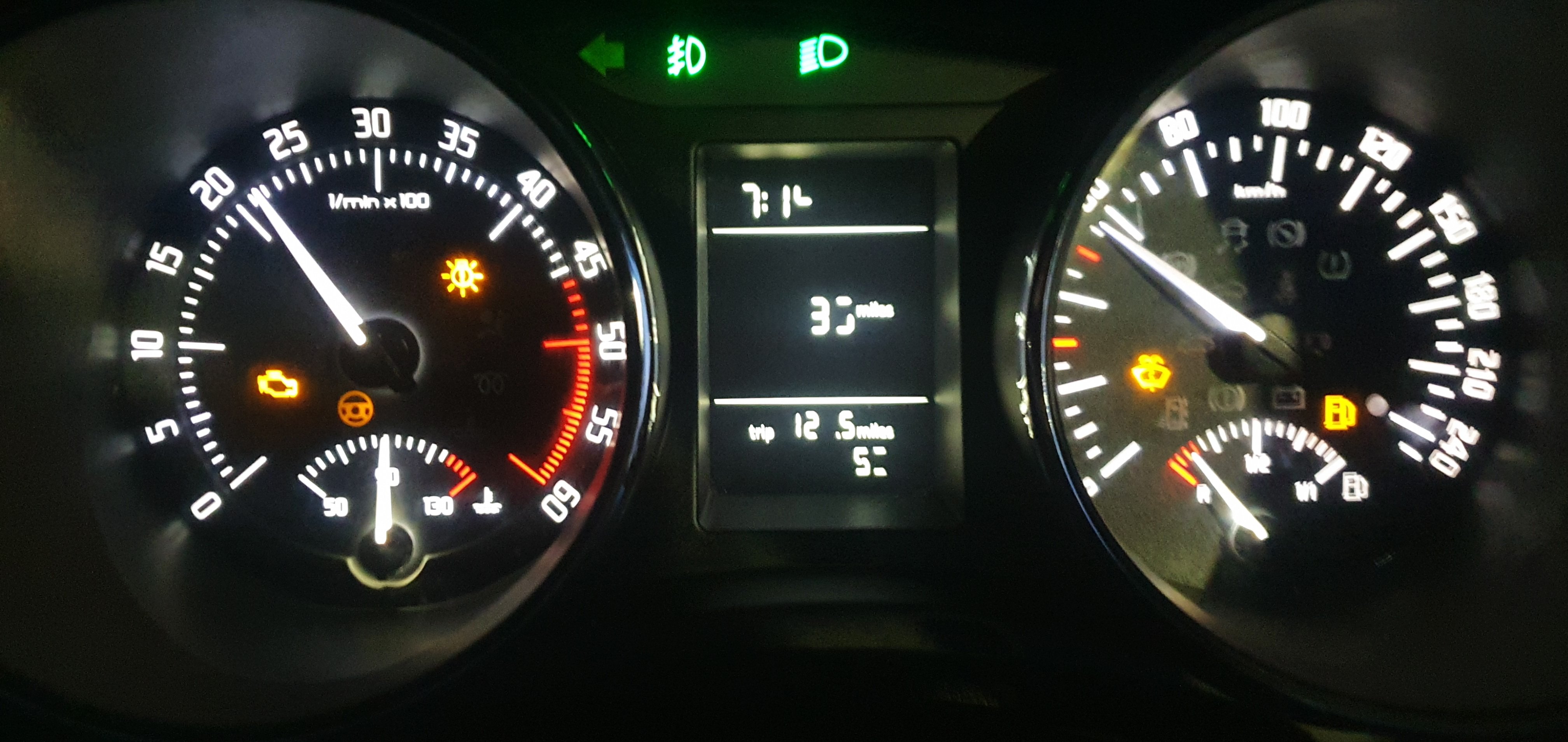
the engine light is on because of qn overboost issue and all the other light are on because of an issue. but here is my point the steering light is not actually on its only showing ture because I've the head lights on and if you look closer the left indecator is glowing to aswel as the right side were the battery light ect ect should be light up white.. here is is in day time with no head light on
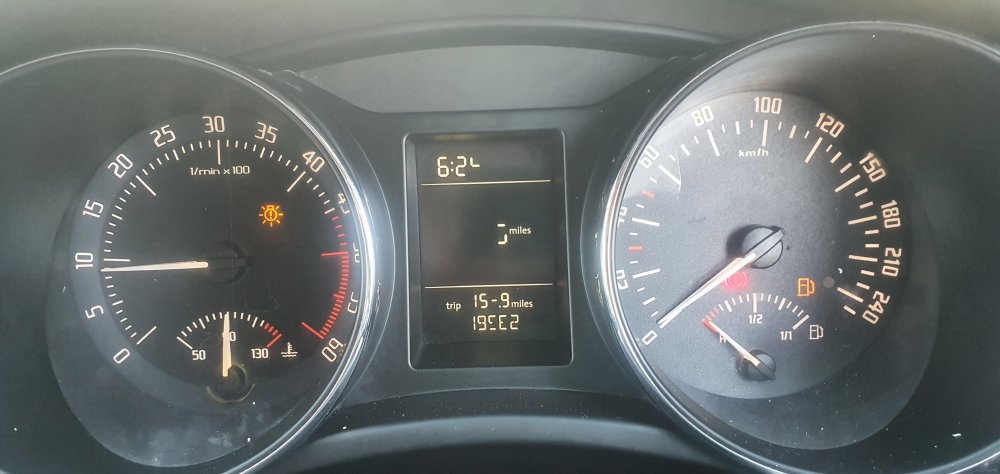
-
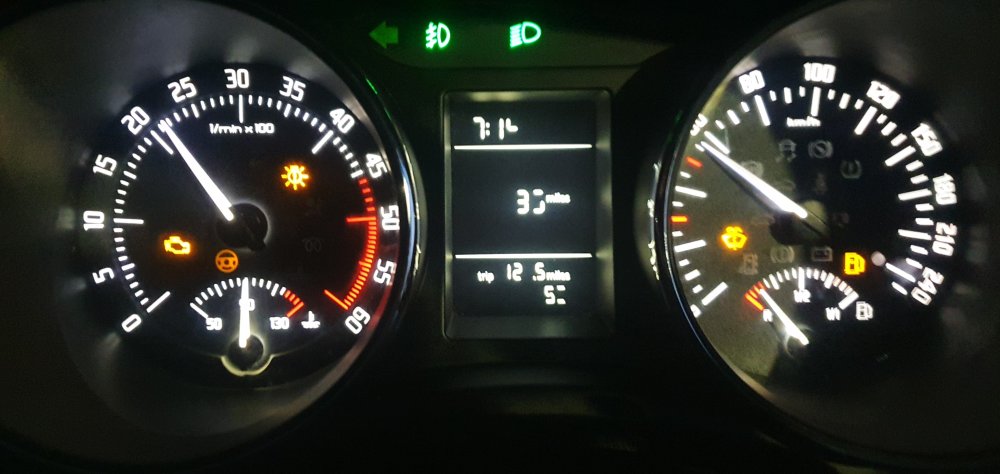
this is the problem I'm having. the back light is showing through each section and the lcd...I think someone has it apart as the speedo Dail moves up and down like a clock not going smooth like it should
-
hi thanks for replying I'll try get the code on the instrument cluster. is it possible to find one with same part number and code it in with my vcds. thanks
-
hi everyone I bought my 2009 superb a view months ago my lcd pannel and speedo have stopped working I was wondering can I swap it out plug and play or do I have to get one that matches it and code it.. second I have the controls on my steering wheel but I don't think there connected as I have to use the wiper stalk to switch into on lcd panel.. if I get upgraded clocks can I program the steering controls to the display thanks