
seamoce
New here
-
Joined
-
Last visited
Everything posted by seamoce
-
Ah thanks to you both. Now I can search the part. Do you suggest some particular website where to look for this?
-
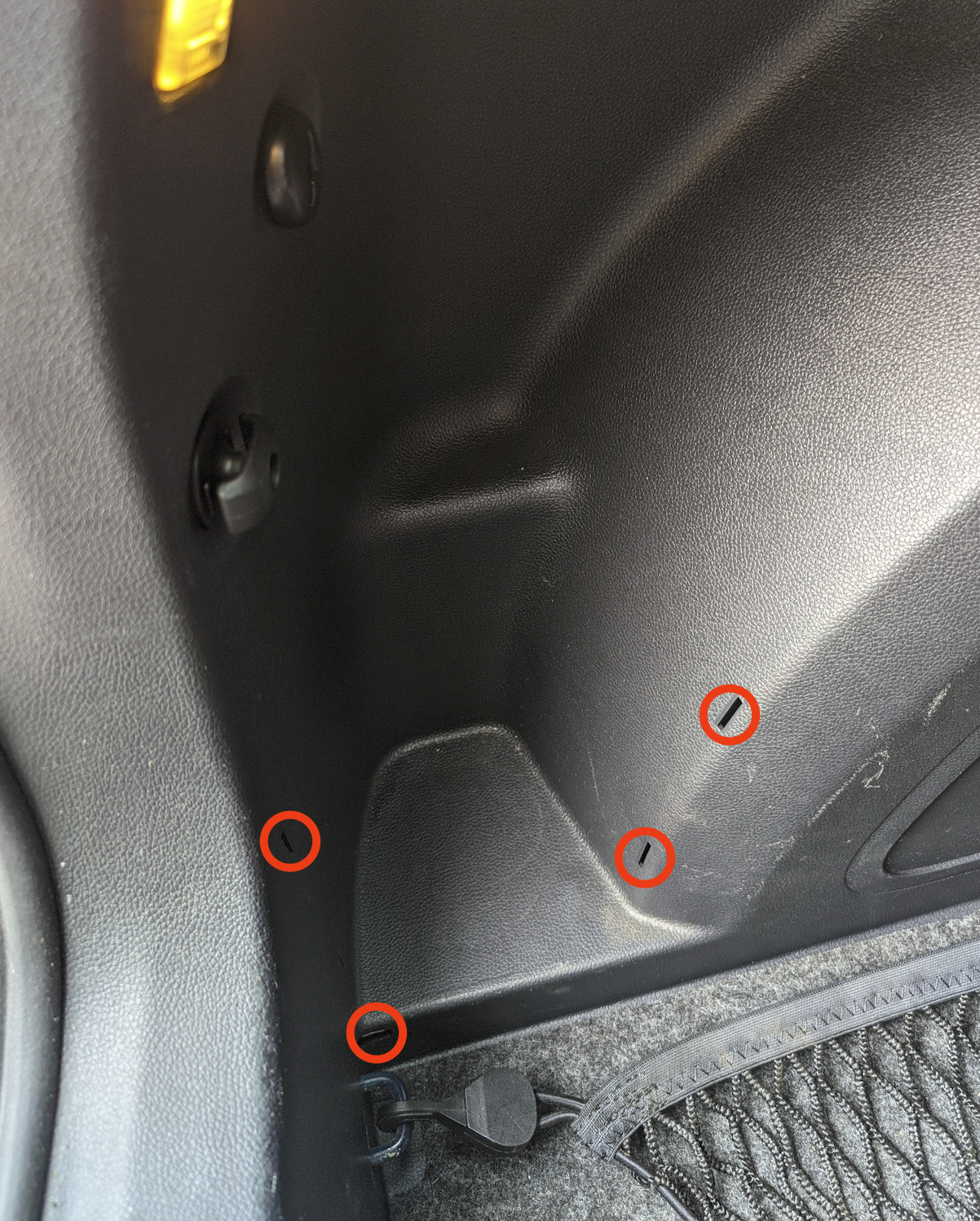
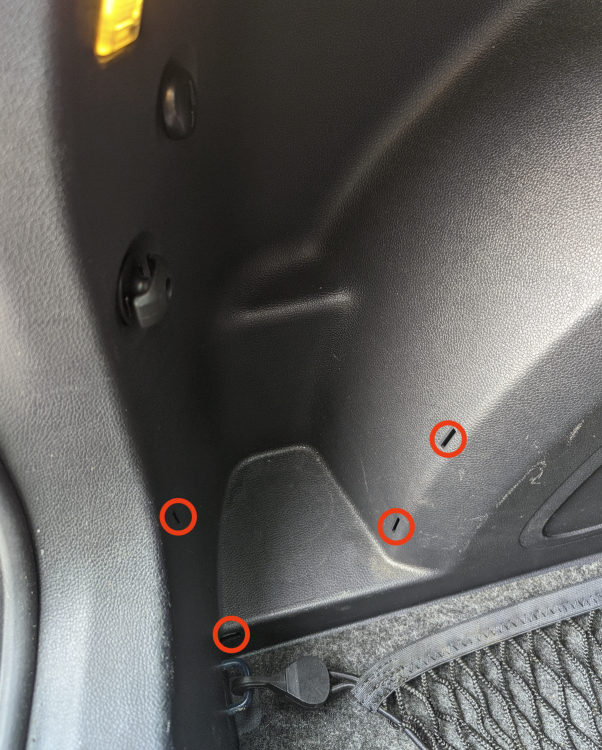
Hi all, I have one question. Can someone explain me what should be attached to those four holes here? I image there should be some kind of net or band to keep what is inside that area in place, but I cannot find it? Where can I buy it? Bye and thanks for the answers.
-
Ok thanks a lot. I just purchased it. My Skoda is the mkII (the one produced between 2007 and 2013). The object description says this support the Skoda Fabia 2007-2010, is this still fine? Are those two different models? It there any possibility to damage the electronic of the car if I connect this one?
-
Hi, thanks for the answer. So in order to use the aftermarket radio I have to purchase something like this? https://www.amazon.de/dp/B01DUJU9LM/ref=sspa_dk_detail_1?psc=1&pd_rd_i=B01DUJU9LM&pd_rd_w=d7CGv&pf_rd_p=4f2ceb27-95e9-46ab-8808-db390b56ec01&pd_rd_wg=ago3y&pf_rd_r=DXA8M64NQVXN0MRP7TTW&pd_rd_r=acf8f54d-0e67-4a2c-b436-dafd5f1e8c43&s=ce-de&smid=A54Q6KYSWXEFB&spLa=ZW5jcnlwdGVkUXVhbGlmaWVyPUExRlZGVjhXM1RNSEw3JmVuY3J5cHRlZElkPUEwNDQ3MDI2MVk5RUY5TlBXNUJRSCZlbmNyeXB0ZWRBZElkPUEwNjI1NzQ0V0o4R0lDR0NHMjlKJndpZGdldE5hbWU9c3BfZGV0YWlsJmFjdGlvbj1jbGlja1JlZGlyZWN0JmRvTm90TG9nQ2xpY2s9dHJ1ZQ== or is not possible at all?
-
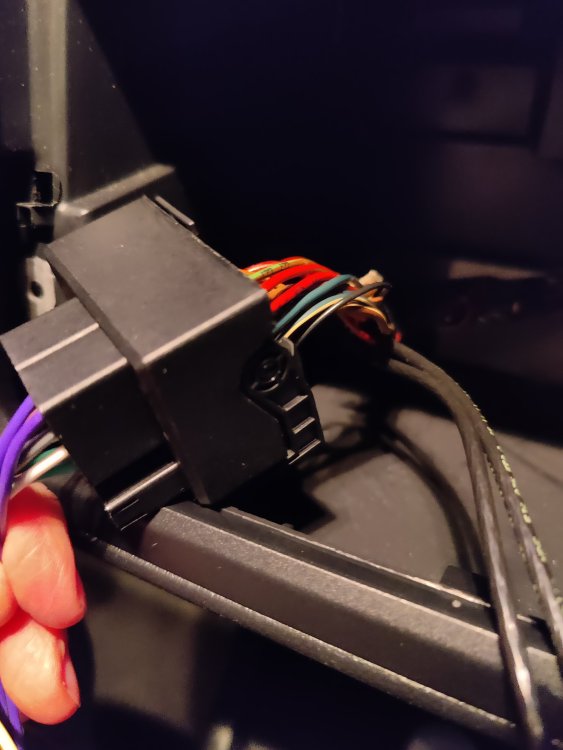
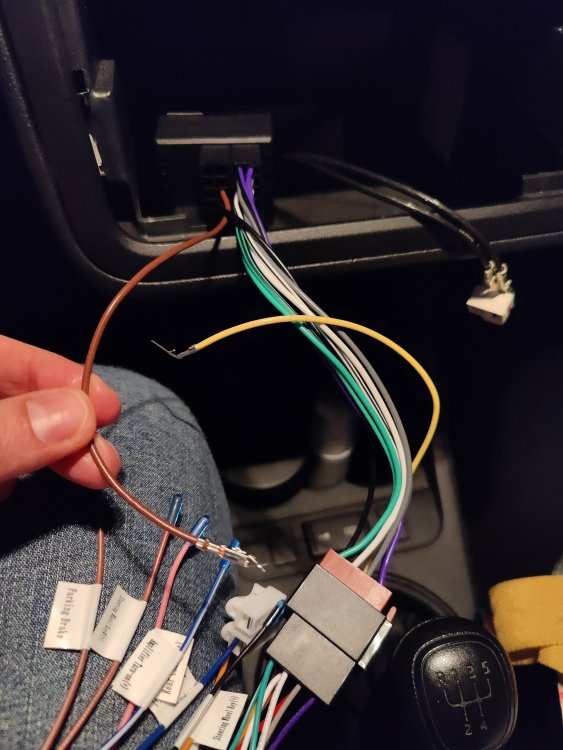
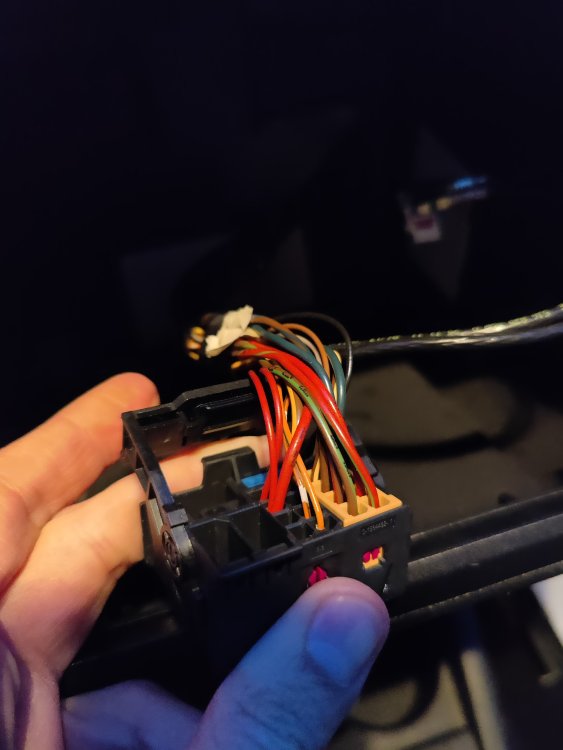
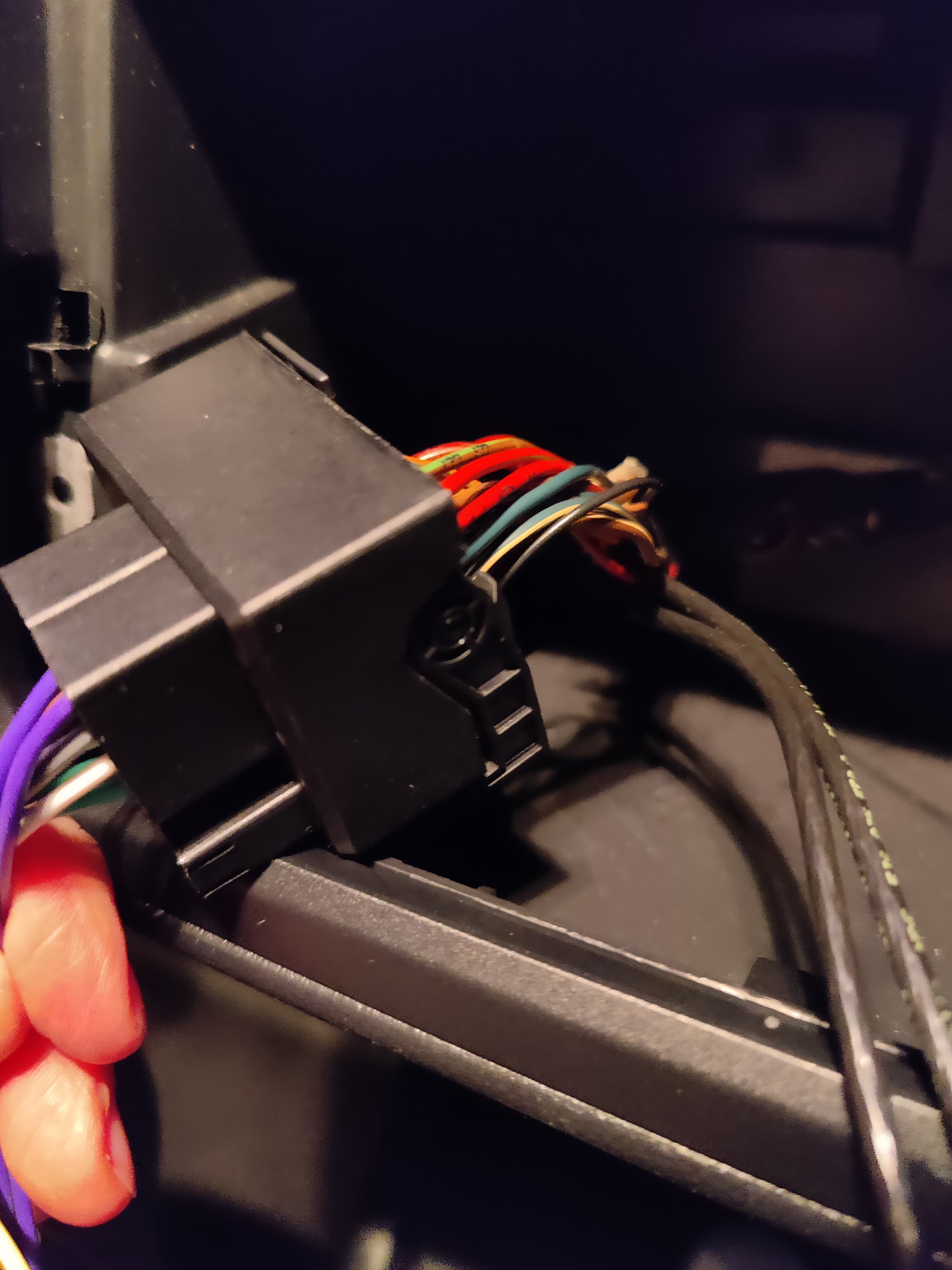
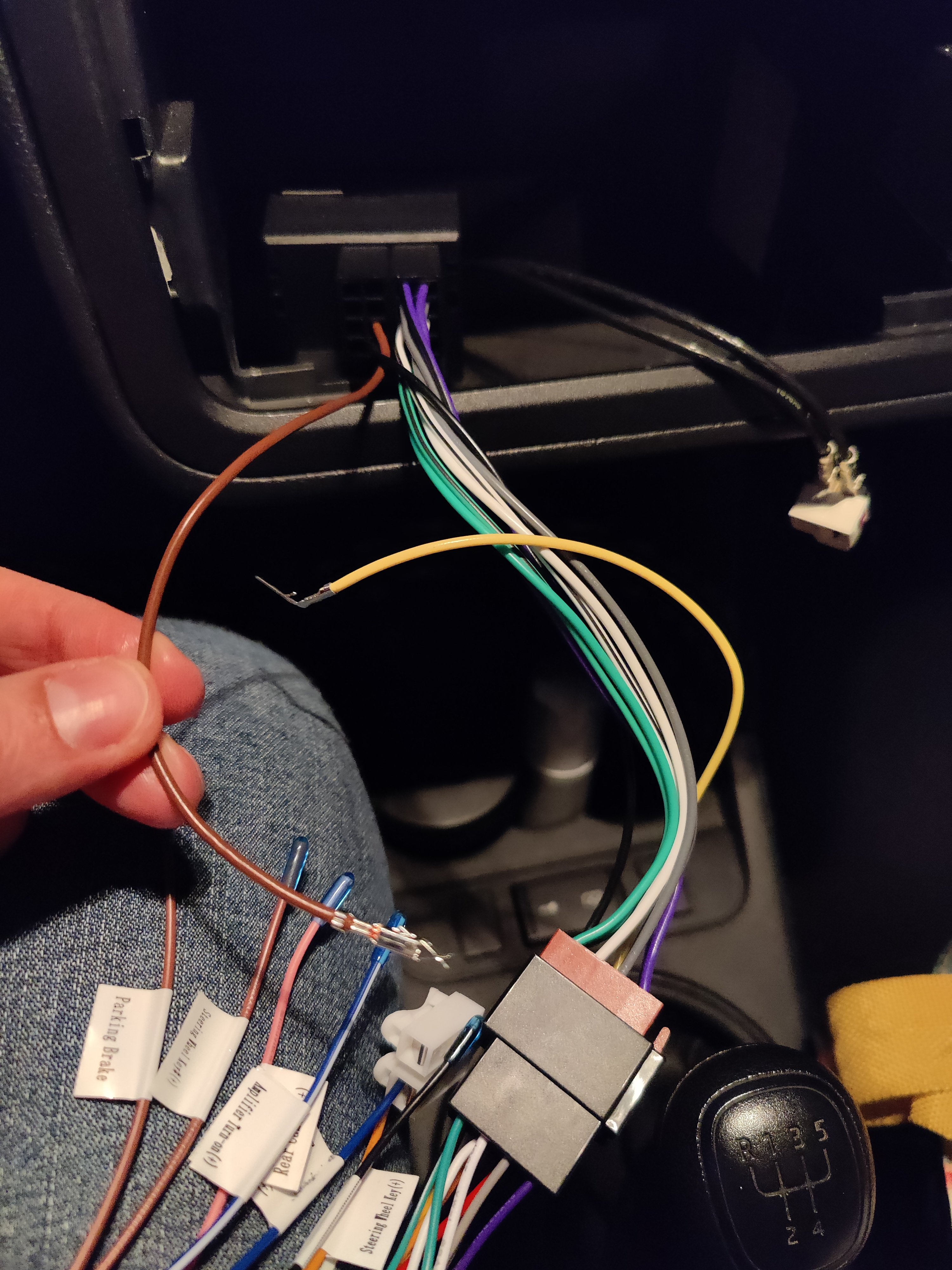
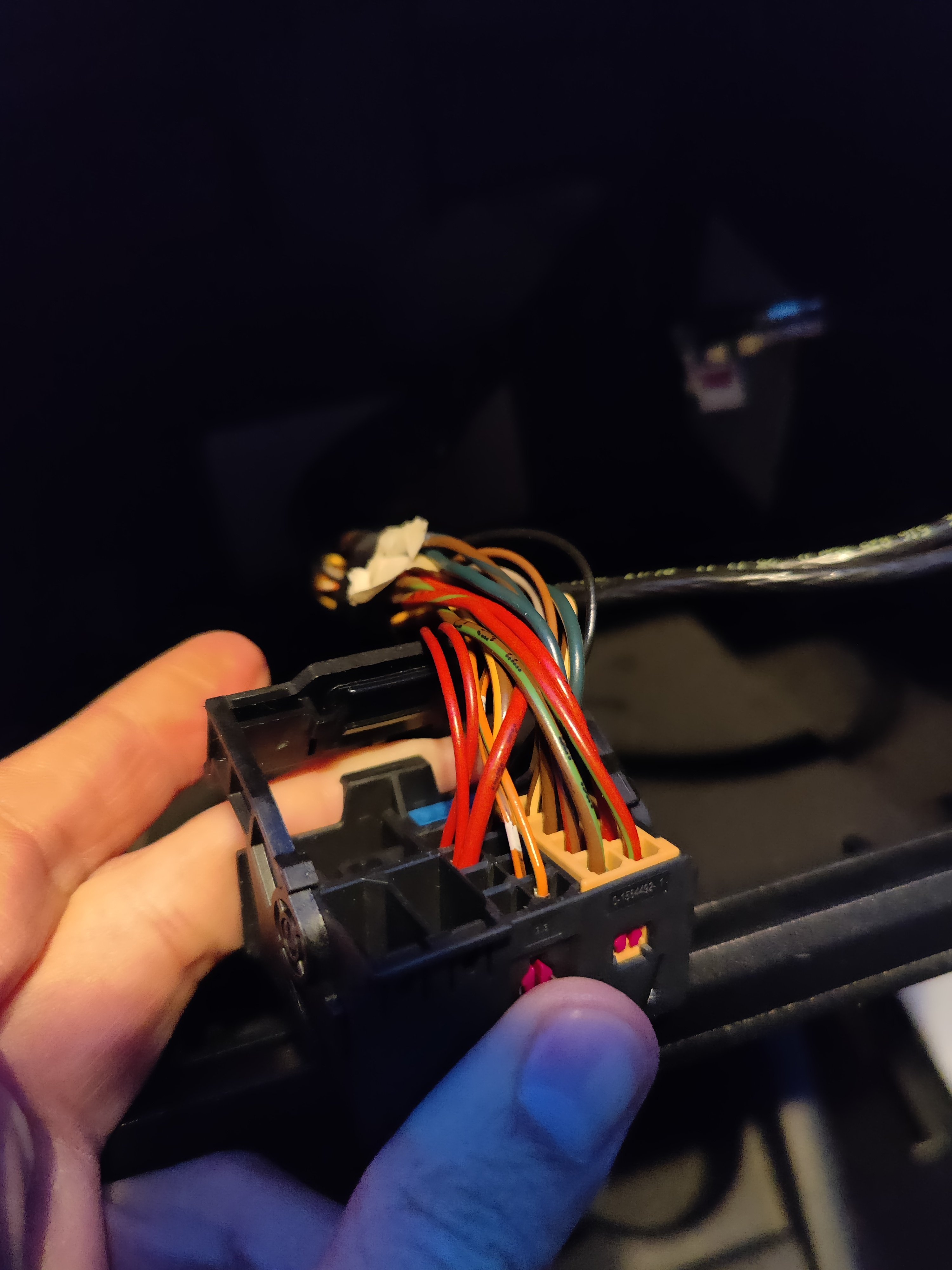
Hi everyone, I'm trying to install an aftermarket Radio to my Skoda Fabia TSI (1.2). I purchased a quadlock to iso converted cable (which has the brown, yellow and red cable disconnected). I was able to switch on the radio but I don't understand where the ignition cable is located to switch the radio off when I turn the key. Can someone help me? I enclose some images.