



Skip to content

TojaSkoda

Finding my way
  • Joined

  • Last visited

  1. Yes, Cairus, you were right, it was the missing fuse causing the problems. Really not sure if it was the mechanic's mistake or if it was me fiddling with fuses while trying to fix a non-functioning rear camera. Thanks so much for your help, much appreciated.
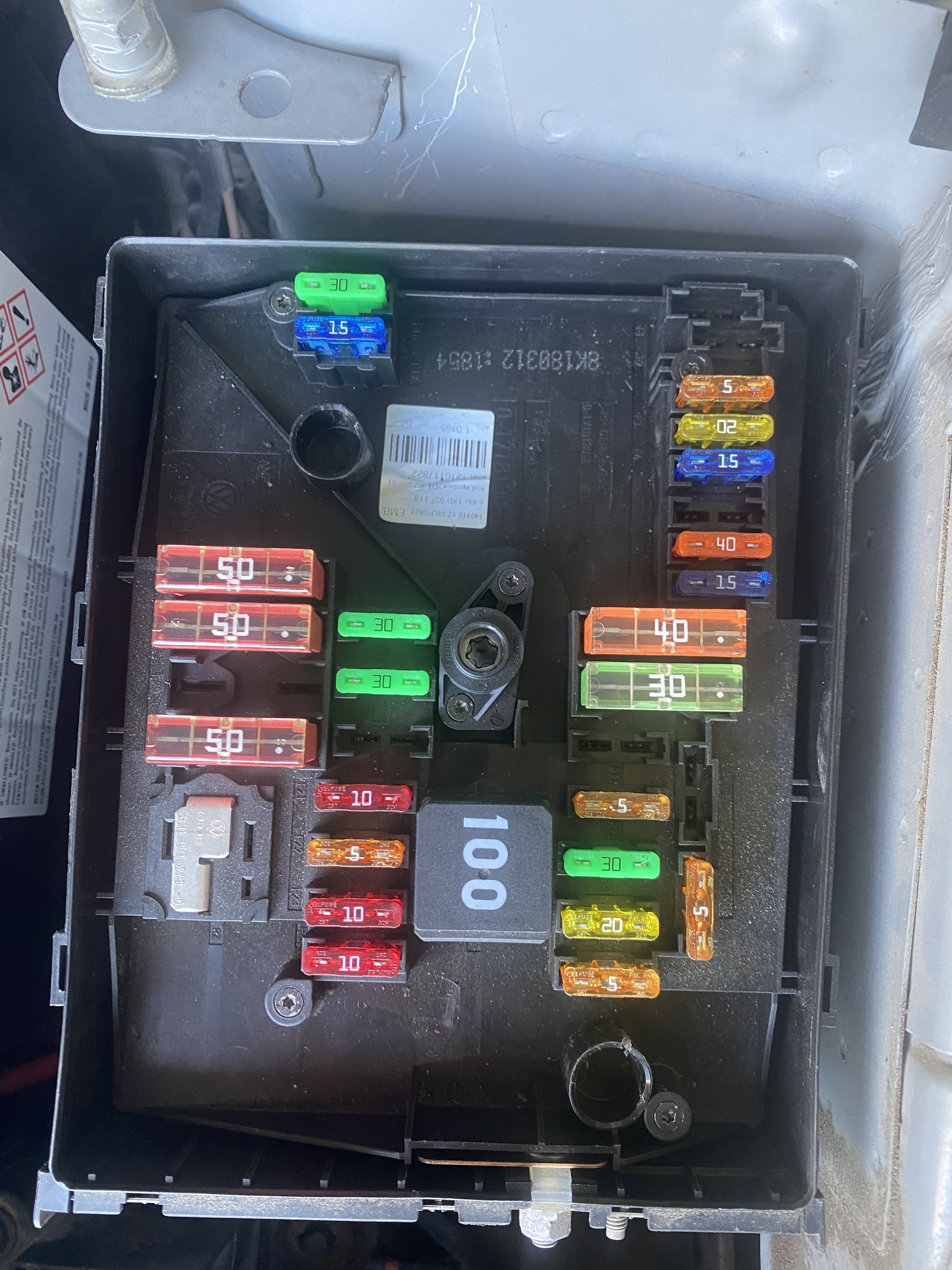
  2. Hi, thanks for your patience and time. There's no fuse in that spot. Maybe the cowboy mechanic who replaced the ABS removed it. Is it possible that 30 should be in the 29 spot? I'll get another one and see if that works.
  3. My mistake, the under bonnet fuses are good. Just needed to turn on the ignition and those ones are live. Interior fuses 32, 34, 35, 36, 37 and 38 have no power.
  4. Ok, so fuses 13, 14, 15, 21, 22, 23 and 24 under the bonnet have no power to them. I'm guessing there's a plug or two not plugged into the back of the board. Any tricks to lifting the board out, I don't want to make things worse. TIA
  5. Thanks, that seems sensible, but are there any I shouldn't remove? I don't want to cause other problems. Oh, the rear doors don't central lock either.
  6. Yes, can't really work out which ones are for the seat or rear windows. Also, my interior fuse panel seems to be the reverse of what is shown in the manual?
  7. Hi, I'm in Australia and have a Mk II Superb Kombi. I had the ABS module replaced by a non-Skoda garage. Since then, the rear windows, electric seat adjusters and the cigarette lighter sockets don't work. Any ideas on what's going on?
  8. Hi I'm located in Australia. I have a 2012 Superb Wagon. It's a 125kw diesel, engine code CFGB. It's due for a timing belt replacement. I'm after advice on whether it needs a water pump replacement at the same time? Also, advice on timing belt kit brands. I can get Gates, Dayco, SKF and various others. Any advice appreciated

Important Information

Welcome to BRISKODA. Please note the following important links Terms of Use. We have a comprehensive Privacy Policy. We have placed cookies on your device to help make this website better. You can adjust your cookie settings, otherwise we'll assume you're okay to continue.

Account

Navigation

Configure browser push notifications

Chrome (Android)
  1. Tap the lock icon next to the address bar.
  2. Tap Permissions → Notifications.
  3. Adjust your preference.
Chrome (Desktop)
  1. Click the padlock icon in the address bar.
  2. Select Site settings.
  3. Find Notifications and adjust your preference.